
Introducció
The Roku Hiro 32-inch 720p HD Smart TV offers an integrated Roku streaming experience. This television features an HD display for clear picture quality and speakers with enhanced audio. It supports Bluetooth for private listening with headphones and includes Wi-Fi for internet connectivity. The Roku operating system provides a customizable home screen, access to numerous streaming channels, and automatic updates, making it suitable for various living spaces.
Què hi ha a la caixa
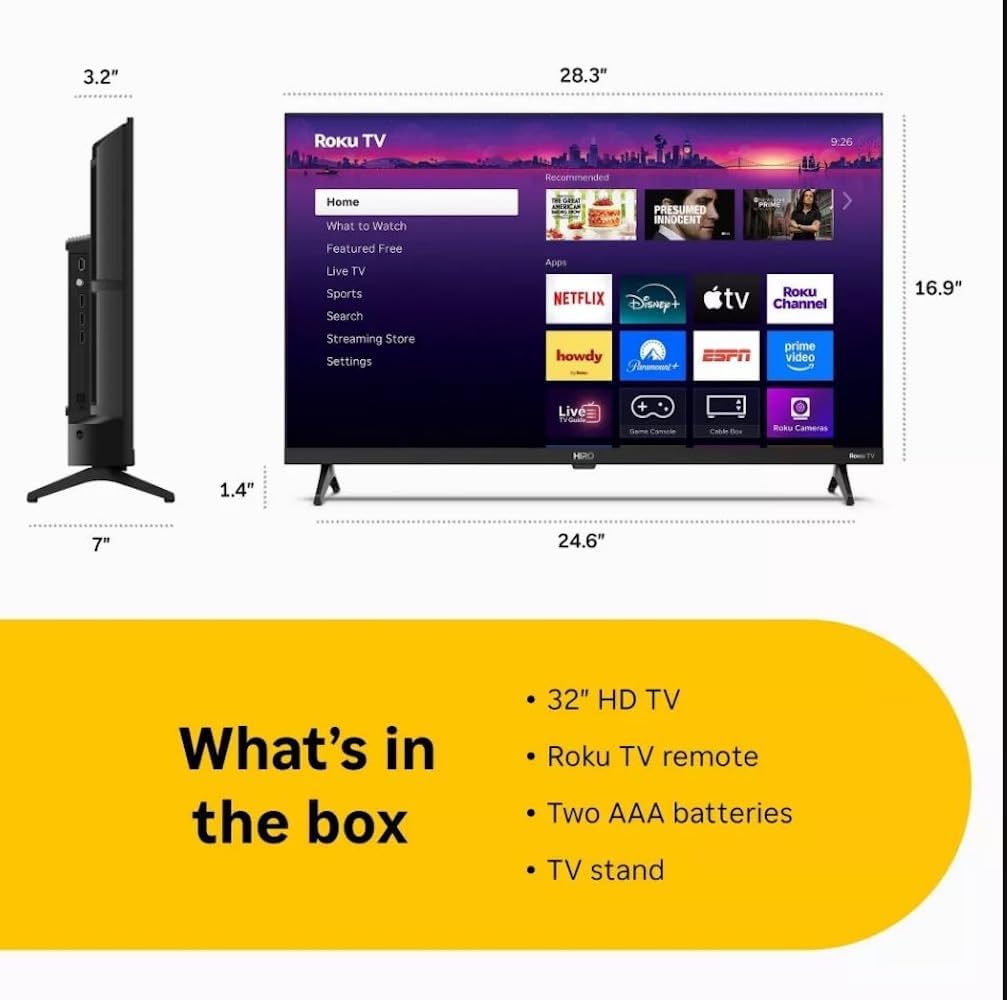
Diagram showing the dimensions of the Roku Hiro 32-inch TV and a list of included accessories: 32-inch HD TV, Roku TV remote, two AAA batteries, and TV stand.
- Hiro 32" 720p HD Smart TV Flat Screen LED Television with Roku TV
- Control remot
- Suport de TV
- Cable d'alimentació
- Guia d'usuari
Configuració
1. Instal·lació de l'estand
Carefully place the TV screen-down on a soft, clean surface to prevent damage. Align the TV stand with the designated slots on the bottom of the TV. Secure the stand using the provided screws. Ensure the stand is firmly attached before proceeding.
2. Dispositius de connexió

posterior view of the Roku Hiro TV, showing the input/output ports including USB, HDMI, and antenna connections.
- Potència: Connecteu el cable d'alimentació a l'entrada d'alimentació del televisor i després a una presa de corrent.
- HDMI: Connect external devices such as Blu-ray players, game consoles, or cable boxes to the HDMI ports. This TV features 3 HDMI ports.
- USB: Use the USB port for media playback from a USB drive.
- Àudio òptic: Connect an external sound system using an optical audio cable for enhanced sound.
- Antena/cable: Connect an antenna or cable TV feed to the RF input for over-the-air or cable channels.
3. Configuració inicial
After connecting all necessary cables, power on the TV. Follow the on-screen instructions to:
- Seleccioneu el vostre idioma.
- Connecteu-vos a la vostra xarxa Wi-Fi.
- Activate your Roku account (or create a new one).
- Scan for available channels if an antenna is connected.
Instruccions de funcionament
Funcions de control remot

Close-up of the Roku TV remote control, highlighting buttons for TV power, volume, mute, sleep timer, instant replay, options, and app shortcuts.
- Botó d'encesa: Encén o apaga el televisor.
- Coixinet direccional (D-Pad): Navega pels menús i selecciona elements.
- Botó D'acord: Confirma les seleccions.
- Botó d'inici: Torna a la pantalla d'inici de Roku.
- Botó enrere: Torna a la pantalla anterior.
- Pujar/baixar el volum: Ajusta el volum del televisor.
- Botó de silenci: Silencia o activa el so del televisor.
- Botons de drecera d'aplicacions: Direct access to popular streaming services (e.g., Netflix, Disney+, Apple TV+, Prime Video).
- Temporitzador de son: Sets a timer for the TV to turn off automatically.
- Repetició instantània: Jumps back a few seconds in supported content.
- Opcions: Accesses additional settings or information for the current content.
Navigating the Roku OS

The Roku TV home screen interface, showing recommended content and various streaming applications.
The Roku home screen provides access to all your streaming channels, inputs, and settings. Use the D-Pad on your remote to navigate through the menu options on the left and the app grid on the right. You can customize the order of your channels by highlighting an app, pressing the * (Options) button, and selecting 'Move channel'.
Contingut en streaming
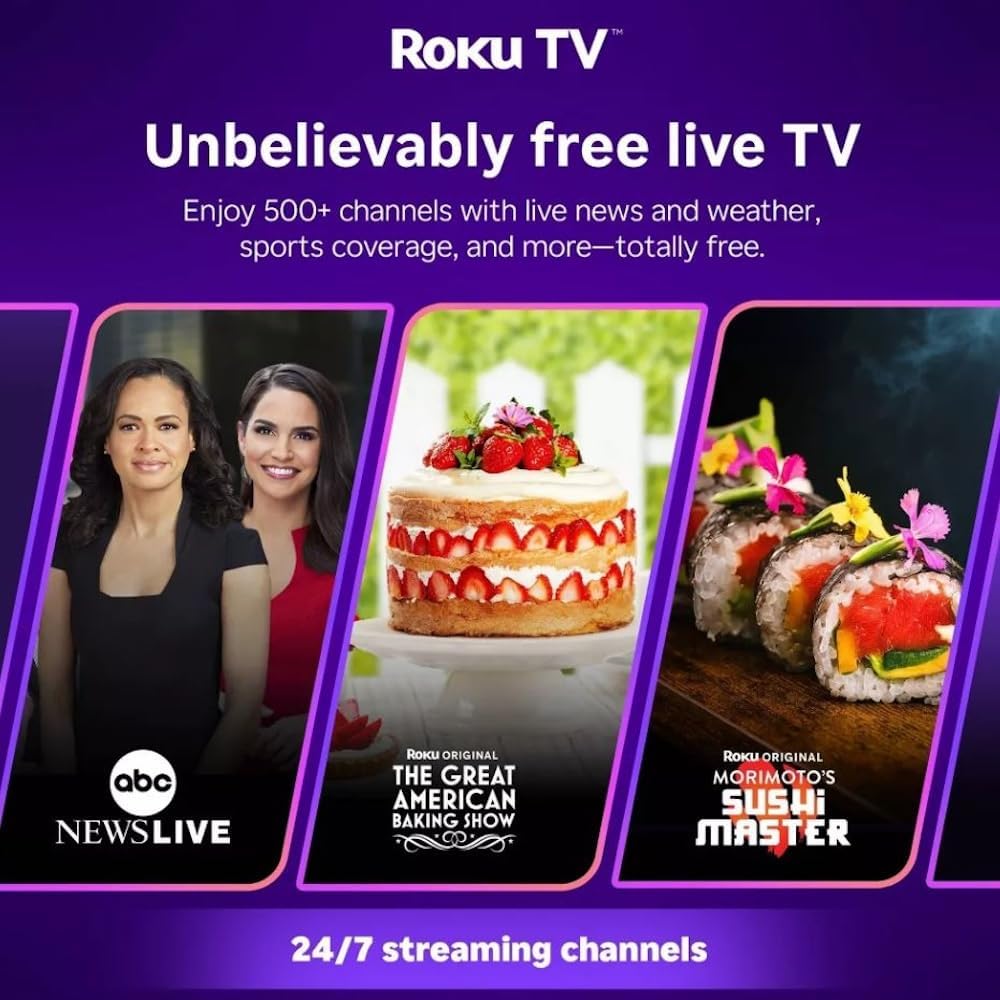
Roku TV interface promoting free live TV channels, featuring examples like ABC News Live, The Great American Baking Show, and Morimoto's Sushi Master.
Access a wide range of streaming services and free content through the Roku Channel Store. The Roku platform offers over 500 free channels, including live television, movies, and news. Use the 'Search' function on the home screen to find specific titles or channels.
Funcions d'àudio

Roku Hiro TV displaying the home screen with various streaming apps, emphasizing enhanced audio quality.
The TV features enhanced audio quality. For private listening, you can pair Bluetooth headphones directly with the TV. Navigate to Settings > Remotes & devices > Bluetooth devices > Pair new device to connect your headphones.
Manteniment
Neteja del televisor
- Desendolla sempre el televisor abans de netejar-lo.
- Feu servir un drap suau i sense borrissol per netejar suaument la pantalla i la carcassa.
- Per a marques difícils, esbandiu lleugeramentampNetegeu el drap amb aigua o un netejador de pantalles suau i no abrasiu. No ruixeu el netejador directament sobre la pantalla.
- Eviteu utilitzar productes químics agressius, esponges abrasives o dissolvents.
Actualitzacions de programari
The Roku TV automatically checks for and installs software updates when connected to the internet. To manually check for updates, go to Configuració > Sistema > Actualització de programari.
Resolució de problemes
| Problema | Solució |
|---|---|
| Sense poder | Assegureu-vos que el cable d'alimentació estigui connectat correctament tant al televisor com a una presa de corrent que funcioni. Proveu una altra presa de corrent. |
| No hi ha imatge, però hi ha so | Comproveu la font d'entrada. Premeu el botó Casa button on the remote and select the correct input. Ensure all HDMI cables are securely connected. |
| No hi ha so, però hi ha imatge | Comproveu el nivell de volum i assegureu-vos que el televisor no estigui silenciat. Si feu servir àudio extern, verifiqueu les connexions i la configuració. |
| No es pot connectar a la Wi-Fi | Verify your Wi-Fi password. Restart your router and modem. Go to Configuració > Xarxa > Configura la connexió to reconfigure. |
| El comandament a distància no funciona | Substitueix les piles del comandament a distància. Assegura't que no hi hagi cap obstacle entre el comandament a distància i el sensor d'infrarojos del televisor. |
Especificacions
| Nom del model | H32C2C4 |
| Mida de la pantalla | 32 polzades |
| Tecnologia de visualització | LED |
| Resolució | 720p |
| Freqüència d'actualització | 60 Hz |
| Sistema operatiu | Roku OS |
| Tecnologia de connectivitat | Bluetooth, HDMI, Optical Audio, USB, Wi-Fi |
| Total Number of HDMI Ports | 3 |
| Ports USB totals | 1 |
| Dimensions del producte (P x A x A) | 3.2 "P x 28.3" W x 16.9" H |
| Pes de l'article | 7.5 lliures |
| Voltage | 120 volts (CA) |
| Tipus de muntatge | Muntatge de taula |
| Color | Negre |
Informació de la garantia
This Roku Hiro TV is covered by a 90-day Replacement Warranty. Please retain your proof of purchase for any warranty claims. For detailed terms and conditions, refer to the warranty documentation included with your product or visit the official Roku support weblloc.
Suport
For further assistance, troubleshooting guides, or to contact customer support, please visit the official Roku support website. You can find comprehensive FAQs and contact information there.