
1. Introducció
This manual provides comprehensive instructions for the safe and efficient operation of your Eyoyo 2D Bluetooth Back Clip Barcode Scanner, Model EY-032. This versatile device is designed for fast and reliable scanning of both 1D and 2D barcodes from various surfaces, including paper and digital screens. It features multiple connectivity options and a convenient back-clip design for integration with smartphones, making it suitable for inventory management, library systems, and other data collection tasks.
2. Contingut del paquet
Verifiqueu que tots els elements siguin presents al paquet:
- Eyoyo 2D Bluetooth Back Clip Barcode Scanner (Model EY-032)
- Dongle USB 2.4G
- Cable de càrrega USB
- Manual d'usuari
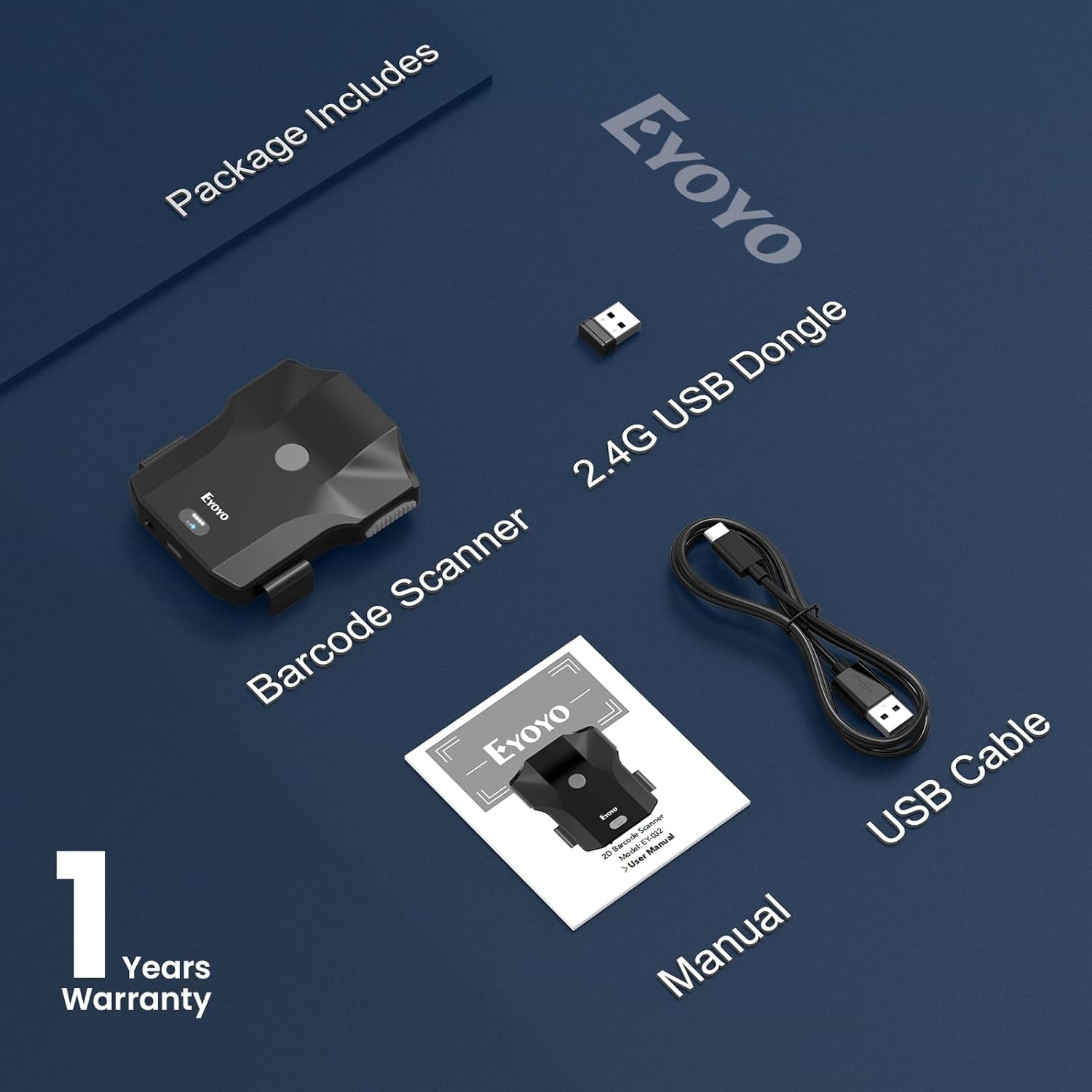
Imatge 2.1: Contents of the Eyoyo EY-032 scanner package, including the scanner unit, 2.4G USB dongle, USB cable, and user manual.
3. Producte acabatview
The Eyoyo EY-032 scanner is designed for ergonomic use and features intuitive controls and indicators.
- Botons d'escaneig: Three distinct buttons for scanning, providing flexibility for left, right, or central operation.
- Indicador de bateria: LED lights display the current battery level.
- Interruptor d'encesa/apagada: A physical switch to power the device on or off, conserving battery.
- Port de càrrega tipus C: Per a una càrrega còmoda.
- Retractable Clip: Horizontal design compatible with smartphones from 4.7 to 7.2 inches, and up to 0.5 inches (14mm) thick, including those with cases.

Imatge 3.1: Acabatview of the Eyoyo EY-032 scanner, highlighting its three scan buttons, battery indicator, Type-C port, on/off switch, and phone compatibility range.
4. Configuració
4.1. Càrrega de l'escàner
Before initial use, fully charge the scanner. Connect the provided USB charging cable to the scanner's Type-C port and a USB power source (e.g., computer, wall adapter). The battery indicator lights will show charging progress.
- Temps de càrrega: Aproximadament 3 hores per a una càrrega completa.
- Working Time: Up to 10 hours of continuous use.
- Standby Time: Up to 720 hours.

Imatge 4.1: Visual representation of the scanner's 1200mAh battery capacity and its associated working, charging, and standby times.
4.2. Connexió a un telèfon intel·ligent
The scanner features a horizontal retractable clip designed to securely hold smartphones between 4.7 and 7.2 inches, including those with thick cases (up to 14mm). Ensure the phone is centered in the clip for a stable hold.

Imatge 4.2: Illustration of the scanner's compatibility with various phone sizes (4.2-7.2 inches) and thickness (up to 14mm).
4.3. Modes de connexió
The EY-032 offers three connection options:
- Connexió sense fil Bluetooth: For smartphones (Android, iOS) and tablets.
- Connexió sense fil 2.4G: Using the included USB dongle for laptops and PCs.
- Connexió per cable USB: Direct connection via USB cable to a computer.
To switch between modes, refer to the specific barcode commands in the full user manual (not provided here).

Imatge 4.3: Depiction of the three available connection methods: Bluetooth, 2.4G wireless via dongle, and USB wired.
5. Instruccions de funcionament
5.1. Encendre/apagar
Use the physical on/off switch located on the scanner to power the device. Ensure it is in the 'On' position for operation and 'Off' to conserve battery when not in use.
5.2. Modes d'escaneig
The scanner supports three operational scanning modes:
- Mode de disparador manual: Press the scan button to initiate each scan.
- Mode d'escaneig continu: The scanner continuously emits a scan beam, ideal for high-volume scanning.
- Mode de detecció automàtica: L'escàner detecta automàticament un codi de barres al seu camp de view and scans it without a button press.
To change scanning modes, scan the corresponding setup barcodes found in the complete user manual.

Imatge 5.1: Visual demonstration of Auto-Sense, Continuous, and Manual Trigger scanning modes in action.
5.3. Data Upload Modes
The scanner offers two methods for data transfer:
- Mode de càrrega instantània: Les dades escanejades es transmeten immediatament al dispositiu connectat.
- Mode d'emmagatzematge: Scanned data is stored internally in the scanner's memory and can be uploaded later. This is useful when out of range of a connected device.
Refer to the full user manual for instructions on switching between upload modes and retrieving stored data.

Imatge 5.2: Illustration comparing Storage Mode, where data is saved internally, and Instant Upload Mode, where data is sent directly to the connected device.
5.4. Customized Settings
The scanner allows for various customizations to optimize workflow:
- Afegeix un prefix/sufix: Configure the scanner to automatically add specific characters before or after scanned data.
- So i vibració: Adjust the feedback settings for scan confirmation (off, low, medium, high).
- Hide Characters: Option to hide certain characters from the scanned output.
- Insert Keyboard Keys: Ability to insert special keyboard keys like TAB or CR&LF after a scan.
- iOS Keyboard Functionality: For iOS devices, double-clicking the main scan button can toggle the virtual keyboard on or off. Note: This feature is specific to iOS and not supported on Android.
Detailed instructions and configuration barcodes for these settings are available in the complete user manual.

Imatge 5.3: Examples of customized settings, including adding prefixes/suffixes to barcodes and adjusting sound and vibration levels.

Imatge 5.4: Demonstrates the iOS-specific feature of double-clicking the scan button to show or hide the virtual keyboard.
6. Manteniment
Un manteniment adequat garanteix la longevitat i el rendiment òptim del vostre escàner:
- Neteja: Feu servir un drap suau i sec per netejar l'exterior de l'escàner. Per a la finestra d'escaneig, feu servir un drap de neteja de lents per evitar ratllades. No utilitzeu productes de neteja abrasius ni dissolvents.
- Emmagatzematge: Guardeu l'escàner en un lloc fresc i sec, allunyat de la llum solar directa i de temperatures extremes.
- Cura de la bateria: Avoid fully discharging the battery frequently. If storing for extended periods, charge the battery to about 50% and recharge every few months.
7. Solució De Problemes
If you encounter issues with your Eyoyo EY-032 scanner, refer to the following common problems and solutions:
| Problema | Causa possible | Solució |
|---|---|---|
| L'escàner no s'encén. | Bateria baixa; interruptor apagat. | Charge the scanner; Ensure the power switch is in the 'On' position. |
| No es pot connectar per Bluetooth. | L'escàner no està en mode d'emparellament; Bluetooth del dispositiu desactivat; Interferències. | Ensure scanner is in Bluetooth pairing mode (refer to manual); Enable Bluetooth on your device; Move away from other wireless devices. |
| L'escàner no llegeix codis de barres. | Barcode damaged/unreadable; Incorrect scanning mode; Dirty scanning window. | Try scanning a different barcode; Switch to the appropriate scanning mode; Clean the scanning window. |
| Les dades escanejades són incorrectes o incompletes. | Incorrect barcode symbology enabled; Data formatting settings. | Refer to the full manual to enable/disable specific barcode symbologies or adjust data formatting. |
For more complex issues or if the problem persists, please contact customer support.
8. Especificacions
| Característica | Detall |
|---|---|
| Model | EY-032 |
| Tecnologia de connectivitat | Bluetooth, 2.4G Wireless, USB Cable |
| Dispositius compatibles | Desktop, Laptop, POS, Smartphone, Tablet (Android, iOS, Windows, Linux, Mac OS) |
| Supported Barcodes (1D) | Code 128, Code 39, Code 93, Code 11, Code 32, Code 39 Full ASCII, Codabar, Industrial 2 of 5, Interleaved 2 of 5, MSI Plessey, EAN-8, EAN-13, UPC-A, UPC-E, ISBN, GS1 DataBar |
| Supported Barcodes (2D) | PDF 417, Micro PDF417, QR Code, Micro QR, Data Matrix, Aztec |
| Capacitat de la bateria | 1200 mAh |
| Temps de treball | Fins a 10 hores |
| Temps de càrrega | Aprox. 3 hores |
| Vol. Operatiutage | 5 Volts |
| Dimensions de l'article (D x W x H) | 4.33" x 3.35" x 1.77" |
| Pes de l'article | 160 grams |
| Certificacions | CE, FCC, RoHS |
9. Garantia i Suport
9.1. Informació de la garantia
The Eyoyo EY-032 Barcode Scanner comes with a Garantia del fabricant de 1 anys from the date of purchase. This warranty covers defects in materials and workmanship under normal use. It does not cover damage caused by misuse, accidents, unauthorized modifications, or improper maintenance.
9.2. Atenció al client
For technical assistance, warranty claims, or any questions regarding the operation of your scanner, please contact Eyoyo customer support. Refer to the contact information provided on the product packaging or the official Eyoyo weblloc.


