
1. Introducció
Welcome to the M-VAVE SMK-37 PRO MIDI Controller user manual. This guide provides essential information for setting up, operating, and maintaining your device. The SMK-37 PRO is a versatile and portable MIDI controller designed for musicians and producers seeking quality, flexibility, and creative freedom. It features 37 velocity-sensitive keys, 16 RGB force-sensitive pads, USB-C audio interface, wireless connectivity, and an internal battery, making it compatible with various recording and music production setups.
2. Producte acabatview
The M-VAVE SMK-37 PRO is engineered to be the core of your music setup, offering a tactile and intuitive experience. Below is an overview of its main components and features.
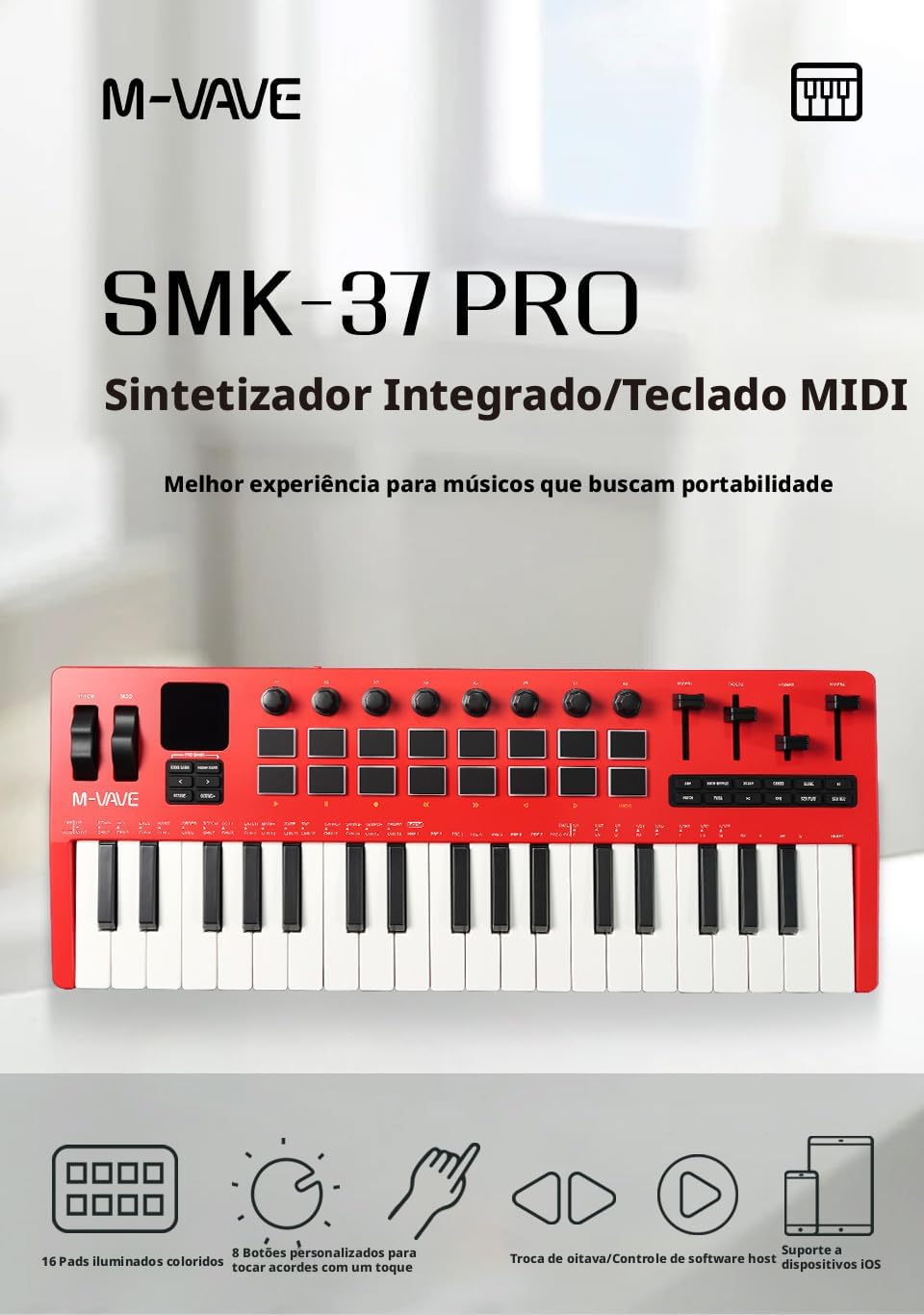
Figura 2.1: Davant view of the M-VAVE SMK-37 PRO MIDI Controller, showcasing keys, pads, and controls.
Característiques principals:
- 37 tecles sensibles a la velocitat: Spring-type keys with velocity response for expressive playing, offering a natural acoustic piano feel.
- 16 RGB Force-Sensitive Pads: Responsive, backlit RGB pads for drumming, triggering samples, and rhythmic melodies. Includes Note Repeat function.
- Connectivitat sense fils: Bluetooth MIDI for cable-free connection to iOS, Android, Mac, and Windows devices.
- Interfície USB-C: Fast and stable connection for data and charging the internal battery.
- E / S MIDI: 3.5mm MIDI input/output for integration with external synthesizers and sound modules.
- Built-in FM Synthesizer: Internal sound engine simulating the Yamaha DX-7, allowing standalone play with headphones or speakers.
- 8 360-Degree Rotary Encoders: Provide precise control over sound parameters with real-time visual feedback on the 1.54-inch LCD screen.
- Rodes de to i modulació: Solid and precise wheels for smooth bends and modulations.
- Built-in Sequencer: Save up to 8 sets of presets for quick access during performances.
- Disseny portàtil: Lightweight (1.5kg) and compact (48cm) ABS construction for easy transport.

Figura 2.2: Introduction to the Product Panel.
- Rear Panel of the Equipment: Includes 3.5mm audio output, 3.5mm MIDI output (requires adapter), USB-C port for power/data, and a 6.35mm sustain/expression pedal input.
- Rodes de to i modulació: Pitch wheel for pitch bending (returns to center). Modulation wheel for continuous MIDI CC messages.
- Àrea de visualització: 1.54-inch LCD screen for visual feedback on settings and adjustments.
- Àrea del botó: Includes Bank A/B buttons to switch control for pads 1-8 and 9-16, and custom MIDI message buttons.
- Manilles: 8 360-degree assignable rotary encoders for controlling parameters like filter, resonance, and attack.
- Coixinets: 16 RGB backlit, force-sensitive pads for expressive input.
- Faders: 4 assignable faders for controlling various parameters like volume, panorama, or MIDI CC values.
- Button Area 2: Includes Arpeggiator (ARP) button to activate arpeggiator, Note Repeat, Scale, Chord, Key, and other function buttons.
3. Configuració
3.1 Engegada i càrrega
The SMK-37 PRO is equipped with an internal rechargeable battery. To power on, press and hold the power button. To charge the device, connect the included USB-C cable to the USB-C port on the rear panel and to a compatible USB power adapter or computer.
3.2 Connecting to a Computer/Device
The SMK-37 PRO offers multiple connectivity options:
- Connexió USB-C: Connect the USB-C cable from the controller to your computer (Windows, Mac) or compatible mobile device (iOS, Android). The device will be recognized as a standard MIDI controller.
- Bluetooth MIDI (Wireless):
- Ensure Bluetooth is enabled on your host device (iPad, iPhone, Mac, or PC).
- On Windows, a BLE MIDI driver and Bluetooth 5.0 are required for optimal performance.
- Refer to your host device's instructions for pairing Bluetooth MIDI devices. The SMK-37 PRO should appear in the list of available MIDI devices.
- 3.5mm MIDI I/O: Use appropriate 3.5mm TRS to 5-pin DIN MIDI adapters (not included) to connect to external MIDI hardware such as synthesizers, drum machines, or sound modules.

Figura 3.1: Independent Port Design: MIDI Out, Audio Out, and Sustain/Expression Pedal Input (6.5mm).
3.3 Compatibilitat de programari
The SMK-37 PRO is compatible with all major Digital Audio Workstations (DAWs) including, but not limited to, Ableton Live, FL Studio, Logic Pro, Cubase, and GarageBand. No special drivers are typically required for basic MIDI functionality, as it operates as a class-compliant device.
4. Instruccions de funcionament
4.1 Using the Keys and Pads
- 37 tecles sensibles a la velocitat: Play the keys to generate MIDI notes. The harder you press, the higher the velocity value, resulting in a louder or more intense sound (depending on your instrument's settings).
- 16 RGB Force-Sensitive Pads: Strike the pads to trigger samples, drum sounds, or notes. The pads are pressure-sensitive, allowing for dynamic performance.
- Nota Repetiu: Activate the Note Repeat function (typically via a dedicated button in Button Area 2) to automatically repeat notes or drum hits at a set tempo and division.
- Bank A/B for Pads: Use the Bank A/B buttons (in Button Area) to switch between two sets of assignments for the 16 pads, effectively doubling their functionality.
4.2 Pitch and Modulation Wheels
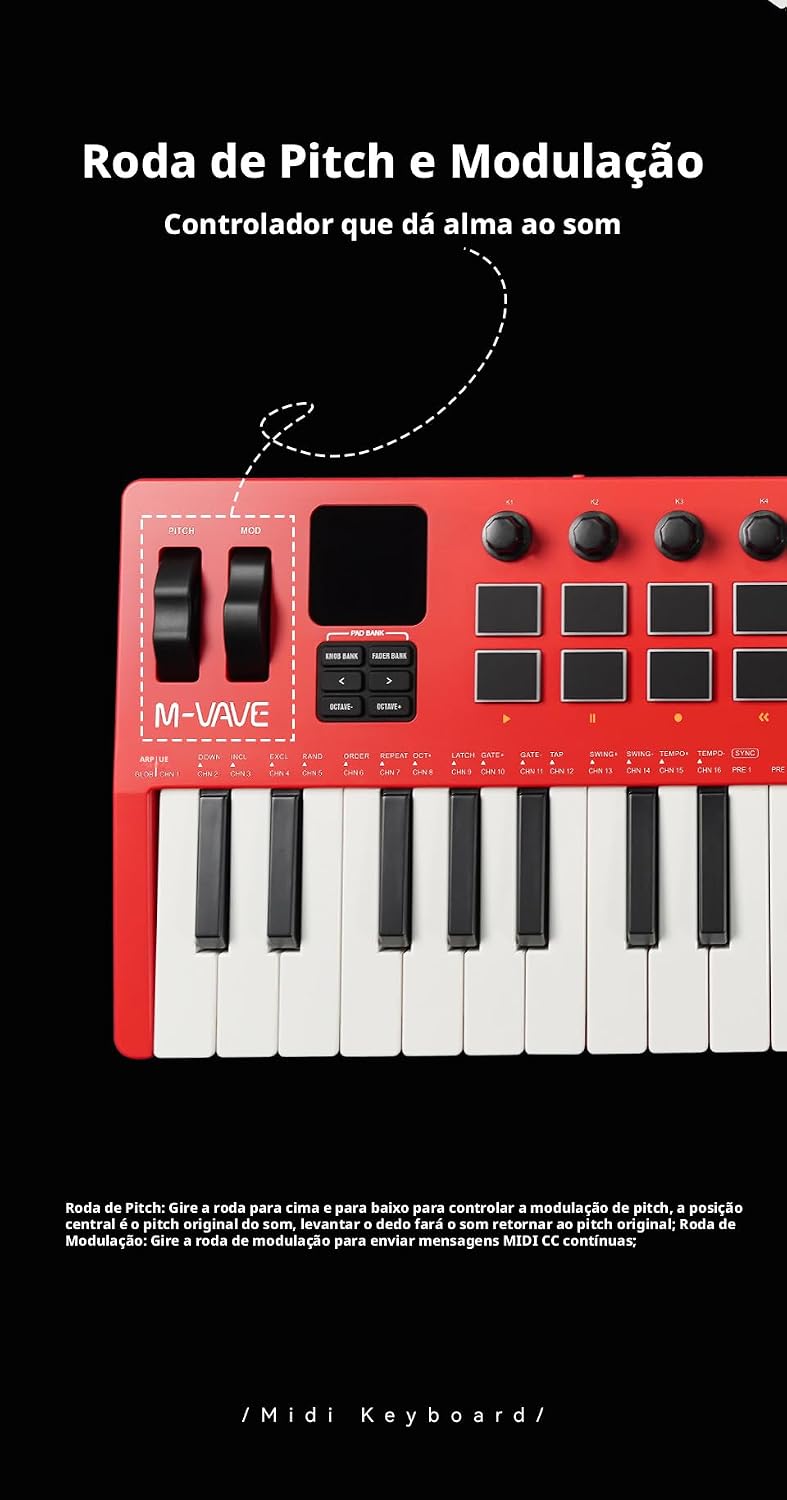
Figura 4.1: Pitch and Modulation Wheels.
- Roda de pas: Move the pitch wheel up or down to bend the pitch of notes. It is spring-loaded and will return to the center position when released.
- Roda de modulació: Move the modulation wheel to send continuous MIDI Control Change (CC) messages, typically used for vibrato, filter sweeps, or other expressive parameters. This wheel stays in its last position.
4.3 Rotary Encoders and Faders
- 8 Rotary Encoders: These 360-degree knobs can be assigned to control various parameters within your DAW or internal synthesizer. The 1.54-inch LCD provides visual feedback on their current assignments and values.
- 4 Faders: The four assignable faders can control parameters such as volume, pan, or other MIDI CC values.
- Fader Bank Expansion: Use the fader library button (as indicated in Figure 2.2, item 7) to expand the functionality of the 4 physical faders to control 8 different parameters.
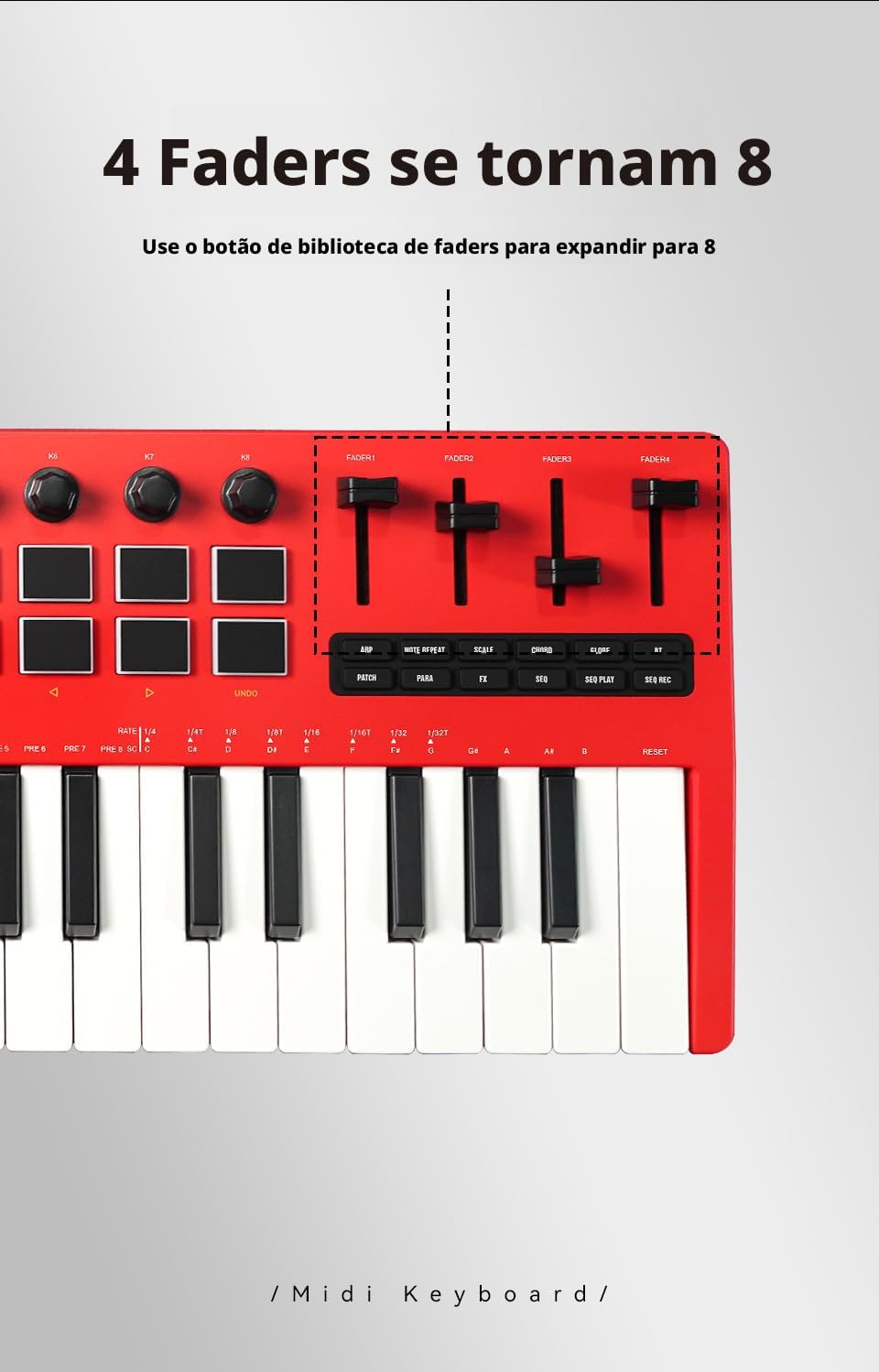
Figura 4.2: Fader Bank Expansion: 4 Faders become 8.
4.4 Internal FM Synthesizer
The SMK-37 PRO features a powerful internal FM synthesis engine, emulating the classic Yamaha DX-7. This allows you to play and practice without connecting to a computer or tablet. Connect headphones or speakers to the 3.5mm audio output to hear the internal sounds. Use the rotary encoders and LCD screen to edit patches and navigate menus.
4.5 Built-in Sequencer
The integrated sequencer allows you to create and play back note patterns up to 64 steps. You can record sequences in real-time or step-by-step, with customizable parameters like swing, gate, and velocity. The sequencer supports saving up to 8 groups of presets for quick recall. Note: When Arpeggiator (ARP) and Note Repeat are active, the sequencer cannot be activated simultaneously.

Figura 4.3: Built-in Sequencer in use.
5. Manteniment
- Neteja: Feu servir un drap suau i sec per netejar la superfície del controlador. Per a la brutícia persistent, netegeu lleugerament.amp es pot fer servir un drap, però assegureu-vos que no entri líquid al dispositiu. Eviteu netejadors o dissolvents abrasius.
- Emmagatzematge: Guardeu el dispositiu en un lloc fresc i sec, allunyat de la llum solar directa, de temperatures extremes i d'alta humitat.
- Manipulació: Avoid dropping the device or subjecting it to strong impacts. Do not place heavy objects on top of it.
- Cura de la bateria: Per a una durada òptima de la bateria, eviteu descarregar-la completament amb freqüència. Si la guardeu durant períodes prolongats, carregueu-la fins a un 50% aproximadament cada pocs mesos.
6. Solució De Problemes
6.1 Sense poder
- Ensure the device is charged. Connect the USB-C cable to a power source and check if the charging indicator lights up.
- Press and hold the power button for a few seconds to ensure it's properly turned on.
6.2 No Sound from Internal Synthesizer
- Ensure headphones or speakers are properly connected to the 3.5mm audio output.
- Check the volume level on the device and any connected audio equipment.
- Verify that the internal synthesizer is active and a patch is selected.
6.3 MIDI Not Recognized by Computer/DAW
- Connexió USB: Ensure the USB-C cable is securely connected to both the controller and the computer. Try a different USB port or cable.
- Bluetooth MIDI:
- Confirm Bluetooth is enabled on your computer/device.
- Check your device's Bluetooth settings to ensure the SMK-37 PRO is paired and connected.
- In your DAW's MIDI settings, ensure the SMK-37 PRO is enabled as an input device.
- For Windows, ensure you have a compatible BLE MIDI driver and Bluetooth 5.0.
- E / S MIDI: Verify that the 3.5mm MIDI adapters are correctly connected and that the external MIDI device is powered on and configured to receive MIDI.
6.4 Pads or Keys Not Responding
- Assegureu-vos que el dispositiu estigui encès i connectat.
- Check if any specific mode (e.g., sequencer, arpeggiator) is active that might alter key/pad behavior.
- If connected to a DAW, ensure the correct track is armed for recording and receiving MIDI input from the SMK-37 PRO.
7. Especificacions
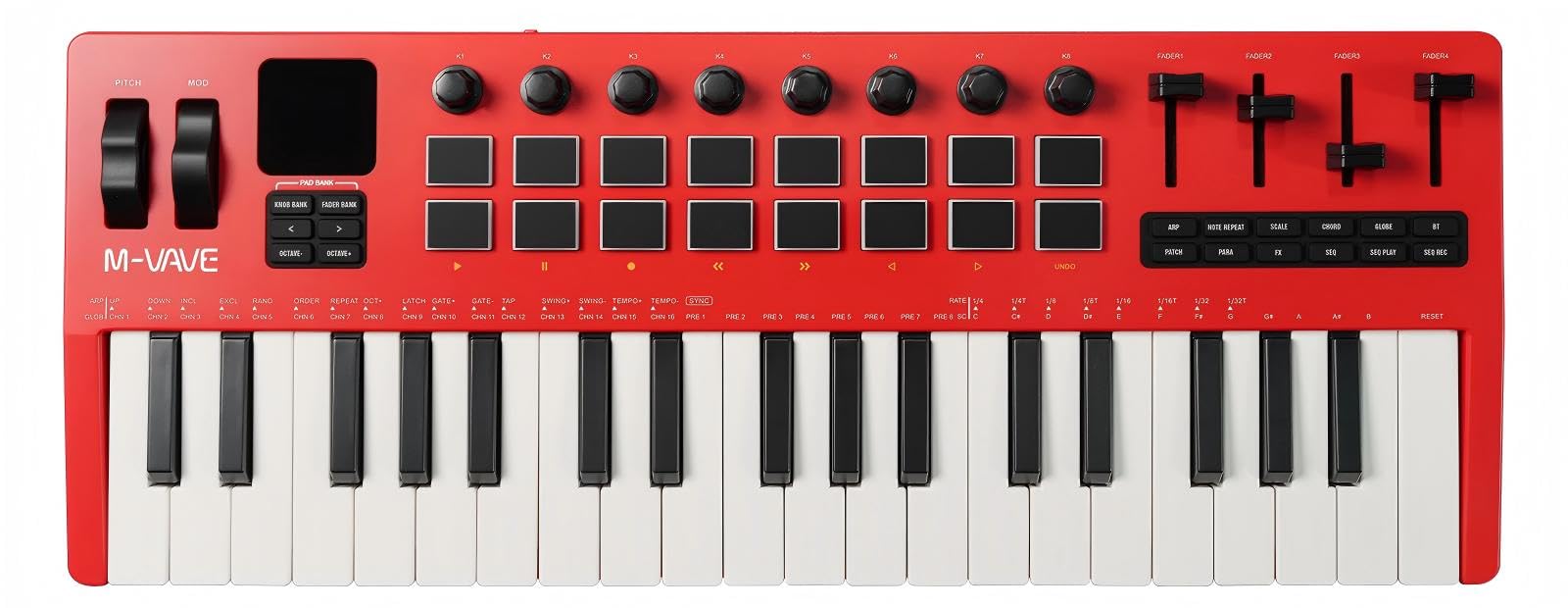
Figura 7.1: Dimensions del producte.
| Característica | Descripció |
|---|---|
| Model | SMK-37 PRO |
| Dimensions (L x A x A) | 458 mm x 181 mm x 50 mm |
| Pes | 1.1 kg (Gross weight: 1.5 kg) |
| Les claus | 37 velocity-sensitive spring-type keys |
| Coixinets | 16 RGB force-sensitive pads |
| Poms | 8 assignable 360-degree rotary encoders |
| Faders | 4 assignable faders (expandable to 8 parameters) |
| Mostra | Pantalla LCD d'1.54 polzades |
| Durada de la bateria | Up to 10 hours (nominal) |
| Tipus de bateria | 704060 |
| Bateria nominal Voltage | 3.7 V |
| Capacitat nominal de la bateria | 2000 mAh |
| Connectivitat | USB-C, Wireless MIDI (Bluetooth), 3.5mm MIDI OUT, 3.5mm Audio OUT, 6.5mm Sustain/Expression Pedal Input |
| Font d'alimentació | Internal battery or USB power |
| Internal Sound Source | FM Synthesis Engine (DX-7 emulation) |
8. Informació de la garantia
The M-VAVE SMK-37 PRO comes with a limited warranty. The provided information indicates a warranty period of "1". Please refer to the specific warranty terms and conditions provided at the time of purchase or contact your retailer for detailed information regarding the warranty period and coverage.
9. Suport
For further assistance, technical support, or to download the latest firmware and software, please visit the official M-VAVE website or contact your authorized M-VAVE dealer. Keep your purchase receipt as proof of purchase for warranty claims.