
1. Producte acabatview
The OnePlus Nord 6 is a high-performance smartphone designed for a seamless user experience. It features a Snapdragon 8s Gen 4 processor, a 165Hz AMOLED display, a large 9000mAh battery, and advanced camera capabilities. This manual provides essential information for setting up, operating, maintaining, and troubleshooting your device.
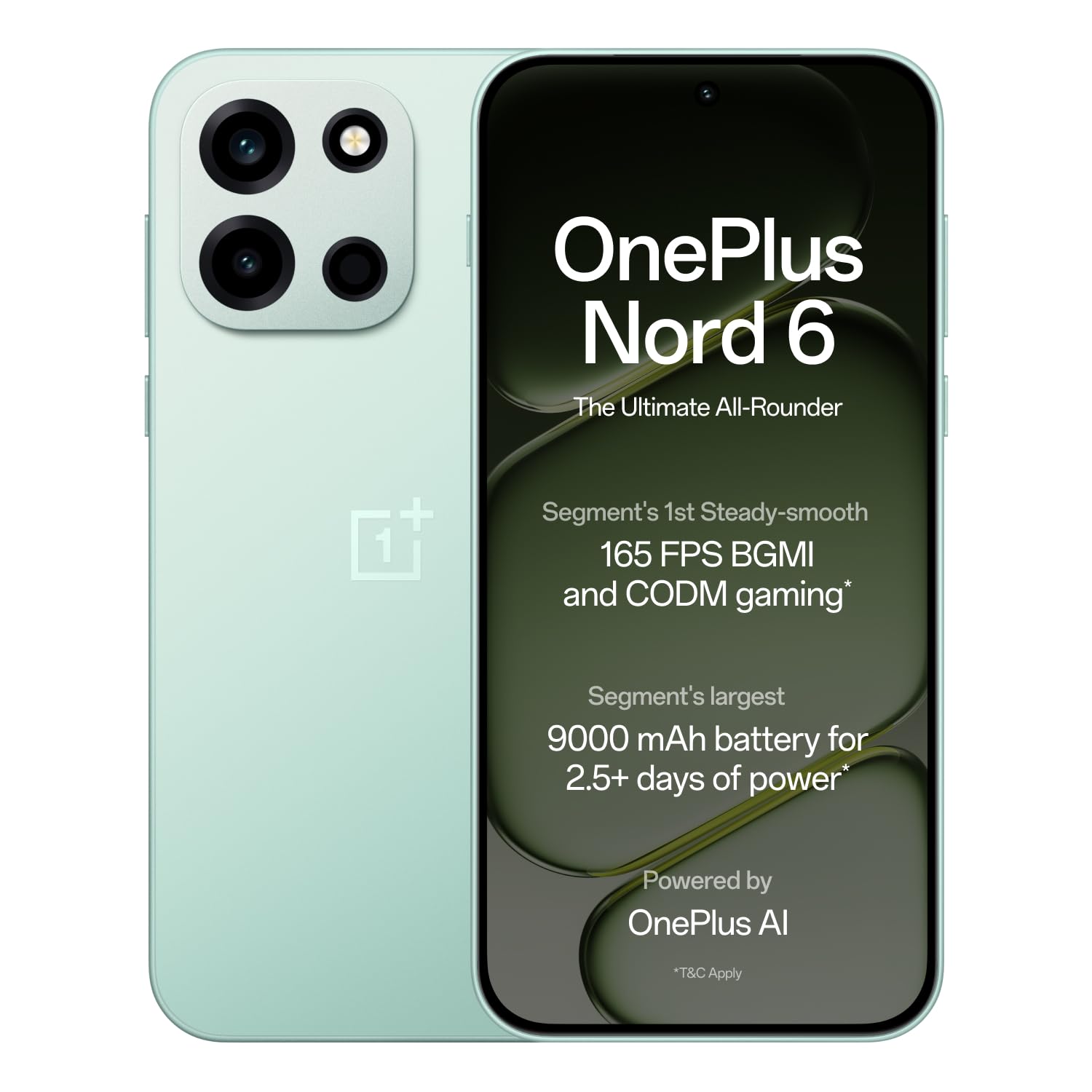
Figure 1: OnePlus Nord 6 (Fresh Mint)
2. Guia de configuració
2.1 Què hi ha a la caixa
Upon unboxing your OnePlus Nord 6, verify that all standard accessories are present:
- Telèfon intel·ligent OnePlus Nord 6
- Funda de telèfon
- Adaptador de corrent (80W SUPERVOOC)
- Cable USB (tipus C)
- Expulsor de la safata SIM
- Guia d'inici ràpid

Figura 2: Contingut de la caixa
2.2 Instal·lació de la targeta SIM
The OnePlus Nord 6 supports Dual Nano SIM cards.
- Localitza la safata de la targeta SIM al lateral del dispositiu.
- Introduïu l'eina d'expulsió de la safata de la SIM al forat petit que hi ha al costat de la safata i premeu fermament fins que la safata surti.
- Col·loqueu la targeta o targetes Nano SIM a les ranures designades de la safata, assegurant-vos que els contactes daurats estiguin mirant cap avall.
- Torneu a inserir amb cura la safata de la targeta SIM al telèfon fins que encaixi al seu lloc.
2.3 Engegada i configuració inicials
To power on your device, press and hold the Power button located on the side until the OnePlus logo appears. Follow the on-screen instructions to complete the initial setup, including language selection, Wi-Fi connection, Google account login, and fingerprint/face unlock setup.
3. Instruccions de funcionament
3.1 Rendiment i jocs
The OnePlus Nord 6 is equipped with the Snapdragon 8s Gen 4 processor, LPDDR5X RAM, and UFS 4.1 ROM for elite performance. This configuration supports stable 165 FPS gaming in titles like BGMI and CODM, ensuring a smooth and responsive experience.

Figura 3: Processador Snapdragon 8s Gen 4

Figure 4: 165 FPS Gaming Experience
3.2 Pantalla
The device features a 165Hz 1.5K AMOLED 'Sunburst' display with Aqua Touch 2.0, offering smooth visuals and responsive touch interaction even with wet fingers. It provides up to 1800 nits peak brightness for clear outdoor visibility and dims to 2 nits for comfortable low-light viewing.

Figure 5: 165Hz AMOLED Display
Sistema de 3.3 càmeres
The OnePlus Nord 6 is equipped with a versatile camera system:
- Càmera principal: 50MP SONY LYTIA with Dual-axis OIS and multi-focusing, capable of 4K 60 FPS video.
- Càmera frontal: 32MP GalaxyCore with multi-focus sensor, optimized for selfies and portraits, also supporting 4K 60 FPS video.
- Càmera ultra gran angular: 8MP for broader perspectives.
Dedicated multi-focusing sensors and HDR algorithms ensure clarity and natural colors in various lighting conditions.

Figura 6: Sistema de càmeresview
3.4 Bateria i càrrega
The device features a 9000mAh battery, providing extended usage. It supports 80W SUPERVOOC fast charging, allowing for quick power-ups. Additionally, it offers 27W reverse charging, enabling you to charge other compatible devices.
- A 5-minute charge can provide up to 2.5 hours of YouTube streaming.
- 10 minutes of reverse charging can provide 12 hours of music playback on modern true wireless earbuds.

Figure 7: 9000mAh Battery

Figure 8: 27W Reverse Charging
3.5 Connectivitat
The Nord 6 offers robust connectivity with a Wi-Fi Booster Chip and 5G-Advanced support, ensuring faster Wi-Fi speeds and lower latency for gaming. It also includes Bluetooth, Infrared, NFC, and USB Type-C connectivity.
3.6 Característiques de la IA
Leverage personalized Google Gemini and flagship-level OnePlus AI for enhanced productivity. Features include:
- OnePlus Mind Space: Save photos, articles, and schedules for AI assistance.
- OnePlus AI: Translate text, videos, or calls, generate summaries, craft written content, and create mind maps/tables.
- AI Writer & AI Scanner: For document creation and lecture presentations.

Figure 9: Google Gemini & OnePlus AI
4. Manteniment
4.1 Actualitzacions de programari
OnePlus is committed to providing 4 Android OS upgrades and 6 years of security updates for the Nord 6, ensuring long-term performance and security. Regularly check for and install available updates to keep your device optimized.

Figure 10: 6-Year Software Support
4.2 Resistència a l'aigua i la pols
The OnePlus Nord 6 boasts comprehensive IP ratings (IP66, IP68, IP69, and IP69K), providing high levels of dust and water resistance. This includes protection against powerful water jets, submersion, and high-temperature/high-pressure sprays.

Figure 11: IP Ratings for Water and Dust Resistance
4.3 Neteja i cura
To maintain your device, use a soft, lint-free cloth for cleaning. Avoid harsh chemicals or abrasive materials. Keep the device away from extreme temperatures and direct sunlight.
5. Solució De Problemes
If you encounter issues with your OnePlus Nord 6, consider the following common solutions:
- El dispositiu no respon: Premeu i manteniu premut el botó d'engegada durant uns 10-15 segons per forçar un reinici.
- Esgotament ràpid de la bateria: Check background app usage, reduce screen brightness, or enable power-saving modes. Ensure you are using the provided 80W SUPERVOOC charger.
- Problemes de connectivitat (Wi-Fi/5G): Toggle Wi-Fi or mobile data off and on. Restart your router or contact your service provider if the issue persists.
- Camera Performance in Low Light: While the camera is optimized for various conditions, very low light environments may still result in reduced image quality. Ensure the lens is clean.
- Sobreescalfament: If the device feels excessively warm during heavy use or charging, close demanding applications, reduce screen brightness, or disconnect from charging temporarily.
For persistent issues, refer to the support section or visit the official OnePlus support weblloc.
6. Especificacions
| Característica | Especificació |
|---|---|
| Marca | OnePlus |
| Model | Nord 6 |
| Sistema operatiu | OxygenOS 16 |
| Processador | Snapdragon 8s Gen 4 (3.2 GHz) |
| RAM | 12 GB |
| Emmagatzematge intern | 256 GB |
| Mida de la pantalla | 6.78 polzades |
| Tipus de visualització | AMOLED |
| Resolució | 1272 x 2772 píxels |
| Freqüència d'actualització | 165 Hz |
| Càmera posterior | 50 MP (Main) |
| Càmera frontal | 32 MP |
| Capacitat de la bateria | 9000 mAh |
| Carregant | 80W SUPERVOOC, 27W Reverse Charging |
| Ranura per a targeta SIM | Nano SIM dual |
| Nivell de resistència a l'aigua | IP66, IP68, IP69, IP69K |
| Connectivitat | 5G, Wi-Fi, Bluetooth, Infrared, NFC, USB Type C |
| Dimensions | 16.2 x 7.7 x 0.8 centímetres |
| Pes | 217 grams |
7. Garantia i Suport
7.1 Informació de la garantia
The OnePlus Nord 6 comes with a standard manufacturer's warranty. Additionally, OnePlus provides a lifetime display warranty for industry-wide greenline issues. For specific terms and conditions, please refer to the warranty card included in your product packaging or visit the official OnePlus weblloc.

Figure 12: Lifetime Display Warranty
7.2 Atenció al client
For further assistance, technical support, or service inquiries, please contact OnePlus customer service:
- Número de contacte: 1800 102 8411
- WhatsApp: +91-9289606888
- Fabricant: OPPO Mobiles India Private Limited
També podeu visitar l'oficial Botiga OnePlus a Amazon per obtenir més informació sobre el producte i recursos d'assistència.