
Introducció
The Ipega PG-9218 Gold Soldier BT Gamepad is a versatile wireless controller designed to enhance your gaming experience across multiple platforms. It offers dual connectivity via Bluetooth and a 2.4G receiver, ensuring compatibility with Android, iOS, smartphones, tablets, Smart TVs, PS3, Nintendo Switch, and Windows PCs. This manual provides essential instructions for setup, operation, and maintenance of your gamepad.
Característiques clau
- Compatibilitat universal: Supports Android, iOS, smartphones, tablets, Smart TV, PS3, Nintendo Switch, and Windows PC.
- Modes de connexió dual: Features Bluetooth and an included 2.4G USB receiver for stable wireless connectivity up to 10 meters.
- Disseny ergonòmic: Anti-slip textured grips provide comfort during extended gaming sessions, complemented by colored buttons and a high-precision golden D-pad.
- Controls integrals: Equipped with two analog joysticks, triggers, ABXY action buttons, SELECT, START, and a Home button for full in-game navigation.
- Bateria recarregable: Built-in long-lasting battery with USB charging, offering hours of continuous gameplay.
Contingut del paquet
Si us plau, comproveu el paquet per veure si hi ha els elements següents:
- Ipega PG-9218 Wireless Gamepad
- Receptor USB 2.4G
- Cable de càrrega USB
- Manual d'usuari (aquest document)

Image: The Ipega PG-9218 Gamepad shown in its retail packaging, highlighting the product and its features.
Producte acabatview
Familiarize yourself with the layout of your Ipega PG-9218 Gamepad:
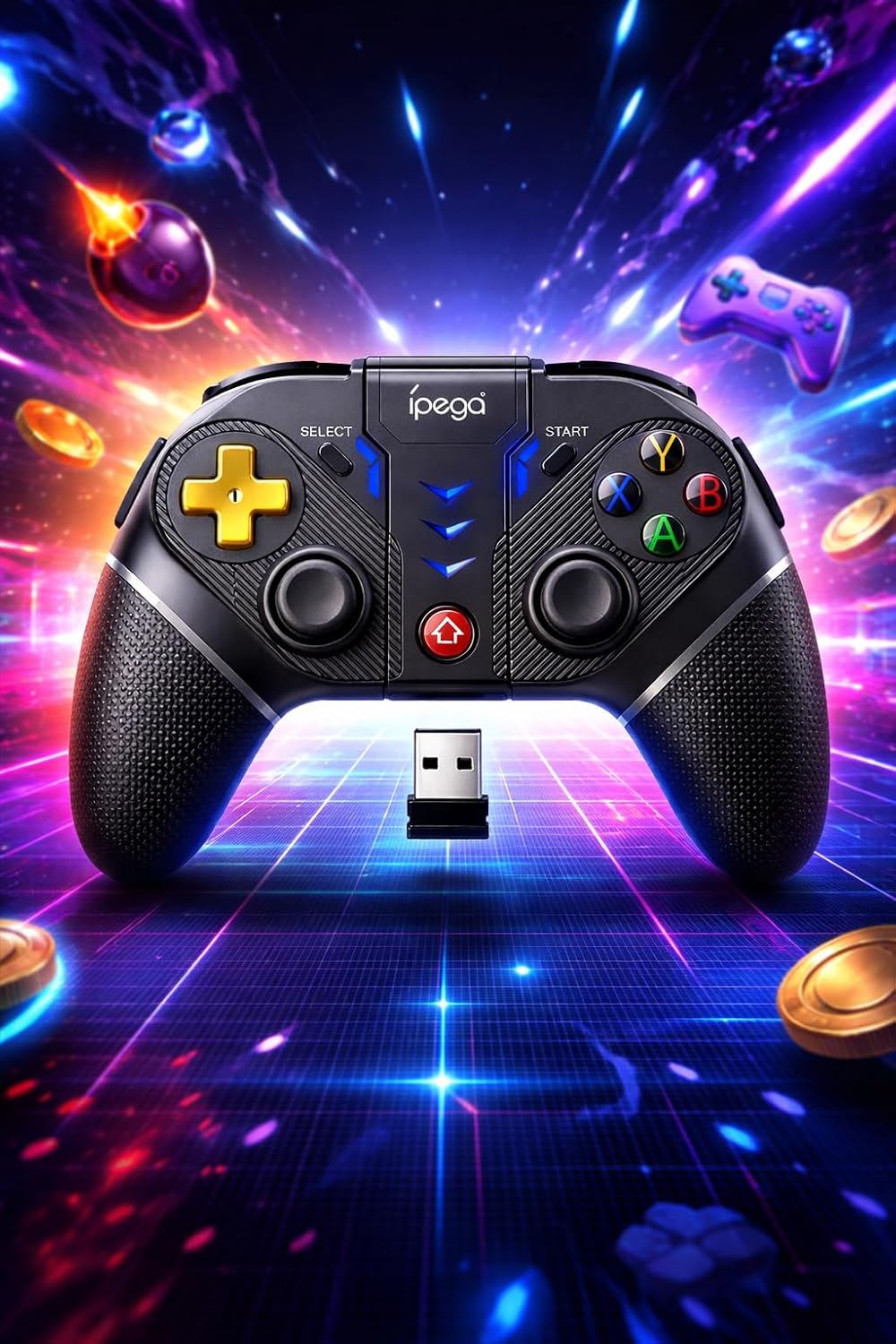
Imatge: Una imatge detallada view of the Ipega PG-9218 Gamepad, displaying its dual analog joysticks, D-pad, ABXY buttons, SELECT, START, and Home buttons, along with the 2.4G USB receiver.
- Left Analog Joystick: Per al moviment i el control de la càmera.
- Right Analog Joystick: Per al control de la càmera o accions específiques dins del joc.
- D-Pad (coixinet direccional): Per a una entrada direccional precisa.
- Botons ABXY: Botons d'acció estàndard.
- Disparadors/Botons d'espatlla L1/L2, R1/R2: Per a diverses accions dins del joc.
- Botó SELECCIÓ: Typically for menu navigation or specific functions.
- Botó INICI: Typically for pausing or starting games.
- Botó HOME: To return to the system's home screen or activate pairing mode.
- Port de càrrega: USB port for charging the gamepad.
- 2.4G USB Receiver Slot: Storage for the USB receiver.
Configuració i connexió
1. Càrrega del GamePad
- Connecteu el cable de càrrega USB subministrat al port de càrrega del gamepad.
- Connecteu l'altre extrem del cable USB a una font d'alimentació USB (per exemple, un port USB de l'ordinador o un adaptador de paret USB).
- El llum indicador mostrarà l'estat de càrrega i s'apagarà o canviarà de color quan estigui completament carregat.
2. Connecting via Bluetooth (Android, iOS, PS3, Nintendo Switch, Smart TV)
- Assegureu-vos que el gamepad estigui prou carregat.
- Manteniu premut el botó CASA button (or a specific combination, refer to device-specific instructions if provided by Ipega) until the indicator light starts flashing rapidly, indicating pairing mode.
- On your device (smartphone, tablet, Smart TV, Nintendo Switch, PS3), go to Bluetooth settings.
- Cerca new devices and select "PG-9218" or a similar name from the list.
- Un cop emparellat, l'indicador lluminós del gamepad s'il·luminarà fixament.
Note: Specific pairing instructions may vary slightly depending on the operating system or device. For Nintendo Switch, ensure "Pro Controller Wired Communication" is enabled in system settings if connecting via USB, or follow standard Bluetooth pairing for wireless.
3. Connecting via 2.4G USB Receiver (PC, Smart TV)
- Assegureu-vos que el gamepad estigui prou carregat.
- Insert the 2.4G USB receiver into an available USB port on your PC or Smart TV.
- Activa el gamepad. Hauria de connectar-se automàticament al receptor.
- The indicator light on the gamepad will become solid once connected.
- Your system should automatically recognize the gamepad as a standard input device.
Funcionament
After successful connection, your Ipega PG-9218 Gamepad is ready for use. The gamepad functions as a standard controller for compatible games and applications.
- Encès/apagat: Manteniu premut el botó CASA button for a few seconds to power on or off the gamepad.
- Mode de repòs automàtic: The gamepad will enter sleep mode if inactive for a certain period to conserve battery. Press the CASA botó per despertar-lo.
- Canvi de mode: The gamepad automatically detects the connection type (Bluetooth or 2.4G). If you need to switch between modes, you may need to disconnect from one and initiate pairing for the other.
- Compatibilitat del joc: Ensure the game you are playing supports gamepad input. Some games may require specific controller configurations within their settings.
Manteniment
- Neteja: Use a soft, dry cloth to clean the surface of the gamepad. Do not use harsh chemicals or abrasive cleaners.
- Emmagatzematge: Guardeu el gamepad en un lloc fresc i sec, allunyat de la llum solar directa i de temperatures extremes.
- Cura de la bateria: Per allargar la durada de la bateria, eviteu descarregar-la completament amb freqüència. Carregueu el gamepad regularment, fins i tot si no l'utilitzeu durant períodes prolongats.
- Eviteu les gotes: Protegiu el gamepad de caigudes i impactes, que poden danyar els components interns.
Resolució de problemes
- El gamepad no s'encén:
- Ensure the gamepad is fully charged. Connect it to a power source using the USB cable and try again.
- Gamepad does not connect via Bluetooth:
- Ensure the gamepad is in pairing mode (indicator light flashing rapidly).
- Assegureu-vos que el Bluetooth estigui habilitat al vostre dispositiu.
- Delete any previous pairings of the gamepad from your device's Bluetooth list and try pairing again.
- Ensure the gamepad is within the 10-meter range of your device.
- Restart both the gamepad and your device.
- Gamepad does not connect via 2.4G USB receiver:
- Assegureu-vos que el receptor USB estigui ben connectat a un port USB que funcioni.
- Prova amb un port USB diferent.
- Ensure the gamepad is turned on.
- Restart your PC or Smart TV.
- Input lag or unresponsive controls:
- Assegura't que el gamepad estigui completament carregat. Una bateria baixa pot afectar el rendiment.
- Reduce the distance between the gamepad and your device/receiver.
- Minimitzar les interferències d'altres dispositius sense fil (encaminadors Wi-Fi, altres dispositius Bluetooth).
- Ensure your device's operating system and game drivers are up to date.
Especificacions
| Model: | PG-9218 |
| Connectivitat: | Bluetooth, 2.4G Wireless (with USB receiver) |
| Compatibilitat: | Android, iOS, Smartphones, Tablets, Smart TV, PS3, Nintendo Switch, Windows PC |
| Interval sense fil: | Fins a 10 metres |
| Bateria: | Built-in Rechargeable (USB charging) |
| Dimensions del producte: | 10.5 x 16.5 x 10.5 cm |
| Pes del producte: | 250 g |
| ASIN: | B0GRC8TWY5 |