
Introducció
Welcome to the official user manual for your Nothing Phone 4a. This guide provides comprehensive instructions for setting up, operating, maintaining, and troubleshooting your device. Please read this manual thoroughly to ensure optimal performance and longevity of your smartphone.
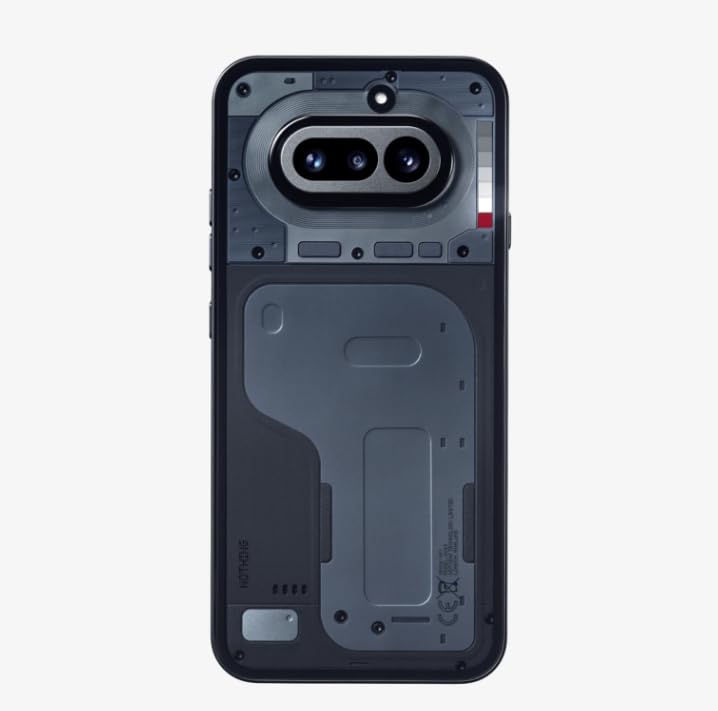
Image: Nothing Phone 4a in use, highlighting its sleek form factor.
Què hi ha a la caixa
Comproveu que el vostre paquet contingui els elements següents:
- Nothing Phone 4a Smartphone
- Auriculars
- Cable USB-Type C
- Eina expulsora de SIM
- Safety and Warranty Information Guide
Configuració
1. Inserció de la targeta SIM
- Locate the SIM card tray on the side of your Nothing Phone 4a.
- Introduïu l'eina d'expulsió de la SIM al forat petit de la safata i premeu suaument fins que la safata surti.
- Col·loca la targeta o targetes nano-SIM a la safata amb els contactes daurats cap avall. Assegura't que estiguin orientades correctament.
- Empenyeu amb cura la safata cap al telèfon fins que encaixi al seu lloc.
2. Engegada i configuració inicial
- Press and hold the Power button (usually on the right side) until the Nothing logo appears.
- Follow the on-screen instructions to select your language, connect to Wi-Fi, set up your Google account, and configure security settings.
3. Càrrega del teu dispositiu
Before first use, it is recommended to fully charge your Nothing Phone 4a.
- Connecteu el cable USB tipus C al port de càrrega de la part inferior del telèfon.
- Connect the other end of the cable to a compatible power adapter and plug it into a wall outlet.
- L'indicador de càrrega apareixerà a la pantalla.
Funcionament del vostre dispositiu
1. Engegar/Apagar i reiniciar
- Per encendre: Mantingueu premut el botó d'engegada fins que el dispositiu vibri i aparegui el logotip Res.
- Per apagar: Press and hold the Power button, then tap "Power off" on the screen.
- Per reiniciar: Press and hold the Power button, then tap "Restart" on the screen.
2. Navegació bàsica
Your Nothing Phone 4a uses intuitive touch gestures for navigation:
- Toca: Seleccioneu un element o activeu una funció.
- Llisca: Moure's entre pantalles, desplaçar-se per llistes o ignorar notificacions.
- Pessigar: Apropar o allunyar les imatges i web pàgines.
- Premsa llarga: Accedir a menús contextuals o moure icones.
3. Ús de la càmera
Capture high-quality photos and videos with your Phone 4a's camera system. The device features a Càmera frontal de 32 MP designed for wider group selfies and clear video calls.

Image: Key features of the Nothing Phone 4a, including camera capabilities and AI integration.
4. Sistema operatiu
Your Nothing Phone 4a runs on Android 14, offering a smooth and customizable user experience. Explore various apps, widgets, and settings to personalize your device.
5. Connectivitat
The Phone 4a supports 4G cellular technology for fast mobile data. Connect to Wi-Fi networks for internet access and use Bluetooth for pairing with accessories like headsets.
Manteniment
1. Neteja del dispositiu
- Feu servir un drap suau i sense borrissol per netejar suaument la pantalla i la carcassa del telèfon.
- Eviteu l'ús de productes químics agressius, materials abrasius o aerosols.
- Desconnecteu tots els cables abans de netejar.
2. Cura de la bateria
To maximize the lifespan of your 5080 milionsamp Hours Lithium-Ion battery:
- Eviteu temperatures extremes.
- No deixeu que la bateria es descarregui completament amb freqüència.
- Feu servir només carregadors i cables homologats.
3. Resistència a l'aigua
The Nothing Phone 4a is rated as Resistent a l'aigua. This means it can withstand splashes and light rain, but it is not designed for submersion in water. Avoid exposing the device to pressurized water or liquids other than fresh water.
Resolució de problemes
1. El dispositiu no respon
- If your device is unresponsive, press and hold the Power button for approximately 10-15 seconds to force a restart.
- Ensure the battery is charged. Connect the phone to a charger for at least 30 minutes.
2. Problemes de càrrega
- Comproveu si el cable de càrrega i l'adaptador estan connectats correctament.
- Prova d'utilitzar un cable USB tipus C i un adaptador de corrent diferents.
- Inspeccioneu el port de càrrega per veure si hi ha deixalles o danys.
3. Actualitzacions de programari
Comproveu i instal·leu regularment si hi ha actualitzacions de programari per assegurar-vos que el dispositiu tingui les darreres funcions, pegats de seguretat i millores de rendiment. Aneu a Configuració > Sistema > Actualització del sistema.
4. Restabliment de fàbrica
Un restabliment de fàbrica esborrarà totes les dades del telèfon i el restaurarà a la configuració original de fàbrica. Això pot resoldre problemes de programari persistents. Fes una còpia de seguretat de les teves dades abans de continuar. Vés a Configuració > Sistema > Opcions de restabliment > Esborra totes les dades (restabliment de fàbrica).
Especificacions
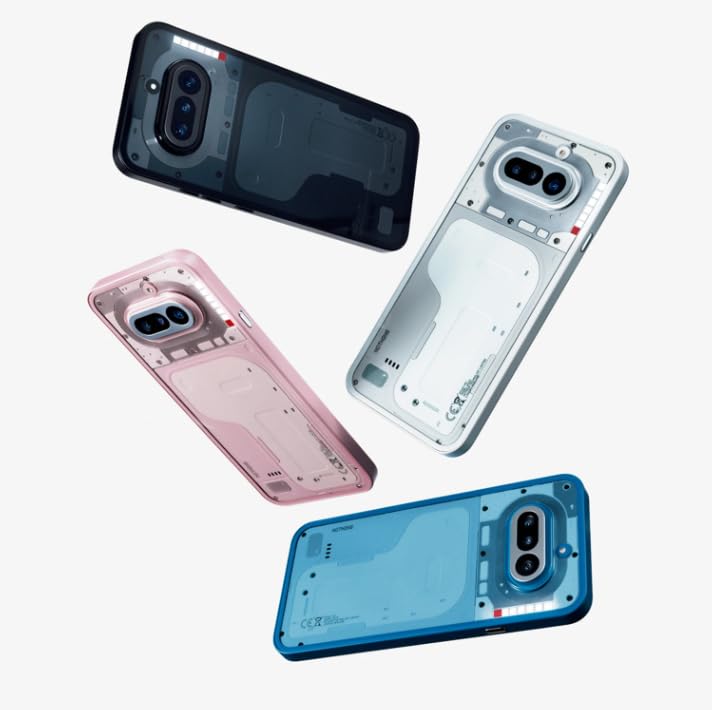
Image: Nothing Phone 4a design variations.
| Marca | Res |
| Model | Phone 4a |
| Sistema operatiu | Android 14 |
| RAM | 12 GB |
| Capacitat d'emmagatzematge | 256 GB |
| Model de CPU | Mobile CPU (2 GHz) |
| Tipus de visualització | AMOLED |
| Capacitat de la bateria | 5080 milionsamp Hours (Lithium-Ion) |
| Resistència a l'aigua | Resistent a l'aigua |
| Connectivitat | 4G, USB Type C |
| Pes de l'article | 230 grams |
| Dimensions de l'article | 16.2 x 7.6 x 0.9 centímetres |
| Color | Negre |
Informació de la garantia
Your Nothing Phone 4a is covered by a Garantia del fabricant de 1 anys from the date of purchase. This warranty covers manufacturing defects under normal use. Please refer to the included Safety and Warranty Information Guide for full terms and conditions.
Suport
For technical assistance, service inquiries, or further support, please contact Nothing customer service:
- Número gratuït: 18002021232
- Correu electrònic: support.india@nothing.tech
You can also visit the official Nothing support weblloc web per a preguntes freqüents i recursos addicionals.
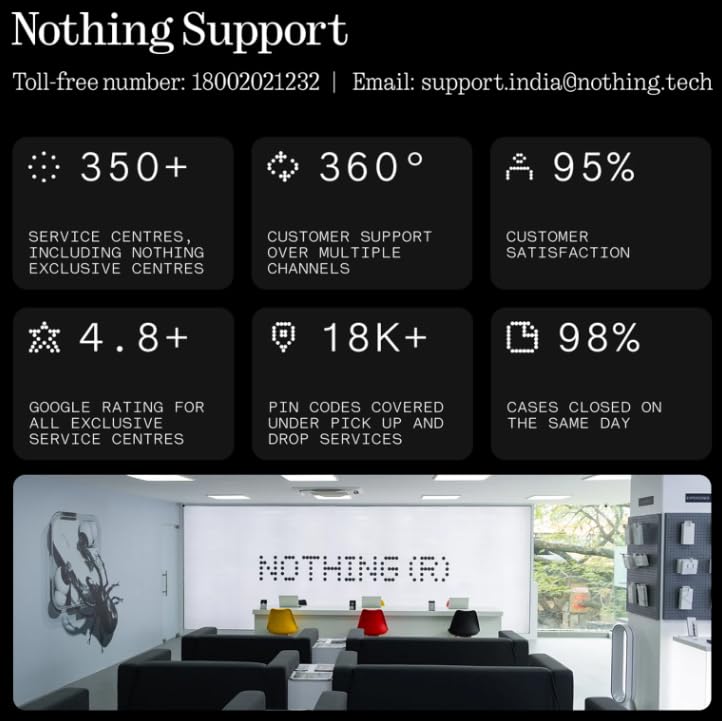
Image: Nothing customer support details and service network overview.