
1. Introducció
Welcome to the user manual for your new Nothing Phone (4a) Pro. This guide provides essential information on setting up, operating, maintaining, and troubleshooting your device. Please read this manual thoroughly to ensure optimal performance and longevity of your smartphone.
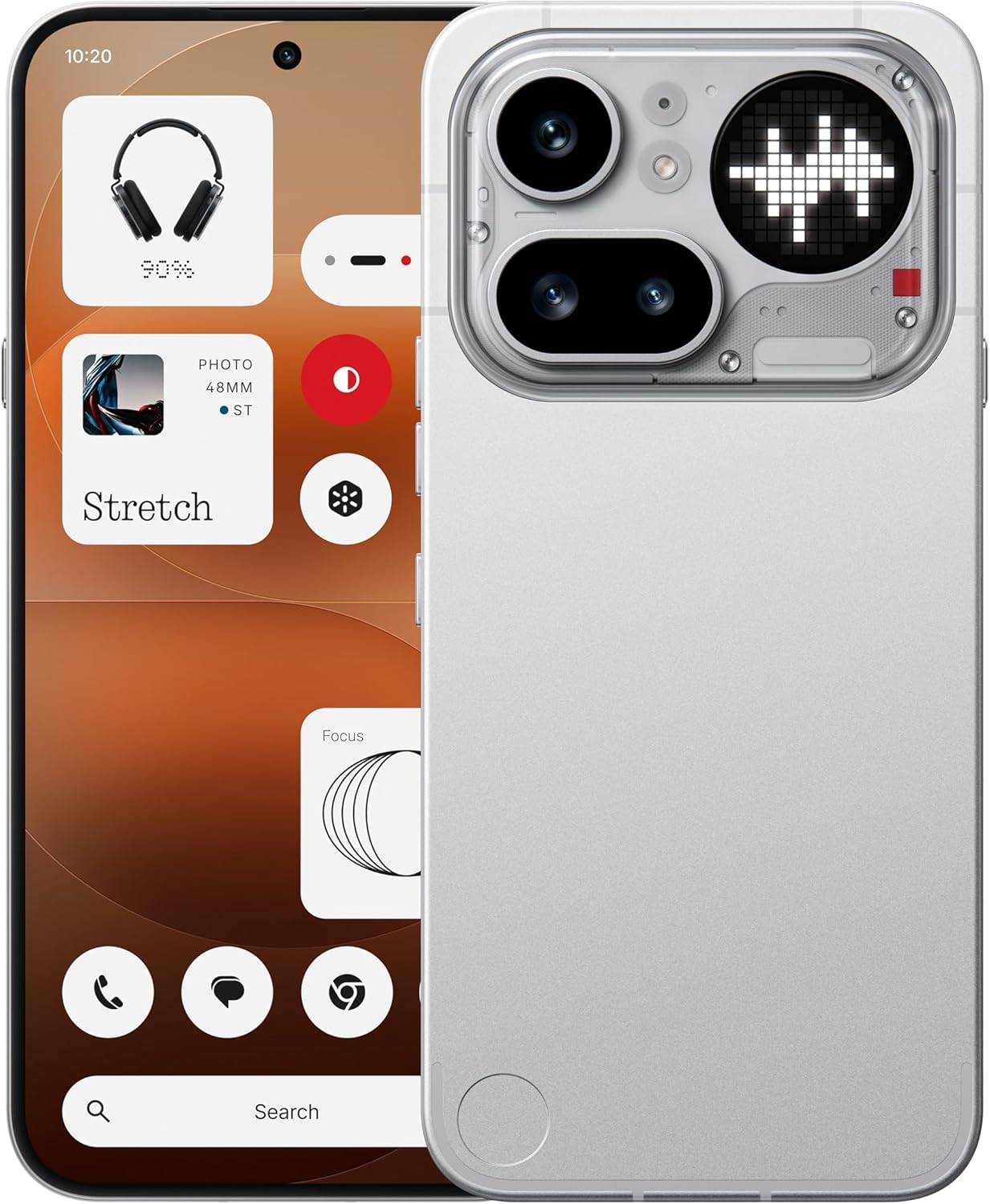
Figura 1.1: Davant view of the Nothing Phone (4a) Pro. This image displays the sleek design and full-screen display of the device.
2. Contingut de la caixa
Comproveu que el vostre paquet contingui els elements següents:
- Nothing Phone (4a) Pro Handset
- Nothing USB-C Cable
- Funda de telèfon
- Protector de pantalla preaplicat
- Eina expulsora de SIM
- Informació de seguretat
- Targeta de garantia
3. Configuració inicial
3.1. Inserció de la targeta SIM
- Localitza la safata de la targeta SIM al lateral del telèfon.
- Insert the provided SIM ejector tool into the small hole on the tray and press gently until the tray pops out.
- Place your Nano SIM card(s) into the tray with the gold contacts facing down. The Phone (4a) Pro supports Dual Nano SIM.
- Empenyeu amb cura la safata cap al telèfon fins que encaixi al seu lloc.
3.2. Engegar el dispositiu
Manteniu premut el botó Botó d'encesa located on the side of the phone until the Nothing logo appears on the screen. Follow the on-screen instructions to complete the initial setup, including language selection, Wi-Fi connection, and Google account setup.
3.3. Carregant la bateria
Before first use, it is recommended to fully charge your device. Connect the Nothing USB-C cable to the phone's USB Type-C port and the other end to a compatible power adapter (sold separately). The phone supports quick charging.
4. Funcionament del vostre dispositiu
4.1. Navegació bàsica
The Nothing Phone (4a) Pro features a responsive touchscreen. Use gestures such as tapping, swiping, pinching, and spreading to navigate the interface, open apps, and interact with content.
4.2. In-Display Fingerprint Sensor
Your device is equipped with an in-display fingerprint sensor for secure unlocking and authentication. To set up, navigate to Configuració > Seguretat > empremta digital i seguiu les instruccions per registrar la vostra empremta digital.
4.3. Sistema operatiu
The Nothing Phone (4a) Pro runs on Nothing OS based on Android 16, offering a clean and intuitive user experience with access to a wide range of applications via the Google Play Store.

Figura 4.1: Acabatview of Nothing Phone (4a) Pro key features, including the triple camera system, 140x ultra zoom, 5080 mAh battery with 50W fast charge, Snapdragon 7 Gen 4 processor, essential AI tools, Nothing OS on Android 16, 6.83" 1.5K flexible AMOLED display, and Google Gemini + ChatGPT integration.
5. Característiques de la càmera
The Nothing Phone (4a) Pro is equipped with an advanced camera system to capture high-quality photos and videos.
5.1. Sistema de càmera posterior
The rear camera setup includes a 50MP main sensor, a 50MP ultra-wide sensor, and an 8MP telephoto sensorLes característiques principals inclouen:
- OIS + EIS: Optical Image Stabilization and Electronic Image Stabilization for steady shots.
- Enfocament automàtic: Fast and accurate focusing.
- Ultra XDR: Enhanced dynamic range for vibrant images.
- 7X In-sensor Zoom: High-quality zoom without loss of detail.
- 70X Ultra Zoom: Extended zoom capabilities for distant subjects.
- Gravació de vídeo 4K: Capture high-resolution videos.
5.2. Càmera frontal
The front camera features a 32MP sensor, recolzant 1080p video recording at 30fps/60fps with Ultra XDR, ideal for selfies and video calls.

Figura 5.1: Diagram illustrating the Pro 3-Camera System of the Nothing Phone (4a) Pro, highlighting the 50 MP OIS Periscope Camera, 50 MP OIS Sony Main Camera, 120° Sony Ultra-Wide Camera, and 32 MP Front Camera.
6. Pantalla i rendiment
6.1. Visualització
El dispositiu presenta una 6.83-inch 144Hz flexible LTPS AMOLED display with a resolution of 1260 x 2800 píxels and a pixel density of 450 ppi. This provides sharp visuals, smooth scrolling, and an immersive viewexperiència.
6.2. Rendiment
Impulsat pel Qualcomm Snapdragon 7 Gen 4 octa-core processor with a clock speed of up to 2.8 GHz, the Phone (4a) Pro delivers robust performance for multitasking, demanding applications, and gaming. It is complemented by 12 GB de RAM LPDDR5X i 256 GB d'emmagatzematge intern.
7. Bateria i càrrega
The Nothing Phone (4a) Pro is equipped with a Bateria de ions de liti de 5400 mAh, proporcionant un temps d'ús prolongat. Admet càrrega ràpida via the USB Type-C port, allowing for rapid power replenishment.
8. Connectivitat
Your device offers comprehensive connectivity options:
- Xarxa: Dual Nano SIM, 5G, 4G VoLTE
- Sense fil: Wi-Fi 6, Bluetooth v5.4
- Ports: USB Type-C (OTG compatible)
- Navegació: GPS
9. Manteniment i cura
9.1. Resistència a l'aigua
The Nothing Phone (4a) Pro is rated as Resistent a l'aigua. While it can withstand splashes and light rain, it is not fully waterproof. Avoid submerging the device in water or exposing it to high-pressure water jets.
9.2. Neteja
To clean your phone, use a soft, lint-free cloth. Avoid using abrasive materials, solvents, or aerosol sprays, as these can damage the screen or finish.
9.3. Condicions ambientals
Operate and store your device within recommended temperature ranges. Extreme heat or cold can affect battery life and overall performance.
10. Solució De Problemes
If you encounter issues with your Nothing Phone (4a) Pro, try the following basic troubleshooting steps:
- El dispositiu no s'encén: Assegureu-vos que la bateria estigui carregada. Connecteu el carregador i espereu uns minuts abans d'intentar tornar-lo a engegar.
- La pantalla no respon: Restart the device by pressing and holding the Power button for approximately 10-15 seconds.
- Problemes de xarxa: Check if your SIM card is properly inserted. Try toggling Airplane Mode on and off. Ensure you have network coverage.
- Bloqueig de l'aplicació: Close and reopen the app. If the issue persists, clear the app's cache and data in Configuració > Aplicacions.
- Rendiment lent: Close unnecessary background apps. Restart your device. Consider performing a factory reset as a last resort (note: this will erase all data on your phone).
11. Especificacions
| Característica | Detall |
|---|---|
| Marca | Res |
| Model | Phone (4a) Pro |
| Sistema operatiu | Android 16 |
| Processador | Qualcomm Snapdragon 7 Gen 4 Octa-core (up to 2.8 GHz) |
| RAM | 12 GB LPDDR5X |
| Emmagatzematge intern | 256 GB |
| Mida de la pantalla | 6.83 polzades |
| Tipus de visualització | Flexible LTPS AMOLED |
| Resolució de visualització | 1260 x 2800 píxels |
| Freqüència d'actualització | 144 Hz |
| Càmera posterior | 50MP + 50MP + 8MP (OIS + EIS, Ultra XDR, 7X in-sensor zoom, 70X ultra zoom, 4K video) |
| Càmera frontal | 32MP (1080p video at 30fps/60fps, Ultra XDR) |
| Capacitat de la bateria | 5400 mAh de ions de liti |
| Carregant | Quick Charging, USB Type-C |
| Connectivitat | 5G, Dual SIM, Wi-Fi 6, Bluetooth v5.4, OTG, GPS |
| Seguretat | Sensor d'empremta digital a la pantalla |
| Resistència a l'aigua | Resistent a l'aigua |
| Dimensions | 16.4 x 7.8 x 0.8 centímetres |
| Pes | 190 grams |
12. Informació de la garantia
The Nothing Phone (4a) Pro comes with a Garantia del fabricant de 1 anys from the date of purchase. This warranty covers manufacturing defects under normal use. Please refer to the included Warranty Card for detailed terms and conditions, exclusions, and how to claim warranty services.
13. Suport
Per a més ajuda, assistència tècnica o consultes de servei, visiteu el lloc web oficial d'assistència de Nothing. weblloc web o poseu-vos en contacte amb el seu servei d'atenció al client. Mantingueu a mà el rebut de compra i la targeta de garantia quan busqueu assistència.