
Introducció
Thank you for choosing the GOBOULT Y1 v2.0 Wireless Earbuds. This manual provides essential information for setting up, operating, and maintaining your earbuds to ensure optimal performance and longevity. Please read it carefully before use.
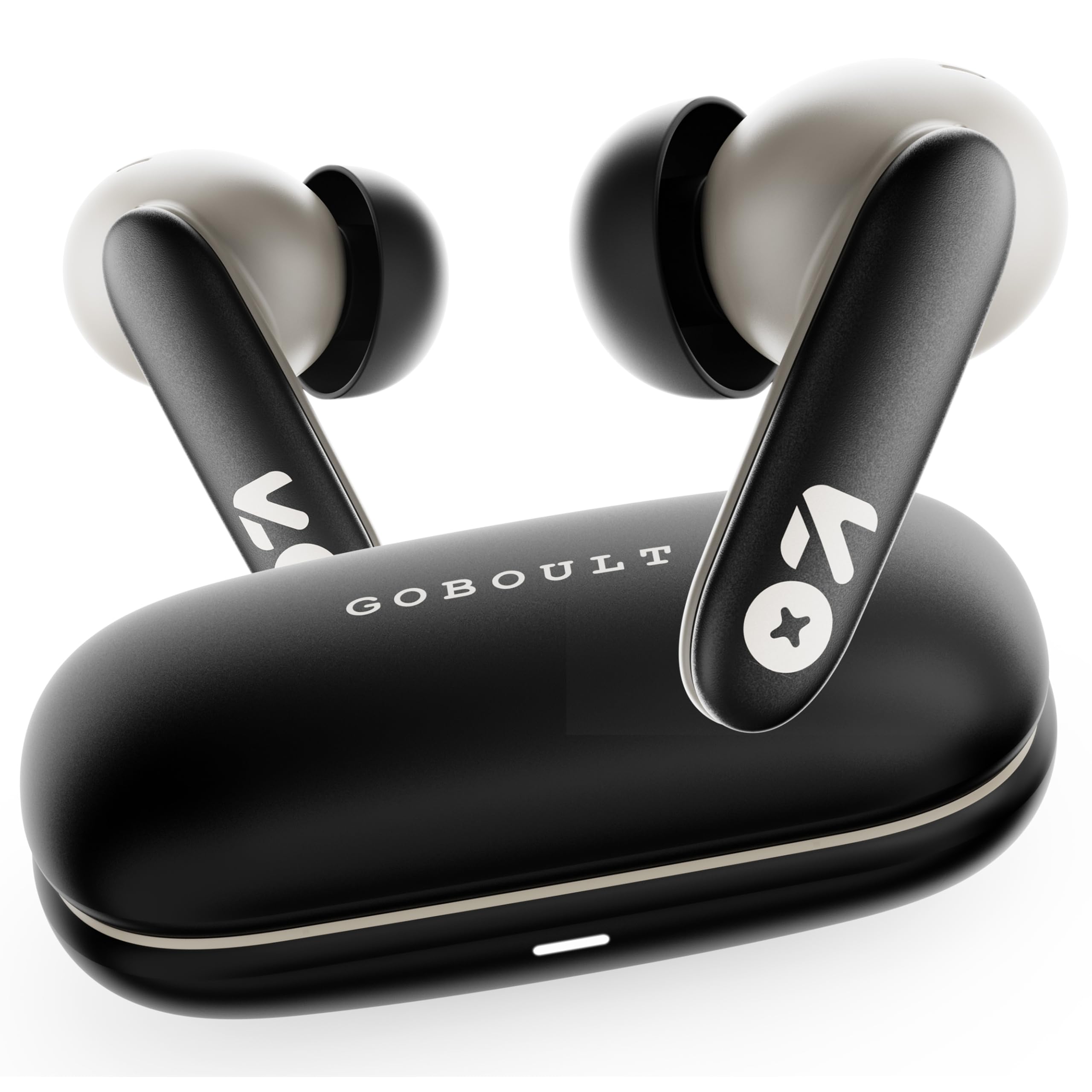
Image: GOBOULT Y1 v2.0 Wireless Earbuds and their charging case, showcasinel disseny elegant.
Què hi ha a la caixa
- GOBOULT Y1 v2.0 Wireless Earbuds
- Estoig de càrrega
- Cable de càrrega USB tipus C
- Coixins per a les orelles (diverses mides)
- Manual d'usuari
- Targeta de garantia
Característiques del producte
The GOBOULT Y1 v2.0 earbuds are designed with advanced features for an enhanced audio experience:
- Temps de joc ampliat: Fins a 60 hores de reproducció total amb l'estoig de càrrega.
- Bluetooth 6.0: Ensures fast, stable, and efficient wireless connectivity.
- Zen Quad Mic ENC: Environmental Noise Cancellation with four microphones for clear calls.
- Latència baixa: 45ms ultra-low latency for gaming and video synchronization.
- Control tàctil: Intuitive touch sensors for managing music, calls, and voice assistant.
- Emparellament de dispositius duals: Connect and switch seamlessly between two devices.
- 13mm Bass Driver: Ofereix baixos potents i àudio clar.
- AMP Suport de l'aplicació: Customize audio settings and controls via the dedicated application.
- Resistència a l'aigua IPX5: Protection against sweat and light splashes.
- Càrrega ràpida: Type-C port for quick charging of the case.

Imatge: Més deview of GOBOULT Y1 v2.0 features including sleek design, AMP App support, Bluetooth 6.0, 60 hours battery life, and dual device pairing.
Guia de configuració
1. Càrrega dels auriculars i l'estoig
Abans del primer ús, carregueu completament els auriculars i l'estoig de càrrega.
- Col·loca els auriculars a l'estoig de càrrega. Assegura't que estiguin correctament col·locats.
- Connecteu el cable de càrrega USB tipus C al port de càrrega de la carcassa i a una font d'alimentació.
- The LED indicator on the case will show charging status. A full charge typically takes approximately 1.5-2 hours.

Image: The GOBOULT Y1 v2.0 earbuds and charging case, highlighting the 60-hour battery life and Type-C fast charging capability.
2. Initial Pairing (Single Device)
- Obre l'estoig de càrrega. Els auriculars entraran automàticament en mode d'emparellament.
- Al dispositiu (telèfon intel·ligent, tauleta, etc.), activeu el Bluetooth.
- Cerca available Bluetooth devices and select "GOBOULT Y1 v2.0".
- Un cop connectat, sentiràs un to de confirmació.
3. Dual Device Pairing
The Y1 v2.0 supports connecting to two devices simultaneously.
- Pair the earbuds with your first device as described in "Initial Pairing".
- Desactiva el Bluetooth al primer dispositiu. Els auriculars tornaran a entrar en mode d'emparellament.
- Emparella els auriculars amb el teu segon dispositiu.
- Torneu a activar el Bluetooth al primer dispositiu. Els auriculars s'haurien de connectar automàticament als dos dispositius.
- To switch between devices, simply play audio on the desired device.

Image: The GOBOULT Y1 v2.0 earbuds connected to both a laptop and a smartphone, illustrating the dual device pairing feature.
Instruccions de funcionament
1. Toqueu Controls
Els auriculars tenen controls tàctils intuïtius a les tiges:
| Acció | Funció |
|---|---|
| Toc únic (esquerra/dreta) | Reproduir/Pausar música, Respondre/Finalitzar trucada |
| Doble toc (dreta) | Pista següent |
| Doble toc (esquerra) | Pista anterior |
| Toc triple (esquerra/dreta) | Activa l'Assistent de veu |
| Premda llarga (esquerra/dreta) | Rebutja la trucada |
| Long Press (Right) | Puja el volum |
| Long Press (Left) | Baixa el volum |

Image: Visual representation of touch controls for music playback and call management, along with the IPX5 water resistance rating.
2. Assistent de veu
Activate your device's voice assistant (Siri, Google Assistant) by triple-tapping either earbud. You can then issue commands like making calls or playing music.

Image: The GOBOULT Y1 v2.0 earbuds highlighting Bluetooth 6.0 for stable connection and integration with AI voice assistants like Siri and Google Assistant.
3. Mode de joc (latència baixa)
For an optimized gaming experience, activate the 45ms ultra-low latency gaming mode. Refer to the AMP App or specific touch control gestures (if available) for activation.

Image: The GOBOULT Y1 v2.0 earbuds illustrating the 45ms ultra-low latency Gaming Mode.
4. AMP Suport d'aplicacions
Download the GOBOULT AMP App to unlock advanced customization options:
- Ajusteu la configuració de l'equalitzador (EQ) per obtenir un so personalitzat.
- Personalitza els controls tàctils.
- Access additional features like Water Ejection mode.

Image: Screenshot of the GOBOULT AMP App interface, demonstrating equalizer adjustments and other customization features.
Manteniment
1. Neteja
Una neteja regular ajuda a mantenir la qualitat del so i la higiene.
- Feu servir un drap suau, sec i sense borrissol per netejar els auriculars i l'estoig de càrrega.
- Gently remove any earwax or debris from the ear tips and speaker mesh using a small brush or cotton swab.
- No utilitzeu netejadors abrasius, alcohol ni dissolvents químics.
2. Resistència a l'aigua (IPX5)
The GOBOULT Y1 v2.0 earbuds are rated IPX5 water resistant, meaning they are protected against low-pressure water jets from any direction. This makes them suitable for workouts and light rain.
- No submergiu els auriculars a l'aigua.
- La caixa de càrrega no és resistent a l'aigua.
- Assegureu-vos que els auriculars estiguin secs abans de tornar-los a col·locar a l'estoig de càrrega per evitar que es facin malbé.
Resolució de problemes
| Problema | Solució |
|---|---|
| Els auriculars no s'aparellen | Assegura't que els auriculars estiguin carregats. Desactiva i activa el Bluetooth al dispositiu. Oblida't del dispositiu a la configuració del Bluetooth i torna a emparellar-lo. |
| Només funciona un auricular | Place both earbuds back in the case, close it, then open again. Ensure both are charged. Reset earbuds if issue persists. |
| Volum baix o mala qualitat de so | Clean earbud speaker mesh. Adjust volume on both earbuds and connected device. Try different ear tip sizes for a better seal. |
| La funda de càrrega no es carrega | Check USB Type-C cable and power adapter. Ensure connections are secure. |
Especificacions
| Característica | Detall |
|---|---|
| Marca | GOBOULT |
| Nom del model | Y1 v2.0 (Airbass) |
| Col·locació de l'orella | A l'orella |
| Control de soroll | Cancel·lació de soroll ambiental (ENC) |
| Versió Bluetooth | 6.0 |
| Interval Bluetooth | 10 metres |
| Durada de la bateria (total) | Fins a 60 hores |
| Mida del controlador d'àudio | 13 Mil·límetres |
| Latència d'àudio | 45 mil·lisegons (mode de joc) |
| Resposta de freqüència | 20 Hz - 20,000 Hz |
| Nivell de resistència a l'aigua | IPX5 |
| Mètode de control | Control tàctil, aplicació |
| Dispositius compatibles | Android, iOS, Desktops, Laptops, Tablets |
| Pes de l'article | 50 grams |

Image: A detailed comparison table showing the specifications of GOBOULT Y1 v2.0 versus the previous Y1 model, highlighting improvements.
Garantia i Suport
The GOBOULT Y1 v2.0 Wireless Earbuds come with a Garantia del fabricant de 1 anys des de la data de compra. Aquesta garantia cobreix els defectes de fabricació.
For warranty claims, technical support, or any product-related inquiries, please refer to the contact information provided on your warranty card or visit the official GOBOULT support weblloc.