
Introducció
This manual provides essential information for the safe and efficient use of your ciciglow 4G Slide Phone. Please read these instructions carefully before operating the device and retain them for future reference. This phone combines a classic slide design with modern 4G connectivity and a touch screen interface.
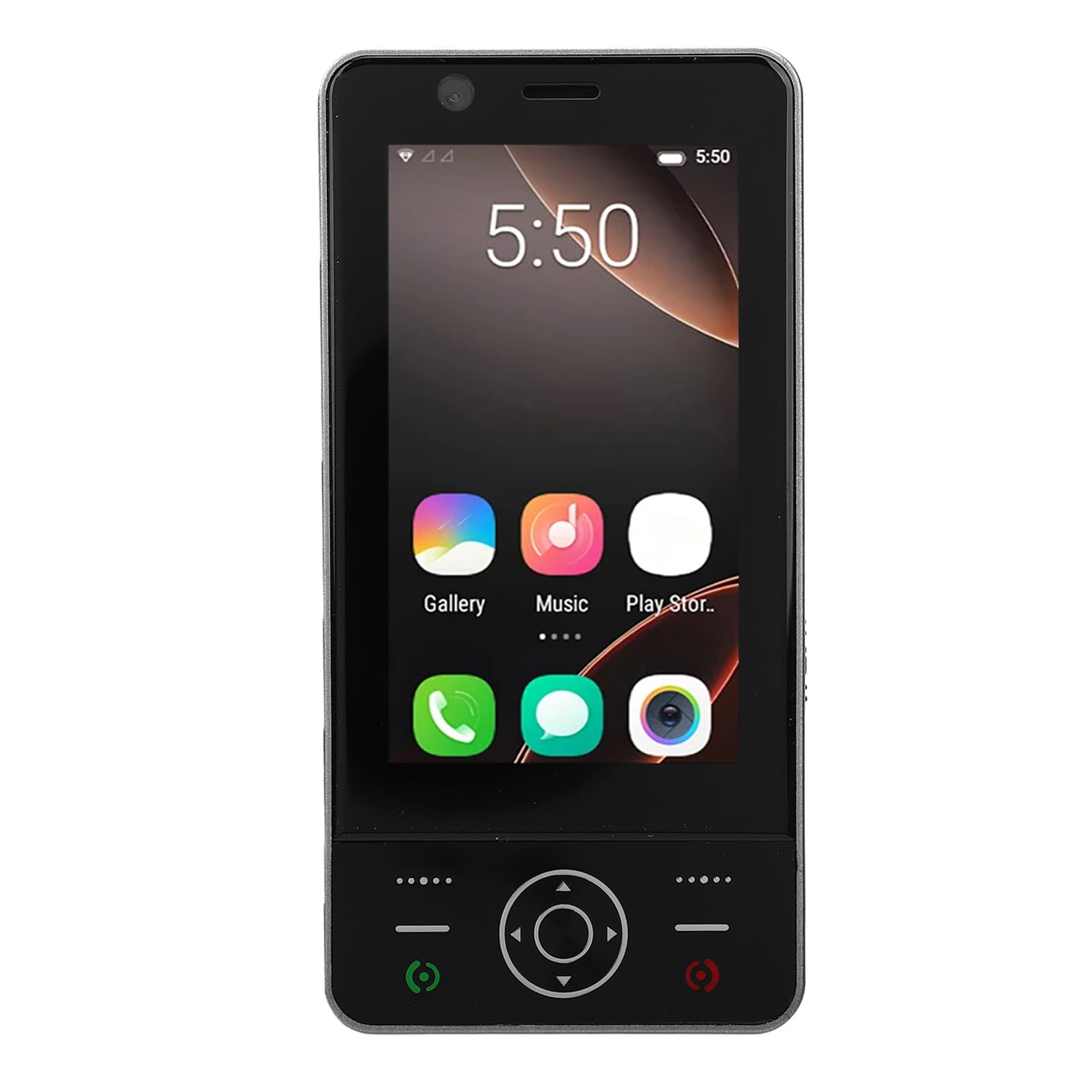
Image: The ciciglow 4G Slide Phone in its open position, displaying the touch screen interface and the physical keypad.
Producte acabatview
Característiques clau
- Slide Design: Compact and portable form factor with a sliding physical keypad.
- Visualització: 3.0-inch touch screen for intuitive navigation.
- Sistema operatiu: Android 8.1 (non-upgradable).
- Connectivitat de xarxa: Supports 4G/3G/2G networks (GSM 850/900/1800/1900, WCDMA B1/B2/B4/B5/B8, FDD B1/2/3/5/7/8/20/28AB, TDD B38/40/B41).
- Compatibilitat amb SIM: Dual SIM slots for flexible network usage.
- Emmagatzematge: 2GB RAM and 16GB internal storage, expandable up to 32GB via memory card (not included).
- Sense fil: Bluetooth V5.0 and Wi-Fi connectivity.
- Càmera: 2MP front and rear cameras.
- Bateria: Bateria integrada de 2000 mAh.
- Ports: Type-C charging port and 3.5mm headphone jack.
Contingut del paquet
Verifiqueu que tots els elements siguin presents al paquet:
- 1 x ciciglow 4G Slide Phone
- 1 x Cable de càrrega (Tipus C)
- 1 x cordó
- 2 x Manual d'usuari (aquest document)
- 1 x SIM Ejector Tool

Image: The ciciglow 4G Slide Phone, lanyard, charging cable, and SIM ejector tool, representing the package contents.
Configuració
1. Inserció de la targeta SIM i la targeta de memòria
- Localitza la safata de la targeta SIM al lateral del telèfon.
- Feu servir l'eina d'expulsió de la SIM proporcionada per obrir la safata.
- Carefully place your Nano-SIM card(s) into the designated slots. Ensure the gold contacts face downwards.
- If using a memory card (MicroSD, up to 32GB), insert it into the dedicated memory card slot on the tray.
- Empenyeu suaument la safata cap a dins del telèfon fins que quedi alineada amb la carcassa del dispositiu.
2. Càrrega del dispositiu
- Connect the Type-C charging cable to the charging port at the bottom of the phone.
- Connecteu l'altre extrem del cable a un adaptador de corrent USB compatible (no inclòs) o al port USB d'un ordinador.
- Deixeu que el telèfon es carregui completament abans del primer ús. L'indicador de bateria a la pantalla mostrarà l'estat de càrrega.
3. Encès / apagat
- Per encendre: Premeu i manteniu premut el botó d'engegada (normalment al lateral) fins que la pantalla s'il·lumini.
- Per apagar: Mantingueu premut el botó d'engegada i, a continuació, seleccioneu "Apagar" de les opcions que apareixen a la pantalla.
Instruccions de funcionament
Navegació bàsica
The ciciglow 4G Slide Phone offers dual navigation methods: the 3.0-inch touch screen and the physical keypad.
- Pantalla tàctil: Toca per seleccionar, llisca per desplaçar-te, pessiga per ampliar.
- Teclat físic: Use the directional pad for menu navigation and the numeric keys for dialing or text input when the keypad is extended.

Image: The phone with its keypad extended, illustrating the combination of touch screen and physical button controls.
Fer i rebre trucades
- Per fer una trucada: Open the dialer application on the touch screen or slide open the phone to use the physical keypad. Enter the phone number and press the call button.
- Per rebre una trucada: When a call comes in, swipe the answer icon on the touch screen or press the green call button on the keypad.

Image: A person using the ciciglow 4G Slide Phone for a call, demonstrating its ergonomic design.
Missatgeria de text
Access the messaging application from the home screen. You can compose messages using the on-screen keyboard or the physical keypad when extended.
Connexió a Wi-Fi
- Vés a Configuració > Xarxa i Internet > Wi-Fi.
- Activa/desactiva el Wi-Fi On.
- Seleccioneu la xarxa desitjada de la llista i introduïu la contrasenya si se us demana.
Emparellament Bluetooth
- Vés a Configuració > Dispositius connectats > Bluetooth.
- Commuta el Bluetooth On.
- Ensure the device you wish to pair with is in pairing mode.
- Seleccioneu el dispositiu de la llista de dispositius disponibles i seguiu les instruccions que apareixen a la pantalla per completar l'emparellament.
Ús de la càmera
Open the Camera application from the home screen. Tap the screen to focus and press the shutter button to take a photo. You can switch between front and rear cameras within the app.
Manteniment
Neteja del teu dispositiu
- Feu servir un drap suau i sense borrissol per netejar la pantalla i la carcassa del telèfon.
- Eviteu utilitzar productes químics agressius, netejadors abrasius o aerosols.
- Mantingueu els ports nets de pols i deixalles.
Cura de la bateria
- Eviteu exposar el telèfon a temperatures extremes.
- No punxeu ni desmunteu la bateria.
- Per a una durada òptima de la bateria, eviteu esgotar-la completament amb freqüència o mantenir-la al 100% de càrrega durant períodes prolongats.
Actualitzacions de programari
The operating system for this device is Android 8.1 and is not upgradable. Ensure you have the latest available applications from the Play Store for optimal performance.
Resolució de problemes
| Problema | Possible solució |
|---|---|
| El telèfon no s'encén. | Ensure the battery is charged. Connect the phone to a charger for at least 30 minutes. If it still doesn't power on, contact support. |
| Sense senyal de xarxa. | Check if the SIM card is correctly inserted. Verify that you are in an area with network coverage. Restart the phone. |
| La pantalla tàctil no respon. | Restart the phone. Ensure the screen is clean and dry. If the issue persists, contact support. |
| No es pot connectar a la Wi-Fi. | Ensure Wi-Fi is enabled on the phone and the router is working. Re-enter the Wi-Fi password. Restart both the phone and the router. |
| Les aplicacions són lentes o es bloquegen. | Close unnecessary background applications. Clear app cache (Settings > Apps > [App Name] > Storage > Clear cache). Restart the phone. |
Especificacions
| Característica | Detall |
|---|---|
| Marca | ciciglow |
| Nom del model | ciciglowzsbnh152p6-13 |
| Sistema operatiu | Android 8.1 (Non-upgradable) |
| Processador | MTK6737 |
| Mida de la pantalla | 3.0 polzades |
| Tipus de visualització | Touch Screen, LED |
| Memòria (RAM) | 2 GB |
| Emmagatzematge (ROM) | 16 GB |
| Emmagatzematge ampliable | Supports up to 32GB Memory Card (MicroSD) |
| Tecnologia cel·lular | 4G/3G/2G |
| Banda de freqüència | 2G GSM 850/900/1800/1900, 3G WCDMA B1/B2/B4/B5/B8, 4G FDD B1/2/3/5/7/8/20/28AB, TDD B38/40/B41 |
| Nombre de ranures per a targetes SIM | Doble SIM |
| Connectivitat sense fil | Wi-Fi, Bluetooth V5.0 |
| Càmera | 2MP frontal i posterior |
| Capacitat de la bateria | 2000 mAh (integrada) |
| Port de càrrega | Tipus-C |
| Conector d'auriculars | 3.5 mm |
| Dimensions (aprox.) | Height: 136mm (5.35in), Width: 52mm (2.05in), Thickness: 19mm (0.74in) |
| Pes (aprox.) | 135 g |

Image: Detailed dimensions and weight of the ciciglow 4G Slide Phone.

Image: An illustration of the phone's internal chipset, highlighting the MTK6737 processor, Android 8.1, 16GB ROM, and 2GB RAM.
Garantia i Suport
Informació de la garantia
This ciciglow 4G Slide Phone is covered by a manufacturer's warranty for 90 days from the date of purchase. Please retain your proof of purchase for warranty claims.
Atenció al client
For further assistance, technical support, or warranty inquiries, please refer to the contact information provided with your purchase or visit the official ciciglow brand store online. You can find more information at the ciciglow Store.