
Introducció
The Eacam ONIKUMA CW905 is a USB wired gaming mouse designed for ergonomic comfort and high-performance gaming. It features adjustable DPI settings, programmable buttons, and vibrant RGB lighting to enhance your gaming experience. This manual provides essential information for setting up, operating, maintaining, and troubleshooting your gaming mouse.
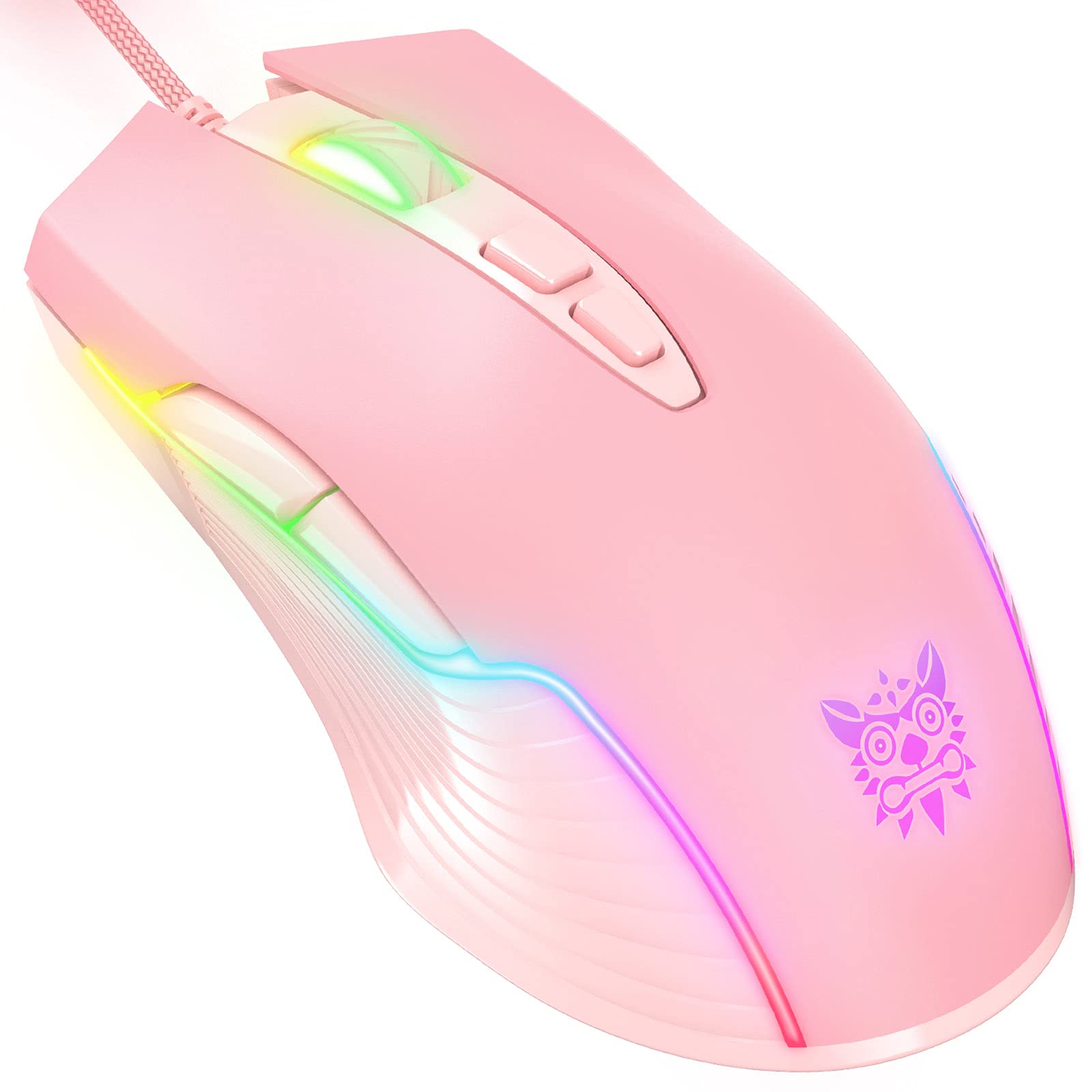
Image: Eacam ONIKUMA CW905 USB Wired Gaming Mouse
Contingut del paquet
- 1 x Eacam ONIKUMA CW905 Wired Gaming Mouse
- 1 x User Manual (English/Chinese)
Característiques del producte
- Ergonomic & Skin-friendly Design: Symmetrical and streamlined design provides a comfortable claw-grip, ensuring long-term use without fatigue.
- 6-Speed DPI Switchable: Adjustable DPI settings (800-1600-2400-3200-4800-6400) for precise control and speed customization.
- RGB Lighting Colors: Multi-color lights create an immersive gaming environment and enhance the aesthetic of your setup.
- 7 botons programables: Includes Left, Right, Forward, Backward, DPI+ button, DPI- button, and Scroll wheel to meet various gaming demands.
- Compatibilitat forta: Compatible with Win10/8/7XP/Vista, Linux. Note: Programming functions are not available for Mac systems.
Configuració
- Connecteu el ratolí: Plug the USB cable of the ONIKUMA CW905 gaming mouse into an available USB port on your computer.
- Instal·lació automàtica: The mouse is plug-and-play. Your operating system will automatically detect and install the necessary drivers for basic functionality. No additional software installation is required for standard use.
- Compatibilitat: The mouse is compatible with Windows (10/8/7/XP/Vista) and Linux operating systems. Please note that advanced programming functions are not supported on Mac systems.
Instruccions de funcionament
Ajust de DPI
The ONIKUMA CW905 mouse features 6 adjustable DPI settings, allowing you to customize cursor sensitivity to your preference. Use the dedicated DPI+ and DPI- buttons, typically located behind the scroll wheel, to cycle through the available settings:
- 800 DPI
- 1600 DPI
- 2400 DPI
- 3200 DPI
- 4800 DPI
- 6400 DPI
Each press of the DPI button will switch to the next sensitivity level.
Funcions del botó
The mouse is equipped with 7 buttons for various functions:
- Botó esquerre: Funció de clic principal.
- Botó dret: Funció de clic secundari (menú contextual).
- Roda de desplaçament: Scrolls content up/down; also functions as a middle click button.
- Botó Endavant: Navega cap endavant web navegadors o file exploradors.
- Botó enrere: Navega cap enrere web navegadors o file exploradors.
- Botó DPI+: Increases DPI sensitivity.
- Botó DPI: Decreases DPI sensitivity.

Imatge: Superior view showing mouse buttons
Il·luminació RGB
The mouse features dynamic multi-color RGB lighting that activates automatically when connected to a powered USB port. The lighting effects are pre-programmed and cannot be customized through software on this model.
Manteniment
To ensure the longevity and optimal performance of your Eacam ONIKUMA CW905 gaming mouse, follow these maintenance guidelines:
- Neteja: Regularly wipe the surface of the mouse with a soft, dry cloth. For stubborn dirt, a slightly damp cloth can be used, but ensure no liquid enters the mouse's internal components. Avoid using harsh chemicals, solvents, or abrasive cleaning materials.
- Cura del cable: Avoid sharply bending or twisting the USB cable. Do not pull the mouse by its cable.
- Emmagatzematge: Store the mouse in a clean, dry environment away from extreme temperatures and direct sunlight when not in use.
Resolució de problemes
If you encounter issues with your gaming mouse, refer to the following common troubleshooting steps:
- El ratolí no respon:
- Ensure the USB cable is securely connected to your computer's USB port.
- Prova de connectar el ratolí a un port USB diferent de l'ordinador.
- Test the mouse on another computer to determine if the issue is with the mouse or your system.
- Reinicieu l'ordinador.
- Els DPI no canvien:
- Verify that you are pressing the correct DPI+ or DPI- buttons.
- Ensure the mouse is properly connected and recognized by your computer.
- Les llums RGB no funcionen:
- Check the USB connection; the RGB lighting is powered via the USB.
- If the mouse functions but the lights do not, and all connections are secure, contact customer support.
Especificacions
| Característica | Especificació |
|---|---|
| Marca | Eacam (ONIKUMA) |
| Número de model | CW905 |
| Sensor | SPCP-199 |
| Acceleració | 20G |
| High-Speed Motion Detection | 100 IPS |
| Left/Right Button Life Time | 3,000,000 vegades |
| Taxa de votació | 125 Hz |
| Sensor Resolution (DPI) | 800-1600-2400-3200-4800-6400 |
| Nombre de claus | 7 |
| Longitud del cable | 1.5 m |
| Interfície | USB |
| Voltage | 5V |
| Corrent de treball | <100 mA |
| Item Size (Approx.) | 12.7 x 7.1 x 4.0 cm |
| Pes de l'article (aprox.) | 129 g |
| País d'origen | Xina |
Informació de la garantia
This Eacam ONIKUMA CW905 USB Wired Gaming Mouse comes with a manufacturer warranty for 90 days from the date of purchase. This warranty covers manufacturing defects under normal use. Please retain your proof of purchase for any warranty claims.
La garantia no cobreix els danys causats per mal ús, accidents, modificacions no autoritzades o desgast normal.
Suport
For further assistance, technical support, or to inquire about warranty claims, please refer to the contact information provided with your purchase documentation or visit the official Eacam website. When contacting support, please have your product model number (CW905) and proof of purchase readily available.