
1. Introducció
Thank you for choosing the CHIVALZ A10a Thermal Printer. This compact and inkless portable printer is designed for convenient printing from your phone or laptop, supporting both 8.5'' x 11'' and A4 thermal paper. This manual provides essential information for the safe and efficient operation of your device. Please read it thoroughly before use and retain it for future reference.
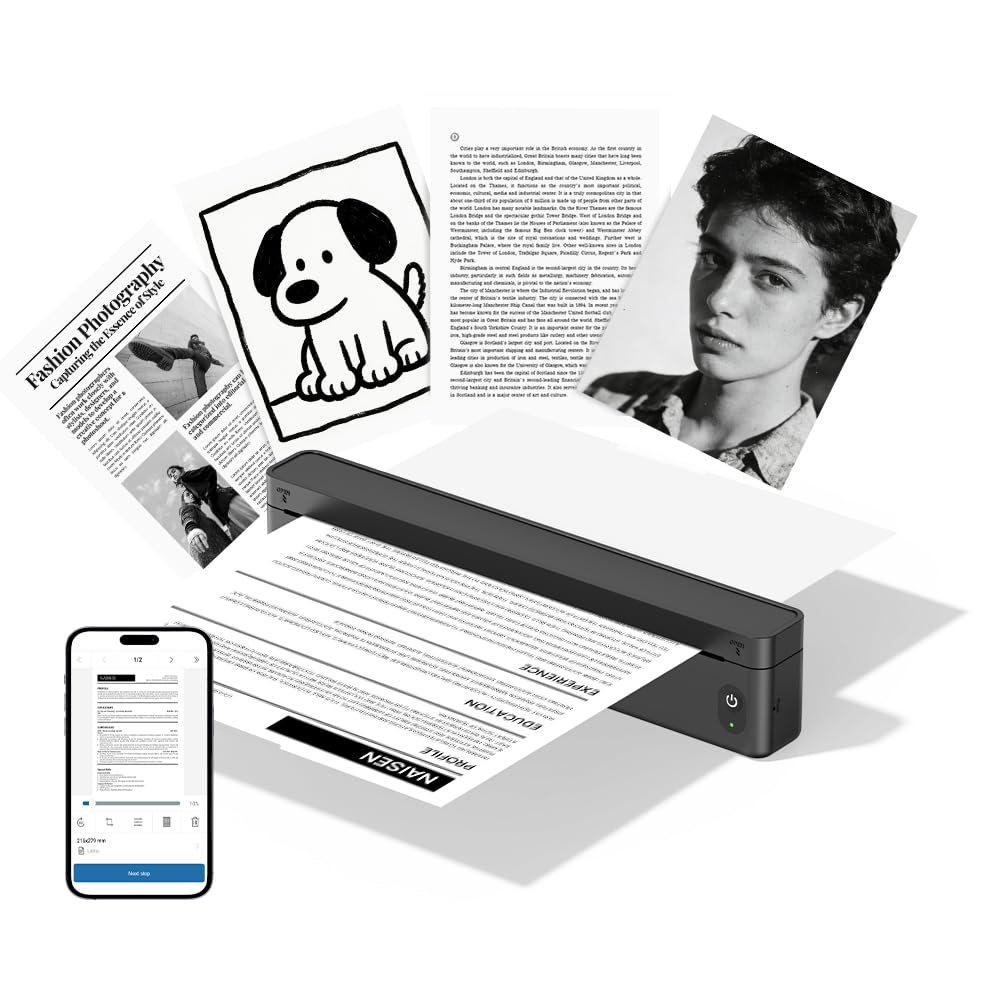
Figura 1.1: The CHIVALZ A10a Thermal Printer. This image displays the compact, black thermal printer, highlighting its portable design suitable for various environments.
2. Contingut del paquet
Please check the package contents upon unpacking. If any items are missing or damaged, contact customer support immediately.
- CHIVALZ A10a Thermal Printer
- Cable de càrrega USB
- Rotlle inicial de paper tèrmic
- Manual d'usuari (aquest document)
3. Informació de seguretat
To ensure safe operation and prevent damage to the printer, please observe the following safety precautions:
- No exposeu la impressora a l'aigua, la humitat ni a temperatures extremes.
- Eviteu deixar caure la impressora ni sotmetre-la a impactes forts.
- Feu servir només el cable de càrrega proporcionat o recomanat.
- No intenteu desmuntar ni reparar la impressora vosaltres mateixos. Poseu-vos en contacte amb personal de servei qualificat.
- Mantingueu la impressora lluny dels nens.
- Use only approved thermal paper to prevent damage to the print head.
4. Guia de configuració
4.1. Càrrega de la impressora
- Connect the USB charging cable to the printer's charging port.
- Connecteu l'altre extrem del cable USB a un adaptador de corrent USB compatible (no inclòs) o al port USB d'un ordinador.
- The indicator light will show charging status (e.g., red for charging, green for fully charged). Allow approximately 2-3 hours for a full charge.
4.2. Càrrega de paper tèrmic
- Obriu suaument la tapa del compartiment de paper.
- Insert the thermal paper roll with the printing side facing up. Ensure the paper is aligned correctly and smoothly.
- Pull a small amount of paper out beyond the cutting edge.
- Tanqueu fermament la tapa del compartiment de paper fins que encaixi al seu lloc.
4.3. Installing the Printing Application
For optimal performance and features, download the dedicated printing application for your CHIVALZ A10a printer. Refer to the packaging or a quick start guide for the specific app name and download instructions (usually available on app stores for iOS/Android or a website for Windows/macOS).
4.4. Connexió mitjançant Bluetooth
- Ensure the printer is charged and powered on. The Bluetooth indicator light should be blinking, indicating it's ready for pairing.
- On your phone or laptop, enable Bluetooth.
- Cerca available devices. The printer should appear as "CHIVALZ A10a" or a similar name.
- Seleccioneu la impressora que voleu emparellar. Si us demana un PIN, introduïu "0000" o "1234".
- Once paired, the Bluetooth indicator light on the printer will become solid.
5. Instruccions de funcionament
5.1. Encès / apagat
- Encès: Press and hold the power button for approximately 3 seconds until the indicator lights illuminate.
- Apagar: Premeu i manteniu premut el botó d'engegada durant aproximadament 3 segons fins que els llums indicadors s'apaguin.
5.2. Printing from Your Device
- Ensure the printer is powered on and successfully connected via Bluetooth to your phone or laptop.
- Open the document, image, or content you wish to print in your dedicated printing application or standard print dialogue.
- Seleccioneu l'opció d'impressió.
- Choose "CHIVALZ A10a" from the list of available printers.
- Adjust print settings (e.g., paper size, orientation) as needed within the application.
- Confirm and initiate the print job.
6. Manteniment
6.1. Neteja del capçal d'impressió
Regular cleaning of the print head ensures optimal print quality. Clean the print head if print quality deteriorates or after every few paper roll changes.
- Turn off the printer and disconnect it from power.
- Obriu la coberta del compartiment de paper.
- Gently wipe the print head (the dark strip inside the compartment) with a soft, lint-free cloth lightly dampamb alcohol isopropílic.
- Deixeu que el capçal d'impressió s'assequi completament abans de tancar la tapa i engegar la impressora.
6.2. Paper Handling and Storage
- Use only high-quality thermal paper recommended for your printer.
- Guardeu el paper tèrmic en un lloc fresc i sec, allunyat de la llum solar directa i de la calor, per preservar-ne la imprimibilitat.
- Avoid touching the thermal paper's surface excessively, as oils from your skin can affect print quality.
7. Solució De Problemes
If you encounter issues with your CHIVALZ A10a printer, refer to the following common problems and solutions:
| Problema | Causa possible | Solució |
|---|---|---|
| La impressora no s'encén. | Bateria baixa o sense energia. | Charge the printer fully. Ensure the charging cable is securely connected. |
| Mala qualitat d'impressió (línies tènues i en blanc). | Dirty print head; incorrect paper loading; old/damaged thermal paper. | Clean the print head (see Section 6.1). Ensure thermal paper is loaded correctly with the printing side up. Try a new roll of thermal paper. |
| No es pot connectar per Bluetooth. | Printer not in pairing mode; Bluetooth off on device; interference. | Ensure printer is on and Bluetooth indicator is blinking. Turn Bluetooth off and on again on your device. Move closer to the printer. Forget and re-pair the device. |
| Emballament de paper. | Càrrega incorrecta del paper; objecte estrany. | Turn off the printer. Open the paper compartment and carefully remove any jammed paper or obstructions. Reload paper correctly. |
| Printer stops printing mid-job. | Out of paper; low battery; connection lost. | Check paper supply and reload if necessary. Charge the printer. Verify Bluetooth connection. |
8. Especificacions
Below are the technical specifications for the CHIVALZ A10a Thermal Printer:
| Característica | Detall |
|---|---|
| Nom del model | A10a |
| Marca | CHIVALZ |
| Dimensions del producte (P x A x A) | 27.5P x 7.6A x 6.4H centímetres |
| Tecnologia de connectivitat | Bluetooth |
| Tecnologia d'impressió | Tèrmica |
| Color | Negre |
| Sortida de la impressora | Monocrom |
| Max Print Speed (B&W Pages per Minute) | 203 |
| Mida màxima del suport | A4, 8.5'' X 11'' |
| Components inclosos | Impressora |
9. Garantia i Suport
9.1. Garantia del producte
The CHIVALZ A10a Thermal Printer comes with a Garantia limitada d'1 any from the date of purchase. This warranty covers manufacturing defects and workmanship under normal use. It does not cover damage caused by misuse, accidents, unauthorized modifications, or failure to follow the instructions in this manual.
9.2. Atenció al client
For technical assistance, warranty claims, or any questions regarding your CHIVALZ A10a printer, please contact our customer support team:
- Correu electrònic: support@chivalz.net
- Please provide your model number (A10a) and a detailed description of your issue when contacting support.