
Butxaca 860014652806
Pocket AI Voice Recorder Instruction Manual
Model: 860014652806
Introducció
The Pocket AI Voice Recorder is a compact, intelligent device designed to capture, transcribe, and summarize conversations, meetings, and ideas. It integrates seamlessly with your smartphone, providing advanced AI-powered note-taking capabilities. This manual provides essential information for setting up, operating, maintaining, and troubleshooting your device.
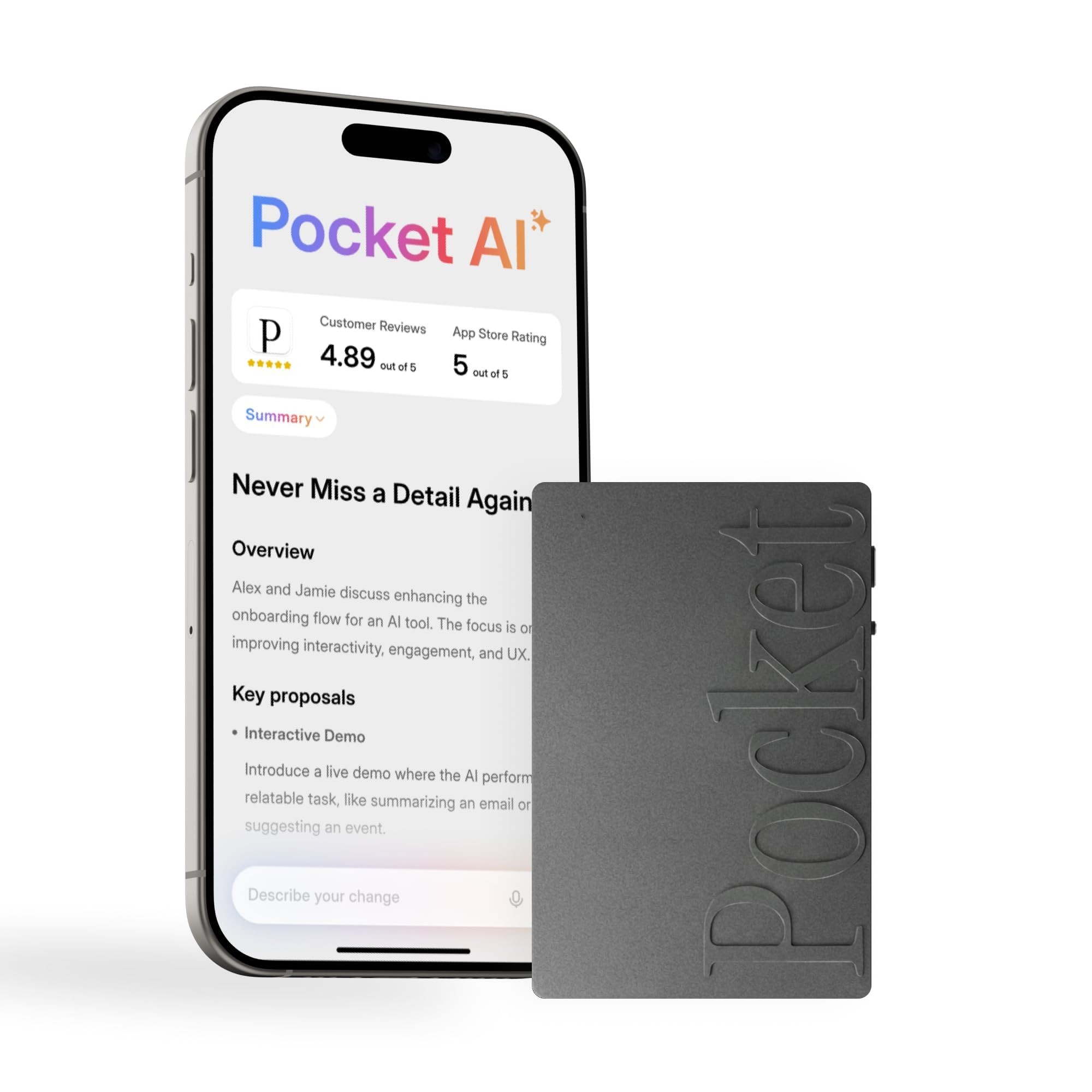
Image: The Pocket AI Voice Recorder in Space Grey, a compact and sleek device.
Contingut del paquet
Verifiqueu que tots els elements siguin presents al vostre paquet:
- Pocket AI Voice Recorder (Space Grey)
- Cable de càrrega (USB-C)
- Guia d'inici ràpid
Configuració
1. Càrrega del dispositiu
Before first use, fully charge your Pocket AI Voice Recorder. Connect the provided USB-C cable to the device and a compatible power source. The device has a 4-day battery life on a single charge.
2. Baixada de l'aplicació complementària
The Pocket AI Voice Recorder requires the companion app for full functionality. Download the "Pocket AI" app from the Apple App Store (for iOS devices) or Google Play Store (for Android devices).
3. Emparellament amb el telèfon intel·ligent
- Assegureu-vos que el Bluetooth estigui habilitat al vostre telèfon intel·ligent.
- Open the Pocket AI app and follow the on-screen instructions to pair your device.
- The device will appear as "Pocket AI Recorder" in your phone's Bluetooth settings.

Image: The Pocket AI Voice Recorder magnetically attached to the back of a smartphone, demonstrating its MagSafe compatibility.
Instruccions de funcionament
1. One-Tap Recording
To start recording, simply press the designated button on the Pocket AI Voice Recorder. A single tap initiates recording, capturing conversations, phone calls, or in-person discussions. Press the button again to stop recording.
Video: Ian demonstrating the use of the Pocket AI device, showcasing its ease of recording and integration.
2. Automatic Transcription and Summarization
Once a recording is stopped, the device automatically uploads the audio to the companion app (when connected). The app then processes the audio to generate a full transcription, clear summaries, key action items, and structured conversation maps.

Image: A smartphone display showing the Pocket AI app interface with generated summaries, key decisions, and action items from a recorded conversation.
3. Using "Ask Pocket"
The "Ask Pocket" feature allows you to interact with your recorded content. Within the app, you can ask questions about your meetings or notes, and the AI will extract relevant insights and generate next steps based on the recording. This ensures answers are accurate and reliable.
4. MagSafe Compatibility
The Pocket AI Voice Recorder is MagSafe compatible, allowing it to easily attach to your iPhone or other MagSafe-enabled devices. This provides convenient, hands-free recording.
Video: A demonstration of the Pocket AI device being used in a meeting setting, highlighting its ability to capture and process conversations.
Funcions acabadesview
- Assistent personal d'IA: Captures, transcribes, and summarizes meetings, calls, and ideas.
- One-Tap Recording: Instant capture of audio with a single button press.
- Smart AI Insights: Generates clear summaries, action items, and conversation maps.
- "Ask Pocket" Functionality: Query your recordings for insights and next steps.
- Compatible amb MagSafe: For convenient attachment to compatible smartphones.
- Bateria de llarga durada: Up to 4 days of battery life on a single charge.
- Emmagatzematge a bord: 64 GB de memòria interna.
- Micròfons: Equipped with 3 microphones (Studio + Contact Mics).
- Connectivitat: Bluetooth.

Image: The Pocket AI device highlighting its unlimited recording minutes feature and other capabilities like 120+ languages, auto-paragraphing, AI suggestions, templates, cloud storage, and offline readiness.
Manteniment
- Neteja: Feu servir un drap suau i sec per netejar el dispositiu. Eviteu netejadors líquids o materials abrasius.
- Emmagatzematge: Guardeu el dispositiu en un lloc fresc i sec, allunyat de la llum solar directa i de temperatures extremes.
- Cura de la bateria: Per allargar la durada de la bateria, eviteu descarregar completament el dispositiu amb freqüència. Carregueu-lo regularment.
- Actualitzacions de programari: Keep the Pocket AI app updated to ensure optimal performance and access to new features.
Resolució de problemes
| Problema | Causa possible | Solució |
|---|---|---|
| El dispositiu no s'encén | Bateria baixa | Carregueu el dispositiu amb el cable USB-C proporcionat. |
| No es pot emparellar amb el telèfon intel·ligent | Bluetooth off, device out of range, app issue | Ensure Bluetooth is on, device is close to phone, restart app/phone, or re-attempt pairing in app. |
| Recording quality is poor | Obstruction of microphones, excessive background noise | Ensure microphones are clear, reduce distance to speaker, or move to a quieter environment. |
| Transcription/Summarization errors | Unclear audio, multiple speakers, app not updated | Speak clearly, ensure good audio input, update the Pocket AI app to the latest version. |
Especificacions
| Característica | Detall |
|---|---|
| Número de model | 860014652806 |
| Marca | butxaca |
| Dispositius compatibles | Smartphone (iOS & Android) |
| Interfície del maquinari | Bluetooth |
| Factor de forma del micròfon | Built-In (3 Mics: Studio + Contact Mics) |
| Capacitat d'emmagatzematge de memòria | 64 GB |
| Durada de la bateria | Fins a 4 dies |
| Dimensions del producte | 1.77 "P x 3.2" W x 7.4" H |
| GTIN/UPC | 860014652806 |
Garantia i Suport
Informació de la garantia
The Pocket AI Voice Recorder comes with a standard manufacturer's warranty. Please refer to the warranty card included in your product packaging or visit the official Pocket AI weblloc web per obtenir informació detallada sobre els termes i condicions de la cobertura i la durada de la garantia.
Atenció al client
For technical assistance, troubleshooting, or any questions regarding your Pocket AI Voice Recorder, please contact our customer support team. You can find contact information on the official Pocket AI website or within the companion app's help section.
- Assistència en línia: Visita Pocket AI Official Store
- Ajuda a l'aplicació: Access the help section within the Pocket AI mobile application.
Documents relacionats860014652806


Ask a question about this manual
Ask about setup, troubleshooting, compatibility, parts, safety, or missing instructions. Manuals+ will review the question and use this page’s manual context to help answer it.