
1. Introducció
Gràcies per la compraasing the EENOUR CL20 Portable Refrigerator. This appliance is designed to provide efficient and reliable cooling or freezing for various applications, including home, outdoor, camping, and vehicle use. With its advanced compressor technology, wide temperature range, and portable design, the CL20 ensures your food and beverages remain fresh and cool wherever you go. Please read this manual thoroughly before use to ensure safe operation and optimal performance.
2. Informació de seguretat
To prevent injury to yourself and others, or damage to the appliance, please observe the following safety precautions:
- Assegureu-vos que la font d'alimentació voltagCoincideix amb les especificacions de la nevera.
- Do not operate the appliance if the power cord is damaged or if the unit shows signs of malfunction. Contact customer support immediately.
- Mantingueu les obertures de ventilació lliures d'obstruccions per garantir un flux d'aire adequat i evitar el sobreescalfament.
- No submergiu la nevera en aigua ni l'exposeu a pluja intensa.
- Eviteu col·locar substàncies inflamables o explosives dins la nevera.
- Desconnecteu sempre l'alimentació abans de netejar o fer qualsevol manteniment.
- No permeteu que els nens juguin amb l'aparell ni facin servir l'aparell sense supervisió.
- Handle the unit with care, especially when moving it, to avoid damage to internal components.
3. Producte acabatview
Familiarize yourself with the components of your EENOUR CL20 Portable Refrigerator.
3.1 Main Unit and Features
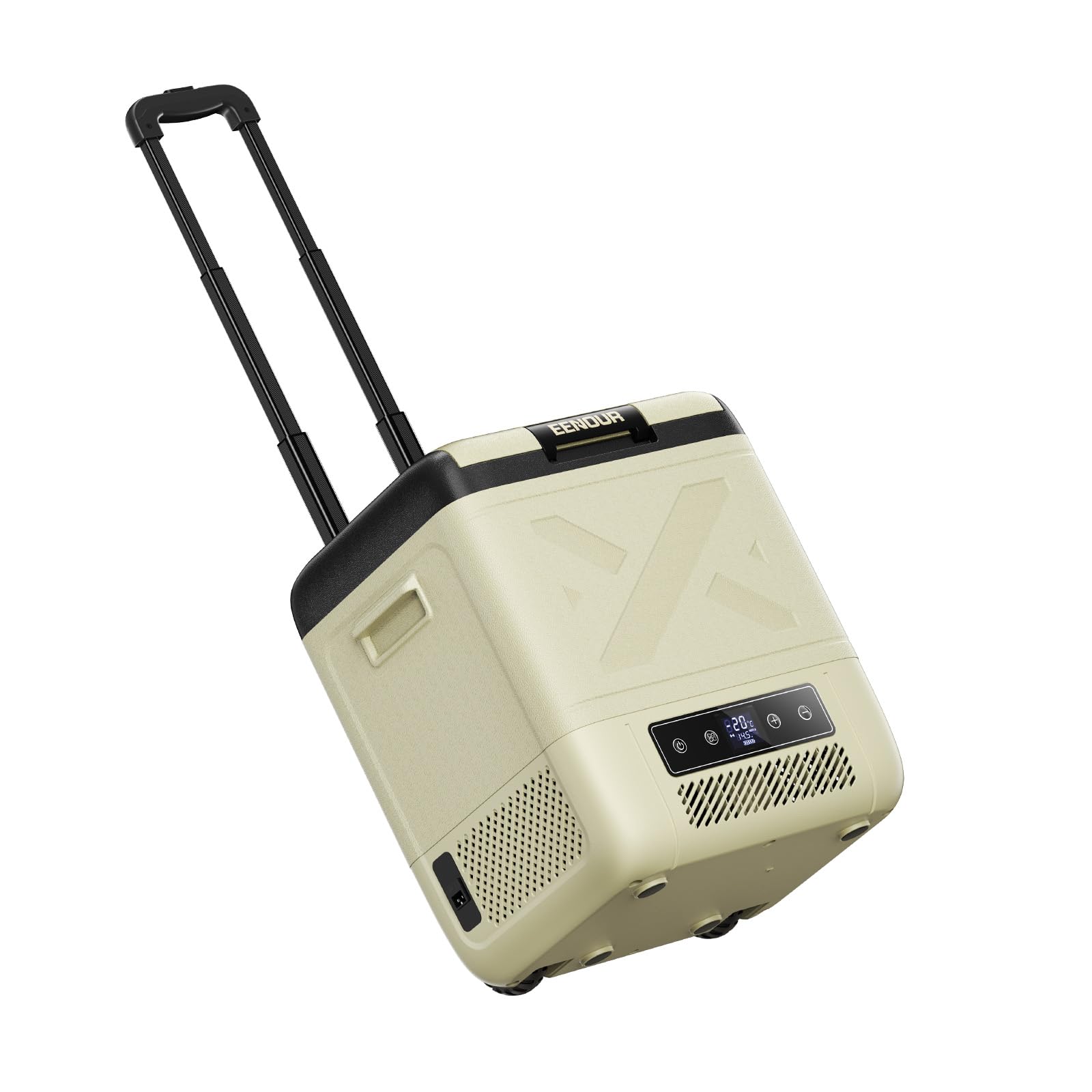
Figura 3.1: EENOUR CL20 Portable Refrigerator. This image shows the overall design of the CL20 unit, highlighting its compact and robust exterior.

Figura 3.2: CL20 with telescopic handle extended. The retractable handle and integrated casters allow for easy transportation.

Figura 3.3: Interior view of the CL20, demonstrating its spacious 20L capacity and flat design for efficient storage of various items.

Figura 3.4: Close-up of the control panel, featuring a clear display and intuitive buttons for temperature adjustment and mode selection.
3.2 opcions d'energia
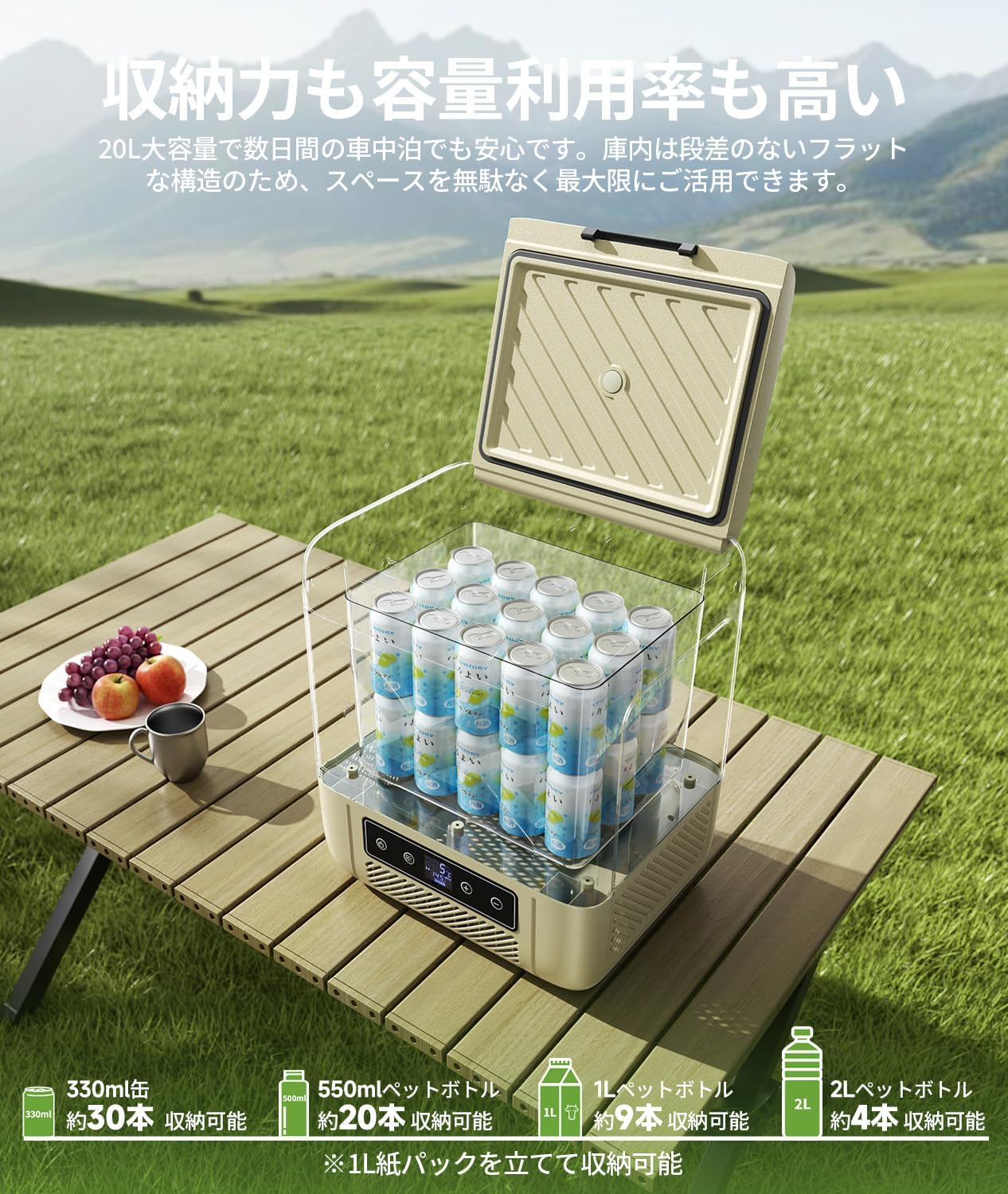
Figura 3.5: Diagram illustrating the 4-way power compatibility of the CL20: AC (100V-240V), DC (12V/24V), optional DB01 battery, and portable power sources.
4. Configuració
4.1 Preparació inicial
- Desembaleu la nevera i traieu tots els materials d'embalatge.
- Netegeu l'interior i l'exterior amb anunciamp drap abans del primer ús.
- Place the refrigerator on a flat, stable surface, ensuring adequate ventilation around the unit (at least 10 cm clearance on all sides).
4.2 Connexió d'alimentació
The CL20 supports multiple power sources:
- Alimentació de CA (ús domèstic): Connect the AC adapter to the refrigerator's AC input port, then plug the AC power cord into a standard 100V-240V wall outlet.
- DC Power (Vehicle Use): Connect the DC power cord to the refrigerator's DC input port, then plug the other end into your vehicle's 12V or 24V cigarette lighter socket.
- Alimentació de bateria opcional: If using the optional DB01 battery, insert it into the designated battery slot on the unit. The refrigerator will automatically switch to battery power when external power is disconnected.
For optimal cooling performance, it is recommended to pre-cool the refrigerator using AC power before loading items, especially for extended outdoor use.
5. Instruccions de funcionament
5.1 Engegada/apagada
- Press the power button on the control panel to turn the refrigerator on or off.
- The display will illuminate, showing the current internal temperature.
5.2 Configuració de la temperatura
- Use the '+' and '-' buttons on the control panel to adjust the desired temperature. The temperature can be set in 1°C increments.
- The CL20 offers a wide temperature range from -20°C to 20°C.
5.3 Modes de refrigeració (MAX/ECO)
The refrigerator features two cooling modes:
- Mode MAX: Provides rapid cooling with higher power consumption (approx. 45W). Use this mode for quick temperature drops or in very hot environments.
- Mode ECO: Offers energy-efficient operation with lower power consumption (approx. 35W). Ideal for maintaining temperature over longer periods, especially when using battery power.
- Switch between modes using the dedicated button on the control panel.

Figura 5.1: Power consumption comparison between ECO and MAX modes. ECO mode reduces power consumption by approximately 22% compared to MAX mode.
5.4 Llum LED interior

Figura 5.2: The interior LED light automatically illuminates when the lid is opened, providing visibility in low-light conditions.
5.5 Commutació automàtica d'alimentació

Figura 5.3: When the vehicle engine is turned off, the refrigerator automatically switches from DC power to the optional internal battery, ensuring continuous cooling without manual intervention.
6. Manteniment
6.1 Neteja
- Desconnecteu sempre l'alimentació abans de netejar.
- Netegeu les superfícies interiors i exteriors amb un drap suauampacabat amb detergent suau i aigua.
- No utilitzeu productes de neteja abrasius, dissolvents ni objectes punxeguts, ja que poden danyar les superfícies.
- Assegureu-vos que la unitat estigui completament seca abans de tornar a connectar l'alimentació.
- Comproveu i netegeu regularment les obertures de ventilació per evitar l'acumulació de pols.
6.2 Emmagatzematge
- When not in use for an extended period, ensure the refrigerator is clean and dry.
- Guardeu la unitat en un lloc sec i ben ventilat, allunyat de la llum solar directa i de temperatures extremes.
- It is recommended to leave the lid slightly ajar to prevent odors and mold growth.
7. Solució De Problemes
If you encounter issues with your EENOUR CL20, refer to the following common problems and solutions:
7.1 Problemes comuns
- La nevera no refreda: Check power connection, ensure power outlet is functional, verify temperature setting, ensure ventilation is not blocked.
- La pantalla no funciona: Check power connection. If using battery, ensure it is charged.
- Soroll inusual: Ensure the unit is on a stable surface. Check for any obstructions in the fan or compressor area.
- Codis d'error: Refer to the specific error code displayed on the control panel and consult the full instruction manual (available for download) for detailed solutions.
7.2 Battery Protection Feature
The CL20 includes a battery protection function to prevent your vehicle's battery from draining completely. When the battery voltage drops below a set level, the refrigerator will automatically stop operation and display an error code.

Figura 7.1: Protecció de la bateria voltage levels. The table shows the operating and stop voltages for DC 12V and DC 24V at different protection levels (H: High, M: Medium, L: Low).
If the issue persists after troubleshooting, please contact EENOUR customer support.
8. Especificacions
| Característica | Especificació |
|---|---|
| Model | CL20-JP |
| Marca | EENOUR |
| Capacitat | 20 litres |
| Dimensions (P x A x A) | 36.4 cm x 44.8 cm x 56.8 cm |
| Pes del producte | 10.5 kg |
| Interval de temperatura | -20 °C a 20 °C |
| Mètode de refrigeració | Tipus de compressor |
| Entrada de potència | AC 100V-240V, DC 12V/24V |
| Consum d'energia (mode MÀX) | Aprox. 45W |
| Consum d'energia (mode ECO) | Aprox. 35W |
| Tipus de sistema de descongelació | Manual |
| Tipus de material de la porta | Plàstic |
| Color | Beix |
| País d'origen | Xina |
| Components inclosos | Refrigerator unit, AC power cord, AC adapter, DC power cord, instruction manual |
9. Garantia i Suport
The EENOUR CL20 Portable Refrigerator comes with a standard 12-month warranty from the date of purchase. This warranty can be extended by an additional 12 months upon product registration on the official EENOUR website. The warranty covers malfunctions that occur during normal use as described in this instruction manual.
For initial defects, warranty claims, or any other inquiries, please contact EENOUR customer support with your order number. You can also download the full instruction manual from the 'Product Guide and Documents' section on the product page where you made your purchase.
For further assistance, please visit the official EENOUR store: EENOUR Official Store

