
1. Introducció
Thank you for choosing the Insoma Wi-Fi Water Timer. This device allows you to remotely control your garden watering schedules via a smartphone application, integrate with voice assistants like Alexa and Google Assistant, and manage irrigation efficiently. This manual provides comprehensive instructions for setup, operation, and maintenance to ensure optimal performance and longevity of your water timer.
2. Producte acabatview
Característiques clau
- 100% Wi-Fi Connection: No gateway required. Connects directly to 2.4GHz Wi-Fi for remote control from anywhere.
- Easy App Operation: Manage watering programs and review history via the Smart Life app.
- Control de veu intel·ligent: Compatible amb Alexa i Google Assistant per a un funcionament amb mans lliures.
- Manual Watering & Weather Delay: Manually water for 1 minute to 24 hours. Use weather delay to pause schedules for 24, 48, or 72 hours.
- Multiple Schedule Settings: Supports up to 20 watering schedules (10 normal, 10 cycle/soak) to meet diverse irrigation needs.
- Disseny durador: Features brass water inlet and outlet, IP55 waterproof and UV-resistant ABS resin construction, and a sealed battery compartment.
Components
The Insoma Wi-Fi Water Timer consists of the main timer unit, a brass water inlet connector, and a hose outlet connector.
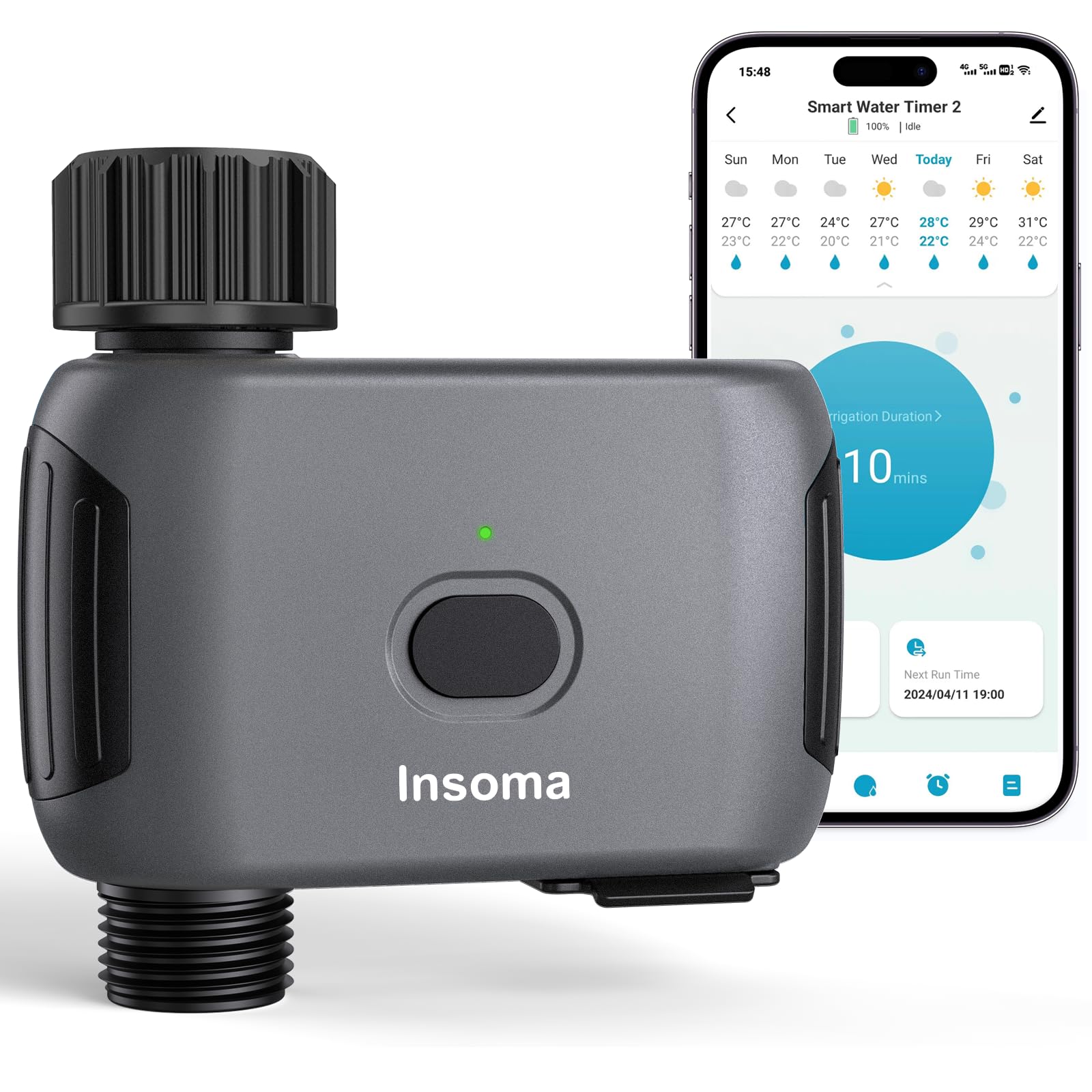
Figure 2.1: Insoma Wi-Fi Water Timer main unit.

Figure 2.2: Reinforced water inlet with filter.
3. Guia de configuració
3.1 Instal·lació de la bateria
- Obriu la tapa del compartiment de la bateria a la part posterior del temporitzador.
- Insert four (4) AA alkaline batteries (not included), ensuring correct polarity.
- Securely close the battery compartment cover to maintain the IP55 waterproof rating. The sealing strip inside prevents water intrusion.
3.2 Instal·lació física
- Connect the water timer to your outdoor faucet. Ensure a tight fit to prevent leaks. The brass inlet provides a secure connection.
- Attach your garden hose to the outlet of the water timer.
3.3 Instal·lació de l'aplicació i connexió Wi-Fi
- Descarrega't el Vida intel·ligent aplicació des de la botiga d'aplicacions del teu telèfon intel·ligent (iOS o Android).
- Registra't o inicia la sessió al teu compte de Smart Life.
- Assegureu-vos que el vostre telèfon intel·ligent estigui connectat a un Xarxa Wi-Fi de 2.4 GHz. The Insoma Water Timer only supports 2.4GHz Wi-Fi.
- In the Smart Life app, tap the "+" icon to add a new device.
- Follow the on-screen instructions to add the Insoma Wi-Fi Water Timer. This typically involves putting the device into pairing mode (refer to the device's LED indicator for status) and confirming your Wi-Fi network details.
- Un cop connectat, podeu canviar el nom del dispositiu per facilitar-ne la identificació.
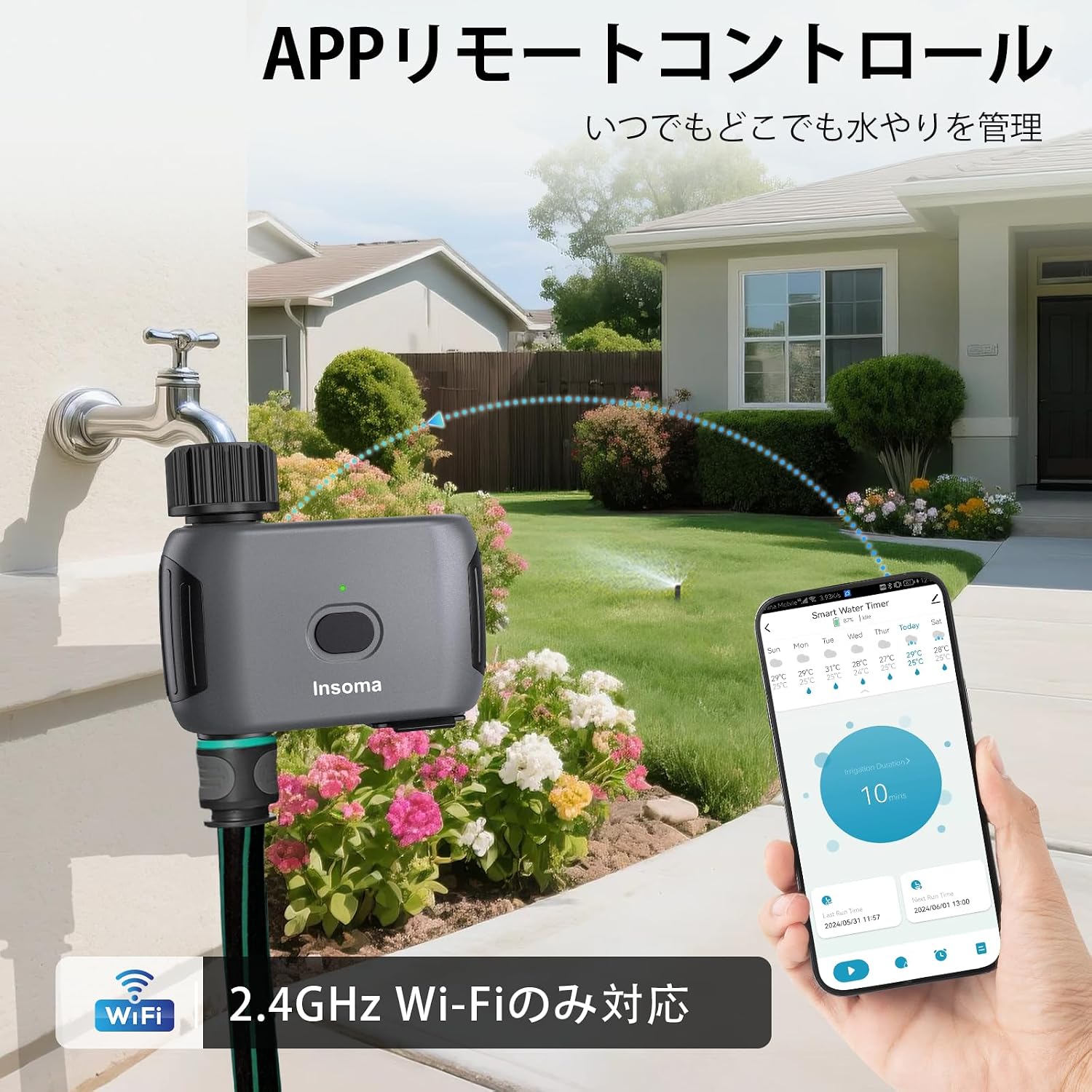
Figura 3.1: Interfície de control remot de l'aplicació.
3.4 Integració de l'assistent de veu
- Obre l'aplicació Alexa o Google Home al teu telèfon intel·ligent.
- Enable the "Smart Life" skill/service.
- Link your Smart Life account with your voice assistant account.
- Discover devices. Your Insoma Wi-Fi Water Timer should appear.
- You can now use voice commands such as "Alexa, turn on the water timer" or "Hey Google, turn off the garden sprinkler."

Figure 3.2: Voice control integration.
4. Instruccions de funcionament
4.1 Scheduling Watering Programs
The Smart Life app allows you to set up to 20 different watering schedules.
- Horari normal: Set specific start times, watering durations (1 minute to 24 hours), and days of the week for regular irrigation.
- Cycle/Soak Schedule: Ideal for efficient watering, this mode allows you to set a cycle duration (e.g., water for 10 minutes, then pause for 20 minutes) within a specified start and end time, and on selected days. This helps water penetrate the soil better and reduces runoff.
Per crear una programació:
- Open the Smart Life app and select your water timer.
- Navigate to the scheduling section.
- Choose "Normal Schedule" or "Cycle/Soak Schedule."
- Configure the start time, duration, frequency, and other parameters as needed.
- Guarda l'horari.

Figure 4.1: Schedule setting options in the app.
4.2 Reg manual
You can initiate manual watering at any time, overriding current schedules temporarily.
- Mitjançant l'aplicació: In the Smart Life app, select your water timer and choose the manual watering option. Set the desired duration (1 minute to 24 hours) and start watering.
- Mitjançant el botó del dispositiu: Press the button on the water timer to initiate manual watering. The default duration can often be configured in the app.
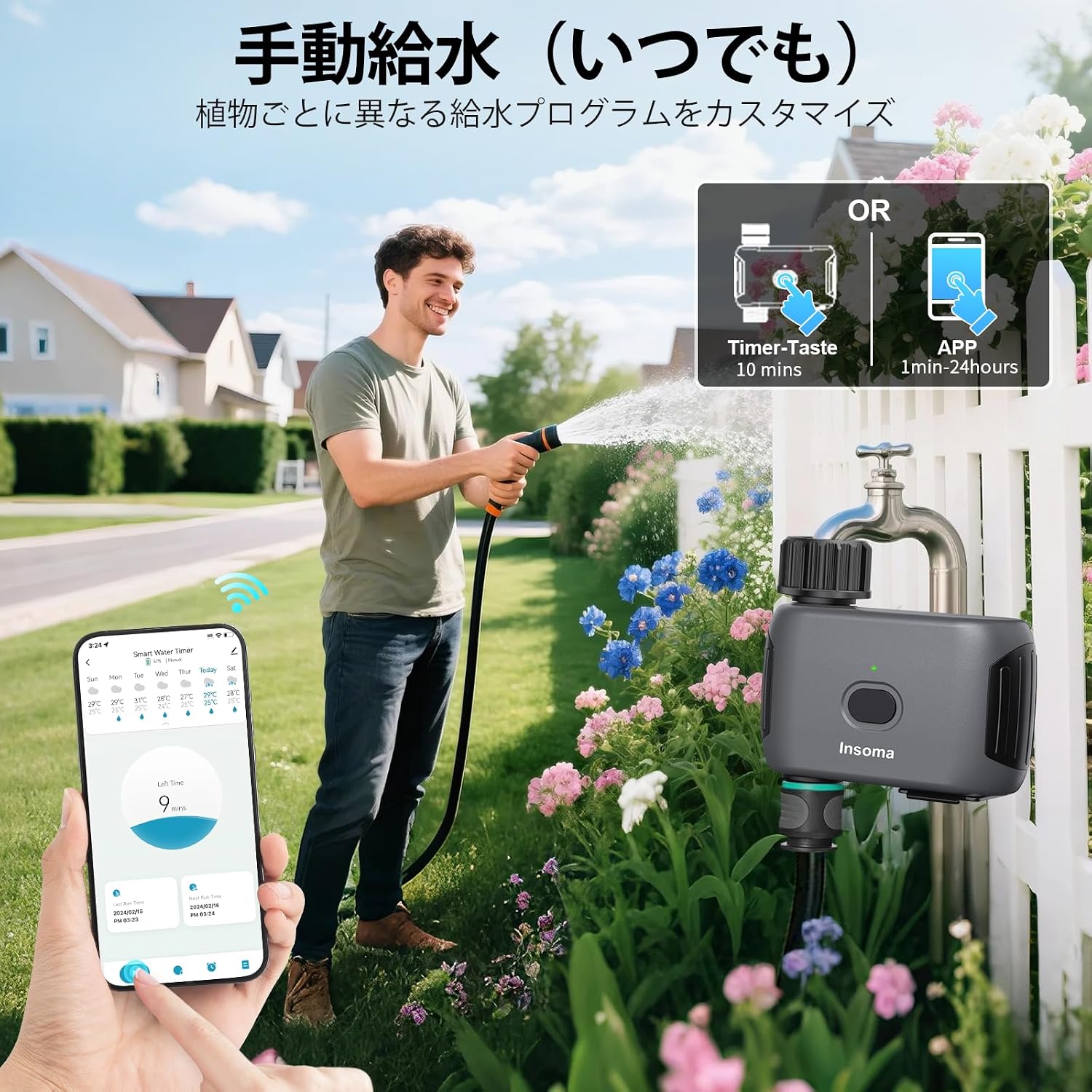
Figure 4.2: Manual watering options.
4.3 Weather Delay Function
To prevent overwatering during rain, use the weather delay function. This feature temporarily pauses all programmed schedules.
- In the Smart Life app, navigate to the weather delay settings for your water timer.
- Select a delay period: 24 hours, 48 hours, or 72 hours.
- Confirm the delay. Schedules will automatically resume after the selected period.

Figure 4.3: Weather delay function.
5. Manteniment
5.1 Neteja
- Periodically check the water inlet filter for debris. If clogged, remove and rinse it under running water.
- Netegeu l'exterior del temporitzador amb anuncisamp drap. No utilitzeu productes de neteja abrasius ni submergiu la unitat en aigua.
5.2 Substitució de la bateria
The timer uses 4 AA alkaline batteries, which can last up to 1 year under normal use. Replace batteries when the low battery indicator appears in the app or on the device, or if the device becomes unresponsive. Follow the battery installation steps in Section 3.1.
5.3 Hivernització
Before the first frost, disconnect the water timer from the faucet and hose. Remove the batteries. Store the unit indoors in a dry, protected area to prevent damage from freezing temperatures.
6. Solució De Problemes
| Problema | Causa possible | Solució |
|---|---|---|
| Device won't connect to Wi-Fi. | Incorrect Wi-Fi band (not 2.4GHz), weak signal, incorrect password. | Ensure your router is broadcasting a 2.4GHz signal. Move the timer closer to the router. Double-check Wi-Fi password. Reset the timer and try pairing again. |
| Sense flux d'aigua. | Aixeta tancada, baixa pressió d'aigua, filtre obstruït, piles gastades. | Ensure the faucet is fully open. Check water pressure (operating pressure: 7.26-116 PSI). Clean the inlet filter. Replace batteries. |
| Horaris no en funcionament. | Weather delay active, incorrect schedule settings, low batteries. | Check if weather delay is active in the app. Verify schedule times and days. Replace batteries. |
| Fuga d'aigua. | Connexions soltes, juntes tòriques danyades. | Ensure all connections are tightened. Check O-rings for damage and replace if necessary. |
7. Especificacions
- Marca: Insoma
- Número de model: SGW03WF-G-JP
- Color: Negre
- Dimensions (P x A x A): 115 mm x 45 mm x 115 mm
- Tipus de bateria: 4 x AA Alkaline (not included)
- Pressió de funcionament de l'aigua: 7.26 - 116 PSI
- Classificació impermeable: IP55
- Freqüència Wi-Fi: Només 2.4 GHz
- Max Schedules: 20 (10 Normal, 10 Cycle/Soak)
- País d'origen: Xina
8. Garantia i Suport
For product support, troubleshooting assistance, or warranty inquiries, please contact Insoma customer service through the retailer where you purchased the product or visit the official Insoma weblloc web. Si us plau, conserveu el comprovant de compra per a reclamacions de garantia.