
1. Introducció
The Sainlogic SA9 Plus Smart WiFi Weather Station provides comprehensive indoor and outdoor weather monitoring. This system includes a display console, an outdoor 7-in-1 multi-function sensor, and an indoor thermo-hygrometer. It offers real-time data, historical data storage, and smart alerts via the Weatherseed app.

Image: The Sainlogic Smart Weather Station display console shown in a home setting with a family, highlighting the Weatherseed app download options for Google Play and the App Store.
2. Què hi ha a la caixa
Verifiqueu que tots els components siguin presents abans de continuar amb la instal·lació:
- Consola de visualització
- Integrated Outdoor Transmitter (7-in-1 multi-function sensor)
- Indoor Sensor (Thermo-hygrometer)
- Adaptador d'alimentació per a la consola de visualització
- Muntatge de peu (amb inserció de pal)
- Placa posterior del suport de muntatge (muntatge a pal)
- Pal de muntatge
- 2x Pole mounting nuts (M3) / bolts (O3)
- 4x Pole mounting nuts (M5) / bolts (O5)
- 4x Cargols roscants
- Manual d'usuari (aquest document)
3. Configuració i instal·lació
3.1 Alimentació dels dispositius
- Sensor exterior: Install 3 AA batteries (not included) into the outdoor sensor. Ensure correct polarity.
- Indoor Sensor: Install 3 AAA batteries (not included) into the indoor sensor. Ensure correct polarity.
- Consola de pantalla: Connecteu l'adaptador d'alimentació a la consola de la pantalla i connecteu-lo a una presa de corrent.
3.2 Instal·lació del sensor exterior
The outdoor sensor is designed for easy installation on various surfaces. Choose a location that provides accurate readings, away from obstructions that might affect wind, rain, or sunlight measurements.

Imatge: Explosió view of the outdoor sensor components and diagrams illustrating different mounting options: on top, on a pole (top), on the side, and on a pole (side).

Imatge: Detallada view of the outdoor sensor's battery compartment, reset button, and various mounting configurations for flexible installation.
Les opcions de muntatge inclouen:
- Muntatge superior: Fixeu el sensor directament sobre una superfície plana.
- Pole Top Mount: Fixeu el sensor a la part superior d'un pal utilitzant els elements de muntatge proporcionats.
- Muntatge lateral: Fix the sensor to a vertical surface.
- Pole Side Mount: Fixeu el sensor al costat d'un pal.
Use the included screws and nuts to firmly secure the outdoor sensor in your chosen location. Ensure the sensor is level for accurate rainfall measurements.
3.3 App Connection (WiFi/Bluetooth)
The weather station connects to the Weatherseed app via WiFi or Bluetooth for remote monitoring and data access.

Image: A visual representation of the weather station's connectivity options, including WiFi, Bluetooth, and integration with Weather Underground, showing data flow to a mobile app.
- Descarrega't el Llavor del temps aplicació des de la botiga d'aplicacions del dispositiu.
- Open the app and follow the on-screen instructions to add your new weather station.
- The app will guide you through connecting the display console to your home WiFi network (2.4G only) or via Bluetooth.
- Optionally, integrate with Weather Underground (WU) service within the app for additional data sharing and community features.
4. Instruccions de funcionament
4.1 Consola de visualització a través deview
The 8.5-inch large screen display console provides clear, real-time weather data with enlarged, bold fonts and a 3-level adjustable backlight for easy readability.
Image: A detailed diagram labeling various data points on the weather station's display console, including weather icon, UV, sunlight, moon phase, outdoor temperature, outdoor humidity, indoor data, time, barometric pressure, rainfall, sensor data, wind gust, average wind speed, outdoor AT/dew point, and wind direction.
La pantalla mostra:
- Temperatura i humitat interiors/exteriors
- Velocitat i direcció del vent
- Precipitacions
- Índex UV i de llum solar
- Punt de rosada
- Time and Moon Phase
- Pressió baromètrica
4.2 Característiques de l'aplicació Weatherseed
The Weatherseed app allows for remote monitoring and advanced data management.
Image: Screenshots of the Weatherseed app interface displaying a 24/7 AI weather forecast, including current conditions, 7-day forecast, wind, UV, and instant alarm notifications.
- Monitorització en temps real: View indoor and outdoor conditions 24/7 from anywhere.
- Alertes personalitzables: Receive instant app or email alerts when temperature or humidity changes reach your custom thresholds.
Image: A mobile phone screen displaying alarm notifications from the Weatherseed app, showing alerts for temperature and humidity exceeding set thresholds, alongside a person sleeping.
- Dades històriques: Accés i view up to 2 years of historical data.
- Exportació de dades: Download and export historical data in Excel format. You can select up to 30 days of data at a time.

Image: A setup showing the outdoor sensor, display console, and a laptop displaying the Weatherseed app interface with charts and graphs of historical weather data, emphasizing 2-year data storage and export capabilities.
The app is suitable for monitoring environmental conditions in various settings, including greenhouses, basements, RVs, and outdoor activities.
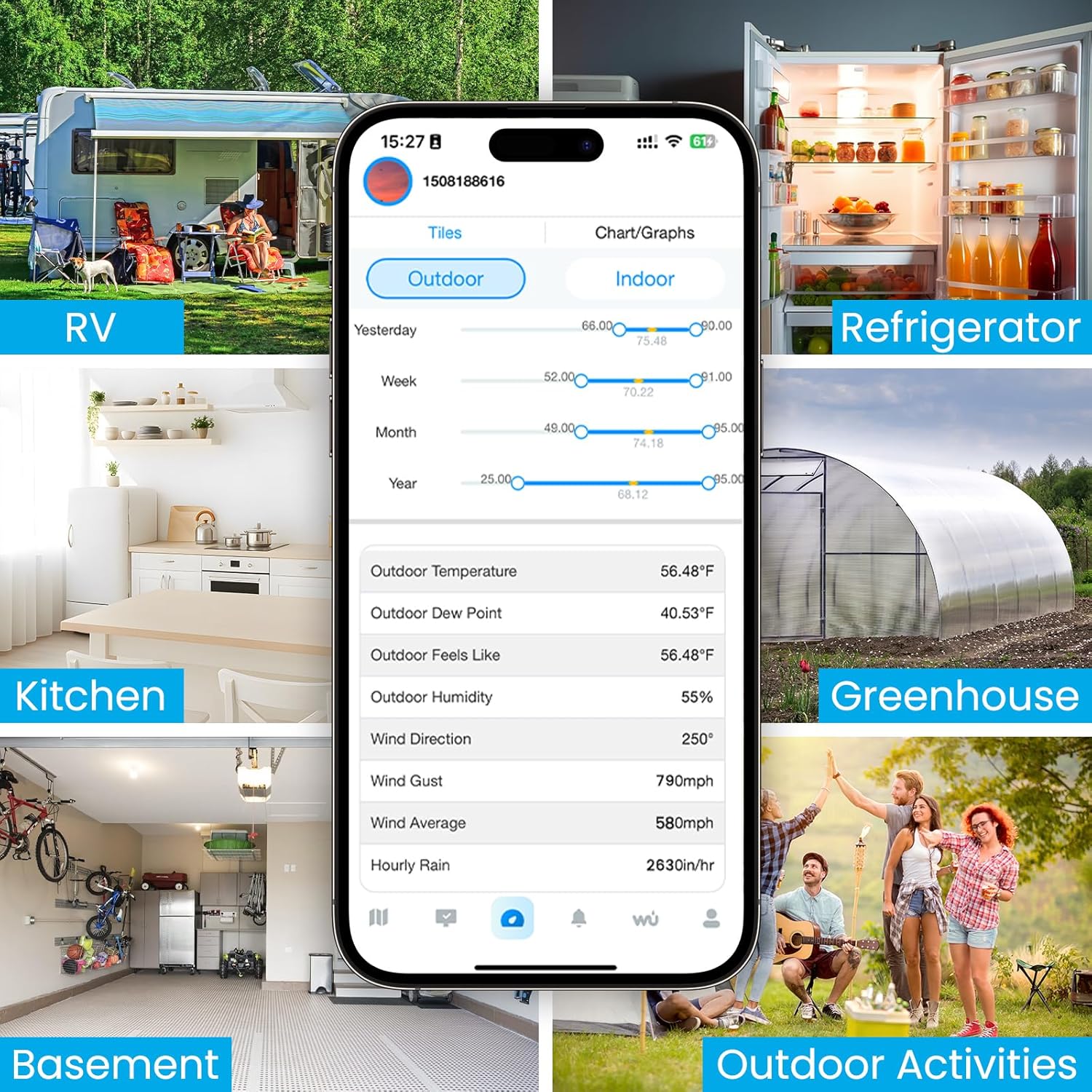
Image: A mobile phone displaying the Weatherseed app interface, surrounded by images depicting various monitoring scenarios such as RVs, refrigerators, kitchens, greenhouses, basements, and outdoor activities.
5. Manteniment
5.1 Neteja
- Consola de pantalla: Wipe the display console with a soft, damp drap. Eviteu productes de neteja o dissolvents abrasius.
- Sensor exterior: Periodically check the outdoor sensor for debris, especially in the rain collector and wind cups. Clean gently with water and a soft brush if necessary. Ensure the rain gauge funnel is clear of leaves or insects.
5.2 Substitució de la bateria
- Replace batteries in the outdoor and indoor sensors when the low battery indicator appears on the display console or in the app.
- Always use fresh, high-quality batteries of the specified type (AA for outdoor, AAA for indoor).
6. Solució De Problemes
6.1 No Data on Display Console
- Comproveu la potència: Ensure the display console is plugged in and powered on.
- Comproveu les bateries: Verify that the outdoor and indoor sensors have fresh batteries installed correctly.
- Connexió del sensor: Ensure the outdoor sensor is within the wireless range of the display console. Obstacles like thick walls or electronic interference can affect signal. Try moving the console closer to the sensor temporarily.
- Restablir: Press the reset button on the outdoor sensor and then on the display console (refer to specific locations in the manual if available).
6.2 Lectures inexactes
- Col·locació del sensor: Ensure the outdoor sensor is installed in an open area, away from heat sources, direct sunlight (for temperature accuracy), and obstructions for wind and rain.
- Nivell: Confirm the outdoor sensor is level for accurate rainfall measurements.
- Neteja: Clean the rain collector and wind cups of any debris.
6.3 Problemes de connectivitat de l'aplicació
- Connexió WiFi: Ensure the display console is connected to a 2.4GHz WiFi network. 5GHz networks are not supported.
- Distància del router: The display console should be within a reasonable range of your WiFi router.
- Actualització de l'aplicació: Ensure your Weatherseed app is updated to the latest version.
- Torna a emparellar: If issues persist, try re-pairing the weather station with the app following the setup instructions.
7. Especificacions

Image: A comprehensive diagram detailing the Sainlogic SA9 Plus model number, battery requirements, RF frequency, main material, power input/output, net weight, and package content, alongside dimensional drawings of the outdoor sensor and display console.
| Característica | Detall |
|---|---|
| Número de model | SA9 Plus |
| Marca | Sainlogic |
| Bateria del sensor exterior | 3 piles AA (no incloses) |
| Indoor Sensor Battery | 3 piles AAA (no incloses) |
| Freqüència RF | 433 MHz |
| Material principal | Acrilonitril butadiè estirè (ABS) |
| Display Console Input | 100-240 V CA, 50/60 Hz, 0.4 A |
| Display Console Output | 5.0V DC, 1000mA, 5W |
| Pes net | 2.9 kg |
| Product Dimensions (Display) | 8.5" de profunditat x 6.2" d'amplada x 1" d'alçada (216 mm x 157 mm x 25 mm) |
| Tecnologia de connectivitat | Wi-Fi (2.4G Only), Bluetooth |
| Precisió de la temperatura | ±2°F (-40°F to 140°F) |
| Precisió de la humitat | ±5% RH (10%-99% RH) |
| Precisió de la pluja | ±1mm (under 15mm), ±7% (beyond 15mm up to 9999mm) |
Image: A diagram illustrating the high precision of the weather station's sensors, detailing accuracy for temperature (±2°F, range -40-140°F), humidity (±5%, range 10%-99%), wind, and rainfall measurements.
8. Suport i informació de contacte
For any questions, technical assistance, or support regarding your Sainlogic SA9 Plus Smart WiFi Weather Station, please contact our customer service team:
- Suport telefònic: U.S. local phone support available Monday through Friday, 10:00 AM to 6:00 PM (Eastern Time).
- Suport per correu electrònic: Guaranteed reply within 24 hours on weekdays and within 48 hours on weekends.
- Assistència en línia: Visit the Sainlogic official website for additional resources and support options.
Please have your model number (SA9 Plus) and any relevant purchase information ready when contacting support.


