
1. Introducció
Thank you for choosing the ACEFAST AceFit Air Open Ear Headphones. These wireless earbuds are designed to provide a comfortable listening experience while maintaining awareness of your surroundings, making them ideal for sports and daily activities. This manual provides detailed instructions on how to set up, operate, and maintain your headphones.
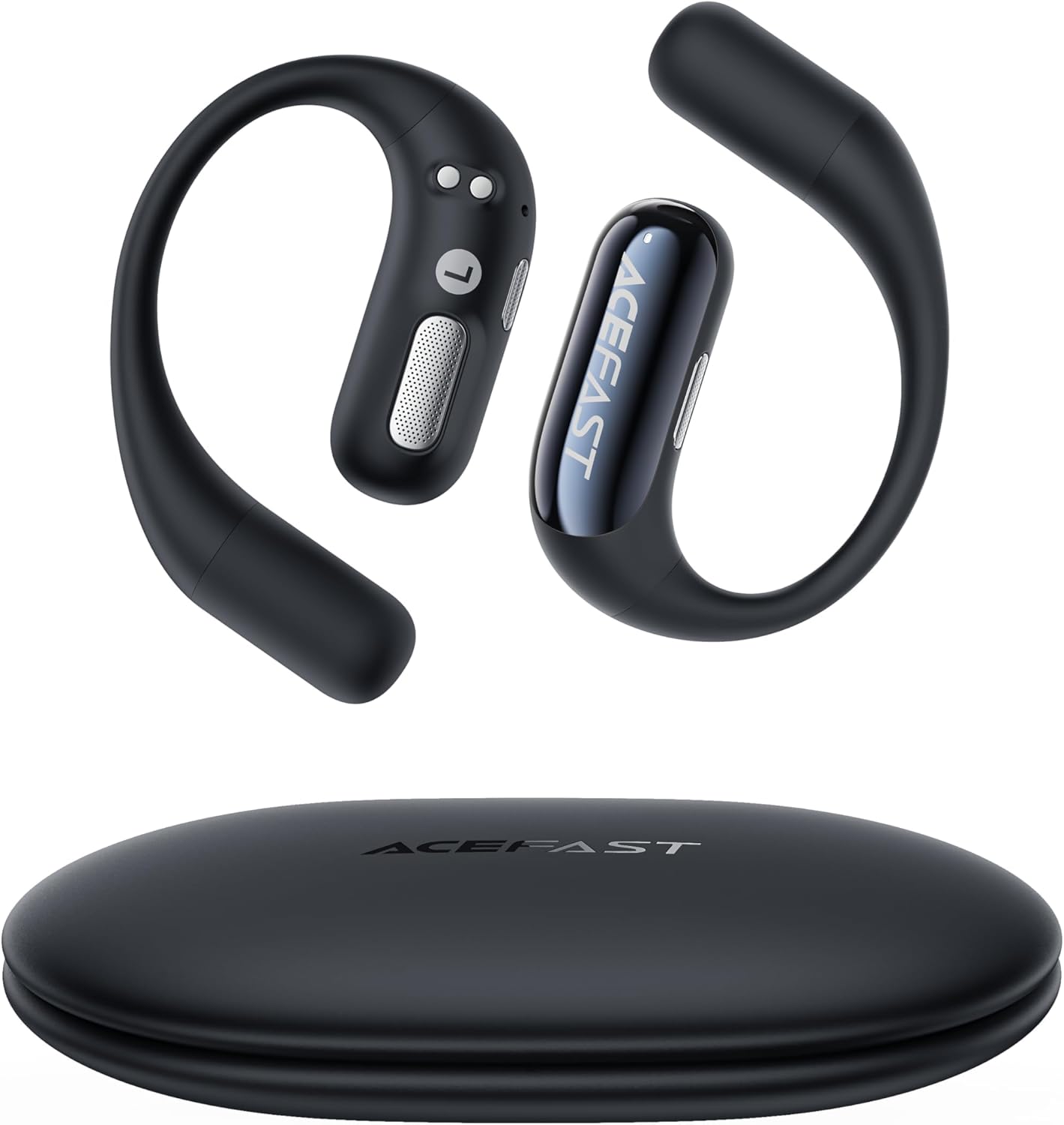
Image: ACEFAST AceFit Air Open Ear Headphones and Charging Case.
2. Què hi ha a la caixa
El paquet conté els elements següents:
- ACEFAST AceFit Air Open Ear Headphones (Left and Right)
- Estoig de càrrega
- Cable de càrrega USB-C
- Manual d'usuari
3. Producte acabatview
Familiarize yourself with the components of your AceFit Air headphones.

Image: Close-up of an AceFit Air earbud, highlighting the microphone locations for call noise cancellation.
The AceFit Air headphones feature a lightweight, open-ear design for comfort and situational awareness. Each earbud is equipped with multiple microphones for clear call quality and touch controls for easy operation.

Image: The AceFit Air earbuds securely placed inside their open charging case.
4. Configuració
4.1. Càrrega dels auriculars
Abans del primer ús, carregueu completament els auriculars i l'estoig de càrrega.
- Col·loca els auriculars a l'estoig de càrrega. Assegura't que estiguin correctament col·locats.
- Connect the USB-C charging cable to the charging port on the case and to a power source (e.g., USB wall adapter, computer USB port).
- The indicator light on the charging case will show charging status. A full charge typically takes approximately 1.5 hours for the case and earbuds.

Image: The AceFit Air charging case connected via a USB-C cable for charging.
4.2. Emparellament Bluetooth
To connect your AceFit Air headphones to your device:
- Open the charging case. The earbuds will automatically power on and attempt to connect to the last paired device.
- Al dispositiu (telèfon intel·ligent, tauleta, etc.), activeu el Bluetooth.
- Cerca "ACEFAST AceFit Air" in the list of available Bluetooth devices and select it to connect.
- Un cop connectat, un missatge de veu confirmarà l'emparellament correcte.
4.3. ACEFAST App Installation
For enhanced features and customization, download the official ACEFAST app from your device's app store. The app allows for EQ mode customization and other settings.

Image: The ACEFAST app interface, showing options for customizing earbud settings and EQ modes.
5. Instruccions de funcionament
5.1. Portar els auriculars
The AceFit Air headphones are designed for an open-ear fit. Gently hook the earbud over your ear, ensuring the speaker rests comfortably near your ear canal without entering it. Adjust for a secure and comfortable fit.

Image: A person demonstrating the correct way to wear the AceFit Air Open Ear Headphones.
5.2. Toqueu Controls
The AceFit Air headphones feature touch-sensitive controls on each earbud. The specific functions can often be customized via the ACEFAST app.
| Acció | Funció (per defecte) |
|---|---|
| Un sol toc | Reproduir / Pausar música, Respondre / Finalitzar trucada |
| Doble toc (auricular esquerre) | Pista anterior |
| Doble toc (auricular dret) | Pista següent |
| Toc tres vegades (auricular esquerre) | Baixa el volum |
| Toc triple (auricular dret) | Puja el volum |
| Premsa llarga (2 segons) | Activa l'assistent de veu / Rebutja la trucada |
Note: Touch control sensitivity can be high. Avoid accidental touches when adjusting the earbuds.
5.3. Encendre/apagar
- Encès: Obriu l'estoig de càrrega i els auriculars s'encendran automàticament i intentaran connectar-se al darrer dispositiu emparellat.
- Apagar: Torna a col·locar els auriculars a l'estoig de càrrega i tanca la tapa. Es desconnectaran i s'apagaran automàticament.
6. Manteniment
Proper care ensures the longevity of your AceFit Air headphones.
- Neteja: Feu servir un drap suau, sec i sense borrissol per netejar els auriculars i l'estoig de càrrega. No utilitzeu productes de neteja abrasius ni dissolvents.
- Resistència a l'aigua: The earbuds are IP54 waterproof, meaning they are resistant to sweat and light splashes. Do not submerge them in water or expose them to heavy rain. Ensure they are dry before placing them back in the charging case.
- Emmagatzematge: Quan no els utilitzeu, guardeu els auriculars a la seva funda de càrrega per protegir-los i mantenir-los carregats. Eviteu temperatures extremes.
7. Solució De Problemes
If you encounter issues with your AceFit Air headphones, try the following solutions:
- Sense so:
- Assegureu-vos que els auriculars estiguin carregats.
- Comproveu la connexió Bluetooth al vostre dispositiu.
- Increase volume on both earbuds and your device.
- Els auriculars no s'aparellen:
- Assegureu-vos que els auriculars estiguin en mode d'emparellament (caixa oberta).
- Desactiva i activa el Bluetooth al dispositiu.
- Oblida el dispositiu a la configuració de Bluetooth i intenta emparellar-lo de nou.
- Ensure earbuds are close to your device.
- Un auricular no funciona:
- Place both earbuds back in the charging case, close the lid, wait a few seconds, then open again.
- Assegureu-vos que els dos auriculars estiguin carregats.
- Els controls tàctils no responen:
- Assegureu-vos que els dits estiguin nets i secs.
- Try resetting the earbuds (refer to the ACEFAST app or product support for specific reset instructions).
For further assistance, please contact ACEFAST customer support.
8. Especificacions
Key technical specifications for the ACEFAST AceFit Air Open Ear Headphones:
| Característica | Detall |
|---|---|
| Marca | ACEFAST |
| Nom del model | AceFit Air |
| Col·locació de l'orella | Orella oberta |
| Tecnologia de connectivitat | Sense fil (Bluetooth) |
| Versió Bluetooth | 5.4 |
| Nivell de resistència a l'aigua | Impermeable IP54 |
| Durada de la bateria (auriculars) | Fins a 8 hores (una sola càrrega) |
| Temps de reproducció total amb estoig de càrrega | Fins a 32 hores |
| Mètode de control | Toca |
| Tipus de controlador d'àudio | Conductor dinàmic |
| Impedància | 38 ohms |
| Dispositius compatibles | Telèfons intel·ligents, ordinadors portàtils, tauletes, altaveus intel·ligents |
9. Garantia i Suport
The ACEFAST AceFit Air Open Ear Headphones come with a 2 any de garantia del fabricant.
For warranty claims, technical support, or any inquiries, please contact ACEFAST customer service through their official weblloc web o el distribuïdor on es va comprar el producte. Si us plau, conserveu el comprovant de compra per validar la garantia.
Assistència en línia: www.acefast.com