
1. Producte acabatview
This Inefala Android Car Radio is designed for Nissan Qashqai models from 2006 to 2016. It features a 9-inch IPS touchscreen with 2GB RAM and 64GB ROM, providing a responsive and fluid user experience. Key functionalities include wireless CarPlay and Android Auto for seamless smartphone integration, built-in GPS for navigation, and WiFi connectivity. The unit also supports Bluetooth 5.0 for hands-free calls and audio streaming, steering wheel controls, FM/RDS radio, and comes with a complimentary backup camera and microphone.
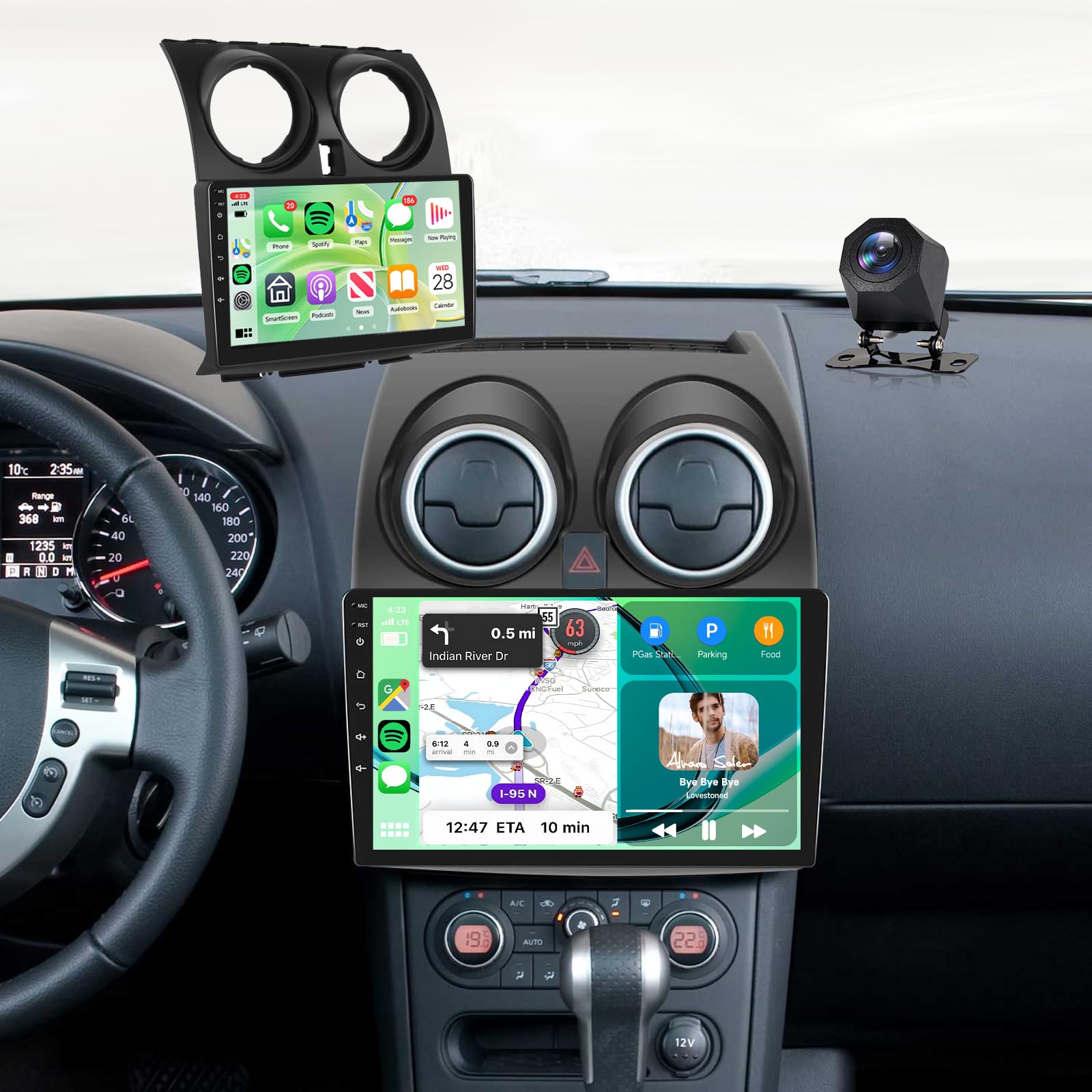
Imatge: Principal view of the Inefala Android Car Radio unit.
2. Què hi ha a la caixa
Si us plau, verifiqueu que tots els elements siguin presents al paquet:
- 1 x Car Radio
- 2 x cable d'alimentació
- 1 x Antena GPS
- 1 x Cable d'entrada de la càmera posterior
- 1 x cable RCA
- 2 x cable USB
- 1 x Original USB Cable
- 2 x Suport de muntatge
- 4 x cargol
- 1 x Manual d'usuari
- 1 accessori
- 1 x Carcassa de ràdio
- 1 x Eina d’instal·lació
- 1 x micròfon
- 1 x càmera posterior

Imatge: Dimensions del producte i una llista dels accessoris inclosos.
3. Configuració i instal·lació
This car radio is specifically designed for Nissan Qashqai models from 2006 to 2016. Please confirm your original car center console type before installation. This product supports console types A and C, but not types B and D.
3.1 Console Compatibility Check
Before proceeding with installation, compare your vehicle's console with the images provided to ensure compatibility.

Image: Visual guide for identifying compatible Nissan Qashqai console types (A and C).
3.2 General Wiring Diagram
Refer to the wiring diagram for connecting the main power, USB, RCA, and other essential cables. Ensure all connections are secure and correctly matched.

Image: General wiring diagram for the car radio.
3.3 Cablejat de la càmera de marxa enrere
To install the backup camera, connect the white plug to the car radio to ensure Bluetooth and WiFi signals. Connect the three wire harnesses labeled B+ / ACC / Backup to the red cable. Connect the wire harness labeled GND to the pink wire harness. Ensure the camera is mounted securely and provides a clear view.

Image: Backup camera wiring diagram.
3.4 Configuració del control del volant (SWC)
Without CANBUS Decoder: Connect the plug from the power cable or the steering wheel control cable (Key1/Key2) to the corresponding interface or key/manual pairing function to activate button functionality.
Amb descodificador CANBUS: Connect the CAN bus before powering the device. Navigate to App -> Settings -> Factory Settings (000000) -> CAN Settings to ensure SWC functions properly. First, select the CAN bus decoder brand, then choose the corresponding vehicle model and year based on actual conditions.

Image: Steering Wheel Control setup interface.
4. Instruccions de funcionament
4.1 CarPlay sense fil i Android Auto
Connect your iOS or Android smartphone wirelessly to the car radio. This allows you to access phone applications, send/receive text messages, and make/receive calls directly from the car's display, enhancing driving safety by keeping your hands on the wheel.

Image: Wireless CarPlay and Android Auto interfaces.
4.2 Navegació GPS i WiFi
The integrated GPS supports both online and offline maps, along with real-time traffic information to help you avoid congestion. The built-in WiFi allows you to browse the internet and download applications, keeping you connected during your journeys.

Image: GPS navigation and WiFi functionality.
4.3 Bluetooth 5.0
Utilize Bluetooth 5.0 for stable and clear hands-free calling and high-quality music streaming. Pair your phone to make and receive calls safely while driving, and enjoy your favorite audio content.
4.4 HD Touch Screen and Audio Features
The 9-inch IPS touchscreen with 1280*720 resolution offers clear visuals and responsive operation. The unit includes FM/RDS radio for music and traffic information, and a 32-band equalizer (32EQ) for customized audio output.

Image: HD Touch Screen, Bluetooth, FM/RDS, and EQ settings.
4.5 Càmera de marxa enrere
The included AHD backup camera provides clear night vision, HD image quality, and is waterproof with a wide-angle view, assisting in safe parking and reversing maneuvers.

Image: AHD Backup Camera features.
5. Manteniment
To ensure the longevity and optimal performance of your Inefala car radio, follow these maintenance guidelines:
- Neteja de pantalla: Feu servir un drap suau i sense borrissol per netejar suaument la pantalla tàctil. Per a taques difícils, fregueu lleugeramentampNetegeu el drap amb aigua o un netejador de pantalles. Eviteu productes químics agressius o materials abrasius.
- Actualitzacions de programari: Periodically check for available software updates through the device's settings or the manufacturer's website. Keeping the software updated ensures optimal performance, security, and access to new features.
- Connexions de cable: Regularly inspect all cable connections (power, USB, GPS antenna, camera) to ensure they are secure and free from damage. Loose connections can lead to intermittent functionality.
- Cura del medi ambient: Eviteu exposar la unitat a temperatures extremes, a la llum solar directa durant períodes prolongats o a una humitat excessiva.
- Ventilació: Assegureu-vos que les obertures de ventilació de la unitat no estiguin bloquejades per evitar el sobreescalfament.
6. Solució De Problemes
If you encounter issues with your Inefala car radio, refer to the following common troubleshooting steps:
- Sense energia:
- Check the power cable connections to ensure they are securely plugged in.
- Verify the vehicle's fuse related to the car radio.
- Sense so:
- Check the volume level on the unit and your connected device.
- Ensure speaker wires are correctly connected.
- Verifiqueu la configuració de la sortida d'àudio al menú del sistema.
- Pèrdua de senyal GPS:
- Assegureu-vos que l'antena GPS estigui instal·lada correctament i que tingui una vista clara view del cel.
- Comproveu si hi ha algun obstacle que pugui bloquejar el senyal.
- Bluetooth/WiFi Connectivity Issues:
- Ensure the white plug for Bluetooth/WiFi signals is connected to the car radio.
- Restart the car radio and your mobile device.
- Forget and re-pair the Bluetooth connection.
- CarPlay/Android Auto no funciona:
- Assegureu-vos que el sistema operatiu del vostre telèfon estigui actualitzat.
- Check the USB cable connection if using a wired connection.
- Verify that CarPlay/Android Auto is enabled in the car radio settings.
- Els comandaments del volant no responen:
- Review the SWC setup instructions in Section 3.4.
- Ensure all SWC wires are correctly connected.
- If using a CANBUS decoder, verify its proper configuration in factory settings.
Si aquests passos no resolen el problema, poseu-vos en contacte amb l'atenció al client per obtenir més ajuda.
7. Especificacions
| Característica | Especificació |
|---|---|
| Dimensions del producte | 27 x 23.5 x 8.5 cm; 1.81 kg |
| Número de model del fabricant | Inefala-A7174A4576H6MI2 |
| Marca | Inefala |
| Tecnologia de connectivitat | WiFi |
| Tipus de controlador | Control del volant |
| Característiques especials | Android Auto, Apple CarPlay, Integrated Bluetooth, GPS Navigation, Integrated Wi-Fi |
| Dispositius compatibles | Smartphone |
| Tipus de connector | USB tipus A |
| Mode de sortida d'àudio | estèreo |
| Potència de sortida | 45 Watts (180 Watts total) |
| Nombre de canals | 4 |
| Formats suportats | .gif, .jpg, AVI, Audio MP3, MPEG, WAV, WMA |
| País d'origen | Xina |
8. Garantia i Suport
Your Inefala car radio comes with a 24 mesos de garantia. For any technical assistance or inquiries, online advice is available, with responses typically provided within 48 hours.
8.1 Com obtenir suport
For quick assistance, please follow these steps:
- Pas 1: Identify the seller. This product is sold by Inefala EU.
- Pas 2: Contact Inefala EU directly. You can typically find their contact information through your purchase platform or by searching for 'Inefala EU' online.
Please have your product model number (Inefala-A7174A4576H6MI2) and purchase date ready when contacting support.

Image: Guide for contacting technical support.