
1. Introducció
This manual provides essential information for the safe and efficient use of your TCL 55A400M 55-inch QLED Mini LED 4K Smart TV. Please read it thoroughly before operating the device and retain it for future reference. Your new television features advanced display technologies like QLED and Mini LED for superior picture quality, a 144Hz Variable Refresh Rate (VRR) for smooth motion, and the Google TV operating system for a smart and connected entertainment experience.
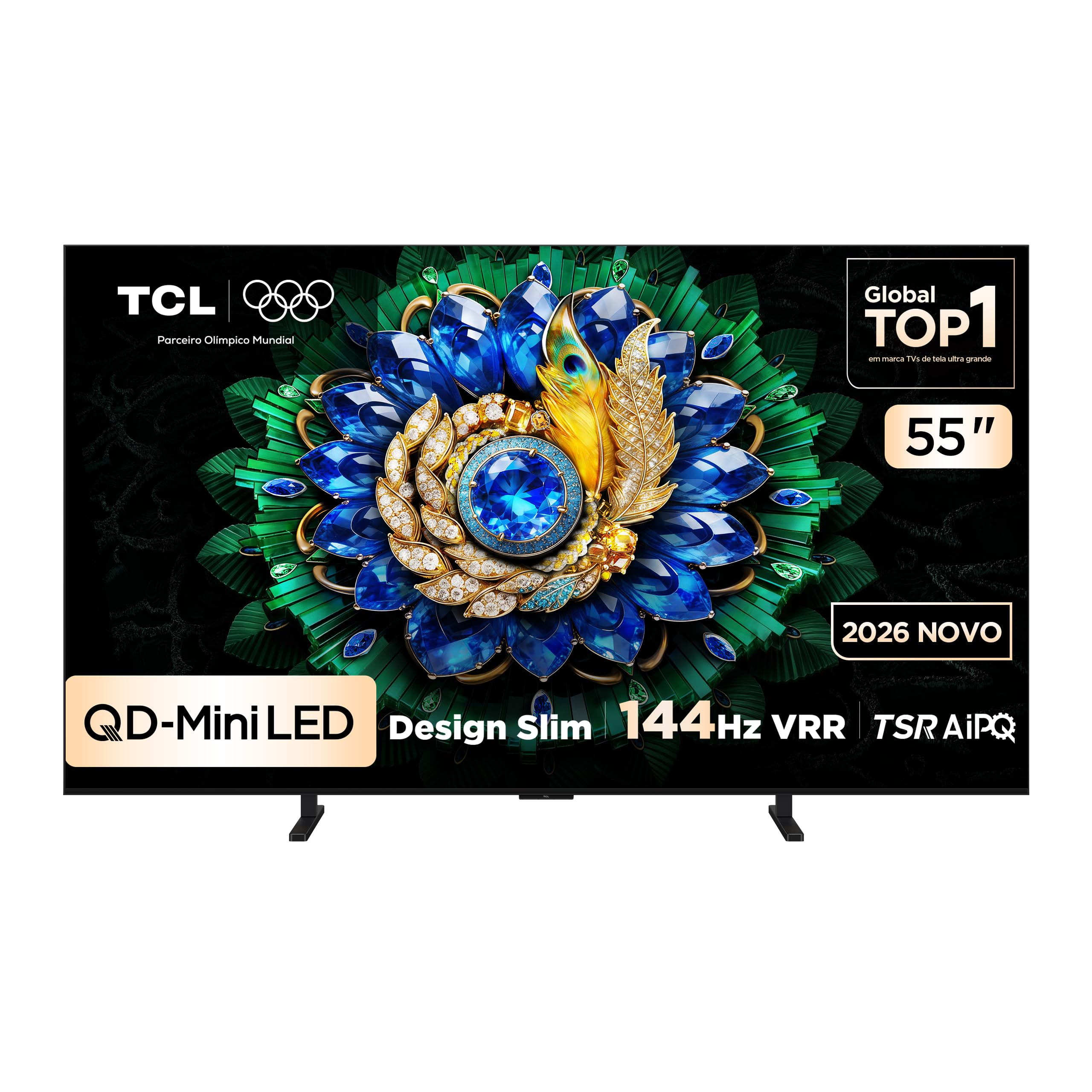
Imatge: Frontal view of the TCL 55A400M Smart TV, showcasing la seva pantalla vibrant i els seus bisells prims.
2. Informació de seguretat
Always adhere to the following safety precautions to prevent fire, electric shock, or injury:
- No exposeu el televisor a la pluja o la humitat.
- No obriu el televisor casing; demaneu totes les tasques de manteniment a personal qualificat.
- Assegureu-vos que hi hagi una ventilació adequada al voltant del televisor. No bloquegeu les obertures de ventilació.
- Col·loqueu el televisor sobre una superfície estable i plana o fixeu-lo fermament a la paret.
- Mantingueu el televisor allunyat de fonts de calor i de la llum solar directa.
- Desendolleu el cable d'alimentació durant tempestes o quan no l'utilitzeu durant períodes prolongats.
- Manegeu el cable d'alimentació amb cura per evitar danys.
3. Contingut del paquet
Verifiqueu que tots els elements siguin presents al paquet:
- TCL 55A400M 55-inch Smart TV
- Control remot
- Cable d'alimentació
- Moble per a TV (2 peces)
- Cargols per a suport de TV
- Manual d'usuari (aquest document)
- Guia d'inici ràpid

Image: The remote control included with the TCL 55A400M Smart TV.
4. Configuració
4.1. Configuració física
Instal·lació de l'estand:
- Col·loqueu amb cura el televisor cap per avall sobre una superfície suau i plana per evitar que es faci malbé la pantalla.
- Alineeu els suports del televisor amb les ranures corresponents de la part inferior del televisor.
- Fixeu els suports amb els cargols proporcionats.
Muntatge a la paret:
If you choose to wall-mount your TV, use a VESA-compatible wall mount kit (sold separately) and follow the instructions provided with the wall mount. Ensure the wall can support the weight of the TV. Professional installation is recommended.

Image: The TCL 55A400M TV mounted on a wall, showcasing its ability to display images with vibrant, contrasting colors.
4.2. Dispositius de connexió
Connect external devices to the appropriate ports on the back of your TV. Refer to the diagram below for port locations:
Imatge: Part posterior view of the TCL 55A400M Smart TV, detailing the various input and output ports.
- HDMI (1-4): Connect Blu-ray players, game consoles, cable/satellite boxes. HDMI 1 and 2 support 4K@144Hz. HDMI 1 supports eARC/ARC.
- USB (1-2): Connect USB storage devices for media playback. USB 1 is 3.0, USB 2 is 2.0.
- LAN: Connecteu un cable Ethernet per a una connexió a Internet per cable.
- Entrada de cable/antena: Connecteu una antena o un senyal de televisió per cable.
- Sortida d'àudio digital (òptica): Connect to an external audio receiver or soundbar.
4.3. Encès
After connecting all devices, plug the power cable into an electrical outlet. Press the power button on the remote control or on the TV to turn it on.
5. Instruccions de funcionament
5.1. Control remot sobreview
Familiarize yourself with the remote control buttons for easy navigation and control of your TV's features.
5.2. Initial Setup (Google TV)
En encendre'l per primera vegada, el televisor us guiarà pel procés de configuració inicial:
- Seleccioneu el vostre idioma.
- Connect to a Wi-Fi network or use a wired LAN connection.
- Inicia la sessió amb el teu compte de Google per accedir a les funcions, aplicacions i recomanacions personalitzades de Google TV.
- Follow on-screen prompts to complete channel scanning and other settings.

Image: A screenshot of the Google TV interface, showing various streaming applications and content recommendations.
5.3. Funcions bàsiques
- Potència: Turn the TV on/off or to standby mode.
- Volum: Ajusteu el nivell de so.
- Canal: Change TV channels (if connected to an antenna/cable).
- Entrada: Select the desired input source (HDMI 1, HDMI 2, etc.).
5.4. Funcions de Smart TV
Your TCL 55A400M TV runs on Google TV, offering a wide range of smart features:
- Google TV: Access a personalized home screen with content recommendations from your streaming services.
- Assistent de veu: Use the built-in Google Assistant via the remote control to search for content, control smart home devices, and get information.
- Aplicacions: Download and install various applications from the Google Play Store.
- Google Meet: Conduct video calls directly from your TV (requires compatible USB camera, sold separately).

Image: A TV screen displaying a Google Meet video call, illustrating the TV's capability for video conferencing.
5.5. Configuració d'imatge i so
Access the TV's settings menu to customize picture and sound:
- Modes d'imatge: Choose from various presets (Standard, Dynamic, Movie, Game) or customize brightness, contrast, color, and sharpness.
- Suport HDR: Enjoy enhanced contrast and color with HDR10+ and Dolby Vision content.
- Modes de so: Select audio presets (Standard, Music, Movie) or adjust equalizer settings.
- ONKYO Audio: Benefit from the integrated ONKYO sound system for a high-quality audio experience.

Image: A living room scene with sound waves emanating from the TV, emphasizing the immersive audio experience provided by the ONKYO sound system.
5.6. Característiques de joc
The TCL 55A400M is designed for an optimal gaming experience:
- 144Hz VRR: Enjoy ultra-smooth gameplay with a native 144Hz refresh rate and Variable Refresh Rate (VRR) support, reducing screen tearing and stuttering.
- Game Accelerator 288Hz: Experience even smoother motion with 1080p content at 288Hz.
- Baix retard d'entrada: Optimized for responsive gaming.

Image: A dynamic image of a sports car with a '288Hz' overlay, illustrating the TV's high refresh rate capabilities for gaming.
6. Manteniment
6.1. Neteja
To clean your TV:
- Desendolla el televisor de la presa de corrent.
- Feu servir un drap suau, sec i sense borrissol per netejar la pantalla i la carcassa.
- Per a marques difícils, esbandiu lleugeramentampNetegeu el drap amb aigua o un netejador de pantalles suau i no abrasiu.
- No ruixeu mai el netejador directament sobre la pantalla.
6.2. Actualitzacions de programari
Your TV may receive software updates automatically via the internet. You can also manually check for updates in the TV's settings menu to ensure optimal performance and access to the latest features.
7. Solució De Problemes
Si trobeu problemes, proveu les solucions següents:
| Problema | Solució |
|---|---|
| Sense poder | Check if the power cable is securely plugged into the TV and the outlet. Try a different outlet. |
| No hi ha imatge, però hi ha so | Assegureu-vos que heu seleccionat la font d'entrada correcta. Comproveu les connexions dels cables als dispositius externs. |
| No hi ha so, però hi ha imatge | Comproveu el nivell de volum i l'estat de silenci. Verifiqueu les connexions del cable d'àudio. Comproveu la configuració de la sortida d'àudio del televisor. |
| El comandament a distància no funciona | Replace batteries. Ensure no obstructions between the remote and the TV. Re-pair Bluetooth remote if applicable. |
| Problemes de connexió de xarxa | Restart your router/modem. Check Wi-Fi password. Try a wired Ethernet connection. |
8. Especificacions
Key technical specifications for the TCL 55A400M Smart TV:
| Característica | Detall |
|---|---|
| Nom del model | 55A400M |
| Mida de la pantalla | 55 polzades |
| Tecnologia de visualització | Mini LED, QLED |
| Resolució | 4K (3840 x 2160) |
| Freqüència d'actualització | 144 Hz |
| Suport al format HDR | Dolby Vision, HDR10+ |
| Sistema operatiu | Google TV |
| Connectivitat | Bluetooth, HDMI (4 ports), USB (2 ports), Wi-Fi, LAN |
| Sistema d'àudio | ONKYO |
| Característiques especials | Gemini, Google Assistant, Game Accelerator 288Hz |
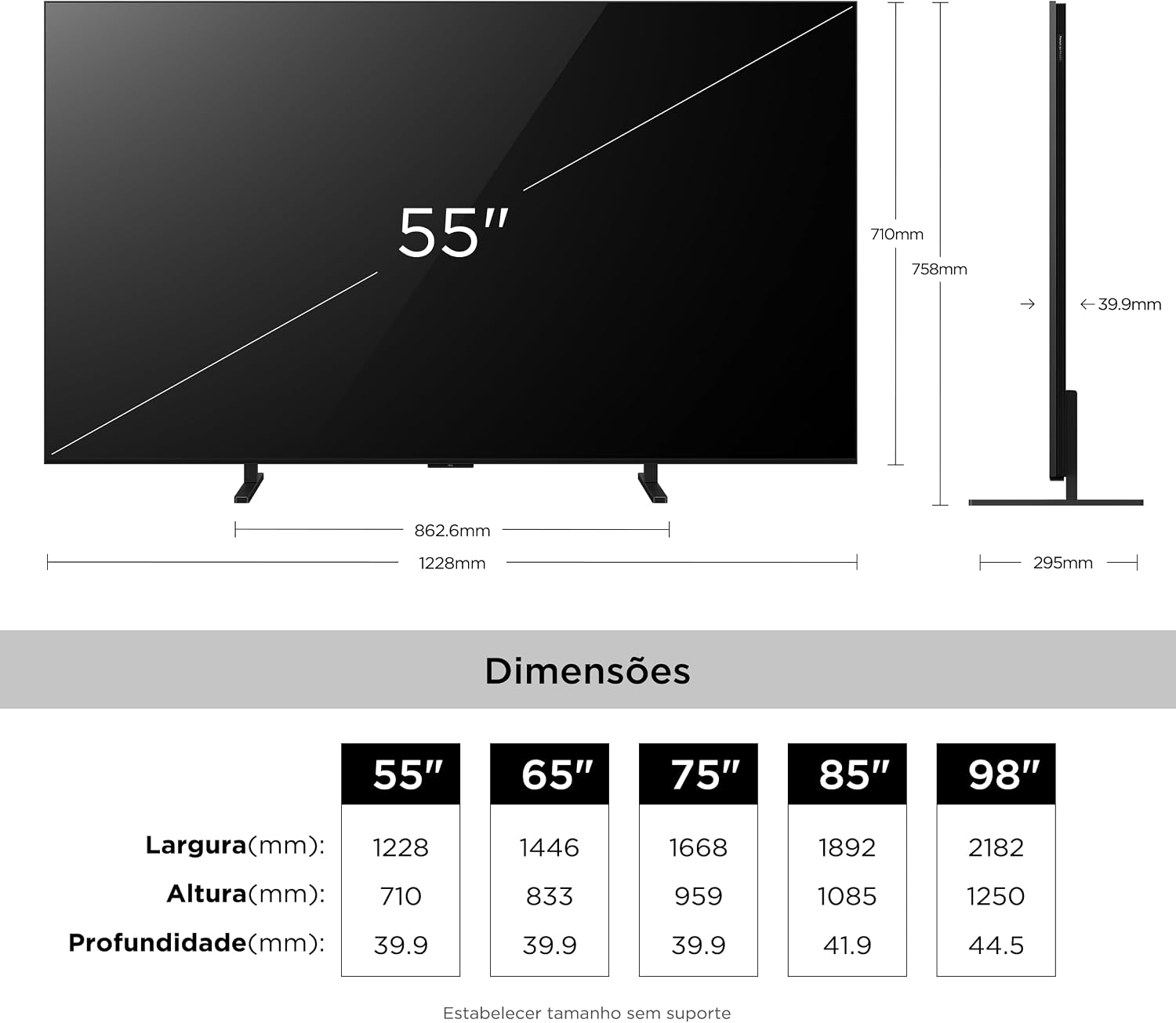
| Dimensions (P x L x A) | 4P x 122.8L x 71A centimeters (without stand) |
| Pes de l'article | 16.4 quilos |
| Voltage | 110-220 Volts (Auto-sensing) |
9. Informació de la garantia
Your TCL 55A400M Smart TV comes with a Garantia limitada d'1 any from the date of purchase. This warranty covers manufacturing defects in materials and workmanship under normal use. It does not cover damage caused by misuse, accidents, unauthorized modifications, or external factors. Please retain your proof of purchase for warranty claims.
For detailed warranty terms and conditions, please refer to the warranty card included in your product packaging or visit the official TCL support weblloc.
10. Suport
If you require further assistance or have questions not covered in this manual, please contact TCL Customer Support:
- Visita el suport oficial de TCL weblloc web per a preguntes freqüents, descàrregues de programari i informació de contacte.
- Refer to the contact details provided in your product's quick start guide or warranty card.