
1. Introducció
Thank you for choosing the Generic 140W Smart Auto Stop Charging Adapter. This device is designed to provide efficient and safe charging for your USB-C compatible devices, featuring intelligent auto-disconnection technology to protect battery health and prevent overcharging. Please read this manual carefully before use to ensure proper operation and longevity of your device.
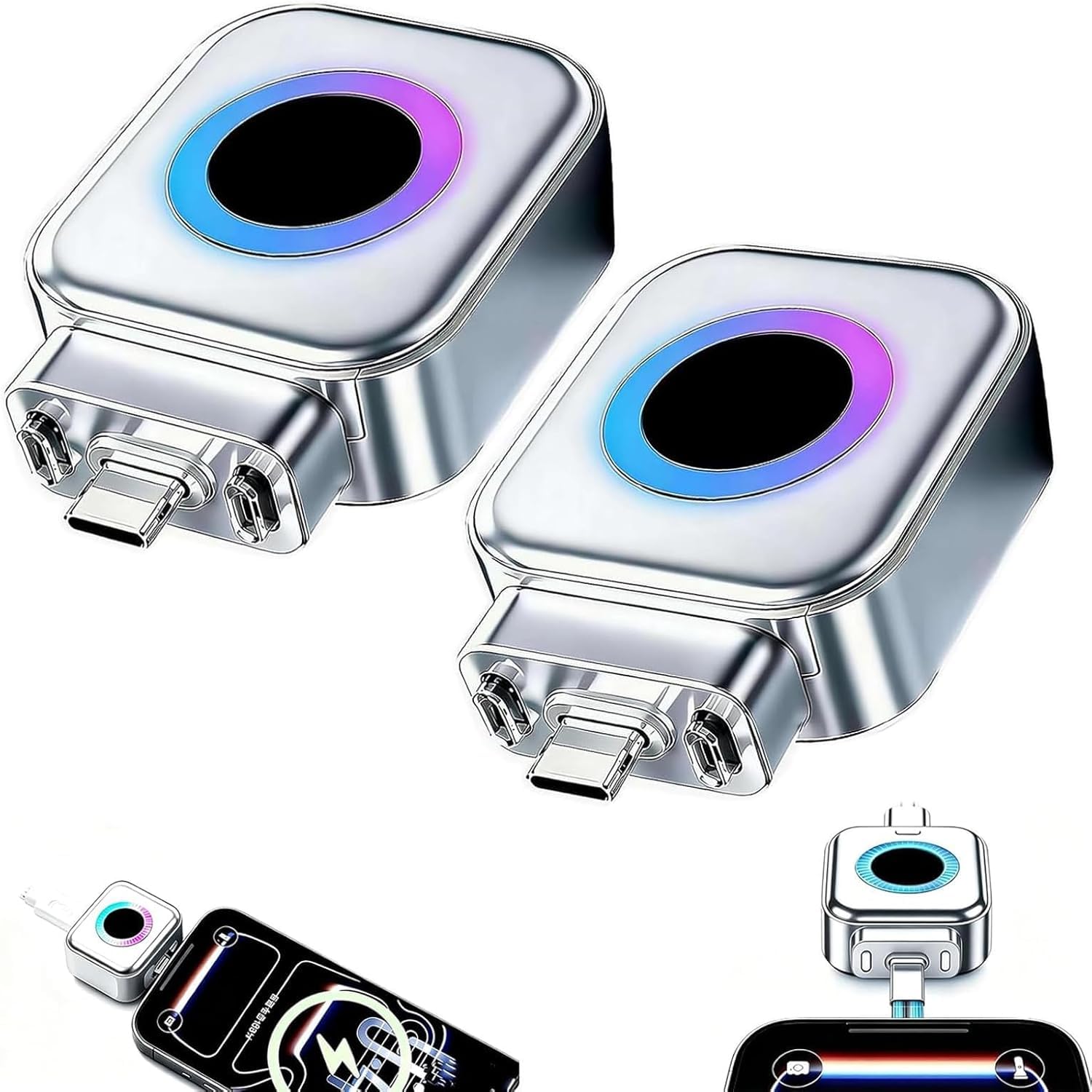
Image: The Generic 140W Smart Auto Stop Charging Adapter, a compact silver device with a colorful LED ring, shown connected to a charging cable.
2. Informació de seguretat
- No exposeu el dispositiu a l'aigua, la humitat ni a temperatures extremes.
- Eviteu deixar caure o sotmetre el dispositiu a forts impactes.
- No intenteu desmuntar, reparar o modificar el dispositiu. Això anul·larà la garantia i pot causar danys o lesions.
- Use only compatible charging cables and power adapters.
- Mantenir fora de l'abast dels nens.
- Assegureu-vos una ventilació adequada durant l'ús per evitar el sobreescalfament.
3. Contingut del paquet
- 140W Smart Auto Stop Charging Adapter (quantity may vary by package)
- Manual d'usuari
4. Configuració
To begin using your Smart Auto Stop Charging Adapter, follow these steps:
- Connect your USB-C charging cable to the output port of the 140W Smart Auto Stop Charging Adapter.
- Plug the adapter into a compatible USB-C power source (e.g., wall charger, power bank, laptop port).
- Connect the other end of your USB-C charging cable to your device (phone, tablet, laptop, etc.).
- The adapter's atmosphere light ring will illuminate, indicating that it is powered on and ready to charge.

Image: The Smart Auto Stop Charging Adapter connected between a USB-C wall charger and a smartphone, illustrating the dual current separation mode.
For a visual guide on connecting the adapter, please watch the following video:
Video: A demonstration of the Smart Auto Stop Charging Adapter, showing its physical disconnection feature and ease of use with various devices.
5. Instruccions de funcionament
5.1. 140W Ultra-Fast Charging
The adapter supports a maximum output of 140W for the separator itself, while the connected data cable can support up to 100W. This high power capacity allows for rapid charging of compatible laptops, smartphones, tablets, and other Type-C devices.

Image: Illustration highlighting the 140W adapter output and 100W connected cable support, demonstrating fast charging for laptops, phones, and tablets.
5.2. Smart Auto-Disconnection Technology
Equipped with an advanced intelligent chip, the adapter automatically identifies when your device reaches a full charge. It then performs a physical disconnection of internal connections, effectively stopping the charging process. This prevents overcharging, which can degrade battery health, making it ideal for overnight charging.

Image: The adapter shown in two states: charging (0-99%) and automatically disconnected (100%), illustrating its overcharge protection feature.
5.3. Colorful Atmosphere Light Indicator
The built-in colorful atmosphere light ring (or LED display showing "100%") provides a clear visual indication of the charging status. When charging, the light will be active. Upon full charge and auto-disconnection, the light may change or turn off, depending on the specific model, to indicate the completion of the charging cycle.
5.4. Àmplia compatibilitat
This adapter is universally compatible with various Type-C devices, including but not limited to:
- Portàtils
- Tauletes
- Smartphones (supporting major protocols)
- Bancs d'energia
- Ventiladors petits
- Afeitadores
- Instruments de bellesa
- Joguines electròniques
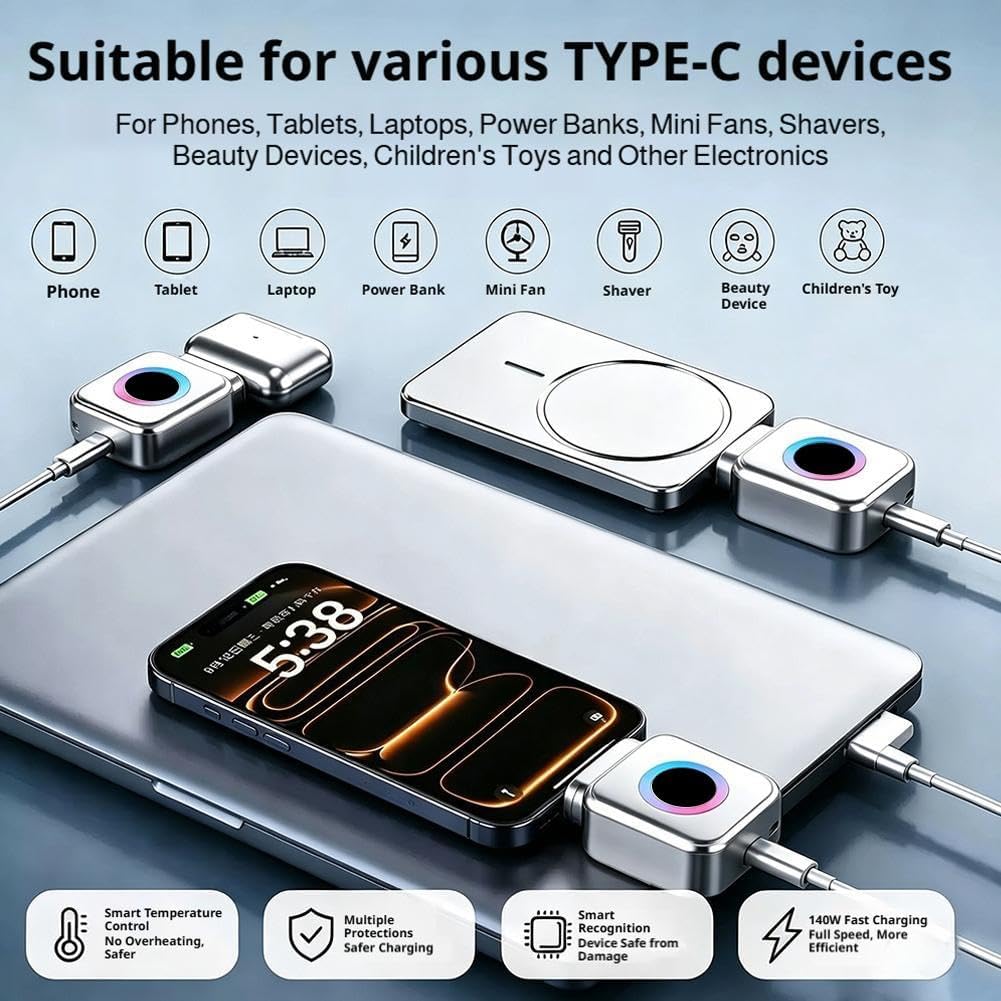
Image: The adapter surrounded by various compatible Type-C devices such as phones, tablets, laptops, power banks, and small electronics, demonstrating its broad utility.
6. Manteniment
- To clean the adapter, gently wipe it with a dry, soft cloth.
- No utilitzeu netejadors líquids ni materials abrasius.
- Store the adapter in a cool, dry place away from direct sunlight when not in use.
7. Solució De Problemes
| Problema | Causa possible | Solució |
|---|---|---|
| El dispositiu no es carrega. |
|
|
| Atmosphere light not illuminating. |
|
|
| Adapter feels warm during charging. |
|
|
8. Especificacions
- Número de model: Generic841309
- Maximum Adapter Output: 140W
- Maximum Connected Cable Support: 100W
- Material: Robust and fire-resistant metal alloy
- Compatibilitat: Universal Type-C devices (laptops, tablets, smartphones, power banks, small electronics)
- Característiques de protecció: Intelligent temperature control, over-current protection, over-voltage protecció, protecció contra curtcircuits.
- Característiques especials: Smart auto-disconnection, colorful atmosphere light indicator.
9. Informació de la garantia
Warranty terms and conditions may vary. Please refer to the retailer or manufacturer's official website for detailed warranty information regarding your Generic 140W Smart Auto Stop Charging Adapter.
10. Atenció al client
For technical assistance, troubleshooting, or any inquiries regarding your product, please contact your retailer or the manufacturer directly. Contact information can typically be found on the product packaging or the retailer's weblloc.