
1. Introducció
Thank you for choosing the FLEXISPOT CylineX Pro Electric Standing Desk Frame. This manual provides essential information for the safe and efficient assembly, operation, and maintenance of your new adjustable height desk. Please read these instructions carefully before use and retain them for future reference.
The CylineX Pro features a robust dual-motor system, a user-friendly piano-style control panel, and a wide height adjustment range to support a healthy and productive workspace.
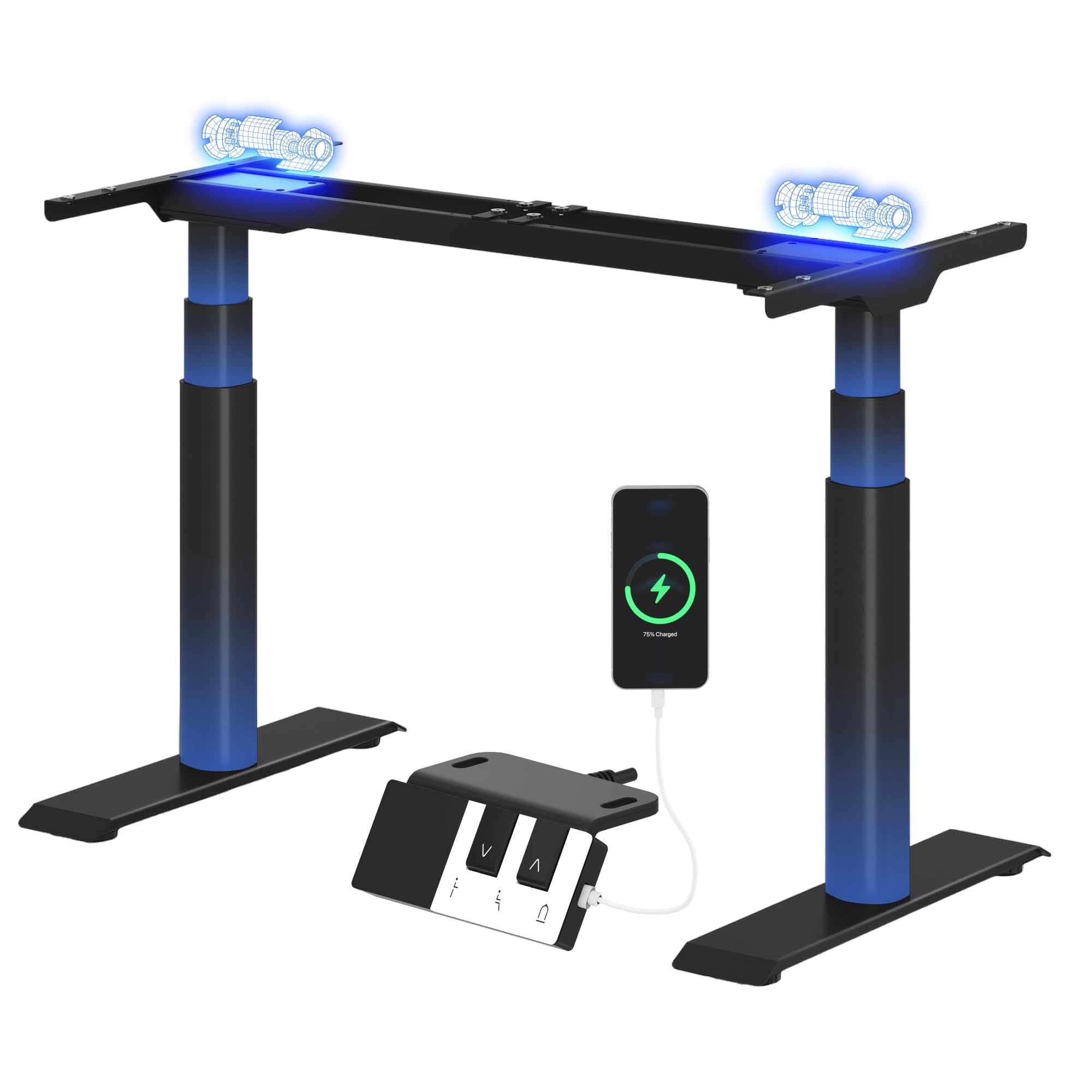
Image: The FLEXISPOT CylineX Pro Electric Standing Desk Frame with a black tabletop in a home office environment.
2. Informació de seguretat
Per garantir un funcionament segur i evitar lesions o danys, observeu les següents precaucions de seguretat:
- Assegureu-vos que tots els components estiguin ben subjectats abans d'utilitzar-los.
- Mantingueu els nens i les mascotes allunyats de l'escriptori durant el funcionament.
- Do not place hands or other objects near moving parts.
- Avoid overloading the desk beyond its specified weight capacity.
- No seure ni parar sobre el marc de l'escriptori.
- Desconnecteu l'alimentació abans de la neteja o el manteniment.
- Feu servir només l'adaptador de corrent i els accessoris proporcionats.
- If any unusual noise, smell, or malfunction occurs, immediately unplug the desk and contact customer support.
- The anti-collision system is designed to prevent damage, but users should still exercise caution during height adjustments.

Image: The integrated anti-collision system provides safer movement by automatically reversing if an obstacle is detected.
3. Instruccions de muntatge
The FLEXISPOT CylineX Pro desk frame is designed for straightforward assembly. It typically takes about 20 minutes to assemble. Please ensure you have received all packages, as the desk frame may be shipped in multiple boxes.
3.1 Contingut del paquet
Verify that all parts listed in the included user manual are present before beginning assembly. Contact customer support if any parts are missing or damaged.
3.2 Muntatge pas a pas
- Desempaquetar components: Traieu amb cura totes les peces de l'embalatge i col·loqueu-les sobre una superfície suau i neta per evitar ratllades.
- Muntar la barra transversal: Connect the two halves of the crossbar (if applicable) and secure them according to the detailed instructions in your physical manual.
- Fixeu les columnes elevadores: Securely attach the lifting columns (legs) to the assembled crossbar.
- Instal·lar els peus: Attach the foot supports to the bottom of each lifting column.
- Connecteu la caixa de control: Mount the control box to the designated area on the frame and connect the motor cables and power cable.
- Adjunta el tauler de control: Mount the piano-style control panel to the desired location on the desk frame or tabletop.
- Muntar sobretaula: Carefully place your chosen tabletop onto the assembled frame. Ensure it is centered and aligned, then secure it using the provided screws.
- Gestió de cables: Organize and secure all cables using the included cable ties or management accessories.

Image: Components of the desk frame laid out, illustrating the ease of assembly.
4. Instruccions de funcionament
The CylineX Pro features an intuitive piano-style control panel for easy height adjustment and personalized settings.

Image: The piano-style control panel offers simple and intuitive control with memory functions, sit/stand reminder, child lock, and a USB port.
4.1 Ajust bàsic d'alçada
- Premeu el botó Amunt (^) botó per aixecar l'escriptori.
- Premeu el botó Avall (v) botó per baixar l'escriptori.
- Release the button to stop the desk at the desired height.
4.2 Configuració de preajustos de memòria
El tauler de control us permet desar fins a tres configuracions d'alçada preferides:
- Ajusteu l'escriptori a l'alçada desitjada amb els botons Amunt/Avall.
- Premeu el botó "M" button (Memory) followed by one of the numbered preset buttons (1, 2, or 3). The display will show "S-" followed by the number to confirm the setting is saved.
- To recall a saved height, simply press the corresponding numbered preset button.
4.3 Sit/Stand Reminder
Activate the sit/stand reminder to prompt you to change positions at regular intervals:
- Premeu el botó Temporitzador button (often depicted as a clock icon) to cycle through reminder intervals (e.g., 30, 45, 60 minutes).
- The desk will beep or vibrate when it's time to change position.
4.4 Funció de bloqueig infantil
To prevent accidental adjustments, activate the child lock:
- Manteniu premut el botó Bloqueig button (often depicted as a padlock icon) for a few seconds until "LOC" appears on the display.
- To unlock, press and hold the Lock button again until "LOC" disappears.
4.5 port de càrrega USB
The control panel includes a USB port for convenient charging of your mobile devices.
5. Manteniment
Regular maintenance ensures the longevity and optimal performance of your FLEXISPOT CylineX Pro desk frame.
- Neteja: Netegeu el marc de l'escriptori amb un drap suauamp cloth. Avoid abrasive cleaners or solvents that could damage the finish. Ensure no liquid enters the electrical components.
- Gestió de cables: Periodically check and tidy up cables to prevent tangling or damage, which could interfere with desk movement.
- Comprovació de fixació: Every few months, check all screws and bolts to ensure they are tight. Re-tighten if necessary.
- Lubricació: The lifting columns are pre-lubricated and generally do not require additional lubrication. If you notice any unusual friction, contact customer support.
6. Solució De Problemes
Si teniu algun problema amb el vostre escriptori, consulteu els passos habituals següents per resoldre problemes:
| Problema | Causa possible | Solució |
|---|---|---|
| Desk does not move / No power | Power cable disconnected, power outlet issue, control box malfunction. | Check power connections. Ensure the outlet is working. Try a different outlet. If still no power, contact support. |
| Desk moves unevenly or stops | Overload, obstruction, uneven weight distribution, synchronization issue. | Reduce weight on the desk. Check for obstructions. Ensure weight is evenly distributed. Perform a reset (see below). |
| Codi d'error mostrat (per exemple, E01, E02) | Motor fault, sensor issue, overheating. | Refer to your physical manual for specific error code meanings. Often, a reset or power cycle can resolve temporary errors. If persistent, contact support. |
| Anti-collision system triggers too easily/not at all | Sensitivity setting, obstruction. | Check for obstructions. Consult your physical manual for instructions on adjusting anti-collision sensitivity. |
| Soroll o olor inusuals | Internal component issue, motor strain. | Immediately unplug the desk. Do not use. Contact FLEXISPOT customer support. |
6.1 Procediment de reinici
A reset can often resolve minor operational issues. The exact procedure may vary slightly, but a common method is:
- Manteniu premut el botó Avall (v) button until the desk reaches its lowest position and then slightly rises and lowers again.
- Alternatively, some models require holding the "M" botó i Avall (v) button simultaneously, or a specific combination of buttons. Refer to your physical manual for the precise reset sequence for your CylineX Pro model.
7. Especificacions
Key technical specifications for the FLEXISPOT CylineX Pro Electric Standing Desk Frame:

Image: Detailed dimensions and performance specifications of the CylineX Pro desk frame.
| Característica | Especificació |
|---|---|
| Model | CylineX Pro |
| Interval d'ajust d'altura | 60 cm - 125 cm (23.6" - 49.2") |
| Velocitat d'elevació | 35 mm/s |
| Capacitat de càrrega estàtica | Fins a 200 kg |
| Capacitat de càrrega dinàmica | Fins a 160 kg |
| Tipus de motor | Sistema de doble motor |
| Nivell de soroll | Menys de 50 dB |
| Consum d'energia en espera | Menys de 0.5 W |
| Compatible Tabletop Width | 120 cm - 200 cm (47.2" - 78.7") |
| Compatible Tabletop Depth | 60 cm - 80 cm (23.6" - 31.5") |
| Tauler de control | Piano-style with Memory Presets, Sit/Stand Reminder, Child Lock, USB Charging Port |
| Característiques de seguretat | Sistema anticolisió |

Image: The desk's robust construction supports a maximum static load of 200 kg and a dynamic load of 160 kg.
8. Garantia i Suport
FLEXISPOT is committed to providing high-quality products and excellent customer service.
8.1 Informació de la garantia
The FLEXISPOT CylineX Pro desk frame comes with a 10 any de garantia. This warranty covers defects in materials and workmanship under normal use. Please retain your proof of purchase for warranty claims. For full warranty terms and conditions, please refer to the official FLEXISPOT weblloc o contacteu amb el servei d'atenció al client.
8.2 Atenció al client
If you have any questions, require assistance with assembly, or encounter any issues not covered in this manual, please do not hesitate to contact FLEXISPOT customer support. Our team is available to help you.
- Assistència en línia: Visit the official FLEXISPOT weblloc web amb preguntes freqüents, articles de suport i formularis de contacte.
- Suport per correu electrònic: Refer to your purchase documentation for the appropriate email address.
- Suport telefònic: Check the FLEXISPOT weblloc per als números de contacte regionals.