
1. Introducció
The Cellularline Tracy Tag Dual is a compact and lightweight object locator designed to help you keep track of your important belongings. It features dual compatibility, allowing it to connect to either the Apple Find My network or the Google Find Hub network without requiring additional applications. Simply attach it to keys, backpacks, luggage, or other items using the included removable strap.
This device offers quick retrieval in various situations, enabling you to make the device ring when nearby or view its location on a map when out of Bluetooth range. Its robust design is certified IP67, providing resistance to dust and water up to 1 meter for 30 minutes. The Tracy Tag Dual is powered by a replaceable CR2032 battery, offering up to one year of autonomy.
2. Característiques clau
- Compatibilitat dual: Works with Apple Find My or Google Find Hub without extra apps. Configure one system at a time.
- Map Location Tracking: View the item's position on the app's map, even when outside Bluetooth range, and follow directions to retrieve it.
- Alerta audible: When the item is nearby, activate a sound from the app to quickly locate wallets, keys, or bags.
- Bateria reemplaçable: Equipped with a replaceable CR2032 battery, providing up to one year of use. Battery level can be monitored in the respective app.
- Durabilitat: IP67 certified for resistance against dust and water (up to 1 meter for 30 minutes).
- Disseny pràctic: Compact design includes a removable strap for easy attachment.
3. Configuració i emparellament
3.1. Instal·lació de la bateria
The Tracy Tag Dual comes with a pre-installed CR2032 battery. If you need to replace it, refer to the 'Battery Replacement' section under Maintenance.
3.2. Maridatge inicial
The Tracy Tag Dual can be paired with either the Apple Find My network (for iOS devices) or the Google Find Hub network (for Android devices). It can only be configured with one system at a time. Ensure your device's Bluetooth is enabled.
- Per a l'aplicació Cerca d'Apple: Open the 'Find My' app on your iOS device. Navigate to the 'Items' tab and tap 'Add Item'. Follow the on-screen instructions to pair your Tracy Tag Dual.
- For Google Find Hub: Open the 'Find My Device' app (or Google Find Hub compatible app) on your Android device. Follow the app's instructions to add a new device.
Each Tracy Tag Dual can be paired with only one phone per operating system at a time. Huawei devices are not supported.
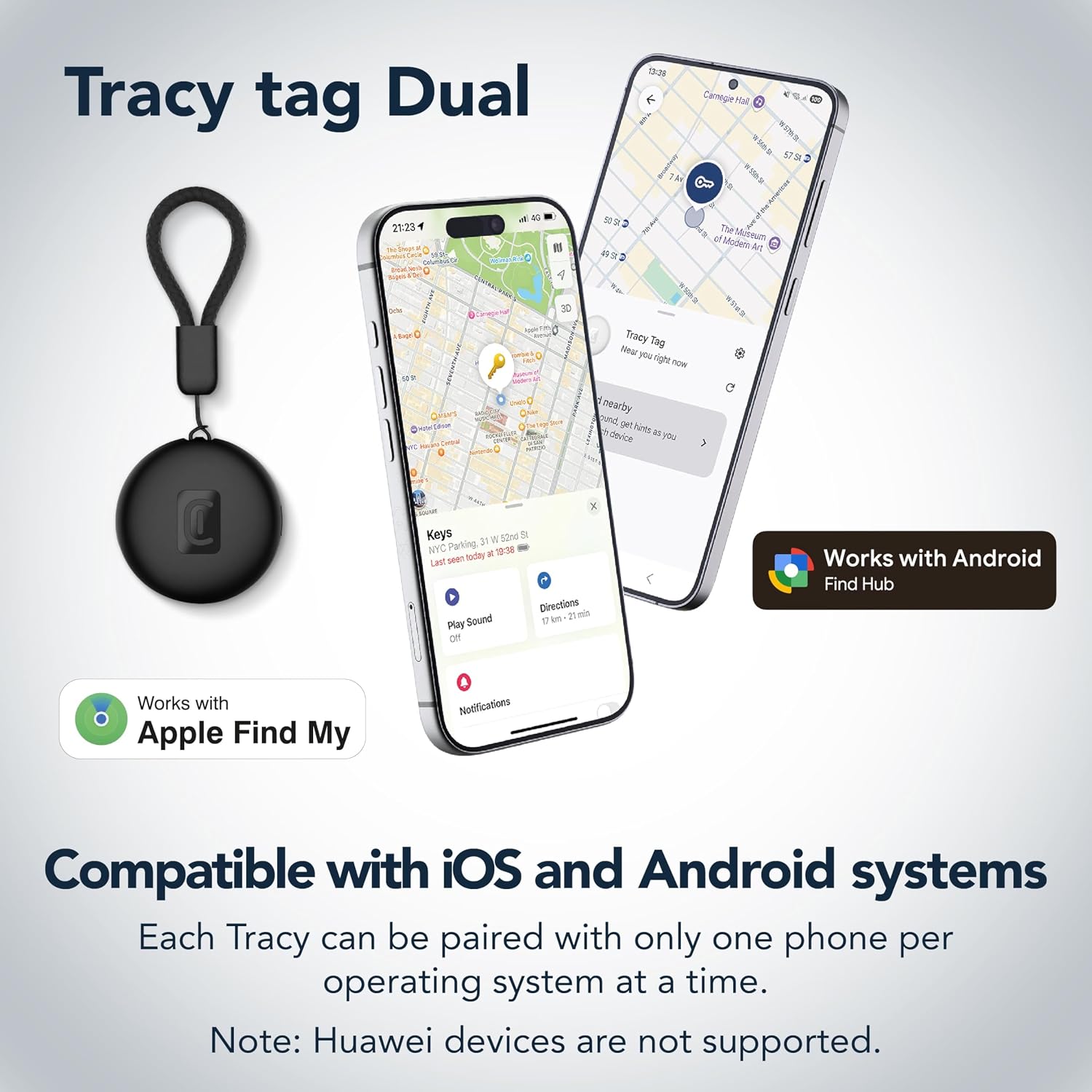
Image: The Tracy Tag Dual device shown alongside smartphones displaying compatibility with Apple Find My and Google Find Hub. This illustrates the dual system support for both iOS and Android devices.
3.3. Attaching the Tracy Tag Dual
Use the included removable strap to securely attach the Tracy Tag Dual to your desired item, such as keys, a backpack, or luggage. Ensure it is firmly attached to prevent accidental detachment.

Image: The Tracy Tag Dual with its removable strap, demonstrating how it can be hooked onto various items such as luggage, a backpack, keys, and even a pet collar for instant tracking.
4. Operating the Tracy Tag Dual
4.1. Locating Items Nearby (Audible Alert)
If your item is within Bluetooth range, you can make the Tracy Tag Dual emit a sound to help you find it quickly. Open the respective app (Apple Find My or Google Find Hub) on your paired device, select your Tracy Tag Dual, and tap the 'Play Sound' option. The device will emit an audible alert, guiding you to its location.

Image: A smartphone displaying the 'Find nearby' and 'Play sound' options within the app, with a Tracy Tag attached to a set of keys resting on a sofa, illustrating how to locate items nearby by making them ring.
4.2. Locating Items Far Away (Map Tracking)
When your item is outside of Bluetooth range, the Tracy Tag Dual leverages the Apple Find My or Google Find Hub network to provide its last known location on a map. Open the app, select your Tracy Tag Dual, and view its position on the integrated map. You can then follow the directions provided by the app to reach your lost item.

Image: A smartphone screen displaying the location of a Tracy Tag on a map in an outdoor park setting, demonstrating how to find items anywhere by locating them on the map.
5. Manteniment
5.1. Substitució de la bateria
The Tracy Tag Dual uses a standard CR2032 coin cell battery, which typically lasts up to one year. You can monitor the battery level within the Apple Find My or Google Find Hub app. To replace the battery:
- Gently twist or pry open the Tracy Tag Dual casing per accedir al compartiment de la bateria.
- Traieu la bateria CR2032 antiga.
- Inseriu una nova bateria CR2032 amb el costat positiu (+) cap amunt.
- Carefully close the casing, ensuring it is sealed properly to maintain its IP67 rating.
5.2. Resistència a l'aigua i a la pols
The Tracy Tag Dual is IP67 certified, meaning it is resistant to dust and can withstand immersion in water up to 1 meter for 30 minutes. While it is resistant, it is not waterproof for prolonged submersion or high-pressure water jets. Ensure the casing is properly sealed after battery replacement to maintain this resistance.
5.3. Neteja
To clean your Tracy Tag Dual, wipe it with a soft, damp cloth. Avoid using harsh chemicals or abrasive materials, as these may damage the device's surface or seals.

Image: Visual representation highlighting the Tracy Tag Dual's water and dust resistance, its compatibility with AirTag accessories, and the ease of replacing its CR2032 battery.
6. Solució De Problemes
- Device Not Found/Not Connecting:
- Ensure the Tracy Tag Dual has a fresh battery.
- Comproveu que el Bluetooth estigui habilitat al vostre telèfon intel·ligent.
- Make sure you are within Bluetooth range of the device for initial pairing or 'Play Sound' function.
- Try restarting your smartphone and the Tracy Tag Dual (by removing and reinserting the battery).
- Verify that you have selected the correct network (Apple Find My or Google Find Hub) during setup.
- No es reprodueix el so:
- Confirm the device is within Bluetooth range.
- Check the battery level in the app; a low battery might affect sound output.
- Ensure your phone's volume is up and not on silent.
- Ubicació incorrecta al mapa:
- Location accuracy depends on the density of the Find My/Find Hub network. In remote areas, updates might be less frequent.
- Ensure your smartphone's location services are enabled for the respective app.
- La bateria s'esgota ràpidament:
- Ensure you are using a genuine CR2032 battery.
- Frequent use of the 'Play Sound' feature can slightly reduce battery life.
- Les temperatures extremes poden afectar el rendiment de la bateria.
7. Especificacions
| Característica | Detall |
|---|---|
| Marca | Línia cel·lular |
| Número de model | BTTRACYTAGDUALK |
| Dispositius compatibles | Android, iOS |
| Mètode de control | App |
| Tipus de bateria | 1 x CR2032 (inclòs) |
| Durada de la bateria | Fins a 1 any |
| Resistència a l'aigua i a la pols | IP67 certified (up to 1m for 30 min) |
| Usos recomanats | Keys, Object Location, Backpacks |
| Fabricant | Cellularline SpA |
| País d'origen | Xina |
8. Garantia i Suport
8.1. Garantia del producte
The Cellularline Tracy Tag Dual comes with a 2-year manufacturer's warranty. This warranty covers defects in materials and workmanship under normal use. Please retain your proof of purchase for warranty claims.
8.2. Atenció al client
For further assistance, technical support, or warranty inquiries, please visit the official Cellularline website or contact their customer service department. Refer to the product packaging or the Cellularline weblloc web per obtenir dades de contacte específiques.