
1. Introducció
Thank you for choosing the AceGamer Hypershadow D4 Wireless Controller. This controller is designed for multi-platform compatibility, offering precise control and an immersive gaming experience across PS4, Nintendo Switch, PC, iOS, Android, and Steam Deck. Please read this manual carefully to ensure proper setup and operation.
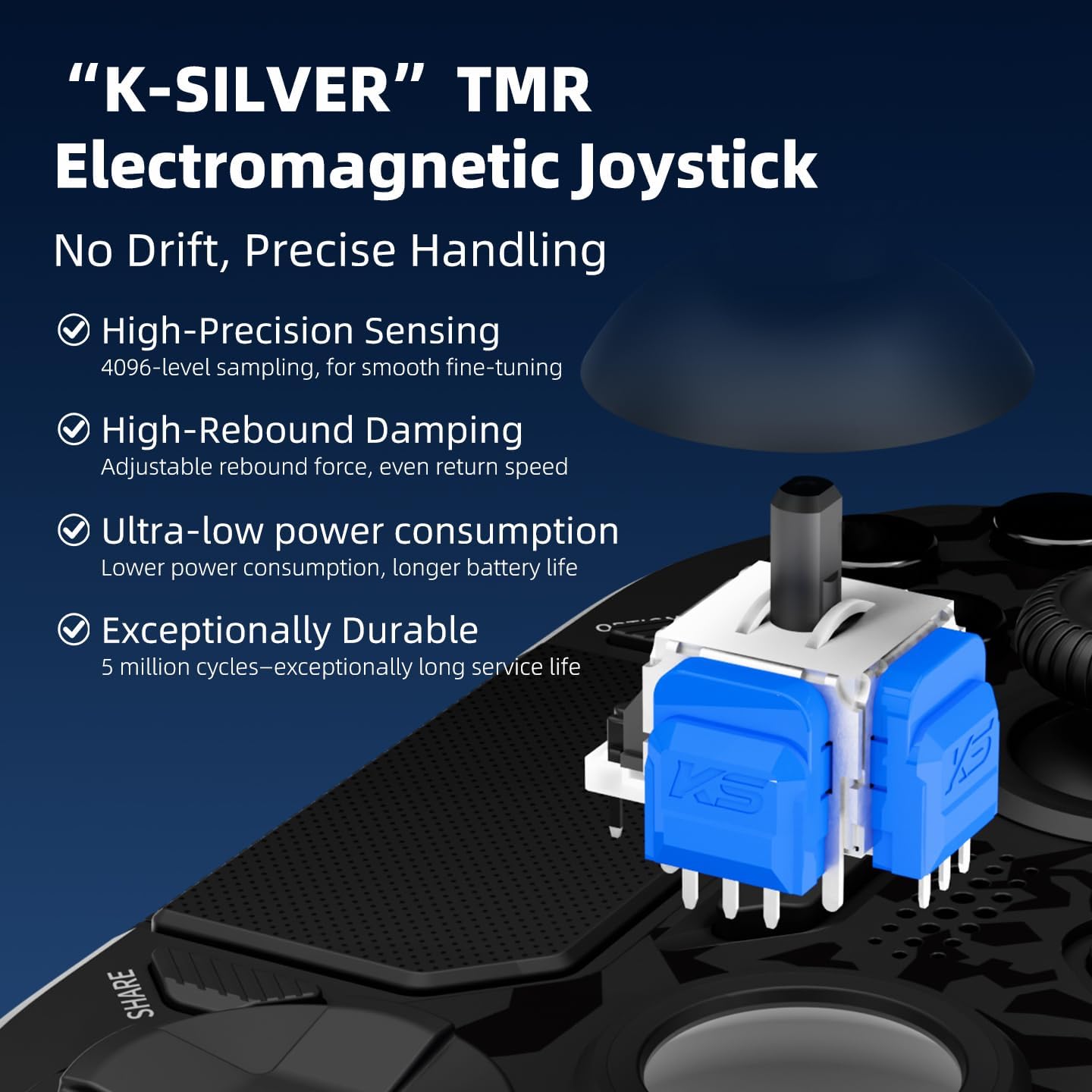
Image: AceGamer Hypershadow D4 Wireless Controller, front view.
2. Contingut del paquet
- 1 × Hypershadow D4 Controller
- 1 × cable de càrrega
- 1 × Replacement D-pad
- 1 × Manual d'usuari (aquest document)
3. Configuració i primer ús
3.1 Initial Unlock and Charging
The Hypershadow D4 controller is equipped with a lock mode for shipping. For the first use, you deu charge the controller via a wired connection to unlock it. Connect the provided charging cable to the controller and a power source (e.g., USB port on a console or PC, or a USB wall adapter).
3.2 Multi-Platform Connection
The controller supports Bluetooth, wired, and 2.4G receiver connections.
3.2.1 Connexió a la PS4 (sense fil)
The PS4 connection is wireless only. The P4 cannot be connected using a 2.4G receiver. Follow your PS4 system's instructions for pairing a new Bluetooth device. The controller will appear as a wireless controller.
3.2.2 Connecting to Nintendo Switch (Wireless)
After initial pairing, the Switch 2 Wake-up feature allows you to simply remove the original Joy-Cons from the console to activate the controller. For initial pairing, navigate to the 'Controllers' menu on your Switch, then 'Change Grip/Order', and follow the on-screen instructions to pair the Hypershadow D4.
3.2.3 Connecting to PC (2.4G Receiver or Wired)
- Receptor 2.4G: Insert the 2.4G USB receiver into an available USB port on your PC. The controller should automatically connect.
- Amb cable: Connect the controller to your PC using the provided USB cable. The PC should recognize the controller automatically.
3.2.4 Connecting to iOS/Android/Steam Deck (Bluetooth)
Enable Bluetooth on your device. Put the Hypershadow D4 controller into pairing mode (refer to the controller's specific button combination for Bluetooth pairing, usually holding a specific button until the indicator light flashes rapidly). Select the controller from your device's Bluetooth settings to pair.
Note: This controller is not compatible with Xbox consoles.
4. Funcionament del controlador
4.1 TMR Joysticks (Tunnel Magnetoresistance)
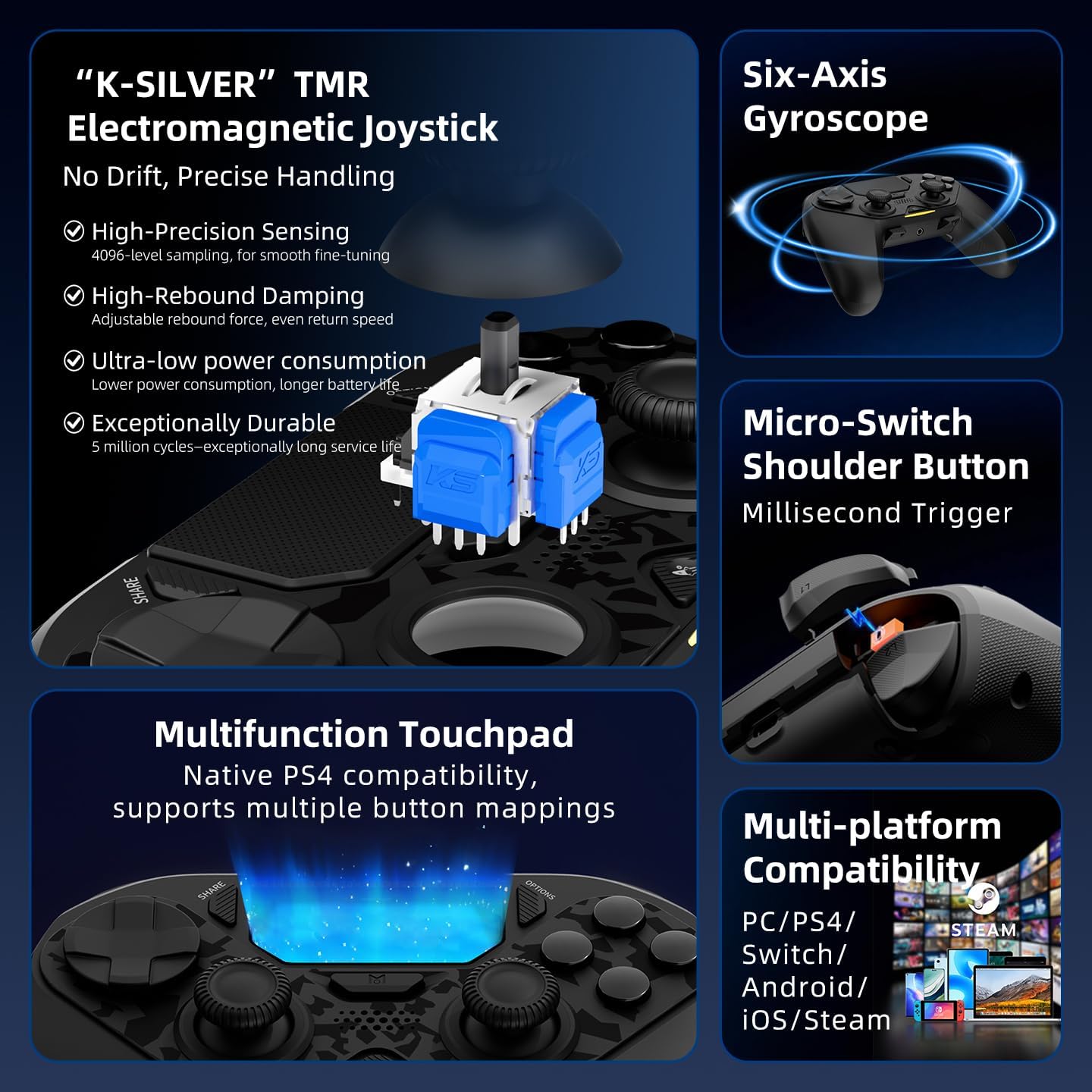
The Hypershadow D4 features upgraded TMR joysticks designed to eliminate drift, providing precise and controllable performance. They offer 4,096-level sampling for smooth fine-tuning and spring-back damping for stable feedback. These joysticks have a lifespan of up to 5 million operations.
Imatge: Detallada view of the K-SILVER TMR Electromagnetic Joystick mechanism.
4.2 Dual-Mode Triggers (L2/R2)
The triggers offer two distinct modes for varied gameplay:
- Micro-Switch Mode: Provides a short, snappy travel, ideal for rapid-fire actions in shooting games.
- Hall-Effect Linear Mode: Offers a longer, smoother travel, allowing for precise throttle control in racing games.
Switching between modes is typically done via a physical switch on the controller (refer to controller diagram for exact location).

Image: Illustration of the Dual-Cut Trigger mechanism, showing Hall-Effect linear and Micro-Switch short stroke options.
4.3 Micro-Switch Shoulder Buttons (L1/R1)
The shoulder buttons feature micro-switches for quick execution of combo moves with responsive feedback.

Image: Close-up of the Micro-Switch Shoulder Button, highlighting its millisecond trigger response.
4.4 ABXY Buttons
The ABXY buttons utilize micro-switches rated for 5 million presses, providing crisp, tactile feedback and shorter travel for faster triggering compared to traditional rubber dome buttons.
Imatge: Explosió view of the Hybrid Micro-Switch Button mechanism for ABXY, showing comfortable actuation force.
4.5 Macro Back Paddles (M1-M4)
The four programmable back buttons (M1-M4) support up to 24 inputs per macro. To program a macro:
- Hold the 'M' button (Macro button) and the desired back button (M1-M4) simultaneously.
- Perform your desired sequence of button presses (triggers, bumpers, ABXY, or stick clicks).
- Release the 'M' button and the back button. The macro is now saved.
A single press of the programmed back button will execute the full sequence instantly. All macro settings are saved even after the controller is powered off.
4.6 Funció Turbo
The controller offers two Turbo modes with adjustable speed (slow/medium/fast):
- Turbo manual: Hold the Turbo button and the desired action button. The action will repeat as long as the button is held.
- Turbo automàtic: Tap the Turbo button and the desired action button once. The action will continuously repeat until disabled.
Refer to the controller's specific instructions for activating and adjusting Turbo speed.
4.7 6-Axis Gyro
The integrated 6-axis gyroscope provides motion control capabilities, enhancing gameplay in compatible titles, particularly on Nintendo Switch and PC.
4.8 Retroalimentació de vibració
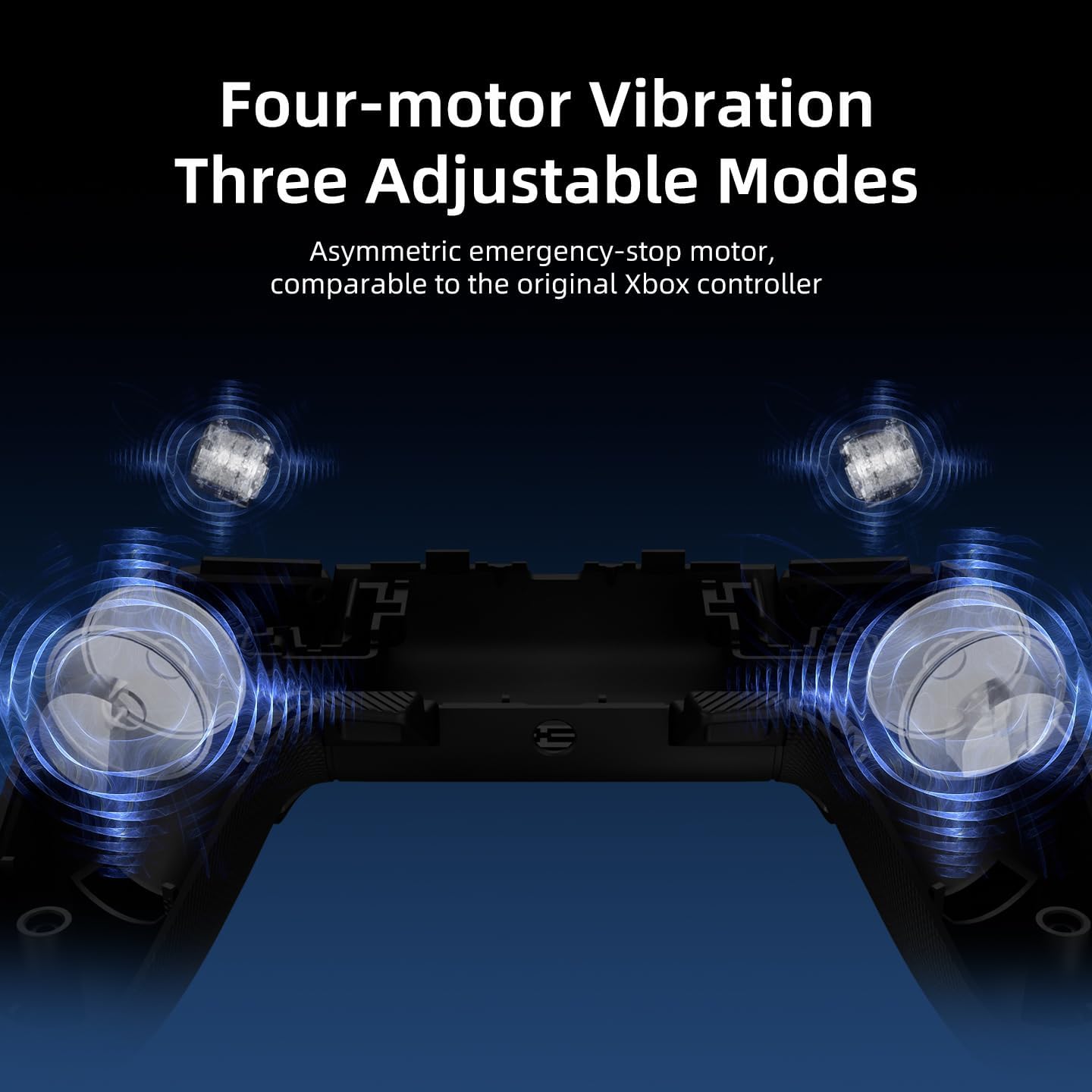
The Hypershadow D4 features dual-rotor motors for general haptic feedback and additional trigger vibration motors (PC-only) for enhanced realism. Trigger vibration precisely simulates in-game actions like throttle, brake, and recoil.

Imatge: Interna view illustrating the four-motor vibration system with three adjustable modes.

Image: Diagram showing the Trigger Vibration and Grip Vibration mechanisms, delivering tactile feedback.
4.9 Multifunction Touchpad
The controller includes a multifunction touchpad with native PS4 compatibility, supporting multiple button mappings for enhanced control and interaction in games.

Imatge: Més deview of controller features including the Multifunction Touchpad, TMR Joystick, and Six-Axis Gyroscope.
4.10 Replaceable D-pad
The D-pad is replaceable, allowing users to switch between different D-pad styles (e.g., traditional cap or plate type) to suit personal preference.
4.11 Symmetrical Grips
The controller features ergonomically designed symmetrical grips for comfortable handling during extended gaming sessions.

Image: Hands holding the controller, showcasing the symmetrical grip design.
5. Manteniment
To ensure the longevity and optimal performance of your AceGamer Hypershadow D4 controller, follow these maintenance guidelines:
- Mantingueu el controlador net netejant-lo amb un drap suau i sec. Eviteu utilitzar productes químics agressius o materials abrasius.
- Guardeu el controlador en un lloc fresc i sec, allunyat de la llum solar directa i de temperatures extremes.
- Eviteu deixar caure el controlador o sotmetre'l a impactes forts.
- When not in use for extended periods, ensure the controller is fully charged before storage to maintain battery health.
6. Solució De Problemes
- El controlador no s'encén: Ensure the controller is charged. Remember to perform the initial wired charge to unlock the device.
- Problemes de connexió:
- For 2.4G connection, ensure the USB receiver is properly inserted and the controller is in 2.4G mode.
- For Bluetooth connection, ensure Bluetooth is enabled on your device and the controller is in pairing mode.
- Note that PS4 connections are wireless (Bluetooth) only and do not use the 2.4G receiver.
- Deriva del joystick: The TMR joysticks are designed to prevent drift. If you experience drift, try recalibrating the controller through your console or PC settings, or contact support.
- Els botons no responen: Ensure the controller is charged and properly connected. If issues persist, contact customer support.
7. Especificacions
| Característica | Descripció |
|---|---|
| Model | Hypershadow D4 |
| Connectivitat | 2.4G Wireless, Bluetooth, Wired |
| Compatibilitat | PS4, Switch, PC, iOS, Android, Steam Deck (Not compatible with Xbox) |
| Joysticks | TMR (Tunnel Magnetoresistance) with 4,096-level sampling |
| Disparadors | Dual-Mode (Micro-Switch / Hall-Effect Linear) |
| Botons | Micro-Switch ABXY, Micro-Switch Shoulder Buttons |
| Back Paddles | 4 Programmable Macro Buttons (M1-M4) |
| Sensor de moviment | Giroscopi de 6 eixos |
| Vibració | Dual-rotor motors + Trigger vibration motors (PC-only) |
| Bateria | 1 bateria de 9V (inclosa) |
| Dimensions del producte | 14 x 3 x 10 cm |
| Pes | 422 g |
8. Garantia i Suport
AceGamer is committed to providing quality products and professional after-sales service. If you have any questions, concerns, or require assistance with your Hypershadow D4 controller, please do not hesitate to contact our customer support team. Refer to the product packaging or the AceGamer official weblloc per obtenir informació de contacte.
