
Introducció
This manual provides comprehensive instructions for the safe and efficient use of your Cuifati FM Transmitter. Please read this manual thoroughly before operating the device and retain it for future reference.
Notes importants:
- This device is an FM transmitter, designed to broadcast audio signals. It is not an FM receiver.
- The transmitter cannot be directly connected to a microphone for voice input.
- The device does not contain a built-in battery and requires an external power source via its USB Type C interface.
Informació de seguretat
- Ensure the device is connected to a stable power source within the specified voltage gamma.
- No exposeu el dispositiu a l'aigua, la humitat ni a temperatures extremes.
- Eviteu deixar caure o sotmetre el dispositiu a forts impactes.
- No intenteu desmuntar ni reparar el dispositiu vosaltres mateixos. Poseu-vos en contacte amb personal qualificat per al servei tècnic.
- Mantingueu el dispositiu allunyat de camps magnètics forts.
Contingut del paquet
Verifiqueu que tots els elements que s'enumeren a continuació s'inclouen al vostre paquet:
- 1 x Cuifati FM Transmitter
- 1 x Telescopic Antenna
- 1 x USB Type C Power Cable
- 1 cable d'àudio de 3.5 mm

Image: All components included in the Cuifati FM Transmitter package.
Producte acabatview
The Cuifati FM Transmitter is a compact device designed to broadcast audio signals over FM frequencies. It features an LCD display for frequency and power settings, a 3.5mm Aux input for audio sources, and a USB Type C port for power.

Image: The Cuifati FM Transmitter shown alongside a vintage radio and headphones, illustrating its purpose.
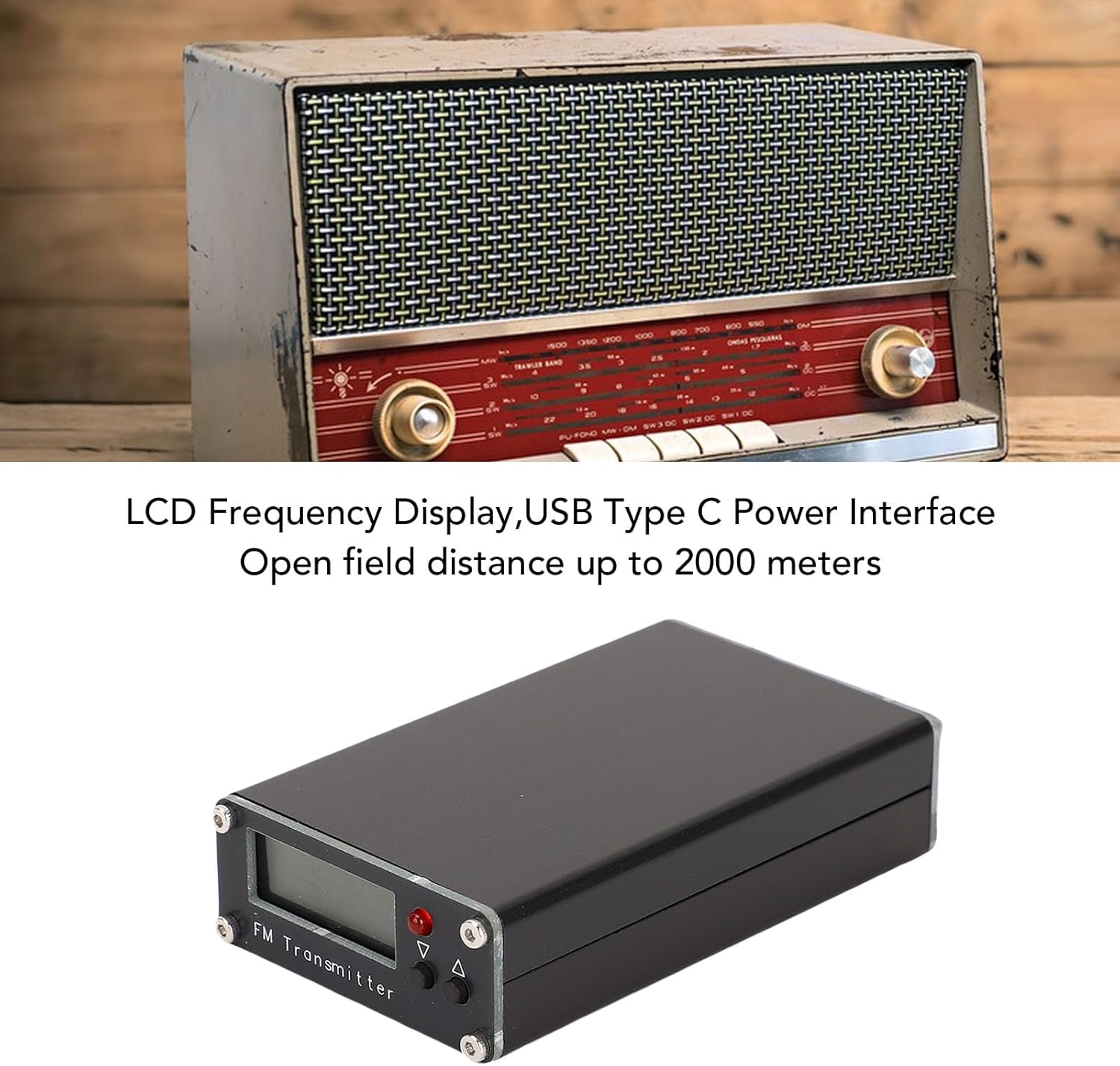
Imatge: Frontal view of the Cuifati FM Transmitter, highlighting its LCD frequency display and USB Type C power interface.

Image: The Cuifati FM Transmitter with its telescopic antenna extended, indicating its 76-108MHz transmit frequency range.

Imatge: Part posterior view of the Cuifati FM Transmitter, detailing the Audio input, USB-C power port, and Antenna connector.
Configuració
- Connecteu l'antena: Screw the telescopic antenna securely into the "ANT" port on the transmitter.

Image: The FM Transmitter with its telescopic antenna fully attached and extended.
- Connecta la font d'àudio: Use the provided 3.5mm audio cable to connect your audio source (e.g., smartphone, MP3 player, computer) to the "Audio" input port on the transmitter.
- Connectar l'alimentació: Connect the USB Type C power cable to the "USB-C" port on the transmitter and plug the other end into a standard USB power adapter (not included), power bank, or car USB port. The device will power on automatically.

Imatge: Detallada view of the Audio, USB-C, and Antenna connection ports on the transmitter.
Instruccions de funcionament
- Encès: The transmitter powers on automatically when connected to a USB Type C power source. The LCD display will illuminate.
- Ajust de freqüència:
- Utilitza el Up (▲) i Avall (▼) buttons to adjust the transmitting frequency.
- El rang de freqüència és de 76-108 MHz.
- The frequency step can be 0.1MHz or 1MHz. Select a clear frequency that is not currently in use by local radio stations to avoid interference.

Image: The LCD display showing the current frequency and the Up/Down control buttons.
- Adjust Transmitting Power:
- The transmitter offers 11 power levels, from P01 (10mW) to P10 (500mW).
- Refer to the display for the current power setting.
- Higher power settings increase transmission range but may also increase interference with other devices or consume more power. Adjust as needed for your environment.
- Tune FM Receiver: Tune your FM radio (car radio, home stereo, portable radio) to the exact frequency displayed on the transmitter's LCD screen.
- Reproduir àudio: Start playing audio from your connected source. The audio will now be broadcast through your FM receiver.
Especificacions
| Característica | Detall |
|---|---|
| Tipus d'element | Transmissor FM |
| Material | Aliatge d'alumini |
| Potència de transmissió | Max 0.5W (Standard), 11 levels (P01-P10, 10mW-500mW) |
| Mode de visualització | LCD Frequency Display |
| Freqüència de transmissió | 76-108 MHz |
| Pas de la freqüència | 0.1MHz i 1MHz |
| Mode d'entrada | Aux (3.5mm Stereo) |
| Interfície d'alimentació | USB tipus C |
| Consum actual | Aprox. 500mA |
| Tipus d'antena | antena telescòpica |
| Longitud de l'antena | Approx. 1 meter / 3.3 feet (extended) |
Resolució de problemes
- Sense sortida d'àudio:
-
- Ensure the 3.5mm audio cable is securely connected to both the transmitter's "Audio" input and your audio source's output.
- Comproveu el nivell de volum de la font d’àudio.
- Verify that your FM receiver is tuned to the exact frequency displayed on the transmitter.
- Prova amb un cable d'àudio diferent.
- Mala qualitat d'àudio / Estàtic:
-
- Adjust the transmitter's frequency to find a clearer channel with less interference.
- Extend the telescopic antenna fully and adjust its position for optimal signal.
- Ensure the transmitter and receiver are within effective range (up to 2000 meters in open areas, less indoors).
- Increase the transmitting power level (P01-P10) if necessary, but be mindful of local regulations.
- Allunyeu-vos d'altres dispositius electrònics que puguin causar interferències.
- El transmissor no s'encén:
-
- Confirm the USB Type C power cable is properly connected to a functional power source.
- Try a different USB power adapter or cable.
- Remember, the device requires external power and does not have an internal battery.
Manteniment
- Netegeu el dispositiu amb un drap suau i sec. No utilitzeu netejadors líquids ni dissolvents.
- Guardeu el dispositiu en un lloc fresc i sec quan no l'utilitzeu.
- Avoid bending or damaging the antenna.
- Ensure all cables are free from kinks or damage.
Garantia i Suport
The Cuifati FM Transmitter comes with a 1 any de garantia from the date of purchase, covering manufacturing defects. This warranty does not cover damage caused by misuse, accidents, unauthorized modifications, or normal wear and tear.
For technical support, warranty claims, or further assistance, please contact your retailer or visit the official Cuifati support website (if available). Please have your model number (Cuifalvjpdiqekz) and proof of purchase ready.