1. Introducció
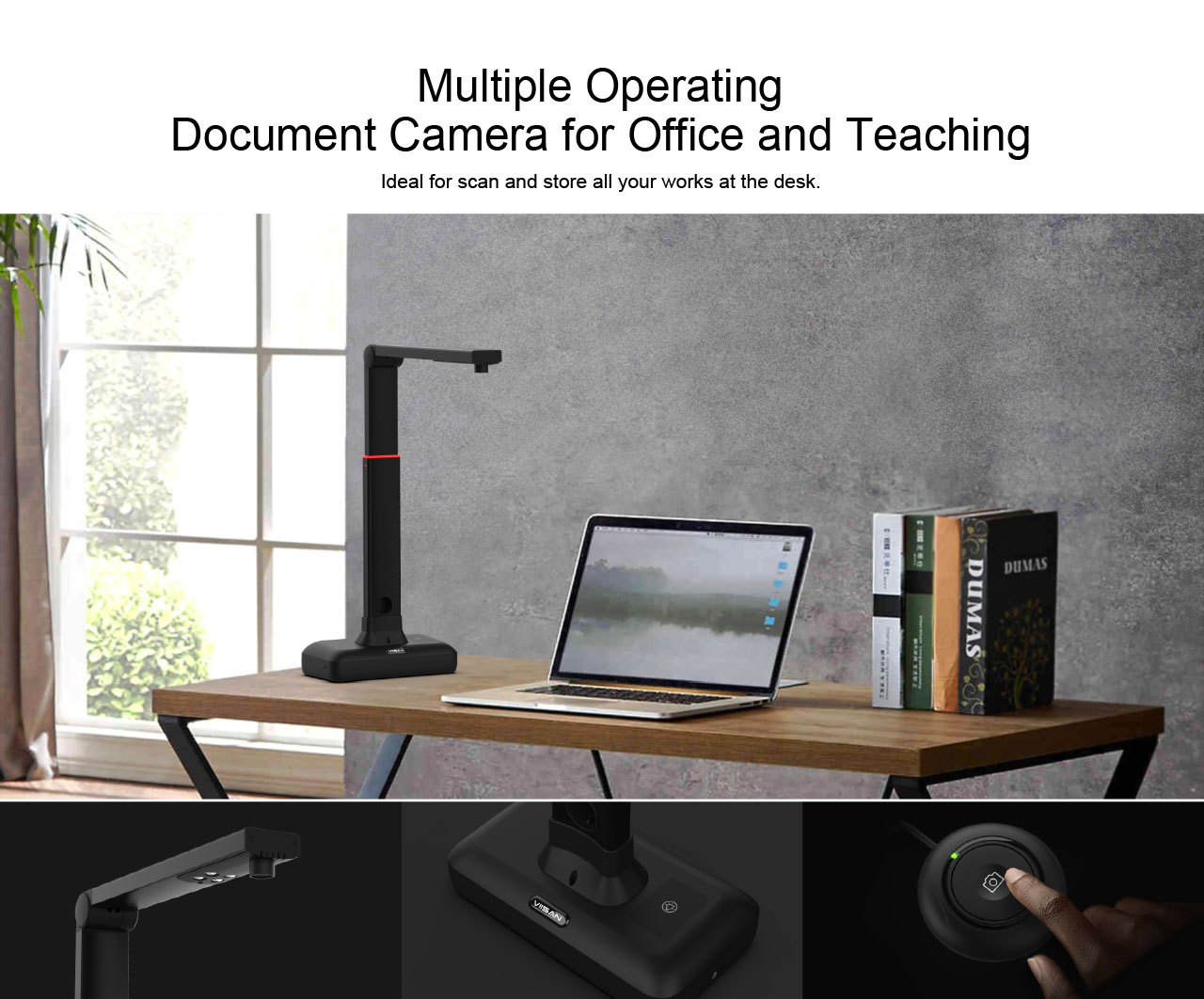
The VIISAN S21 CaptureA2 is a high-resolution overhead document camera designed for efficient digitization of various materials, including large format documents, books, and 3D objects. Featuring a 27MP image sensor and intelligent scanning software, it offers advanced image processing capabilities and multi-language OCR support.

2. Configuració i connexió
2.1 Assemble the Document Camera
- Hold the camera arm and align it with the holes in the base.
- Insert the camera arm into the base.
- Secure the arm to the base using the included screw and screwdriver.
2.2 Setting Up & Connecting to a Computer
- Connect the supplied USB cable from the back of the document camera to an available USB port on your computer.
- Plug the supplied external [Hand Button] into the USB hub located on the back of the document camera.
- Place the black scanning pad directly in front of the document camera, ensuring it is in contact with the scanner base.
- Unfold the camera arm to raise the camera head to the desired height (adjustable for A2/A3 scanning).
- Before initial use, visit the official VIISAN website to download and install the compatible software:
- VIISAN OfficeCam per a Windows
- VIISAN DeskCam per a macOS

3. Instruccions de funcionament
3.1 Procediment bàsic d'escaneig
- Launch the VIISAN OfficeCam (Windows) or DeskCam (macOS) software on your computer.
- Place the document or object you wish to scan face up on the center of the black scanning pad.
- Click the [Scan] button within the software interface or use the external Hand Button to initiate the scan.

3.2 Intelligent Scanning Software Features
The VIISAN OfficeCam/DeskCam software provides a comprehensive suite of features to enhance your scanning experience:
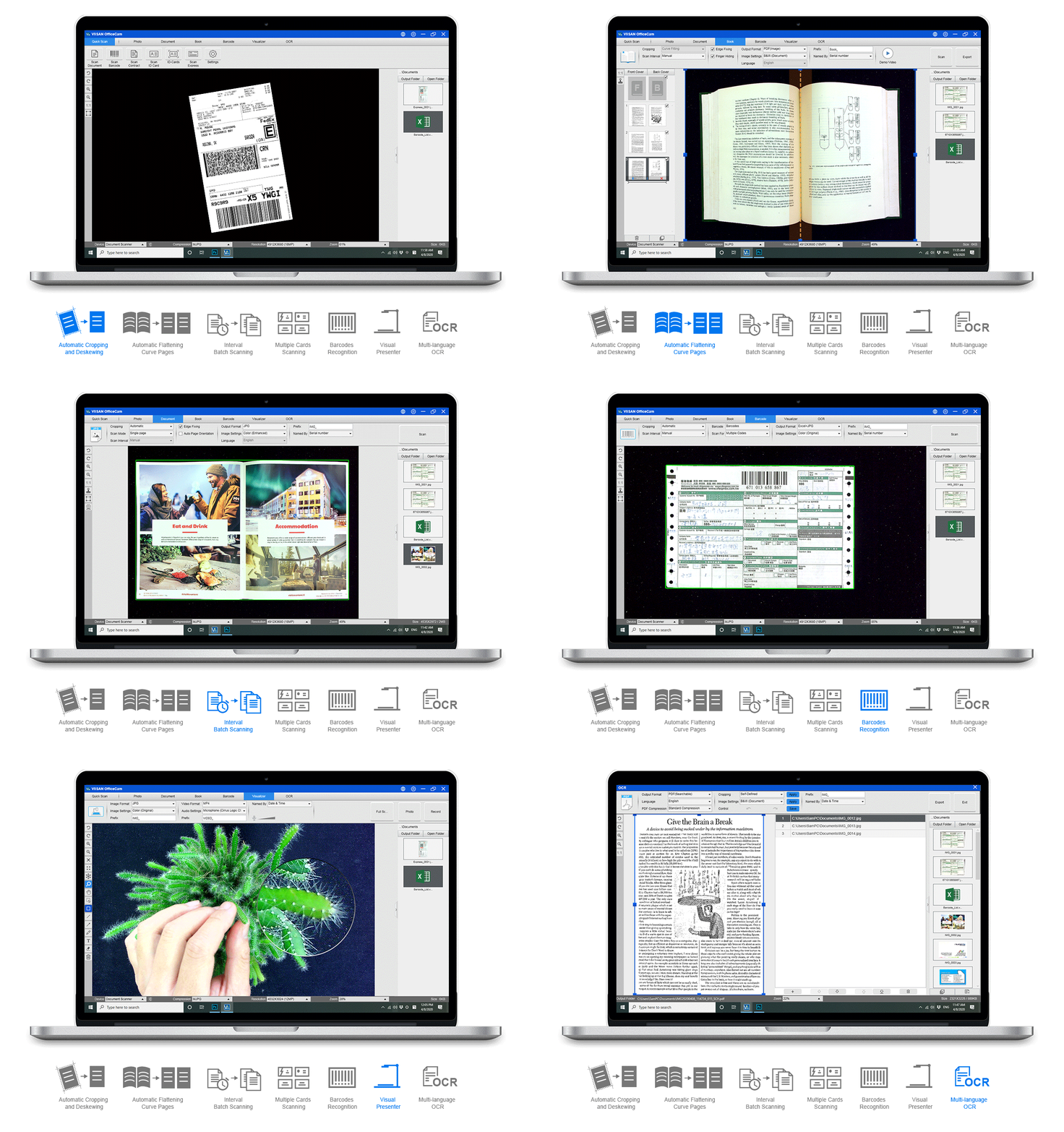
- Flattening Curve Technology: Automatically flattens curled pages, removes finger images, purifies the background, and splits dual pages into two separate images.
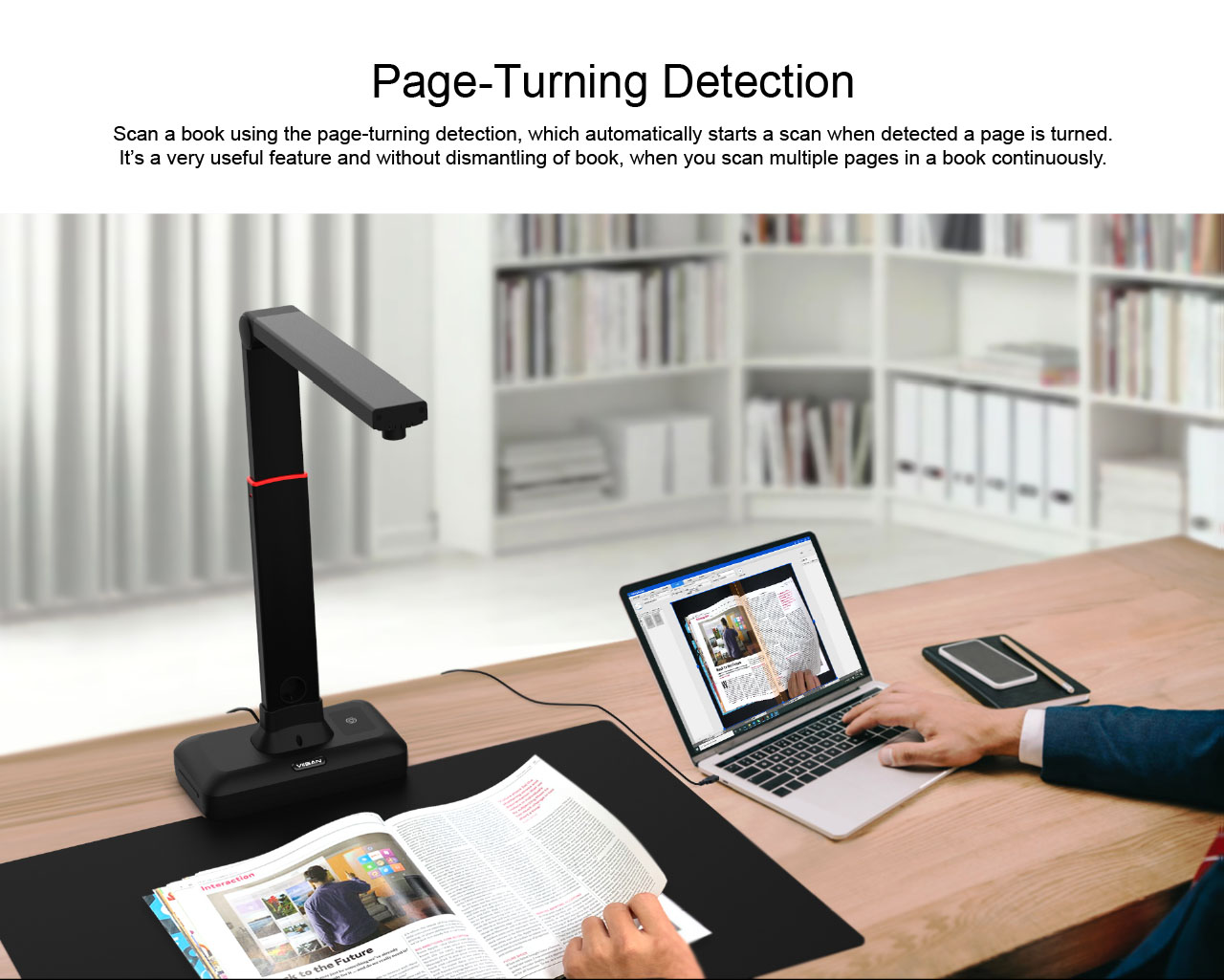
- Page Turning Detection: Automatically triggers a scan when a page is turned, ideal for continuous book scanning without dismantling the book.
- Powerful OCR Recognition: Converts scanned images into searchable PDF and editable Word, Excel, and Text formats. Supports over 130 languages.
- Reconeixement de codi de barres: Recognizes barcodes and QR codes, with the ability to output results to an Excel file format.
- Visualizer Function: Project your laptop screen to a large display (e.g., TV) using the scanner's camera, useful for presentations.
- Processament avançat d'imatges: Includes Automatic Cropping & De-skewing, Punch Hole Removal, Background Purification, Automatic Edge Filling, Automatic Text Orientation, Add Watermark, Color Enhancement, and Both-Side Merge for cards.




Control d'il·luminació LED 3.3
The S21 features a built-in high-brightness LED lamp with 3-level touch control. This allows you to adjust the brightness to suit the environment and ensure clear images, even in low-light conditions. Avoid using the LED light under strong ambient light.
4. Manteniment
4.1 Neteja
- Ensure the device is disconnected from the power source before cleaning.
- Use a soft, dry cloth to wipe the exterior of the scanner.
- For the camera lens, use a specialized lens cleaning cloth and solution to avoid scratches.
- Keep the scanning pad clean and free of dust or debris to ensure optimal scan quality.
4.2 Emmagatzematge
- When not in use, fold the camera arm down to protect the lens and save space.
- Guardeu l'escàner en un lloc fresc i sec, allunyat de la llum solar directa i de temperatures extremes.
5. Solució De Problemes
5.1 Software Not Detecting Device
- Assegureu-vos que el cable USB estigui connectat correctament tant a l'escàner com a l'ordinador.
- Proveu de connectar-vos a un altre port USB de l'ordinador.
- Reinicieu l'ordinador i el programari d'escaneig.
- Verify that the correct drivers and software version are installed from the official VIISAN weblloc.
5.2 Mala qualitat d'imatge
- Check that the document or object is placed flat on the scanning pad.
- Ensure adequate lighting. Adjust the built-in LED light or ambient lighting as needed.
- Clean the camera lens and scanning pad for any smudges or dust.
- Verify that the camera arm is unfolded and positioned correctly for the document size (A2/A3).
- Check software settings for resolution and image enhancement options.
5.3 OCR Not Working Correctly
- Ensure the document is well-lit and clear, without shadows or distortions.
- Check the language settings in the OCR software to match the language of the document.
- For best results, use high-contrast documents with clear fonts.
6. Especificacions
| Característica | Especificació |
|---|---|
| Nom de marca | VIISAN |
| Número de model | S21 |
| Tipus de producte | Escàner de documents |
| Sensor | CMOS de 20.1 megapíxels |
| Max. Resolution (Software Interpolation) | 5888 x 4522 píxels (27MP) |
| Resolució òptica | 5888 x 4522 |
| Màx. Resolució de sortida | 5504 x 4128 píxels |
| Màx. Zona de tir | A2 (594x420) mm |
| Profunditat de bits de color | 24 bit |
| Enfocament de la lent | Arreglat |
| Velocitat d'escaneig | 150 scans/second (approx. 1 sec. per A2 page) |
| Compressió de vídeo | MJPG |
| Poder | 5V by USB-Powered |
| Pes net | Aprox. 1 kg |
| Tipus d'interfície | USB 2.0 Type B x 1 (for PC Connection), USB 2.0 Type-A x 1 (for USB Extension) |
| Font de llum d'escaneig | Llum natural + LED |
| Requisits del sistema (Windows) | Windows 7, Windows 8.1, Windows 10, Windows 11 |
| System Requirements (macOS) | macOS 10.15 o posterior |
| Requisit del processador | Processador Intel i3 o superior |
| RAM Requirement | 4 GB de RAM o més |
| Requisit d'emmagatzematge | Espai al disc dur per a vídeos gravats |
| USB Port Requirement | USB 2.0 port (USB 3.0 compatible) |
| Video Streaming Frame Rate (Video mode) | 1920 x 1080 a 30 fps |
| Video Streaming Frame Rate (Software Preview) | 2048 x 1536 a 15 fps |
| OCR Languages Supported | 130+ |
| Certificació | CE |
| Origen | Xina continental |
7. Consells d'usuari
- For optimal scan quality, ensure your documents are as flat as possible on the scanning pad.
- Utilize the OCR function to convert scanned text into editable and searchable documents, saving time on manual data entry.
- Experiment with the 3-level LED lighting to find the best illumination for different document types and ambient light conditions.
- Avançanttage of the page-turning detection feature for efficient and continuous scanning of books and multi-page documents.
- Regularly check the VIISAN official website for software updates to ensure you have the latest features and performance improvements.
8. Garantia i Suport
For detailed warranty information, technical support, additional user manuals, and video tutorials, please visit the official VIISAN weblloc. Conserveu el rebut de compra per a reclamacions de garantia.


