Introducció
Gràcies per la compraasing the Billboard BL-TWS003 Wireless Bluetooth 5.3 Earphones. This manual provides detailed instructions on how to set up, operate, maintain, and troubleshoot your new earphones. Please read this manual carefully before use to ensure optimal performance and longevity of your device.

Billboard BL-TWS003 Wireless Bluetooth 5.3 Earphones and Charging Case in Black and White.
Contingut del paquet
Si us plau, comproveu el paquet per veure si hi ha els elements següents:
- Billboard BL-TWS003 Wireless Earphones (Left and Right)
- Estoig de càrrega
- USB Type-C Charging Cable (not explicitly shown but implied by 'C Type Charging Case')
- Manual d'usuari (aquest document)
Configuració
1. Càrrega inicial
Abans del primer ús, carregueu completament els auriculars i l'estoig de càrrega.
- Col·loqueu els dos auriculars a la caixa de càrrega.
- Connecteu el cable de càrrega USB tipus C al port de càrrega de la carcassa i a una font d'alimentació.
- Els indicadors LED de la caixa de càrrega mostraran l'estat de càrrega.
Connect the charging case to a power source using a USB Type-C cable.
2. Vinculació amb un dispositiu
The earphones will automatically enter pairing mode when taken out of the case.
- Obriu l'estoig de càrrega i traieu els dos auriculars. S'encendran automàticament i entraran en mode d'emparellament.
- Al telèfon intel·ligent o al dispositiu amb Bluetooth, aneu a la configuració de Bluetooth.
- Cerca available devices and select "BL-TWS003" from the list.
- Once connected, you will hear a confirmation sound, and the earphone LED indicators will turn off.
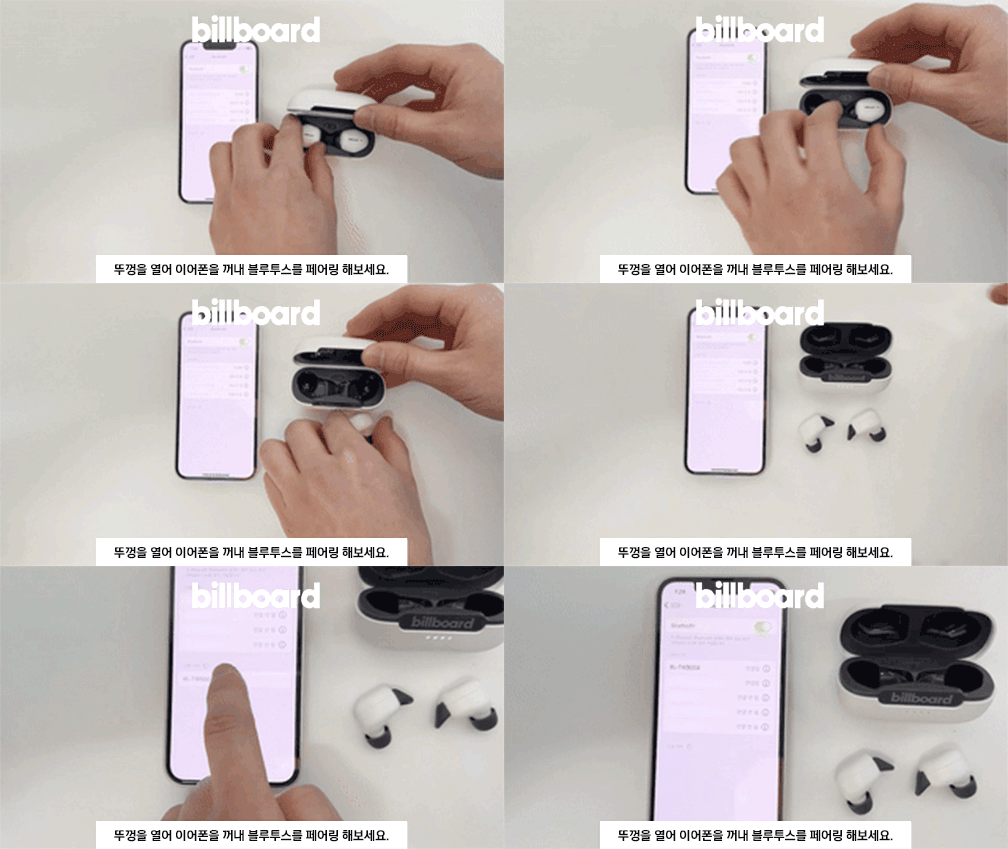
Open the case and remove the earphones to initiate pairing.
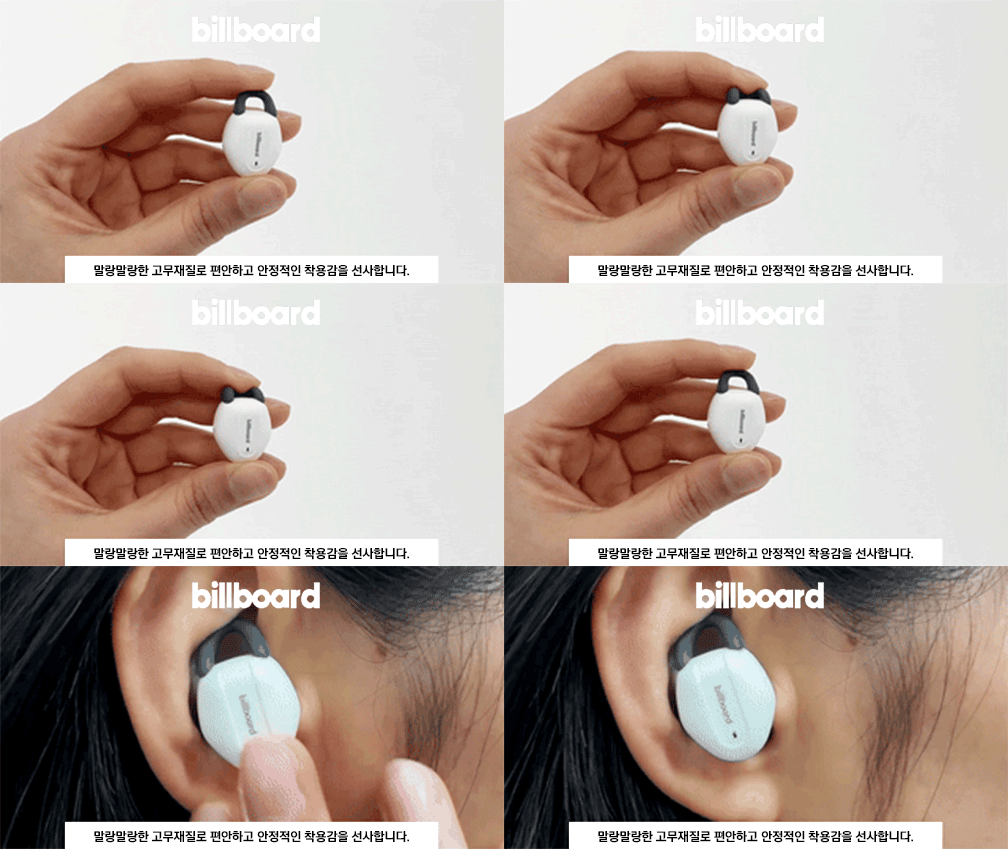
3. Com posar-se els auriculars
Ensure a comfortable and secure fit for optimal sound quality and stability.
- Identifica els auriculars esquerre (E) i dret (R).
- Introduïu suaument l'auricular al canal auditiu.
- Rotate the earphone slightly until it fits snugly and the ear hook (if present) is positioned correctly.
Properly insert the earphone into your ear for a secure fit.
Funcionament dels auriculars
Controls tàctils
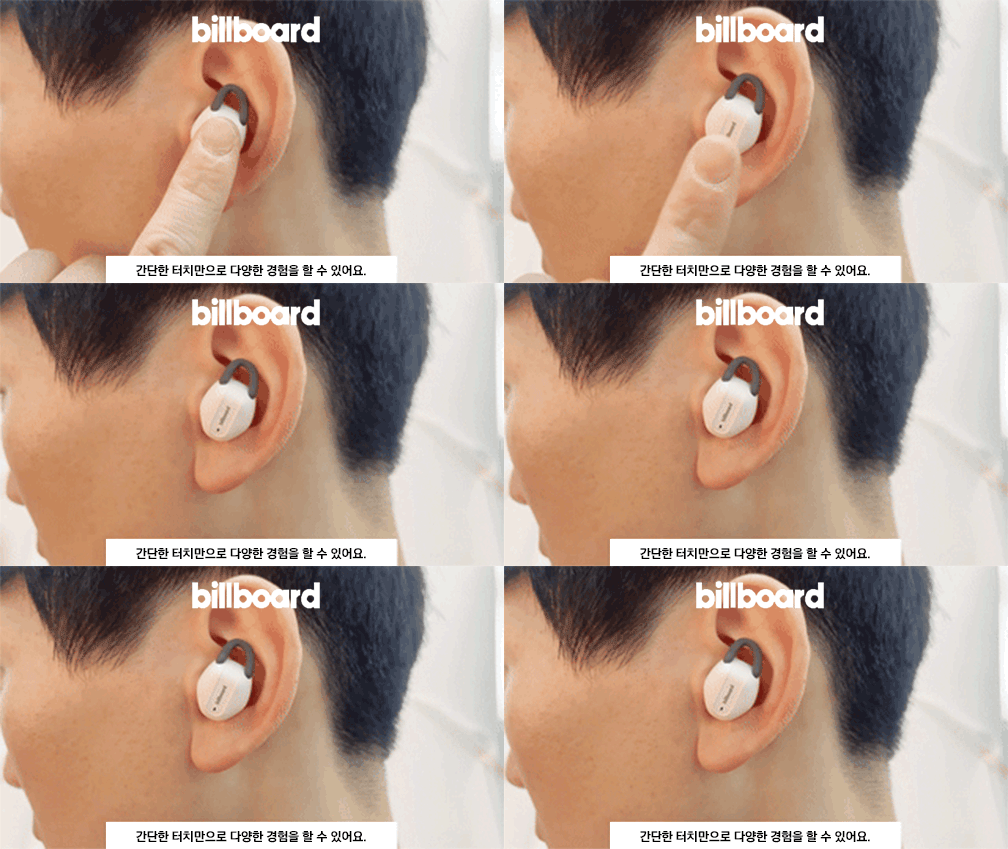
The BL-TWS003 earphones feature intuitive touch controls for various functions:

Refer to the diagram for specific touch control functions.
| Acció | Funció |
|---|---|
| Un sol toc | Reproduir / Pausar música, Respondre / Finalitzar trucada |
| Double Tap (Left Earphone) | Pista anterior |
| Double Tap (Right Earphone) | Pista següent |
| Triple Tap (Left Earphone) | Baixa el volum |
| Triple Tap (Right Earphone) | Puja el volum |
| Premsa llarga (2 segons) | Activa l'assistent de veu / Rebutja la trucada |
Indicadors LED
The earphones and charging case have LED indicators to show their status:
| Dispositiu | Indicador | Estat |
|---|---|---|
| Auriculars | Blue/Red flashing alternately | Mode d'aparellament |
| Auriculars | LED apagat | Paired / Fully charged (in case) |
| Auriculars | Indicació de veu | Bateria baixa |
| Estoig de càrrega | LED vermell encès | Auriculars carregant-se |
| Estoig de càrrega | LED apagat | Auriculars completament carregats |
| Estoig de càrrega | LED blanc intermitent | Càrrega de la caixa |
| Estoig de càrrega | LED blanc encès | Estoig completament carregat |
Manteniment
Neteja
- Netegeu els auriculars i l'estoig de càrrega amb un drap suau, sec i sense borrissol.
- No utilitzeu productes químics aggressivs, dissolvents de neteja o detergents forts.
- Eviteu que entri humitat a cap obertura.
Emmagatzematge
- Guarda sempre els auriculars a la seva funda de càrrega quan no els facis servir per protegir-los i mantenir-los carregats.
- The magnetic design ensures the earbuds are securely held in the case.
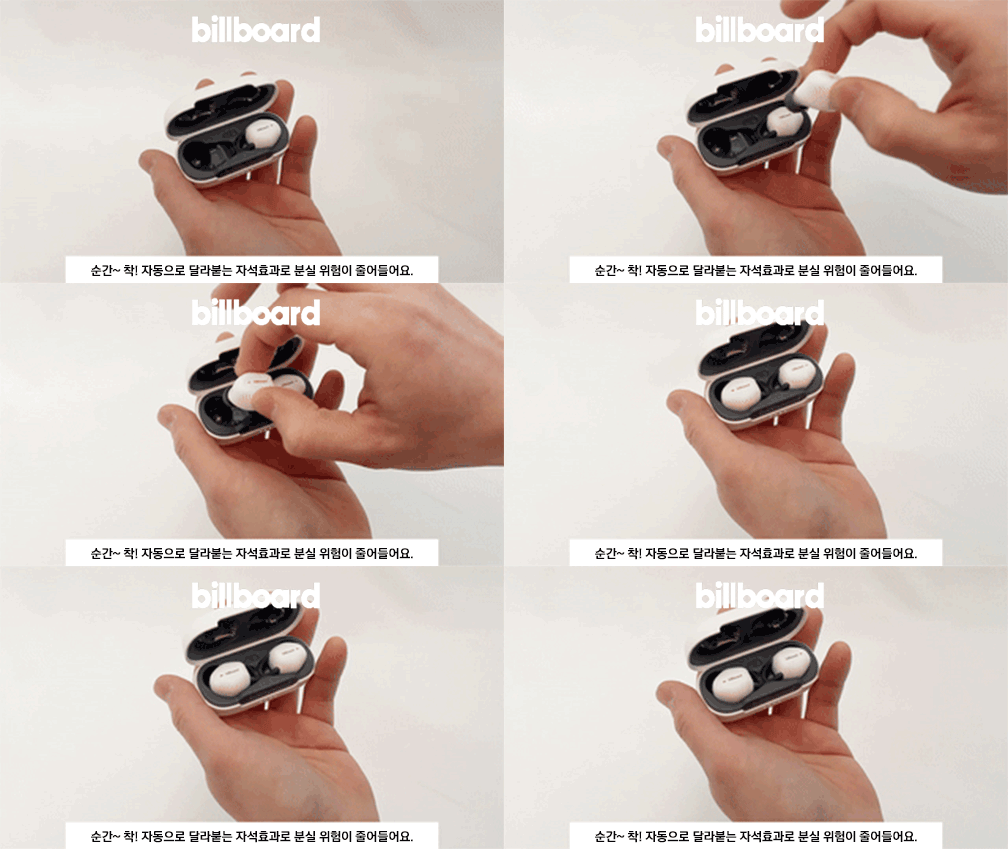
Earbuds magnetically attach to the charging case for secure storage.
Resolució de problemes
| Problema | Causa possible | Solució |
|---|---|---|
| Els auriculars no s'emparellan | Low battery, out of range, not in pairing mode, previous connection issue | Charge earphones, ensure device Bluetooth is on, try re-pairing, forget device on phone and reconnect. |
| No hi ha so d'un auricular | Low battery, connection issue, earphone not properly seated | Charge both earphones, ensure both are removed from case simultaneously, try re-pairing. |
| La funda de càrrega no es carrega | Cable/adaptador defectuós, port de càrrega brut | Prova un cable USB-C i un adaptador de corrent diferents. Neteja el port de càrrega amb cura. |
| Els controls tàctils no responen | Temporary glitch, dirty sensor | Place earphones back in case, close, then reopen and try again. Clean the touch sensor area. |
Especificacions
| Característica | Detall |
|---|---|
| Model | BL-TWS003 |
| Versió Bluetooth | 5.3 |
| Tipus sense fil | Bluetooth |
| Estil | A l'orella |
| Material | Plàstic |
| Temps de joc total | Fins a 20 hores (amb estoig de càrrega) |
| Caixa de càrrega de la bateria | 400 mAh |
| Port de càrrega | USB tipus C |
| Weight (Case + Earphones) | Aprox. 40 g |
| Origen | Xina continental |

Key specifications including battery life and weight.
Consells per a l'usuari
- For the best audio experience, ensure the earphones are properly seated in your ears to create a good seal.
- Regularly clean the ear tips and charging contacts to prevent sound issues or charging problems.
- Si teniu problemes de connexió, proveu de restablir la configuració de Bluetooth del dispositiu o de reiniciar el telèfon.
Garantia i Suport
This product is covered by a warranty provided by the seller. Please refer to the following terms:
- Free A/S (After-Sales Service): Available for defects within 30 days of product receipt.
- A/S pagat: Applicable for defects occurring after 30 days of product receipt.
- Warranty Period for Billboard Bluetooth Earphones: 6 months from the initial receipt date.
- Exclusions: A/S is not available for damage or disconnection caused by customer negligence or misuse.
- Servei fora de garantia: If the warranty period has expired, a service fee will be charged for any A/S requests. In cases of damage or disconnection, A/S may not be possible even with a fee.
For support or warranty claims, please contact the seller's customer service.
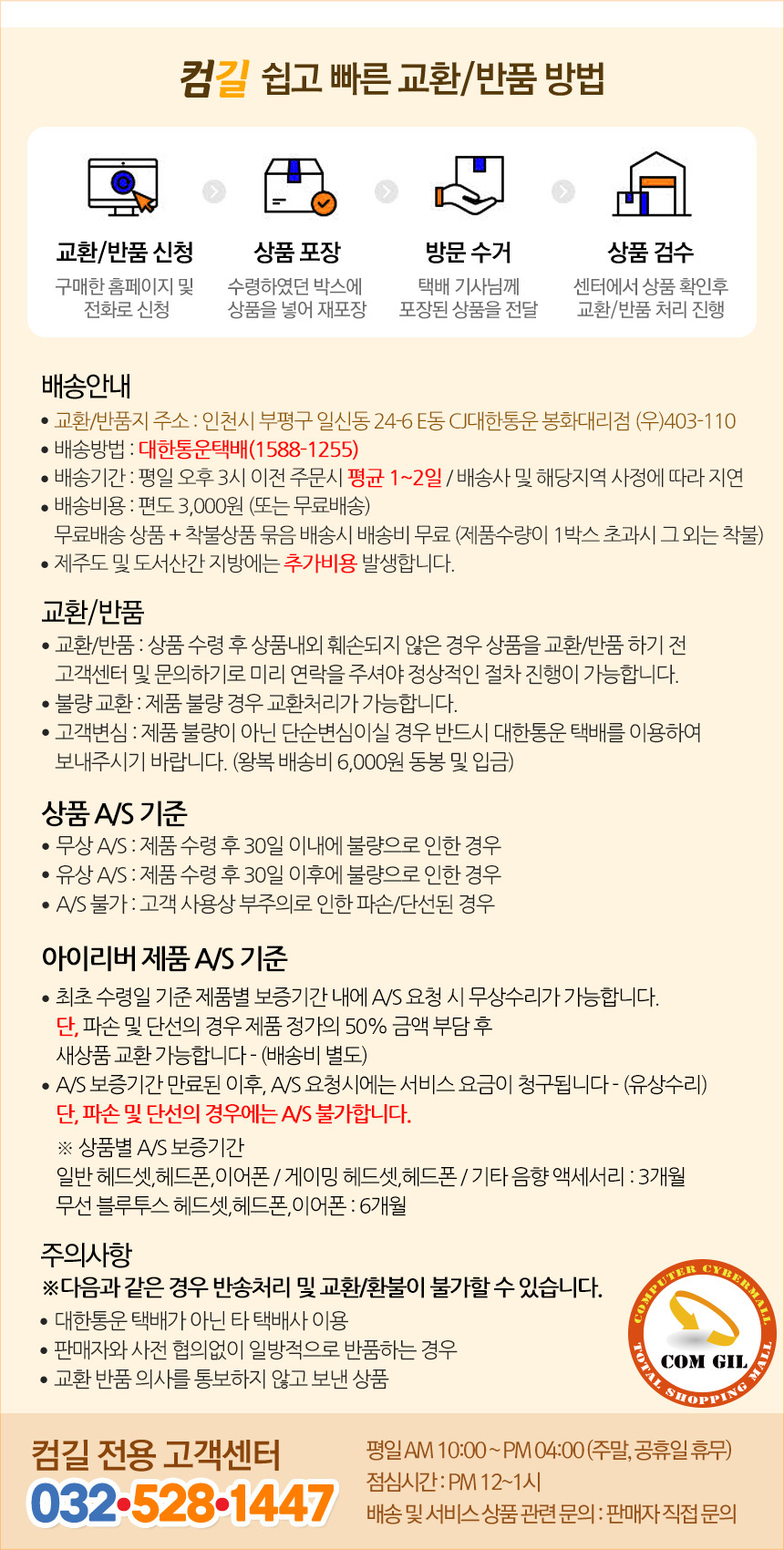
Original warranty and customer service information provided by the seller.


