1. Introducció
Thank you for choosing our SWOFY M4 MP3 Player. We hope you have a great music experience with our product. Should you have any questions, suggestions, or comments, please feel free to contact us at swofyservice@hotmail.com.
2. Primers passos
2.1. Getting to Know Your Player
Familiarize yourself with the physical components of your SWOFY M4 MP3 Player:


- Ponent: Altaveu integrat per a la reproducció d'àudio.
- Ranura per a targetes TF: For external memory expansion up to 128GB.
- 2.4-inch TFT Full Touch Screen: High-sensitive display for navigation and control.
- Volum +/-: Buttons to adjust the volume.
- Encès/apagat: Button to turn the device on or off.
- Auriculars Jack: Port de 3.5 mm per a auriculars amb cable.
- Port de tipus C: Per a càrrega i transferència de dades.
2.2. Càrrega del reproductor
To charge your player, connect the supplied USB cable to the Type-C port on the device and the other end to your computer or a wall charger (5V/500mA recommended).
While charging, the battery icon in the top right corner of the player will show a moving power bar. A full battery is indicated by four solid grids. A full charge typically takes 1-3 hours.
Atenció:
- Only use a 5V/500mA charger for charging to prevent product failure.
2.3. Encendre/apagar
- Per encendre: Toqueu i manteniu premut el botó d'engegada durant 3 segons.
- Per apagar: Tap the power button. The screen will display "Power Off" to confirm the unit is shutting down.
3. Operacions bàsiques
3.1. Reproducció de música
From the main menu, tap the "Music" icon to access your music library. You will find various lists such as "All songs," "Last played," "Artists," "Albums," "Genres," and "Playlists." If a TF card is inserted, "Local folder" and "Card folder" options will also appear.

Music Control Icons:
| Icona | Funcionament | Funció |
|---|---|---|
| Toqueu el botó | Sortida | |
| Toqueu el botó | Seleccioneu cada opció de la llista del menú | |
| Toqueu el botó | Toca la Música | |
| Toqueu el botó | Pausa la música | |
| Toqueu el botó | Reprodueix la cançó anterior | |
| Toqueu el botó | Reprodueix la següent cançó | |
| Mantingueu premut el botó | Rebobina la cançó que es reprodueix actualment | |
| Mantingueu premut el botó | Avança ràpidament la cançó que es reprodueix actualment | |
| Toqueu el botó | Afegeix la cançó a la llista de la teva cançó preferida | |
| ... | Toqueu el botó | Entra al menú de configuració de la cançó |
| Toqueu el botó | Entra a la interfície de configuració de l'equalitzador | |
| Toqueu el botó | Torna a la llista de reproducció |
Modes de reproducció:
| Icona | Mode |
|---|---|
| = | Joc seqüencial |
| Cicle únic | |
| Tot es repeteix | |
| Xx | Barrejar |
Formats d'àudio compatibles:
| Format de música | Taxa de bits | SampTarifa ling |
|---|---|---|
| MP3 | 8Kbps ~ 320Kbps | 8MHz~48MHz |
| WMA | 5Kbps ~ 384Kbps | 8MHz~48MHz |
| APE | 800Kbps ~ 1000Kbps | 8MHz~48MHz |
| WAV | 32Kbps ~ 384Kbps | 8MHz~48MHz |
| FLAC | 1000Kbps ~ 1200Kbps | 8MHz~48MHz |
| ACC-LC | 8Kbps ~ 320Kbps | 8MHz~48MHz |
3.2. Reproducció de vídeo
Tap the "Movie" icon from the main menu. The player supports AMV & AVI formats with a resolution of 240*320. If your video files are in other formats, you may need to convert them using a video conversion tool. Contact SWOFY service if you need assistance with conversion tools.

3.3. Ràdio FM
Tap the "FM Radio" icon to access the radio function. You can listen to news, sports events, and music channels.

Gravació FM:
To record FM radio, tap the FM icon, then check the settings menu and select "Start FM radio recording." You will be prompted to save or cancel the recording.
FM Band Selection:
Enter the FM settings menu and tap "Tuner Region" to select your desired band:
- Banda comuna: 87.5 MHz ~ 108.0 MHz
- Banda japonesa: 76 MHz ~ 90 MHz
- Banda Euro: 87.5 MHz ~ 108.0 MHz
3.4. Connectivitat Bluetooth
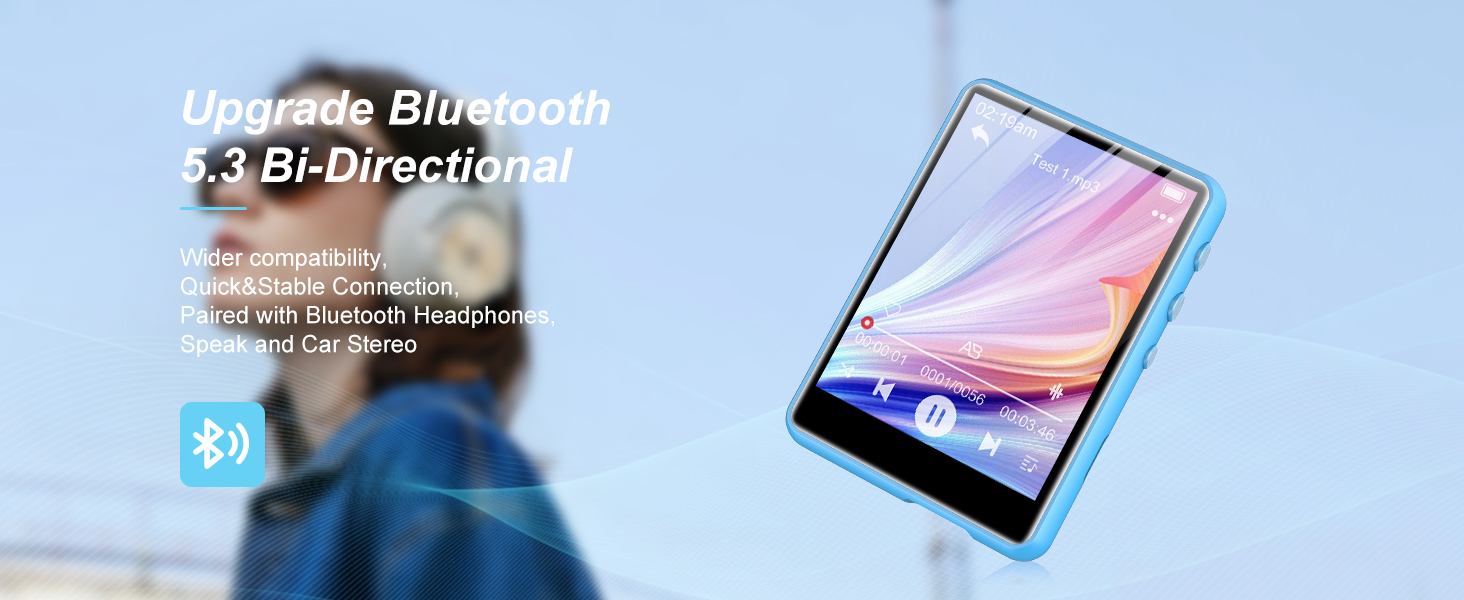
The M4 MP3 player features Bluetooth 5.3 for stable and fast transmission to Bluetooth headsets and speakers.

How to Pair with Bluetooth Speaker or Headset:
- Turn on your Bluetooth speaker or headset and enable its Bluetooth pairing mode.
- On the M4, turn on Bluetooth mode and initiate a search for nearby Bluetooth devices.
- After a successful search, select the desired Bluetooth device from the list to pair.
Atenció:
- The M4 cannot pair with smartphones.
- ACC-LC music format is not supported under Bluetooth playback mode.
- When listening to FM radio via Bluetooth, wired headphones are required as a radio antenna.
3.5. E-Book Reading
Tap the "E-Book" icon to view your e-book files. The player supports TXT filenomés s.

Atenció:
- Only TXT files are supported for e-book reading.
3.6. Gravadora de veu
The recorder function is useful for capturing important audio, such as meetings, lectures, or interviews.

Line-in Voice Recording:
- Connect the MP3 player to your smartphone using an AUX cable.
- Navigate to "Recordings" > "Record settings" > "Record from" > "Line in."
- Press the back button to return, then press the record button to start recording.
- Després de desar el file, press the menu button to select the file per a la reproducció.
3.7. Altres funcions
The SWOFY M4 also includes additional functions such as Photo Viewer, Stopwatch, Alarm, Calendar, and Theme settings.
4. Transferència de dades
Per transferir files, connect your M4 MP3 player to your computer using the supplied USB cable. The device will appear as a removable disk. You can then drag and drop media files directly to and from the player, similar to a flash drive. Alternatively, you can use music management software like Windows Media Player (note: it does not work with iTunes).
Atenció:
- If your computer cannot detect the MP3 Player, please update your USB driver to version 2.0 or try a different USB cable. If the issue persists, contact SWOFY Technical Support.
- Only 4000 music tracks can be displayed in the main music lists. To view all tracks, navigate to the "Folder" view.
- For better organization, create folders on your PC/Mac to sort your music and audio files, rather than relying solely on the default playlists.
5. Especificacions
| Característica | Especificació |
|---|---|
| Mida de la pantalla | 2.4 polzades |
| Resolució de pantalla | 240*320 TFT |
| Dimensions (AxAxP) | 1.93*2.68*0.40 inches (49*68*10mm) |
| Pes | 2.33 oz (66g) |
| Material del cos | Metall |
| Tipus d'emmagatzematge | Memòria Flash |
| Memòria interna | 64 GB |
| External Memory (SD Card) | Supports up to 128GB (not included) |
| Versió Bluetooth | 5.3 |
| Suport de format d'àudio | MP3, WAV, APE, FLAC, WMA, ACC-LC |
| Suport de format de vídeo | AMV, AVI |
| Format d'enregistrament | MP3, WAV |
| Especificació de la bateria | Bateria de liti (300 mAh) |
| Durada de la bateria (reproducció de música) | 10 - 20 hours (up to 50 hours with wired earbuds) |
| Temps de càrrega | 1-3 hours (approx. 2 hours for full charge) |
| Mode d'operació | Pantalla tàctil |
| Funcions | Voice Recorder, E-Book Reading, FM Radio, Built-in Speaker, Pedometer, Photo Viewer |
| Dispositius compatibles | PC Windows |
| Format líric | LRC |
| Certificació | CE, FCC, RoHS, WEEE |
6. Solució De Problemes
- Player not detected by computer: Update your USB driver to version 2.0 or try a different USB cable. If the problem persists, contact SWOFY Technical Support.
- Limited music tracks displayed: Only 4000 music tracks can be displayed in the main music lists. To access all tracks, navigate to the "Folder" view.
- Problemes d'emparellament per Bluetooth: The M4 cannot pair with smartphones. It is designed to connect with Bluetooth headsets and speakers only.
- ACC-LC format not playing via Bluetooth: The ACC-LC music format is not supported under Bluetooth playback mode.
- FM Radio via Bluetooth not working: When listening to FM radio via Bluetooth, wired headphones must be connected to the player to act as a radio antenna.
- Problemes de reproducció de vídeo: Assegura't de fer servir el vídeo files are in AMV or AVI format with a resolution of 240*320. Use a video conversion tool if necessary.
- Llibre electrònic files not opening: Only TXT files are supported for e-book reading.
- Player unresponsive: Insert a thin needle into the reset hole or press and hold the power button for 15 seconds to reset the device.
7. Consells d'usuari
- Organize your music: Create custom folders on your computer to sort your music and audio files before transferring them to the player. This makes it easier to find specific tracks using the "Folder" view.
- Maximize battery life: For extended listening, use wired earbuds as they consume less power than Bluetooth connections.
- E-book bookmarks: Don't forget to add bookmarks when reading e-books to easily resume where you left off.
- Actualitzacions de firmware: If you encounter persistent issues or wish to access new features, check the official SWOFY support for any available firmware updates.
8. Garantia i Suport
For detailed warranty information and further support, please refer to the full user manual PDF available at SWOFY M4 User Manual (PDF). You can also reach out to SWOFY Technical Support directly via email at swofyservice@hotmail.com for any product-related inquiries or assistance.


