1. Introducció
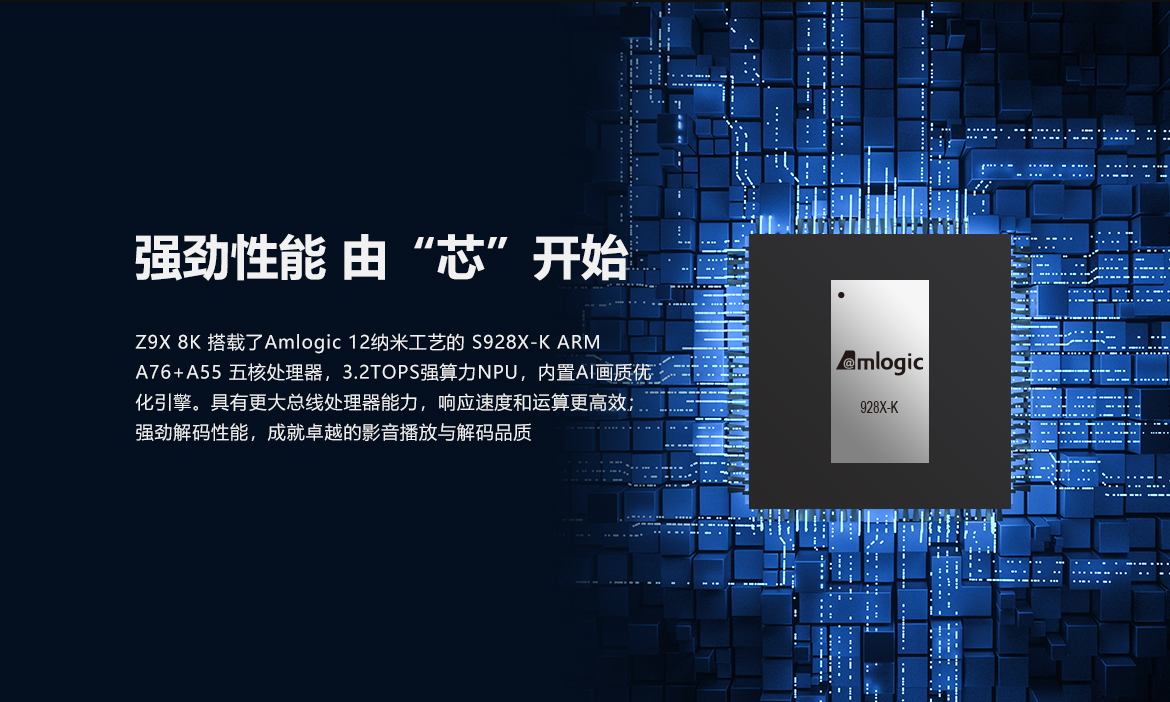
The ZIDOO Z9X 8K V11 is a high-performance HDR Media Player designed to deliver an exceptional home theater experience. Powered by Android 11 OS and an Amlogic S928X-K Processor, it features 6GB RAM and 64GB eMMC storage, along with advanced VPU Video Engine and VS10 Image Engine technologies for stunning 8K visuals and immersive audio.

2. Contingut del paquet
Si us plau, comproveu el paquet per veure si hi ha els elements següents:
- ZIDOO Z9X 8K Media Player
- Control remot
- Power Adapter (AU/US/EU/UK plug, depending on region)
- Cable HDMI
- Antenes Wi-Fi (2x)
- Manual d'usuari (aquest document)

3. Guia de configuració
3.1 Connexió del reproductor
Before powering on, connect all necessary cables:
- Connexió d'alimentació: Connect the provided power adapter to the DC 12V port on the rear of the player and then to a power outlet. Ensure the power switch is in the 'OFF' position before connecting.
- Connexió HDMI: Connect one end of the HDMI cable to the HDMI OUT port on the player and the other end to an HDMI input on your TV or AV receiver.
- Connexió d'àudio (opcional): For digital audio, connect an optical cable to the OPTICAL port. For analog audio, use the AUDIO output.
- Connexió de xarxa: For wired internet, connect an Ethernet cable to the GIGABIT LAN port. For wireless internet, screw the two Wi-Fi antennas onto the connectors on the rear of the player.
- Dispositius USB: Connect external hard drives, USB flash drives, or other USB peripherals to the USB 3.0 or USB 2.0 ports.
- SATA Drive (Optional): If installing an internal SATA drive, follow the instructions for opening the device and connecting the drive.
- RS232 (Optional): For integration with home automation systems, connect to the RS232 port.

3.2 Encès inicial
- After connecting all cables, switch the power button on the rear of the player to 'ON'.
- Engegueu el televisor i seleccioneu la font d'entrada HDMI correcta.
- The ZIDOO logo will appear, followed by the initial setup wizard. Follow the on-screen instructions to configure language, network, and display settings.
4. Instruccions de funcionament
4.1 Interfície d'usuari i navegació
The ZIDOO Z9X 8K features a user-friendly 4K UI. Navigate using the included IR remote control or the dedicated mobile app (available for iOS/Android).

4.2 Reproducció multimèdia
The player supports a wide range of media formats and sources:
- Reproducció local: Reprodueix contingut multimèdia files from connected USB drives, internal SATA drives, or network storage.
- Transmissió en xarxa: Supports NFS, SMB v1/v2/v3, UPnP, WebDAV, OneDrive, Dropbox, and Emby for seamless access to your media library across your network. It also supports Tidal Connect and DLNA for high-quality audio streaming.
- Característiques del vídeo: Enjoy stunning 8K UHD resolution, HDR10+, and Dolby Vision for vibrant colors and incredible contrast. The device features automatic frame rate switching (23.976, 59.94, 25, 30, 50, 60Hz) for smooth playback without judder.
- Característiques d'àudio: Experience immersive sound with support for Dolby Atmos and DTS:X. It also offers lossless music playback for DSD, APE, FLAC, and WAV formats.
- Subtítols: The player offers a robust subtitle system, supporting various formats (internal/external ASS, SUP, PGS). You can adjust subtitle size, position, and brightness.

4.3 Local Music Library
The ZIDOO Z9X 8K includes a powerful local music library management system:
- Automatically retrieves music information from the cloud.
- Matches artists, albums, and CUE files.
- Supports Gapless playback and Playback GAIN control.
- Organize your music by genre, artist, album, and more.
4.4 Poster Wall
The Poster Wall feature intelligently organizes your movie and TV show collection:
- Automatically generates movie posters and trailers.
- Supports highly customizable classification and sorting.
- Offers batch processing and convenient collection creation and management.

4.5 File Gestió
The Z9X 8K includes a comprehensive file management system for local and network storage. You can perform standard operations like copying, pasting, cutting, and deleting files.
4.6 Control intel·ligent
Control your ZIDOO Z9X 8K using various methods:
- Control remot IR: Use the included infrared remote for direct control.
- Aplicació mòbil: Download the official ZIDOO control app for iOS and Android devices to manage playback, browse content, and control settings.
- IP/RS232/Control 4: Integrate the player into advanced home control systems.
- Wake On LAN (WOL): The device supports WOL, allowing you to power it on remotely via your network (requires a wired connection).

5. Manteniment
5.1 Neteja
To maintain the player's appearance and performance, clean it regularly with a soft, dry cloth. Do not use liquid cleaners or abrasive materials.
5.2 actualitzacions de microprogramari
ZIDOO regularly releases firmware updates to improve performance, add features, and fix bugs. It is recommended to keep your player updated. Check for updates via the system settings menu on your device.
5.3 Gestió d'emmagatzematge
Periòdicament review and delete unused applications or media files to free up internal storage and ensure optimal system performance.
6. Solució De Problemes
If you encounter issues with your ZIDOO Z9X 8K, please refer to the following common solutions:
- Sense energia: Ensure the power adapter is securely connected to both the player and a working power outlet. Check that the power switch on the rear of the device is in the 'ON' position.
- Sense sortida de vídeo: Verify that the HDMI cable is correctly connected to both the player and your TV/receiver. Ensure your TV is set to the correct HDMI input source. Try a different HDMI cable or port.
- Sense sortida d'àudio: Check all audio connections (HDMI, Optical, Analog). Ensure your TV or AV receiver's audio input is correctly selected and not muted. Verify the audio output settings on the ZIDOO player.
- Problemes de connexió de xarxa: For wired connections, ensure the Ethernet cable is properly connected. For Wi-Fi, check that the antennas are securely attached and that the Wi-Fi network is selected and the password entered correctly in the settings. Restart your router and the media player.
- El control remot no respon: Replace the batteries in the remote control. Ensure there are no obstructions between the remote and the player's IR receiver.
- Incorrect Language Displayed: If the user interface is in an unexpected language, navigate to the system settings (usually represented by a gear icon) and locate the 'Language' or 'System' settings to change it to your preferred language.
7. Especificacions
| Característica | Especificació |
|---|---|
| Número de model | ZIDOO Z9X 8K |
| Sistema operatiu | Android 11 |
| Processador | Amlogic S928X-K (12nm, ARM A76+A55, 3.2TOPS NPU) |
| RAM | 6 GB DDR4 |
| Emmagatzematge intern | eMMC de 64 GB |
| Video Engine | VPU Video Engine & VS10 Image Engine (Dolby Vision) |
| Sortida de vídeo | 8K@60Hz, 12-bit color depth (68 billion colors) |
| Suport HDR | HDR10+, Dolby Vision |
| Suport d'àudio | Dolby Atmos, DTS:X, DSD/APE/FLAC/WAV Lossless Playback |
| Wi-Fi | WiFi 6 (2.4G + 5G, 2R2T MIMO, up to 1201Mbps) |
| Bluetooth | Bluetooth 5.2 |
| Ethernet | LAN Gigabit |
| Ports | HDMI 2.1, USB 3.0 (x2), USB 2.0 (x2), Optical S/PDIF, Analog Audio, RS232, SATA, DC 12V Power |
| Mètodes de control | IR Remote, Mobile App (iOS/Android), IP/RS232/Control 4 |
| Certificació | CE |
8. Consells d'usuari
- Configuració d'idioma: If the interface is not in your preferred language, navigate to system settings to change it. The device supports multiple languages.
- Rendiment òptim: For the best video and audio experience, use high-quality HDMI 2.1 cables and ensure your display and audio receiver are compatible with 8K, HDR10+, Dolby Vision, Dolby Atmos, and DTS:X.
- Transmissió en xarxa: Utilize the Gigabit LAN or WiFi 6 for stable and high-bandwidth streaming of local and online content. A strong and stable network connection is crucial for 8K streaming.
- Aplicació remota: Download the ZIDOO Controller app for your smartphone to gain more versatile control over the media player, including browsing media and managing settings.
9. Garantia i Suport
The ZIDOO Z9X 8K Media Player is covered by a standard manufacturer's warranty. Please refer to the warranty card included in your package for specific terms and conditions. For technical support, firmware updates, or service inquiries, please visit the official ZIDOO weblloc o poseu-vos en contacte amb el vostre distribuïdor.
Aquest producte té la certificació CE, la qual cosa indica que compleix amb les normes europees de salut, seguretat i protecció del medi ambient.


