Introducció
Thank you for choosing the Cox CMK87 Low Noise Membrane Keyboard. This manual provides detailed instructions for setting up, operating, maintaining, and troubleshooting your new keyboard. Please read this manual thoroughly before use to ensure optimal performance and longevity of your device.
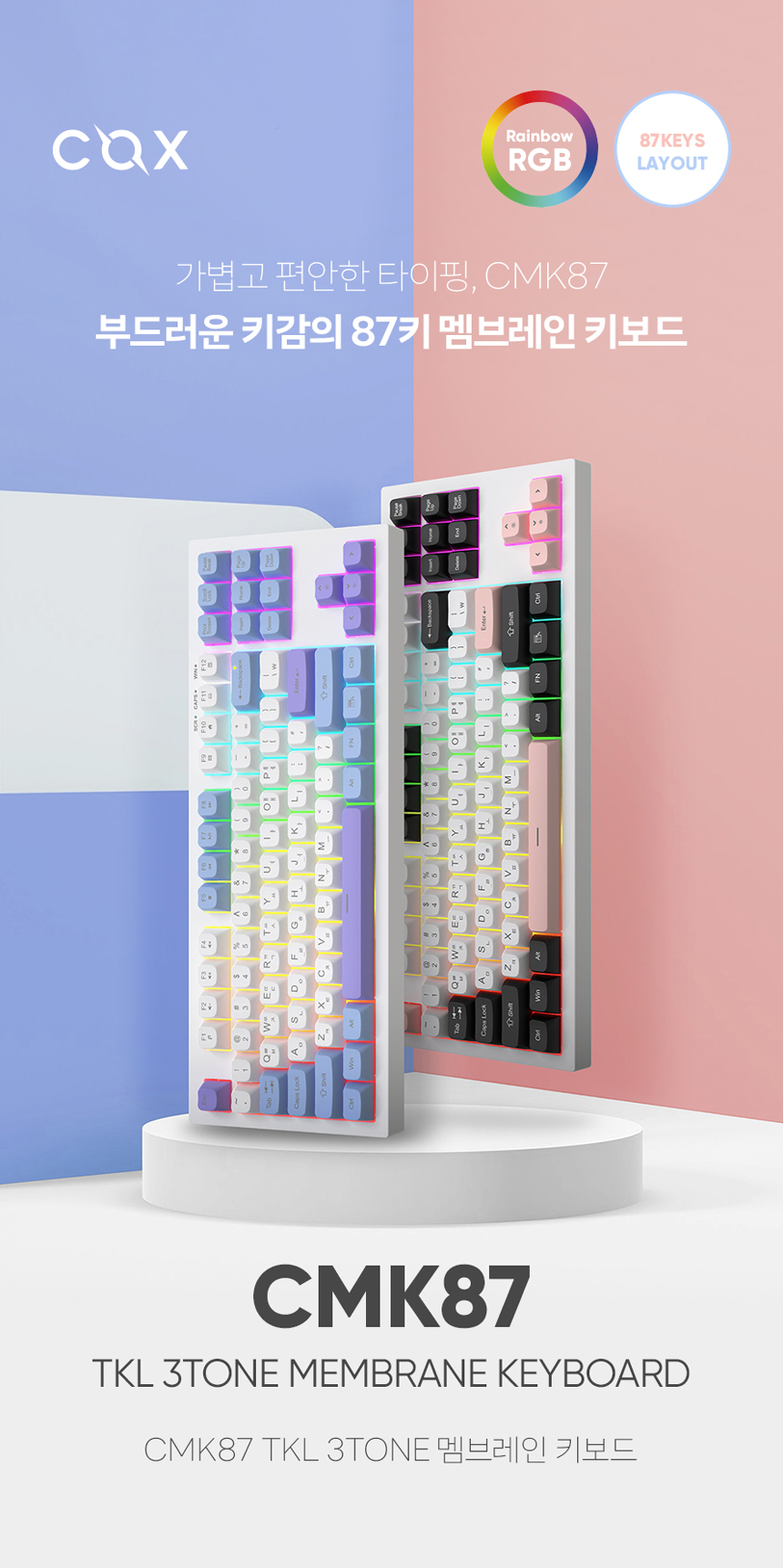
Figure 1: Cox CMK87 Keyboard (Olivia color scheme)
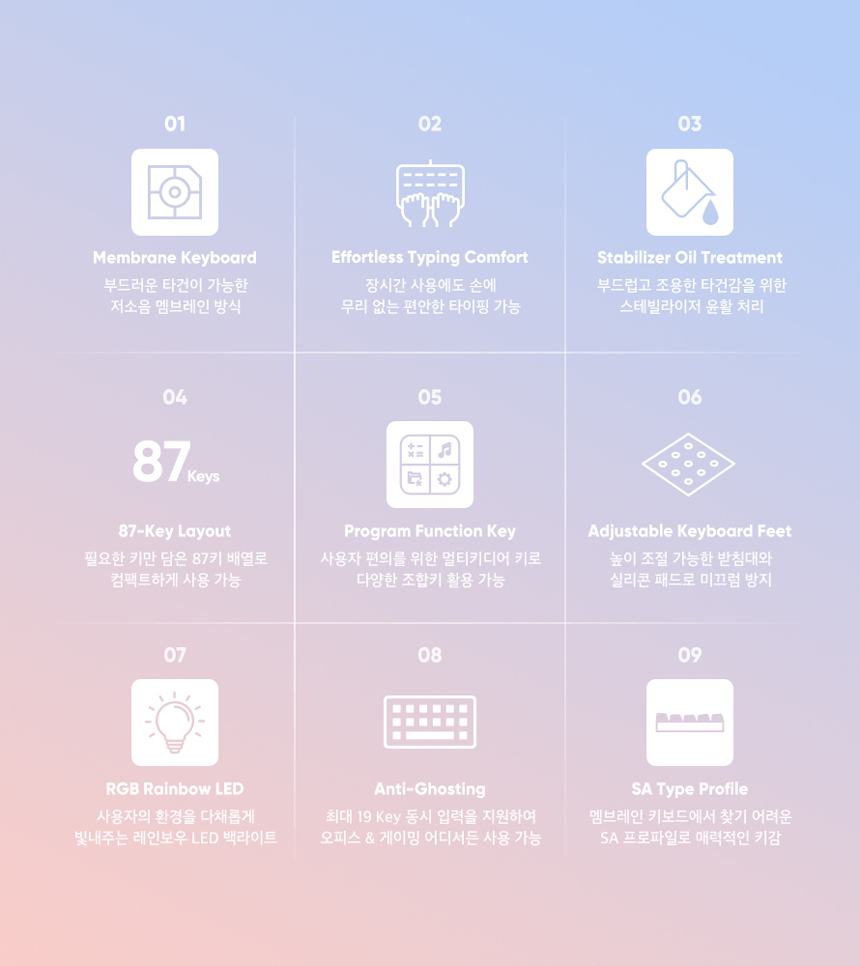
Figure 2: Cox CMK87 Keyboard (White Plate with 3-color keycaps)
Contingut del paquet
Si us plau, comproveu el paquet per veure si hi ha els elements següents:
- Cox CMK87 TKL 3Tone Membrane Keyboard
- Cable USB-Type C
- Manual d'usuari (aquest document)
- AS Receipt (for warranty purposes)
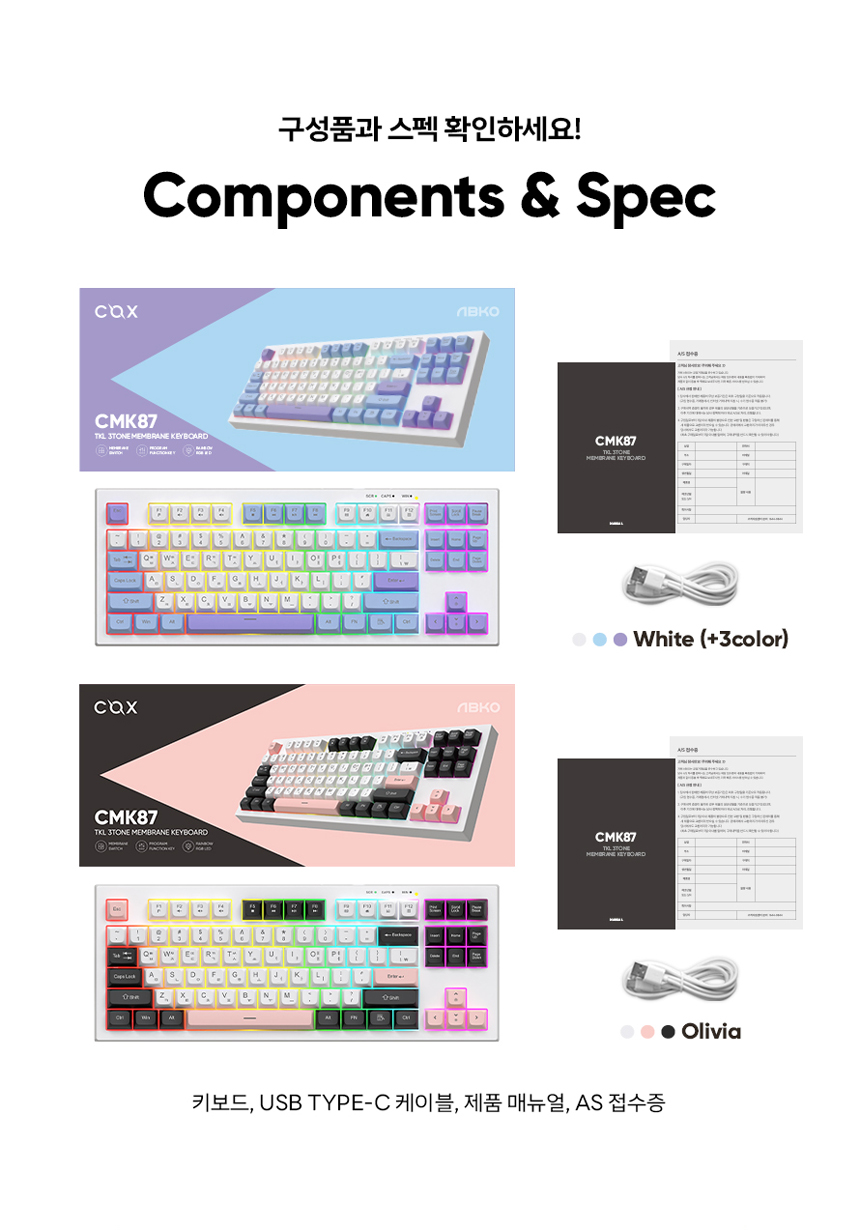
Figure 3: Package Contents and Specifications Overview
Configuració
Descomprimir el teclat: Traieu amb cura el teclat i tots els accessoris de l'embalatge.
Connecteu el teclat: Plug the USB Type-C end of the provided cable into the port on the keyboard and the standard USB-A end into an available USB port on your computer.
The keyboard is plug-and-play and does not require additional driver installation for basic functionality on supported operating systems.
Ajustar els peus del teclat: The CMK87 features 2-step adjustable keyboard feet on the underside. Adjust them to your preferred typing angle for ergonomic comfort. The feet are equipped with silicone pads to prevent slipping.

Figure 4: Adjustable Keyboard Feet
Instruccions de funcionament
Mecanografia bàsica
The CMK87 is an 87-key Tenkeyless (TKL) layout keyboard, providing a compact design while retaining essential keys for both office and gaming environments.

Figure 5: 87-Key Layout for Office and Gaming Use
Programmer Function Keys (FN Combinations)
The keyboard features multimedia and utility functions accessible via the FN key in combination with the F-keys (F1-F12).
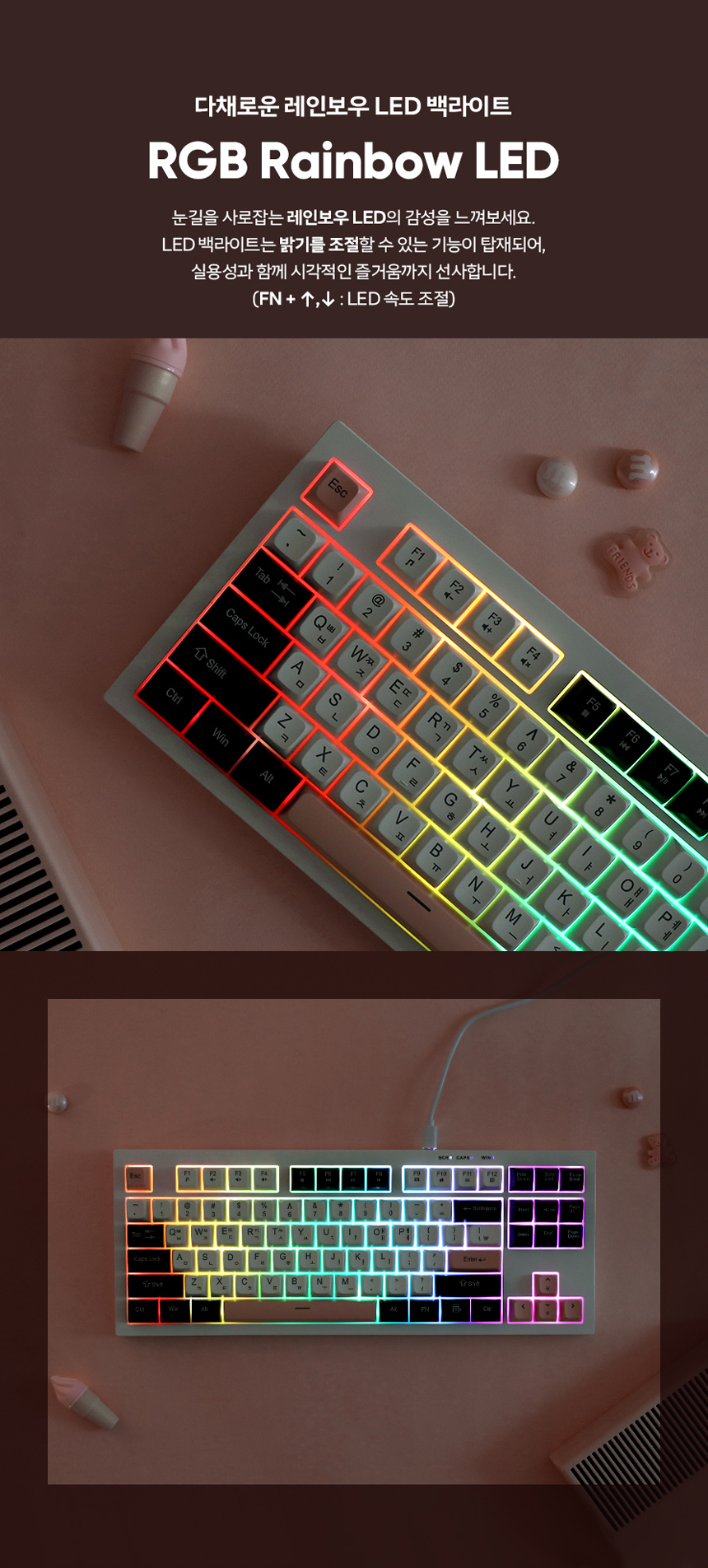
Figure 6: FN Key Combinations for Multimedia and Utility Functions
| Combinació de tecles | Funció |
|---|---|
| FN + F1 | Reproductor multimèdia |
| FN + F2 | Baixa el volum |
| FN + F3 | Puja el volum |
| FN + F4 | Silenciar |
| FN + F5 | Atureu-vos |
| FN + F6 | Pista anterior |
| FN + F7 | Reproduir/Pausa |
| FN + F8 | Pista següent |
| FN + F9 | Correu electrònic |
| FN + F10 | Pàgina d'inici |
| FN + F11 | Bloqueja totes les claus |
| FN + F12 | Calculadora |
RGB Rainbow LED Backlighting
The CMK87 features vibrant RGB Rainbow LED backlighting. You can adjust the LED speed using the following key combinations:
- FN + fletxa amunt: Augmenta la velocitat del LED
- FN + fletxa avall: Disminueix la velocitat del LED
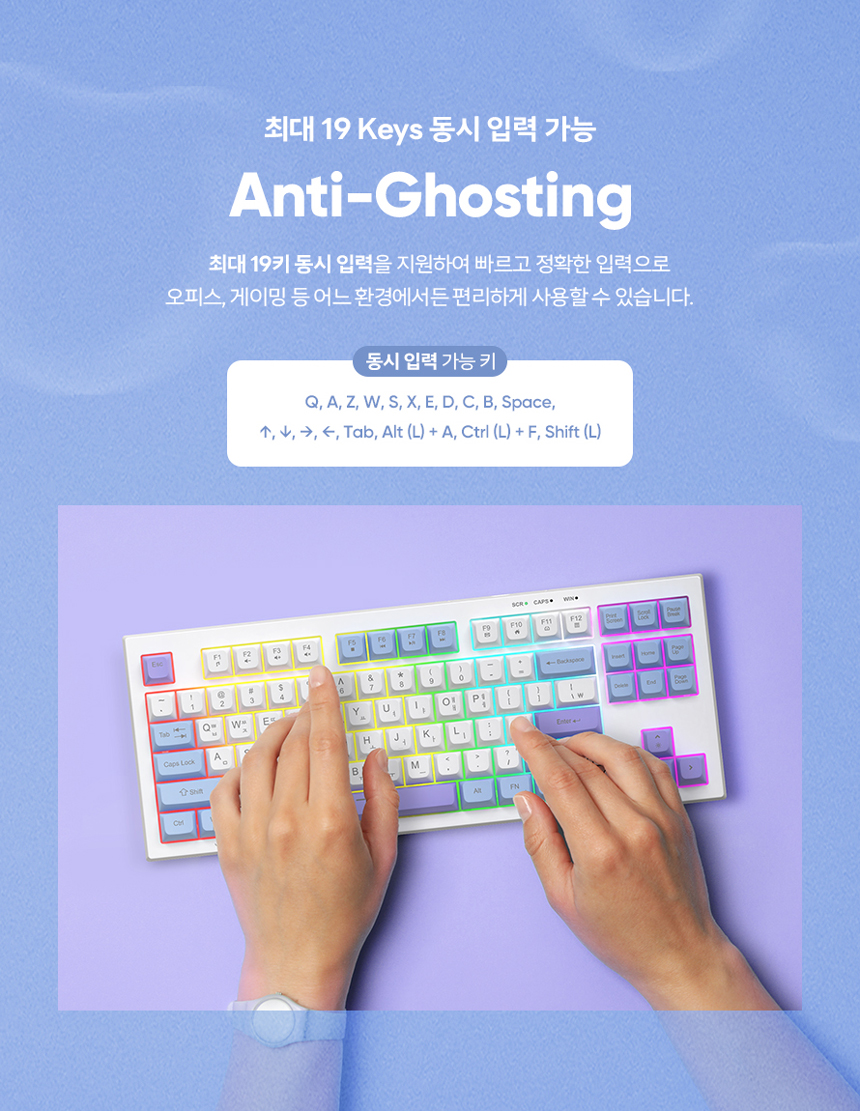
Figure 7: RGB Rainbow LED Backlighting in action
Anti-fantasma
The CMK87 supports up to 19 keys simultaneous input, ensuring accurate and fast input in various scenarios, including office work and gaming. This feature prevents 'ghosting' where key presses are not registered due to limitations in the keyboard's circuitry.
Keys supporting simultaneous input include: Q, A, Z, W, S, X, E, D, C, B, Space, Up Arrow, Down Arrow, Left Arrow, Right Arrow, Tab, Left Alt + A, Left Ctrl + F, Left Shift.
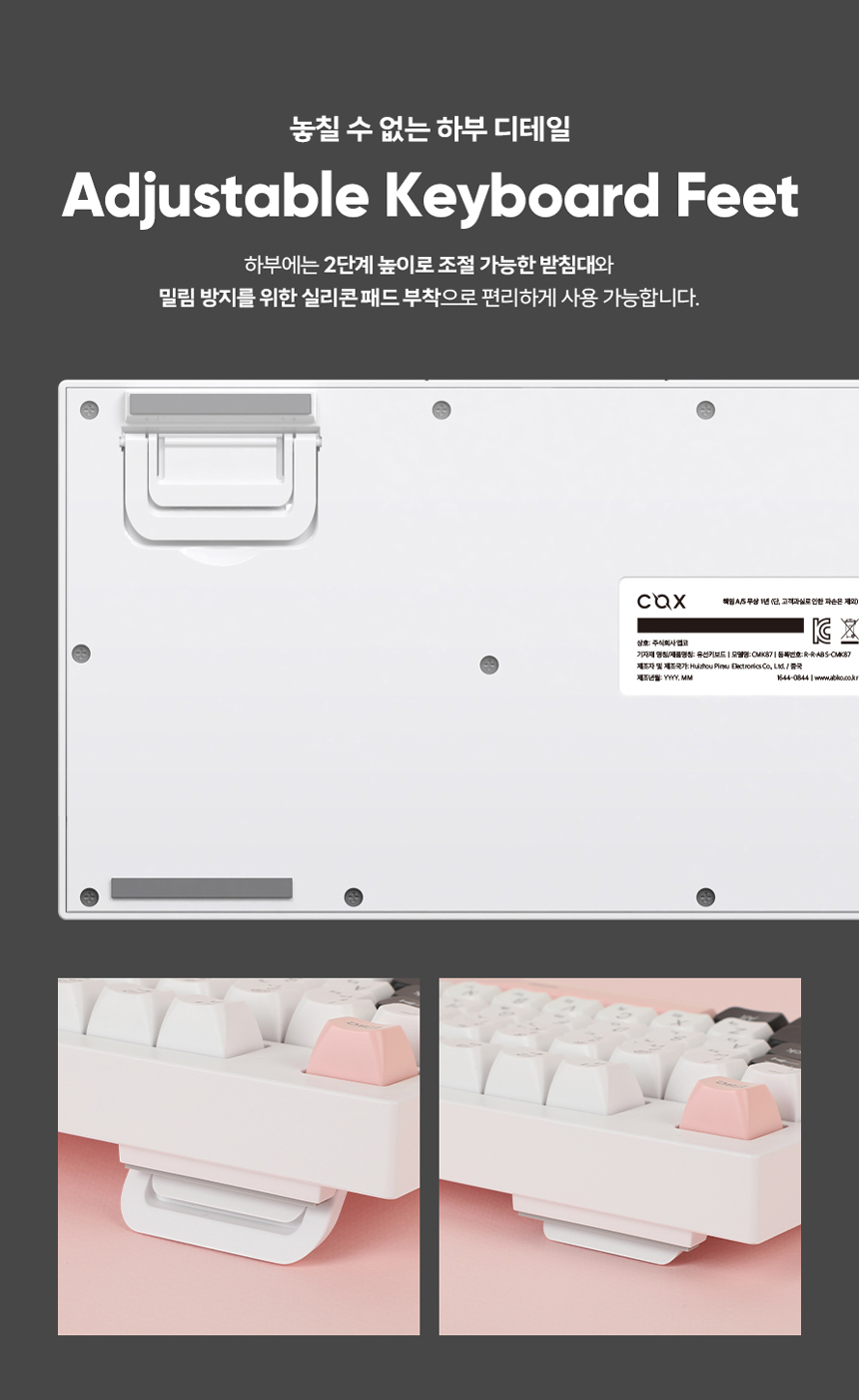
Figure 8: Anti-Ghosting capability for multiple key presses
Manteniment
Neteja
- To clean the keyboard, disconnect it from your computer.
- Utilitzeu un drap suau i sense pelusa lleugerament dampEsbandiu amb aigua o una solució netejadora suau per netejar les tecles i la superfície.
- Eviteu ruixar líquids directament sobre el teclat.
- Per a la pols i les restes entre les tecles, feu servir aire comprimit.
Stabilizer Oil Treatment
The CMK87 membrane keyboard undergoes a stabilizer oil treatment process, which provides a smoother key feel and minimizes typing noise compared to general membrane keyboards. This treatment is applied during manufacturing to enhance durability and user experience.
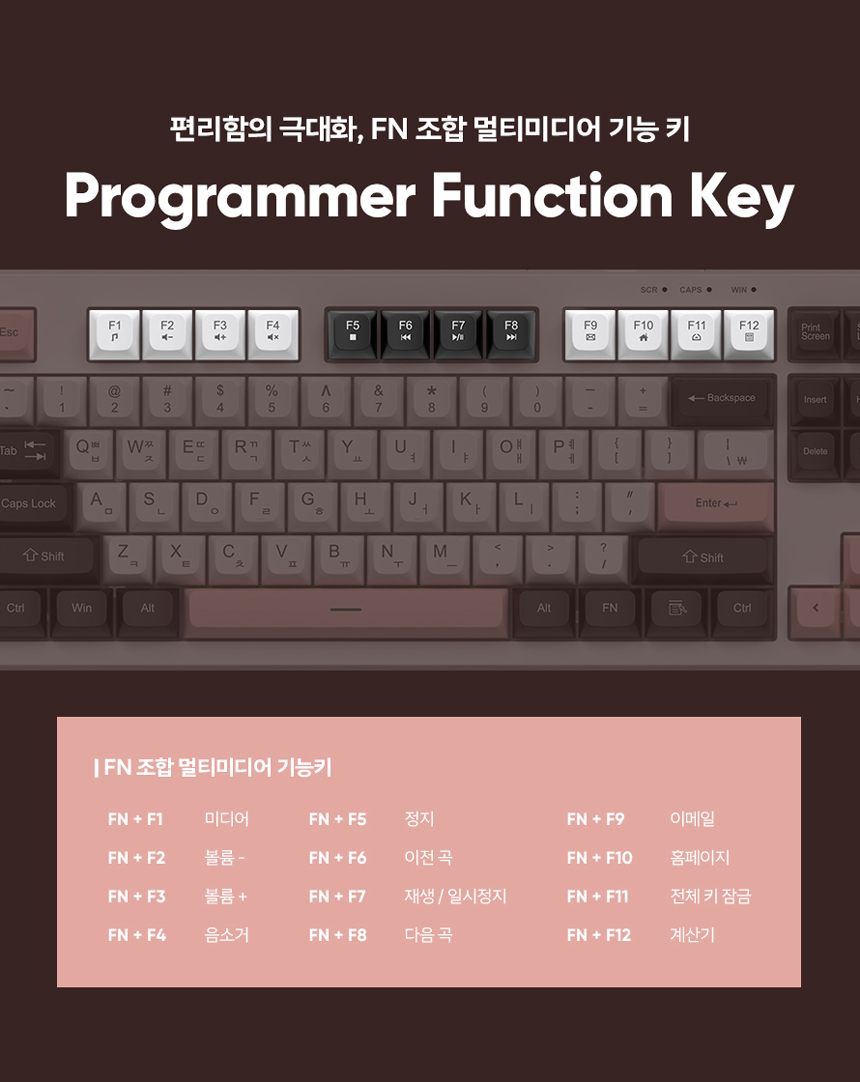
Figure 9: Detail of Stabilizer Oil Treatment
Resolució de problemes
- El teclat no respon:
- Assegureu-vos que el cable USB estigui connectat correctament tant al teclat com a l'ordinador.
- Prova de connectar el teclat a un port USB diferent de l'ordinador.
- Reinicieu l'ordinador.
- Claus que no es registren o queden sense res:
- While the CMK87 has anti-ghosting for up to 19 keys, excessive simultaneous key presses beyond this limit may still lead to unregistered inputs.
- Ensure no debris is lodged under the keycaps.
- Backlighting not working or behaving unexpectedly:
- Check if the keyboard is properly connected.
- Ensure no FN key combinations have inadvertently turned off or altered the lighting mode.
Especificacions
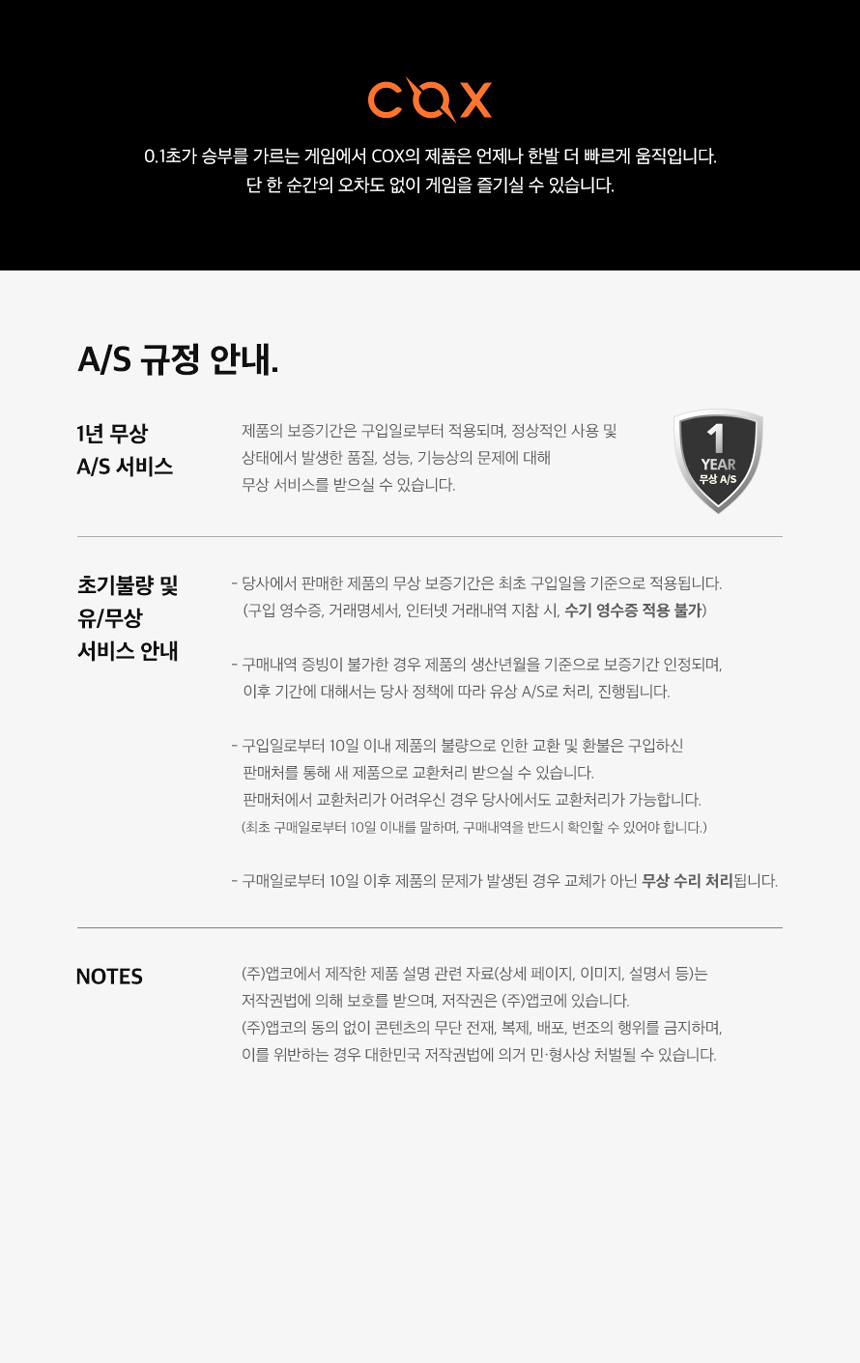
Figura 10: Especificacions detallades del producte
| Característica | Detall |
|---|---|
| Model | CMK87 TKL 3Tone Membrane Keyboard |
| Opcions de color | White Plate With 3color Keycaps / Olivia |
| Mida (L x A x A) | 365 x 140 x 41 mm |
| Pes | 663 (± 10) g (Without Cable) |
| Longitud del cable | 150 (± 5) cm |
| Tipus de canvi | Membrana |
| Material de claus | ABS (SA Type Profile) |
| Força operativa | 50 (± 20) gf |
| Disseny de claus | 87 claus |
| Il·luminació de fons | RGB Rainbow LED |
| Compatibilitat amb SO | Windows 95 / 98 / XP / 2000 / ME / VISTA / 7 / 8 / 10 / 11 |
| Interfície | USB tipus C |
| Certificació | KC: R-R-ABS-CMK87 |
Garantia i Suport
Informació de la garantia
The Cox CMK87 keyboard comes with a 1-year free After-Sales (A/S) service. This service covers defects in quality, performance, or function that occur under normal use conditions.
- Initial Defects (within 10 days of purchase): Products found to have initial defects within 10 days from the date of purchase are eligible for exchange or refund. Proof of purchase is required.
- After 10 days of purchase: For issues arising after 10 days from the date of purchase, the product will be handled as a repair service according to the company's A/S policy.
- Prova de compra: A valid purchase receipt or transaction history is required for all warranty claims.

Figure 11: Warranty Policy Overview
Atenció al client
For further assistance, technical support, or warranty claims, please contact your retailer or the manufacturer's customer service department. Refer to your purchase documentation for contact details.
Consells per a l'usuari
- Ergonomia: Utilize the adjustable keyboard feet to find a comfortable typing angle that reduces strain on your wrists.
- Gestió de cables: Ensure the USB Type-C cable is routed neatly to prevent accidental disconnections or damage.
- Neteja regular: Periodically clean your keyboard to prevent dust and debris buildup, which can affect key performance and longevity.