1. Introducció
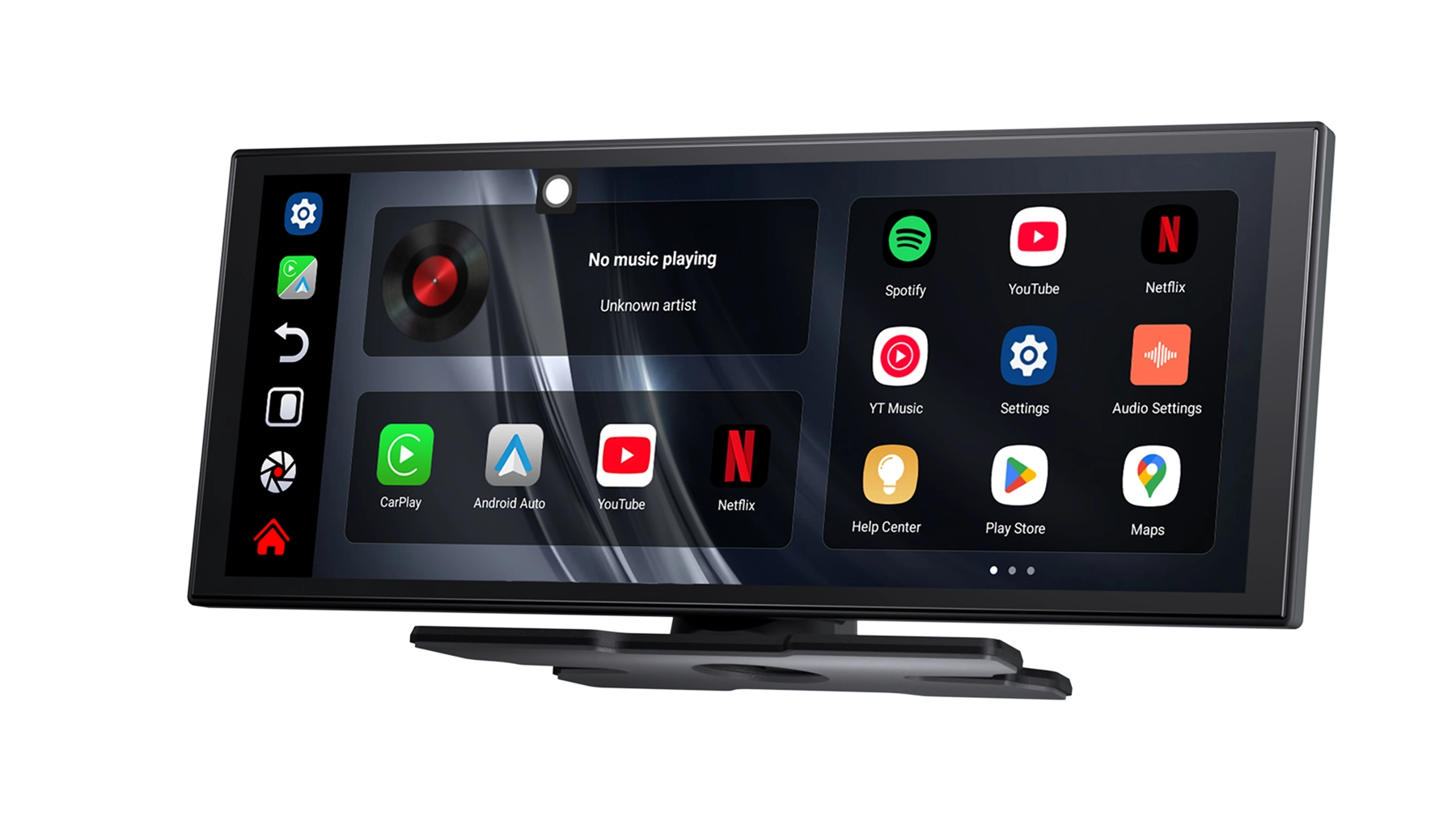
The Ottocast Ai 11.4" Wireless Carplay Screen is an advanced in-car display designed to enhance your driving experience with smart features, entertainment, and seamless connectivity. Powered by Android 15, it offers wireless CarPlay and Android Auto, a built-in AI assistant, and access to popular streaming apps like Netflix and YouTube. Its high-definition widescreen display and robust performance ensure a smooth and enjoyable journey.

2. Contingut del paquet
Marqueu la casella per als elements següents:
- Ottocast Ai 11.4" Wireless Carplay Screen
- Suport d’instal·lació
- Cable d'alimentació del carregador de cotxe
3. Especificacions
| Característica | Especificació |
|---|---|
| Sistema | Android 15 |
| Mida de la pantalla | 11.4 polzades |
| Resolució de visualització | 1920 x 720 píxels |
| Tecnologia de visualització | Slim Display with In-Cell Touch |
| Relació de contrast | 1:1000 |
| Brillantor | Daylight Visible 600 Cd/m2 |
| Processador | CPU de 8 nuclis |
| Memòria (RAM) | 4 GB |
| Emmagatzematge (ROM) | 64 GB |
| Connectivitat sense fil | Wi-Fi (5 GHz), Bluetooth (BT 4.0) |
| Entrada de potència | 5V/2A |
| Funcions suportades | Wireless CarPlay, Wireless Android Auto, Google Play Store, App Download, Built-in GPS, Mobile Phone Mirroring, MP3 players, Voice control, Reversing Input, Split Screen |
| Característiques especials | Built-In Speaker/Microphone, AI Assistant |
| Resolució de la càmera posterior | 1080P / 720P (AHD compatible) |
| Llengua | Global Language Support |
| Compatibilitat de vehicles | Universal |

4. Guia de configuració
4.1 Instal·lació
- Muntatge: Securely attach the Ottocast Ai screen to your car's dashboard or windshield using the provided installation bracket. Ensure it does not obstruct your view o interferir amb els airbags.
- Connexió d'alimentació: Connect the car charger power cable to the screen's power input (5V/2A) and plug the other end into your car's cigarette lighter socket.
- Encesa inicial: Once connected, the device should power on automatically or by pressing the power button.
4.2 Configuració inicial
- Selecció d'idioma: Segueix les instruccions que apareixen a la pantalla per seleccionar l'idioma que prefereixis.
- Connexió Wi-Fi: Connect the device to a stable Wi-Fi network for internet access, app downloads, and updates. Go to Settings > Network & Internet > Wi-Fi.
- Emparellament Bluetooth: To connect your smartphone or other Bluetooth devices, go to Settings > Connected devices > Bluetooth and pair your device.
5. Instruccions de funcionament
5.1 CarPlay sense fil i Android Auto
The Ottocast Ai supports seamless wireless connection to Apple CarPlay and Android Auto, allowing you to access your phone's features safely while driving.
- Assegureu-vos que el Bluetooth i la Wi-Fi estiguin activats al vostre telèfon intel·ligent.
- On the Ottocast screen, select the CarPlay or Android Auto icon.
- Follow the on-screen instructions to pair your phone. Once paired, your phone's interface will appear on the screen.

5.2 AI Assistant & Voice Control
Utilize the built-in AI assistant for hands-free control of various functions.
- Activate the AI assistant by saying "Hey Google" or "Hi Siri" (if connected via CarPlay).
- Give commands such as
Documents relacionats - Ottocast Ai 11.4" Wireless Carplay Screen

Manual d'usuari: Adaptador multimèdia tot en un
Manual d'usuari de l'adaptador multimèdia tot en un, que detalla les especificacions, el contingut, les interfícies, els diagrames de connexió, la interfície d'usuari, la configuració ràpida i les actualitzacions de firmware. Aquest adaptador permet la reproducció de vídeo en línia i fora de línia, la connectivitat Bluetooth i la connectivitat sense fil amb CarPlay/Android Auto en monitors de vehicles de sèrie.
Manual d'usuari de l'adaptador sense fil Ottocast P3 SE per a CarPlay i Android Auto
Manual d'usuari de l'Ottocast P3 SE, un adaptador sense fil que habilita la funcionalitat Apple CarPlay i Android Auto en vehicles. Més informació sobre la configuració, les funcions i la compatibilitat.
Manual d'usuari de l'adaptador automàtic Ottocast MirrorTouch
Manual d'usuari de l'adaptador automàtic Ottocast MirrorTouch, que cobreix la instal·lació, el CarPlay sense fil, la duplicació de pantalla per a iOS i Android, les actualitzacions de firmware i la resolució de problemes.
OttoAibox E2 User Manual: Wireless CarPlay and Android Auto Adapter
Comprehensive user manual for the Ottocast OttoAibox E2, detailing installation, setup, features, and troubleshooting for wireless CarPlay and Android Auto connectivity in vehicles. Includes setup guides for SIM, Wi-Fi, app management, and more.
Manual d'usuari: Adaptador multimèdia tot en un
Aquest manual d'usuari proporciona instruccions per a l'adaptador multimèdia tot en un, i detalla les seves especificacions, característiques, mètodes de connexió, interfície d'usuari, configuració i actualitzacions de firmware. Permet la reproducció de vídeo en línia i fora de línia en monitors de cotxe amb Apple CarPlay.
Preguntes freqüents sobre l'adaptador sense fil CarPlay U2-AIR PRO
Preguntes freqüents (FAQ) per a l'adaptador sense fil CarPlay OTTOCAST U2-AIR PRO. Trobeu solucions per a problemes de connexió, compatibilitat, problemes de rendiment i més.