1. Introducció
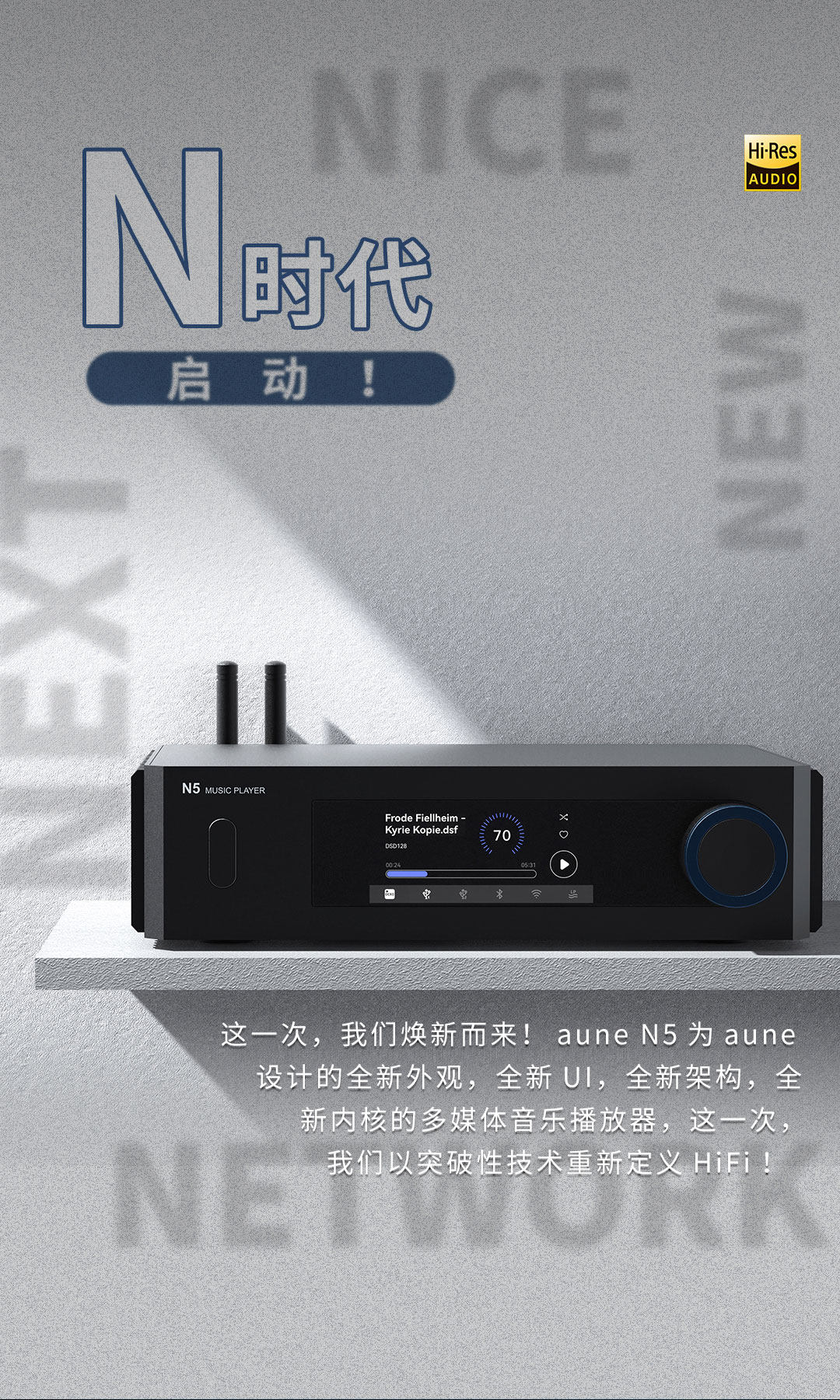
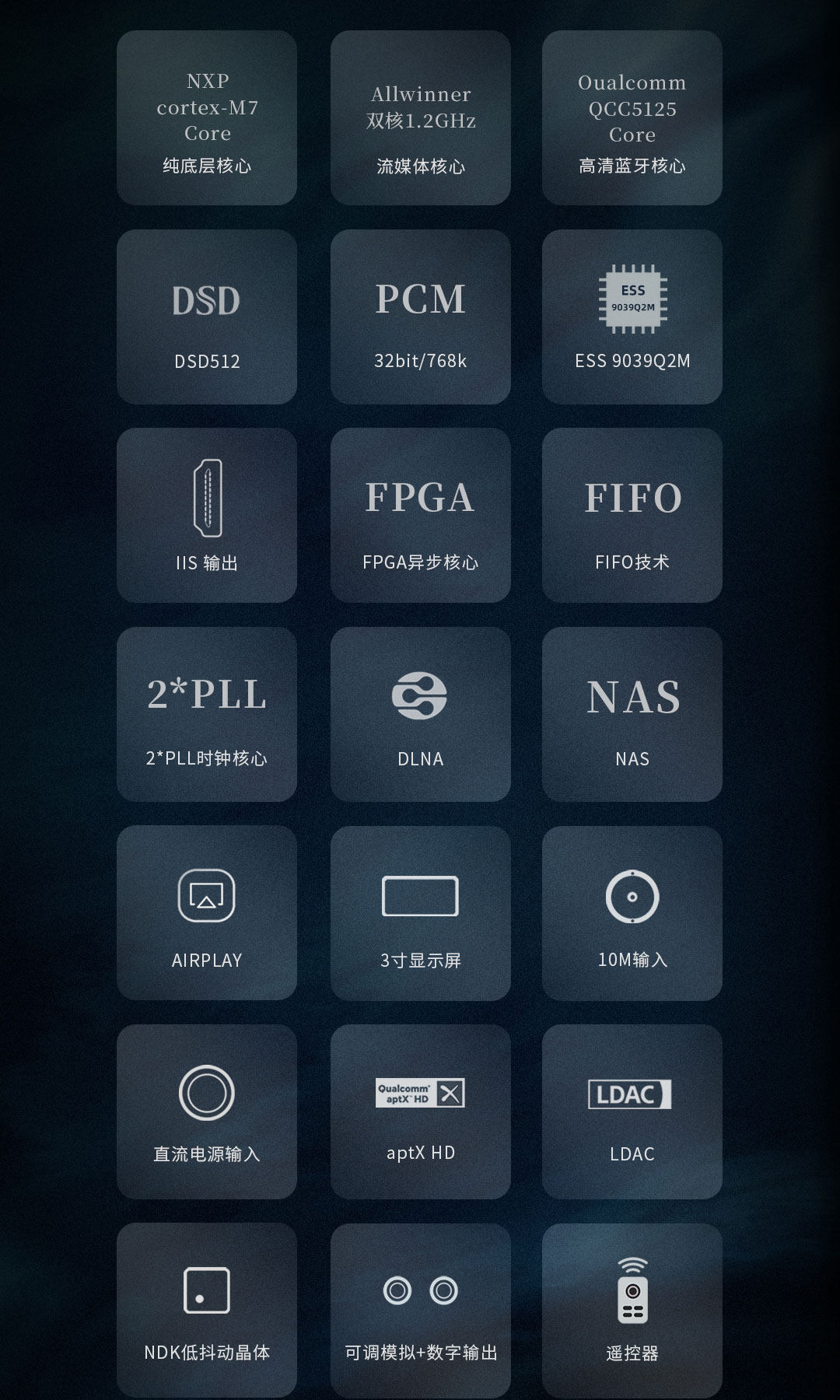
The AUNE N5 is a high-performance digital audio music player designed for audiophiles, offering advanced streaming capabilities, a high-fidelity DAC, and support for a wide range of audio formats. Featuring an ESS9039Q2M chip, it supports DSD512 and PCM 32bit 768kHz playback, along with WIFI and Bluetooth connectivity for versatile music enjoyment.

Davant view of the AUNE N5 Digital Audio Music Player.
2. Informació de seguretat
- Llegiu atentament totes les instruccions abans d'utilitzar el dispositiu.
- Manteniu el dispositiu allunyat de l'aigua, la humitat i les temperatures extremes.
- No intenteu desmuntar ni reparar el dispositiu vosaltres mateixos. Encarregueu tot el manteniment a personal qualificat.
- Feu servir només l'adaptador de corrent especificat.
- Assegureu-vos una ventilació adequada al voltant del dispositiu per evitar el sobreescalfament.
- Eviteu col·locar objectes pesats a sobre del dispositiu.
3. Contingut del paquet
Si us plau, comproveu que tots els articles estiguin presents al vostre paquet:
- AUNE N5 Main Unit x1
- Cable d'alimentació x1
- Control remot x1
- Battery x2 (for remote control)
- Antenna x2 (Bluetooth and/or WiFi, depending on model)
- Guia ràpida x1
Note: Specific accessories may vary slightly depending on the purchased model version (Standard, Bluetooth, or Streaming Media).
4. Producte acabatview
4.1 Tauler frontal
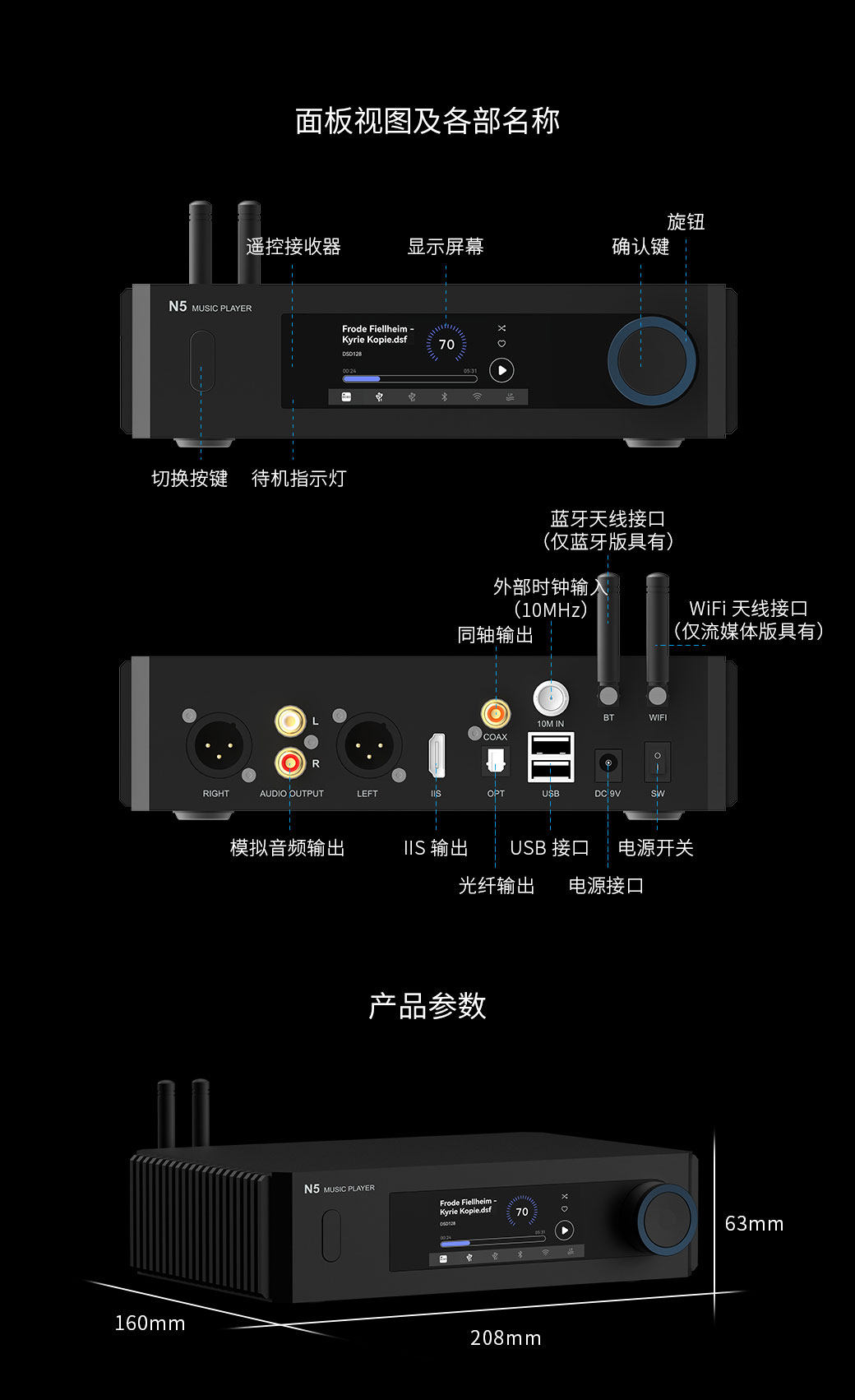
Disseny del panell frontal:
- Receptor remot
- Pantalla de visualització
- Knob (for navigation and volume)
- Confirm Button (integrated with knob)
- Switch Button (Power/Standby)
- Llum indicador d'espera
4.2 Panell posterior
Disseny del panell posterior:
- Analog Audio Output (XLR Left/Right)
- Analog Audio Output (RCA Left/Right)
- Sortida IIS
- Sortida òptica
- USB Interface (for external storage)
- Entrada d'alimentació DC 9V
- Interruptor d'alimentació
- 10M IN (External Clock Input)
- Sortida coaxial
- BT (Bluetooth Antenna Connector)
- WIFI (WiFi Antenna Connector)
4.3 Dimensions
The AUNE N5 measures approximately 208mm (Length) x 160mm (Width) x 63mm (Height).
5. Configuració
5.1 Connexió inicial
- Connecteu les antenes: Screw the provided Bluetooth and/or WiFi antennas into their respective connectors on the rear panel.
- Connexió d'alimentació: Connect the supplied power cable to the DC 9V input on the rear panel, then plug it into a suitable power outlet.
- Sortida d'àudio:
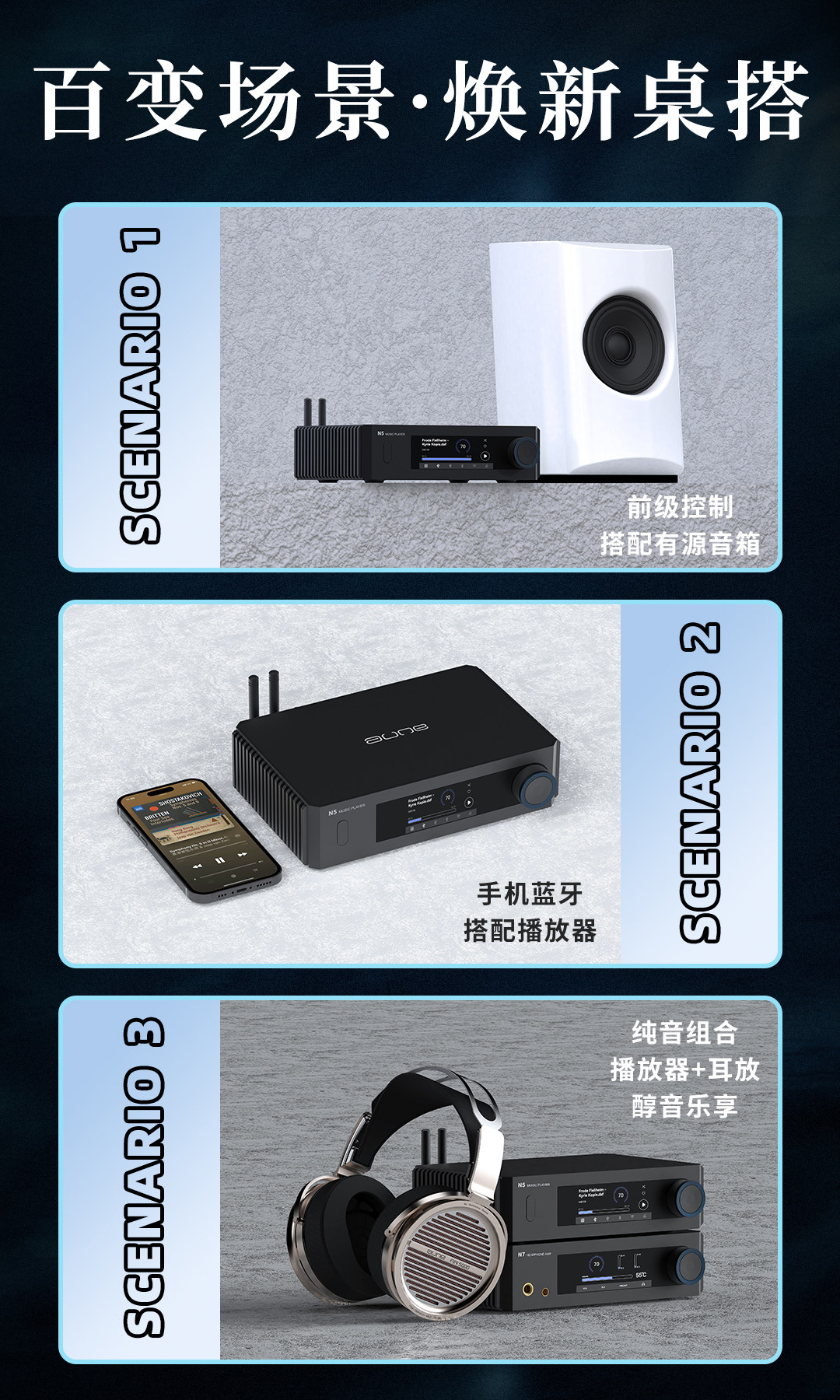
- Sortida analògica: Connecteu el vostre amplifier or active speakers to the RCA (Left/Right) or XLR (Left/Right) analog audio outputs using appropriate cables.
- Sortida digital: If using an external DAC, connect the N5's Coaxial, Optical, or HDMI-IIS output to your external DAC's corresponding input.
- External Storage (Optional): Connect a USB flash drive or hard disk (up to 2TB) to the USB interface on the rear panel for local music playback.
- External Clock (Optional): For enhanced precision, connect a 10MHz external clock to the "10M IN" input.
5.2 Network and Bluetooth Setup
- Encès: Flip the power switch on the rear panel to the 'ON' position, then press the front panel switch button to turn on the device.
- WiFi Connection (Streaming Media version):
- Navigate through the on-screen menu using the knob to find "Network Settings".
- Select "Wi-Fi" and choose your desired network. Enter the password if prompted.
- Bluetooth Pairing (Bluetooth & Streaming Media versions):
- Navigate to "Bluetooth Settings" on the N5's display.
- Enable Bluetooth and set the N5 to pairing mode.
- On your mobile device, search for "AUNE N5" and pair.
6. Instruccions de funcionament
6.1 Funcionament bàsic
- Encès/apagat: Use the rear power switch for main power. Use the front panel switch button for standby/wake.
- Navegació: Rotate the front knob to scroll through menus and options. Press the knob to confirm a selection.
- Control de volum: The knob also controls the digital output volume.
6.2 Reproducció de música
- Reproducció des d'una unitat USB: Inseriu una unitat USB amb música files into the rear USB port. The N5 will automatically detect and allow you to browse and play files.
- Network Streaming (Streaming Media version):
- Once connected to Wi-Fi, the N5 supports various streaming protocols like AirPlay2, Qplay, Spotify Connect, and Tidal Connect.
- You can also access music from a NAS (Network Attached Storage) audio player.
- The built-in iEAST APP supports various music services.
- Bluetooth Playback (Bluetooth & Streaming Media versions): After pairing your mobile device, you can stream audio wirelessly to the N5 using high-quality codecs like aptX HD and LDAC.
6.3 Aune Control APP
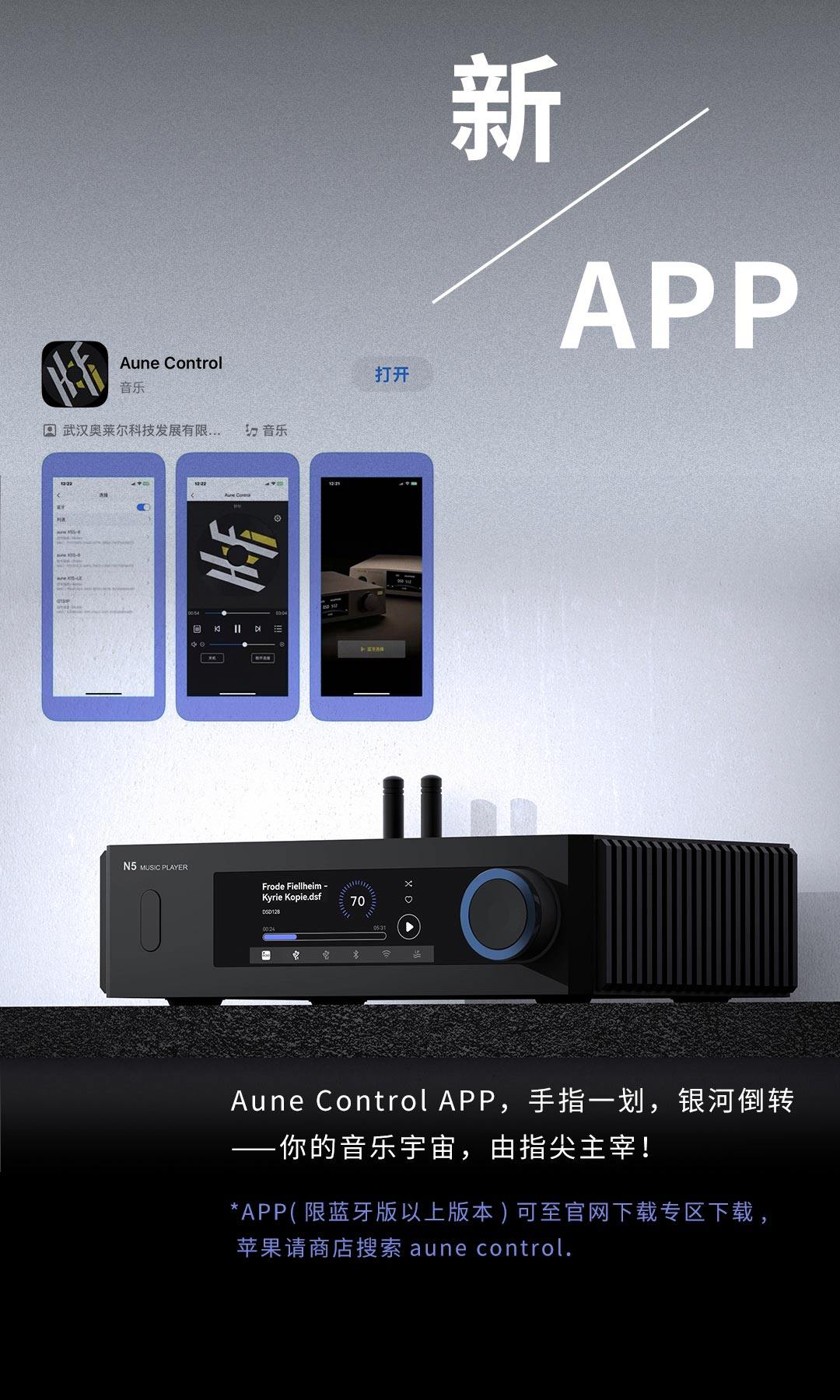
The Aune Control APP provides remote control and enhanced features for your N5. Download the app from the official Aune website or your device's app store (e.g., Apple App Store for iOS, Google Play Store for Android).
- Use the app to browse music, control playback, adjust settings, and manage network features.
- Ensure your N5 and mobile device are on the same network for optimal app functionality.
7. Manteniment
- Neteja: Feu servir un drap suau i sec per netejar l'exterior del dispositiu. No utilitzeu netejadors líquids ni dissolvents.
- Emmagatzematge: When not in use for extended periods, store the N5 in a cool, dry place, away from direct sunlight and dust.
- Actualitzacions de firmware: Periodically check the official AUNE weblloc web per a actualitzacions de firmware per garantir un rendiment òptim i l'accés a noves funcions.
8. Solució De Problemes
| Problema | Causa possible | Solució |
|---|---|---|
| Sense poder | Power cable not connected; Rear power switch off; Front switch button not pressed. | Ensure power cable is securely connected. Turn on the rear power switch. Press the front switch button. |
| Sense sortida de so | Incorrect audio cable connection; Volume too low; Wrong input selected on amplifier/DAC; Mute activated. | Check all audio connections. Increase volume. Select correct input on connected device. Check if N5 is muted. |
| No es pot connectar a la Wi-Fi | Incorrect password; Weak signal; Router issue. | Verify Wi-Fi password. Move N5 closer to router or ensure antenna is properly installed. Restart router. |
| L'aparellament de Bluetooth falla | N5 not in pairing mode; Device too far; Interference. | Ensure N5 is in Bluetooth pairing mode. Bring devices closer. Turn off other Bluetooth devices. |
| USB drive not recognized | Unsupported format; Drive corrupted; Drive too large (over 2TB). | Ensure USB drive is formatted correctly (e.g., FAT32, exFAT). Try a different USB drive. Check if drive capacity exceeds 2TB. |
9. Especificacions
| Característica | Detall |
|---|---|
| Número de model | aune N5 |
| Nom de marca | AUNE (GZDUOLAHRI) |
| Canals | 2 (2.0) |
| Xip DAC | ESS9039Q2M |
| Digital Output THD+N | -141.6dB (24bit/44.1k) |
| Digital Output Jitter | 171.5ps (24bit/44.1k) |
| Analog Output Frequency Response | ±0.5dB (20Hz-20kHz) |
| Analog Output Noise Floor | 2.5uV |
| Analog Output THD+N @1kHz | -107dB (24bit/44.1k@1kHz) |
| Coaxial/Optical Input Support | Fins a 192 kHz/24 bits, DoP64 |
| HDMI-IIS Input Support | Up to 768kHz/32bit, DSD512 |
| Supported DSD Formats | DSD64/128/256/512 |
| Supported PCM Formats | APE (192kHz/24bit MAX), FLAC (384kHz/32bit MAX), WAV (768kHz/32bit MAX), MP3/WMA/AAC (ALL), ALAC/AIFF/CUE (ALL) |
| Digital Output Interfaces | RCA Coaxial, Optical, HDMI-IIS |
| Analog Output Interfaces | RCA Analog, XLR Balanced |
| Entrada de rellotge externa | Supports 10MHz external clock |
| Interfícies sense fil | 2.4G Bluetooth, 2.4G WiFi (depending on model) |
| Dimensions (L x A x A) | 208 mm x 160 mm x 63 mm |
| Pes | 3 kg |
| paquet | Sí |
| Certificació | CE |
9.1 N5 Model Comparison
Comparison of N5 Standard, Bluetooth, and Streaming Media versions:
| Característica | N5 Standard | N5 Bluetooth | N5 Streaming Media |
|---|---|---|---|
| 2*USB/Hard Disk Input | Sí | Sí | Sí |
| 2*PLL | Sí | Sí | Sí |
| ES9039Q2M DAC | Sí | Sí | Sí |
| Digital Output Volume Control | Sí | Sí | Sí |
| Sortida RCA | Sí | Sí | Sí |
| Sortida XLR | No | Sí | Sí |
| Entrada de rellotge externa | Sí | Sí | Sí |
| HI musician UI | No | Sí | Sí |
| Bluetooth (APTX HD+LDAC) | No | Sí | Sí |
| Multimèdia en streaming | No | No | Sí |
| PCM768K Support | No | Sí | Sí |
| DSD512 Support | No | Sí | Sí |
| Dedicated APP | No | Sí | Sí |
10. Consells d'usuari
- For the best audio quality, use high-resolution audio files and quality interconnect cables.
- Experiment with different output options (RCA, XLR, digital) to find the best match for your audio system.
- Keep the firmware updated to benefit from performance improvements and new features.
- When using streaming services, a stable and fast internet connection is recommended for uninterrupted playback.
11. Garantia i Suport
AUNE products are designed for reliability and performance. For warranty information, technical support, or service inquiries, please refer to the official AUNE weblloc web o poseu-vos en contacte amb el vostre distribuïdor autoritzat. Conserveu el rebut de compra com a comprovant de compra per a reclamacions de garantia.


