Introducció
This manual provides detailed instructions for the setup, operation, and maintenance of your Panasonic DMR-E20S DVD Recorder and Player. The DMR-E20S is designed for recording high-quality MPEG2 video on both DVD-RAM and DVD-R discs, and for playing various digital entertainment formats.
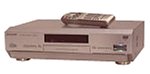
Davant view of the Panasonic DMR-E20S DVD Recorder and Player in silver.
Configuració
Before operating your DMR-E20S, ensure it is properly connected to your television and other audio/video components.
Col·locació física
Place the unit on a stable, level surface. Ensure adequate ventilation around the unit. The product dimensions are approximately 14 x 17 x 4.75 inches, and it weighs about 12.4 pounds.
Connexió al vostre sistema
Use the appropriate cables to connect the DMR-E20S to your television and audio system. The unit supports the following connector types:
- RCA: For standard audio and composite video connections.
- Jack de 3.5 mm: For specific audio connections.
- Vídeo compost: For video output to a television.
- RCA Audio: For stereo audio output to an amplifier or television.
- Sortida d'àudio digital òptic: For Dolby Digital and DTS surround sound to a compatible receiver.
Refer to the connection diagrams in the full printed manual for detailed setup instructions.
Instruccions de funcionament
Gravació
The DMR-E20S records high-quality MPEG2 video onto both DVD-RAM and DVD-R discs. It offers five recording modes, allowing you to choose between better video quality or longer recording times.
- Time Slip Playback: This feature allows you to begin watching a program from the beginning while the unit continues to record the program in progress.
- Direct Navigator: Easily locate desired programs on a disc, even on heavily used ones.
- Rapid Random Access: Jump directly to any point on a disc to begin playback or recording immediately.
- Playlist Function: Perform simple non-linear video editing, such as rearranging scenes, skipping unwanted sections, and creating custom playlists. Original scenes on the disc remain unaltered.
Reproducció
The unit functions as a versatile DVD player, supporting various media formats:
- Discs DVD-Vídeo
- CD d'àudio
- CD de vídeo
- CD-R/CD-RWs
- DVD-R discs recorded with this unit
- DVD-RAM discs (playback on compatible DVD-RAM players or PCs with appropriate drives and software)
For audio, the DMR-E20S passes Dolby Digital and DTS surround sound through its optical digital-audio output to a compatible surround-decoding receiver.
Consideracions importants
- The unit is not designed to play MP3-encoded CDs.
- All audio recordings are compressed with Dolby Digital 2.0. CD-quality PCM audio recording is not supported.
Manteniment
To ensure optimal performance and longevity of your Panasonic DMR-E20S, follow these maintenance guidelines:
- Neteja: Feu servir un drap suau i sec per netejar l'exterior de la unitat. No utilitzeu netejadors líquids ni aerosols, ja que poden danyar l'acabat o els components interns.
- Cura del disc: Handle discs by their edges to avoid fingerprints and scratches. Store discs in their cases when not in use.
- Ventilació: Ensure that the ventilation openings on the unit are not blocked. Overheating can lead to malfunctions.
- Potència: Desconnecteu el cable d'alimentació de la presa de corrent si no heu d'utilitzar la unitat durant un període prolongat.
Resolució de problemes
If you encounter issues with your DMR-E20S, refer to the following common problems and solutions:
- La unitat no s'encén:
Assegureu-vos que el cable d'alimentació estigui ben connectat tant a la unitat com a una presa de corrent que funcioni.
- Disc not recognized or playback issues:
Check if the disc is clean and free of scratches. Ensure the disc type is supported by the unit (e.g., not an MP3 CD). For DVD-RAM discs, try opening and closing the disc tray and reinserting the disc.
- Recording failures or unit shuts off during recording:
Verify that the disc has sufficient free space and is not write-protected. Ensure the disc is compatible for recording (DVD-R or DVD-RAM). If the issue persists, try a different disc or consult Panasonic customer support.
- Sense àudio o àudio distorsionat:
Check all audio cable connections. Ensure your amplifier or TV is set to the correct input. Verify that the volume is not muted or set too low.
For more complex issues, refer to the comprehensive troubleshooting section in the full product manual or contact Panasonic customer support.
Especificacions
| Característica | Detall |
|---|---|
| Marca | Panasonic |
| Nom del model | DMR-E20S |
| Color | Plata |
| Pes de l'article | 12.4 lliures |
| Dimensions del producte | 14 x 17 x 4.75 polzades |
| Tipus de suport | DVD (DVD-RAM, DVD-R, DVD-Video, Audio CD, Video CD, CD-R/CD-RW) |
| Característiques especials | Recording, Surround Sound, Time Slip Playback, Direct Navigator, Rapid Random Access |
| Tipus de connector | RCA, 3.5mm Jack, Optical Digital Audio |
| Tecnologia de connectivitat | Composite Video, RCA Audio |
| Mode de sortida d'àudio | Estèreo, Envoltant |
| Format d'àudio compatible | Dolby Digital, DTS, FLAC (for playback, recording is Dolby Digital 2.0) |
Garantia i Suport
Informació de la garantia
The Panasonic DMR-E20S typically comes with a 1-year limited warranty from the date of purchase. Please retain your proof of purchase for warranty claims. For specific terms and conditions, refer to the warranty card included with your product or visit the official Panasonic support weblloc.
Atenció al client
For technical assistance, service, or further inquiries, please contact Panasonic customer support. Contact information can typically be found on the Panasonic official weblloc web o a la documentació que s'inclou amb la unitat.
Avís legal
ALERTA AL CONSUMIDOR: Aquest receptor de televisió només té un sintonitzador d'emissió analògica i necessitarà un convertidor després del 17 de febrer de 2009 per rebre emissions per aire amb una antena a causa de la transició dels EUA a la radiodifusió digital. Els televisors només analògics haurien de continuar funcionant com abans amb serveis de televisió per cable i satèl·lit, consoles de jocs, reproductors de vídeo, reproductors de DVD i productes similars. Per a més informació, truqueu a la Comissió Federal de Comunicacions al 1-888-225-5322 (TTY: 1-888-835-5322) o visiteu el lloc web de televisió digital de la comissió. Web lloc a: www.dtv.gov.


