1. Informació important de seguretat
Please read all instructions carefully before operating your Thomson RR 68 M clock. Keep this manual for future reference.
- No exposeu el rellotge a temperatures extremes, llum solar directa ni humitat elevada.
- Eviteu deixar caure el rellotge o sotmetre'l a impactes forts.
- Do not attempt to disassemble or modify the clock. This will void the warranty.
- Feu servir només el tipus de pila especificat. Assegureu-vos de la polaritat correcta en inserir les piles.
- Traieu les piles si no fareu servir el rellotge durant un període prolongat per evitar fuites.
2. Producte acabatview
Familiarize yourself with the components of your Thomson RR 68 M clock.
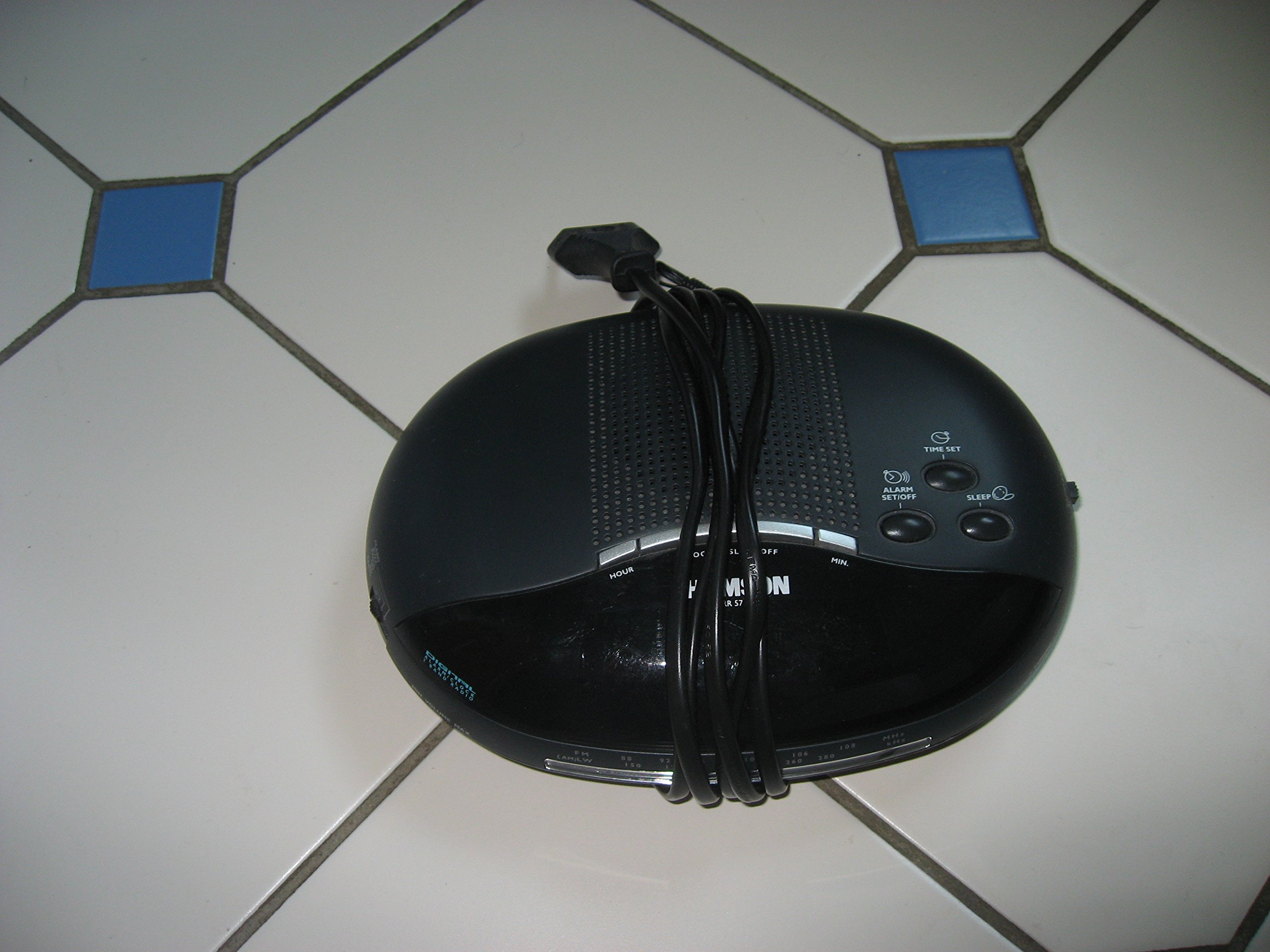
Imatge 1: Davant view of the Thomson RR 68 M clock, showing the digital display and control buttons. This image illustrates the compact design suitable for tabletop placement.
2.1 Contingut del paquet
- Thomson RR 68 M Clock Unit
- Manual d'usuari (aquest document)
3. Configuració
3.1 Engegar el rellotge
The Thomson RR 68 M clock operates on batteries (not included). Ensure you have the correct type and quantity of batteries before proceeding.
- Locate the battery compartment cover on the back or bottom of the clock.
- Traieu la tapa del compartiment de la bateria fent-la lliscar o desenganxant-la.
- Insert the required batteries, paying close attention to the polarity markings (+ and -) inside the compartment.
- Replace the battery compartment cover securely. The clock display should now illuminate.
4. Instruccions de funcionament
4.1 Configuració de l'hora
To set the current time on your Thomson RR 68 M clock:
- Locate the 'SET' or 'MODE' button, usually on the back or side of the clock. Press and hold this button for a few seconds until the hour digits begin to flash.
- Use the '+' or 'HOUR' button to adjust the hour. Press repeatedly to advance the hour.
- Press the 'SET' or 'MODE' button again. The minute digits will begin to flash.
- Use the '+' or 'MINUTE' button to adjust the minutes. Press repeatedly to advance the minutes.
- Press the 'SET' or 'MODE' button one last time to confirm the time setting and exit the setting mode. The display will stop flashing.
Note: This model does not feature an alarm function.
5. Manteniment
5.1 Neteja
Per mantenir l'aspecte del rellotge:
- Netegeu l'exterior del rellotge amb un drap suau i sec.
- No utilitzeu netejadors abrasius, dissolvents ni esprais químics, ja que poden danyar l'acabat.
5.2 Substitució de la bateria
When the display dims or the clock stops functioning, it is time to replace the batteries. Follow the steps in Section 3.1 to replace the old batteries with new ones. Dispose of used batteries responsibly according to local regulations.
6. Solució De Problemes
If you encounter issues with your Thomson RR 68 M clock, refer to the following common problems and solutions:
6.1 Clock Display is Blank or Dim
- Comproveu les bateries: Ensure batteries are inserted correctly with the correct polarity. Replace with fresh batteries if necessary.
- Compartiment de la bateria: Verifiqueu que la tapa del compartiment de la bateria estigui ben tancada.
6.2 L'hora és incorrecta
- Temps de restabliment: Follow the instructions in Section 4.1 to manually set the time.
- Potència de la bateria: If the time frequently resets or loses accuracy, the batteries may be low and require replacement.
7. Especificacions
| Número de model | RR 68 M |
| Marca | THOMSON |
| Tipus de muntatge | Taula |
| Font d'alimentació | Piles (no incloses) |
| Funció d'alarma | No |
8. Informació de la garantia
Specific warranty details for the Thomson RR 68 M clock are not provided within this user manual. Please refer to the product packaging, the point of purchase, or the official Thomson weblloc web per consultar els termes i condicions complets de la garantia.
9. Atenció al client
For further assistance, technical support, or inquiries regarding your Thomson RR 68 M clock, please visit the official Thomson website or contact their customer service department. Contact information is typically available on the manufacturer's weblloc o embalatge del producte.


