1. Introducció
This manual provides essential information for the setup, operation, maintenance, and troubleshooting of your Microsoft Wheel Optical Mouse, Model D66-00069. Please read this manual thoroughly to ensure optimal performance and longevity of your device.
2. Configuració
Follow these steps to connect your Microsoft Wheel Optical Mouse to your computer.
2.1 Requisits del sistema
- PC: Windows XP (Pentium 233-MHz or faster), Windows 2000 (Pentium 133 MHz or higher processor), Windows ME/98 (Pentium 133 MHz or higher processor), Windows NT 4.0 SP Pack 6 or later (Pentium 133 MHz or higher processor).
- 25 MB of available hard-disk space.
- CD-ROM drive (for software installation, if applicable).
- Microsoft Internet Explorer version 5.0 or later (to view Ajuda files).
- An available PS/2 or Universal Serial Bus (USB) port.
- Mac: 15MB free Hard Drive space, Mac OS X version 10.1 to 10.1.3 (excluding 10.0), Mac OS 8.6 to 9.x, CD-ROM drive, An available Universal Serial Bus (USB) port.
2.2 Connexió del ratolí
- Locate an available USB or PS/2 port on your computer.
- Insert the mouse connector into the appropriate port. The mouse is plug-and-play, meaning it should be recognized automatically by your operating system.
- If prompted, follow any on-screen instructions for driver installation. For advanced customization, install the provided software from the CD-ROM drive.
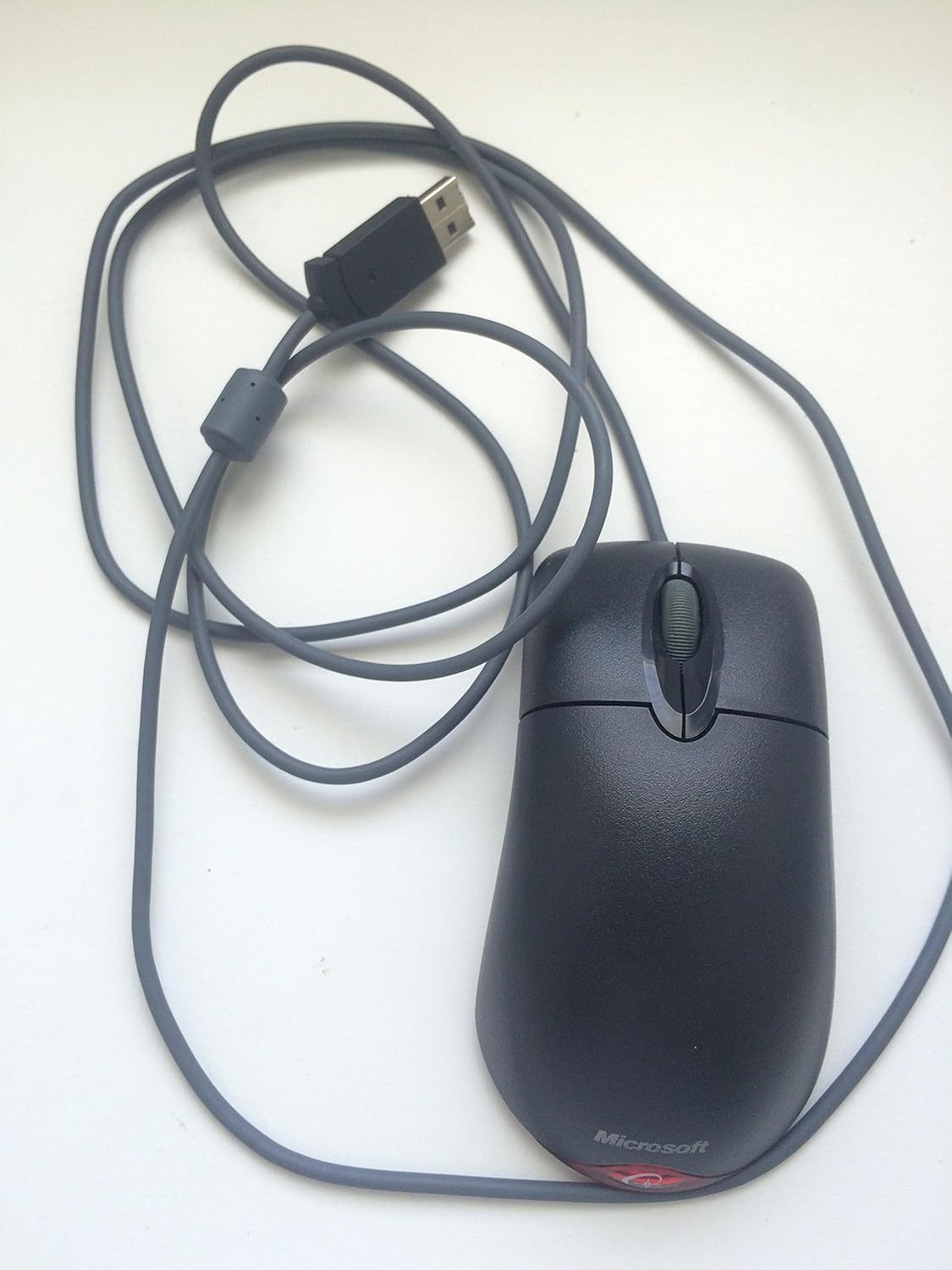
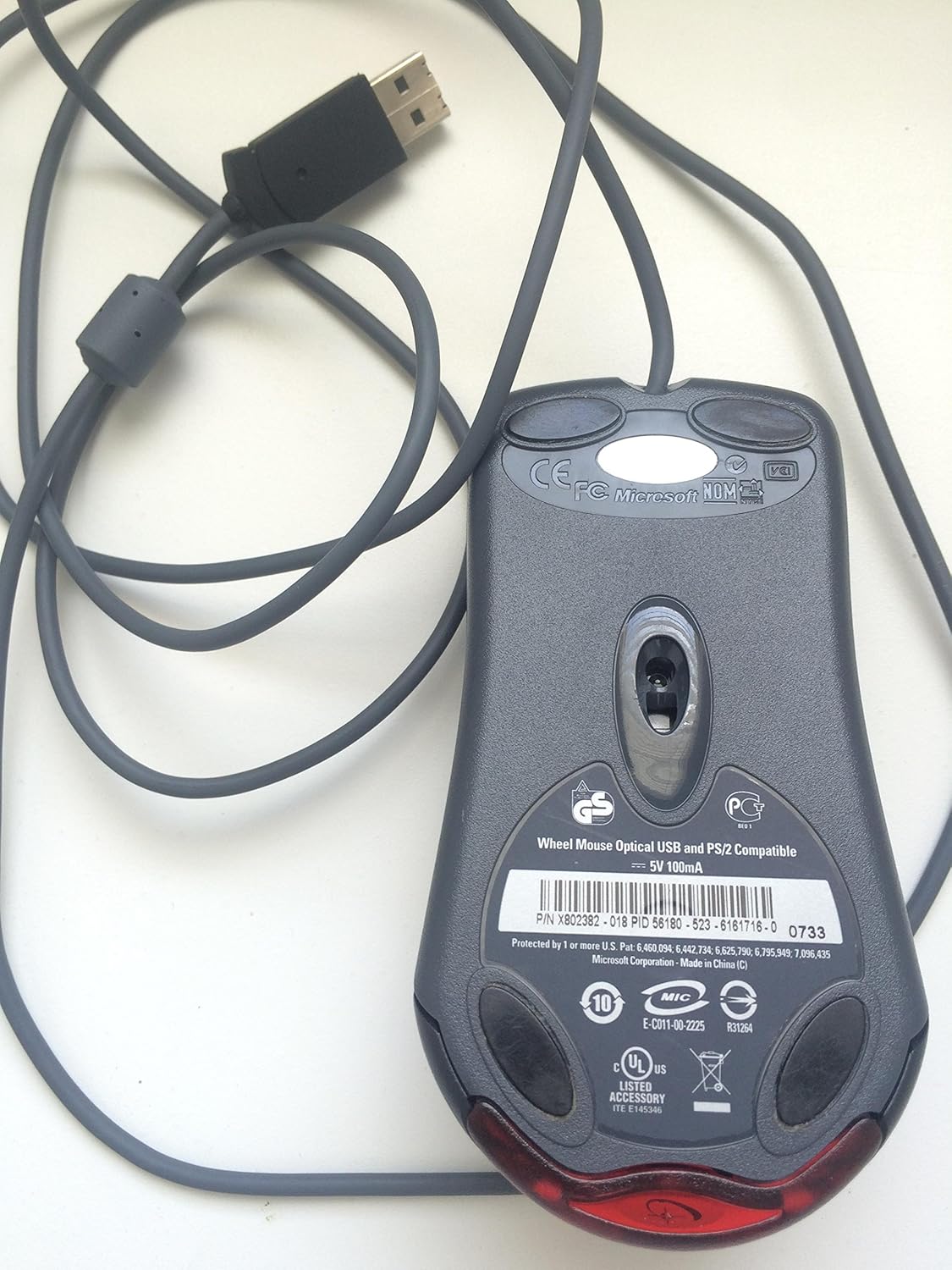
Aquest vídeo ofereix una visió generalview of the Microsoft Wheel Optical Mouse, demonstrating its physical features and basic functionality.
3. Funcionament del ratolí
The Microsoft Wheel Optical Mouse is designed for intuitive and precise control.
3.1 Funcions bàsiques
- Botó esquerre del clic: S'utilitza per seleccionar elements, obrir files, i activant funcions.
- Botó del botó dret: Used to open context menus for additional options.
- Roda de desplaçament: Gireu la roda amunt o avall per desplaçar-vos pels documents i web pages. Press the wheel down to activate the customizable middle-click function, often used for auto-scrolling or opening links in new tabs.
3.2 IntelliEye Optical Technology
The mouse utilizes IntelliEye optical technology, which tracks mouse movement 6000 times per second. This provides smooth, precise motion on almost any surface, eliminating the need for a mouse pad in most cases.
3.3 Customizable Buttons
The buttons and scroll wheel can be customized using the Microsoft mouse software. This allows you to assign new commands or repetitive tasks to suit your workflow, such as opening a file or web page with a single click.
4. Manteniment
To ensure the longevity and optimal performance of your mouse, follow these simple maintenance guidelines:
- Neteja: Utilitzeu un drap suau i sense pelusa dampNetegeu la superfície del ratolí amb aigua o una solució de neteja suau. Eviteu productes químics agressius o materials abrasius.
- Sensor òptic: Keep the optical sensor on the underside of the mouse clean and free from dust or debris. Do not attempt to open the mouse casing.
- Cura del cable: Avoid sharply bending or twisting the mouse cable to prevent internal damage.
5. Solució De Problemes
If you encounter issues with your Microsoft Wheel Optical Mouse, try the following solutions:
- El ratolí no respon:
- Ensure the USB or PS/2 connector is securely plugged into the correct port on your computer.
- Try plugging the mouse into a different USB or PS/2 port.
- Reinicieu l'ordinador.
- Moviment erràtic del cursor:
- Netegeu el sensor òptic de la part inferior del ratolí.
- Ensure you are using the mouse on a suitable surface. Highly reflective or transparent surfaces may cause issues.
- Check for any software conflicts or outdated drivers. Reinstalling the mouse software may resolve the issue.
- Els botons o la roda de desplaçament no funcionen:
- Verify that the mouse software is correctly installed and configured.
- Test the mouse on another computer to determine if the issue is with the mouse or your system.
6. Especificacions
| Característica | Detall |
|---|---|
| Marca | Microsoft |
| Sèrie | Wheel Mouse Optical |
| Número de model | D66-00069 |
| Plataforma de maquinari | PC, tauleta |
| Compatibilitat de sistemes operatius | Mac OS X v10.1x–10.4x, Windows Vista/XP/Pro/Home/Media Center Edition/Tablet PC Edition/Windows 2000 SP4 + |
| Pes de l'article | 14.2 unces |
| Dimensions del producte (LxWxH) | 9.5 x 9 x 2.25 polzades |
| Color | Negre |
| Font d'alimentació | Elèctric amb cable |
| Tecnologia de connectivitat | USB |
| Tecnologia de detecció de moviment | Òptic |
7. Informació de la garantia
Aquest producte ve amb un 3 any de garantia del fabricant. For specific terms and conditions, please refer to the warranty documentation included with your purchase or visit the official Microsoft support weblloc.
Avís legal: This product is sold as is.
8. Suport
For further assistance, technical support, or to download the latest drivers and software, please visit the official Microsoft support website or contact their customer service. Ensure you have your product model number (D66-00069) available when seeking support.


