1. Introducció
This manual provides essential information for the proper installation, operation, and maintenance of your Thomson ANT85 Indoor Antenna. Please read this manual thoroughly before using the product to ensure optimal performance and safety.
The Thomson ANT85 is an amplified indoor antenna designed to receive UHF television signals. Its 36 dB amplification enhances signal strength, providing improved reception for your television or set-top box.
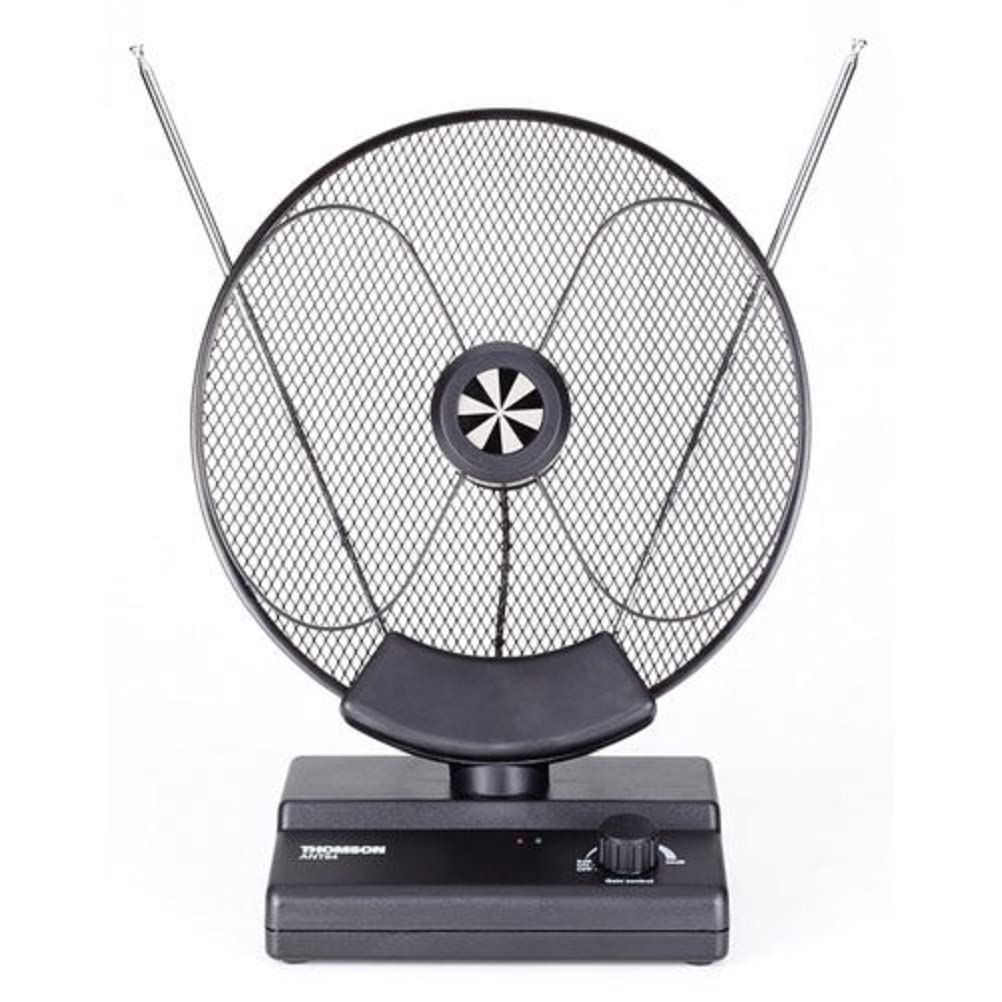
Image of the Thomson ANT85 indoor antenna, a black, amplified UHF antenna designed for television signal reception.
2. Informació de seguretat
- This antenna is designed for només per a ús interior. Do not expose it to rain, moisture, or extreme temperatures.
- Ensure the power adapter (if supplied) is connected to a readily accessible power outlet.
- Do not attempt to open or modify the antenna. Refer all servicing to qualified personnel.
- Keep the antenna away from heat sources such as radiators, heat registers, stoves, or other apparatus (including amplificadors) que produeixen calor.
- Netegeu només amb un drap sec. No utilitzeu netejadors líquids ni aerosols.
3. Contingut del paquet
Si us plau, comproveu el contingut del paquet en desempaquetar-lo:
- Thomson ANT85 Indoor Antenna
- Adaptador d'alimentació (si inclòs)
- Coaxial Cable (75 Ohms)
- Manual d'usuari (aquest document)
4. Configuració
- Connecteu l'antena: Connect the coaxial cable from the ANT85 antenna to the 'ANT IN' or 'RF IN' port on your television or digital set-top box.
- Connectar l'alimentació: If your antenna requires external power for amplification, connect the provided power adapter to the antenna's power input and then plug it into a wall outlet. Ensure the power indicator light on the antenna (if present) illuminates.
- Posició de l'antena: Place the antenna in a location where it can receive the best possible signal. Generally, higher positions, near a window, and away from large metal objects or other electronic devices, are ideal. Experiment with different orientations (e.g., rotating the antenna) to find the optimal signal strength.
- Realitza l'escaneig de canals: Access your TV's or set-top box's menu and navigate to the 'Channel Setup' or 'Auto Program' section. Select 'Antenna' or 'Air' as the signal source and initiate a channel scan. This process will detect and save available channels.
5. Funcionament
Once the setup is complete and channels are scanned, you can begin watching television. If you experience poor reception on certain channels, try the following:
- Slightly adjust the antenna's position or orientation.
- Perform another channel scan after adjusting the antenna.
- Ensure no new obstructions (e.g., furniture, appliances) are blocking the signal path.
6. Manteniment
- Neteja: Disconnect the antenna from power before cleaning. Use a soft, dry cloth to wipe the antenna's surface. Do not use abrasive cleaners, solvents, or harsh chemicals.
- Emmagatzematge: If storing the antenna for an extended period, disconnect all cables and store it in a cool, dry place, away from direct sunlight and extreme temperatures.
7. Solució De Problemes
| Problema | Causa possible | Solució |
|---|---|---|
| Sense senyal o mala qualitat d'imatge | Incorrect antenna positioning; loose cable connections; TV not set to antenna input; no power to ampmés viu. | Adjust antenna position and orientation; ensure all cables are securely connected; select 'Antenna' or 'Air' input on your TV; verify power adapter is connected and working. Perform a channel scan. |
| Few channels found during scan | Antenna not optimally positioned; signal interference; weak broadcast signal in your area. | Try different antenna locations and orientations, especially near windows. Ensure no large electronic devices are too close. Consider checking local signal availability online. |
| Antenna power indicator not lit | L'adaptador de corrent no està connectat o està defectuós; la presa de corrent no funciona. | Check power adapter connection to antenna and wall outlet. Try a different power outlet. |
8. Especificacions
- Model: ANT85
- Tipus: Antena interior
- Amplificació: 36 dB
- Interval de freqüència: UHF
- Impedància: 75 ohms
- Color: Negre
- Fabricant: Thomson
9. Garantia i Suport
Information regarding specific warranty terms and conditions for the Thomson ANT85 antenna is not available in the provided product details. For warranty claims or technical support, please refer to the documentation included with your purchase or contact the retailer where the product was acquired.
For general inquiries, you may also visit the official Thomson weblloc o poseu-vos en contacte amb el seu departament d'atenció al client.


