Introducció
This manual provides comprehensive instructions for the setup, operation, maintenance, and troubleshooting of your Logitech G Cordless Rumblepad 2. Please read this manual thoroughly before using the device to ensure optimal performance and longevity.
The Logitech Cordless Rumblepad 2 offers a wireless gaming experience with vibration feedback, designed for PC and Mac compatibility. It features 2.4 GHz cordless technology for a 30-foot range and dual vibration motors for immersive gameplay.
Contingut del paquet
Abans de començar, assegureu-vos que tots els elements estiguin presents al paquet:
- Logitech Cordless Rumblepad 2
- Receptor sense fil de 2.4 GHz
- Two (2) AA Batteries
- Documentació d'usuari (aquest manual)
- Gaming Software CD (or download instructions)
- Informació de la garantia
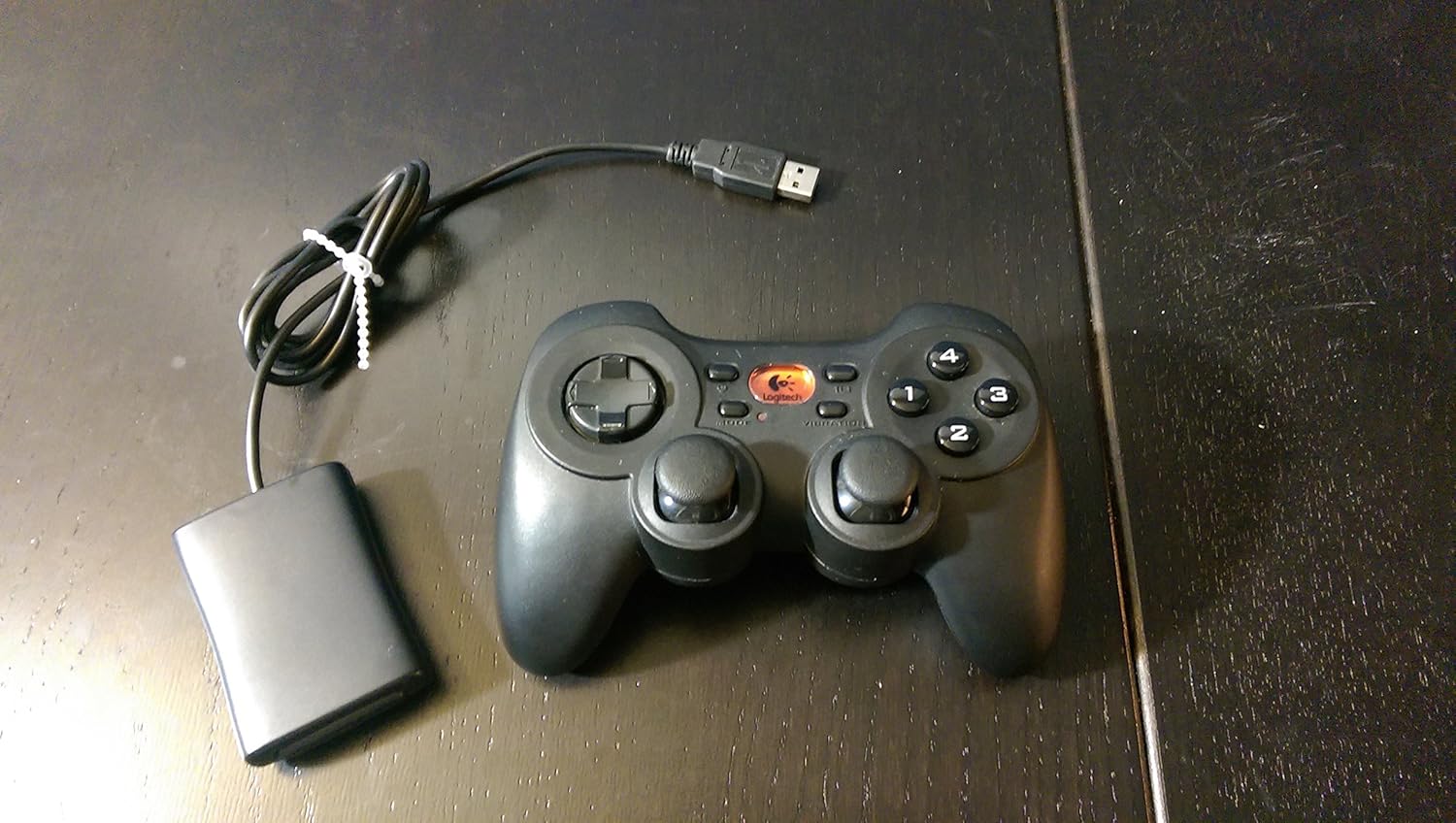
Image: The Logitech G Cordless Rumblepad 2 gamepad shown alongside its compact USB wireless receiver.
Configuració
1. Instal·lació de la bateria
- Locate the battery compartment on the underside of the Cordless Rumblepad 2.
- Obriu la tapa del compartiment de la bateria.
- Introduïu les dues (2) piles AA, assegurant-vos de la polaritat correcta (+/-) tal com s'indica a l'interior del compartiment.
- Tanqueu bé la tapa del compartiment de la bateria.
2. Connexió del receptor sense fil
- Plug the 2.4 GHz wireless receiver into an available USB port on your PC or Mac.
- Allow your operating system to detect and install the necessary drivers. This process may take a few moments.

Imatge: Un primer pla view of the compact Logitech 2.4 GHz wireless receiver, which connects to a computer's USB port.
3. Instal·lació del programari (opcional, recomanada)
For full functionality, including button customization and game profiles, install the Logitech gaming software:
- Insert the provided gaming software CD into your computer's optical drive.
- Seguiu les instruccions a la pantalla per completar la instal·lació.
- Alternativament, descarregueu el programari més recent del suport oficial de Logitech. weblloc.
Operating the Cordless Rumblepad 2
Disseny i funcions del controlador

Imatge: Un professional lateralfile view of the Logitech G Cordless Rumblepad 2, highlighting its ergonomic design and button placement.
The Cordless Rumblepad 2 features a familiar button layout for intuitive control:
- Duals sticks analògics: Provide smooth 360-degree control for precise movement and camera control.
- 8-Way D-Pad: For directional input, commonly used in fighting games or menu navigation.
- 10 Programmable Action Buttons: Customizable buttons for in-game actions.
- Botó de mode: Toggles between different controller modes or profiles.
- Vibration Selector: Activates or deactivates the dual vibration feedback motors.
Feedback de vibracions
The dual vibration feedback motors provide tactile sensations for in-game events such as hits, crashes, and explosions. Ensure the Vibration Selector is enabled for this feature to function.
Gestió d'energia
The Cordless Rumblepad 2 is designed for extended battery life, offering up to 100 hours of gameplay. To conserve battery power, the gamepad will enter a low-power state after a period of inactivity. Press any button to reactivate it.
Manteniment
- Neteja: Feu servir un drap suau i sec per netejar la superfície del gamepad. Per a la brutícia persistent, netegeu lleugerament.amp es pot fer servir un drap, però assegureu-vos que no entri humitat al dispositiu. Eviteu netejadors o dissolvents abrasius.
- Substitució de la bateria: Replace AA batteries when the gamepad's performance degrades or it fails to power on. Always use fresh, high-quality batteries.
- Emmagatzematge: When not in use for extended periods, remove the batteries to prevent leakage and store the gamepad and receiver in a cool, dry place away from direct sunlight.
Resolució de problemes
| Problema | Causa possible | Solució |
|---|---|---|
| Gamepad not responding. | Low or dead batteries. Receiver not connected or recognized. Out of range. | Replace batteries. Ensure receiver is securely plugged into a USB port. Move closer to the receiver (within 30 feet). |
| La resposta per vibració no funciona. | Vibration feature disabled. Game does not support vibration. Software issue. | Check the Vibration Selector button on the gamepad. Verify game compatibility. Reinstall Logitech gaming software. |
| Buttons or analog sticks are unresponsive or sticky. | Dirt or debris under buttons. Hardware malfunction. | Clean the gamepad thoroughly. If problem persists, contact Logitech support. |
| Interference or lag. | Other wireless devices nearby. Obstructions. | Move the receiver to a different USB port, preferably one with a clear line of sight to the gamepad. Minimize other 2.4 GHz wireless devices in the area. |
Especificacions
- Nom del model: Rumblepad sense fil 2
- Número de model: 963326-0403
- Connectivitat: Sense fil de 2.4 GHz
- Interval sense fil: Fins a 30 peus (10 metres)
- Tipus de bateria: 2 x piles AA
- Durada estimada de la bateria: Fins a 100 hores
- Feedback de vibració: Dual motors
- Controls: 2 Analog Sticks, 8-Way D-Pad, 10 Programmable Action Buttons, Mode Button, Vibration Selector
- Dispositius compatibles: PC, Mac
- Dimensions del producte: 9 x 8.5 x 3.25 polzades (aproximadament)
- Pes de l'article: 8.8 unces (aproximadament)
- Fabricant: Logitech G
- Primer disponible: 20 de novembre de 2006
Informació de la garantia
The Logitech G Cordless Rumblepad 2 comes with a limited hardware warranty. Please refer to the warranty information included in your product package or visit the official Logitech support website for detailed terms and conditions, including warranty period and claim procedures.
Suport
Per obtenir més ajuda, assistència tècnica o per descarregar els controladors i el programari més recents, visiteu el lloc web d'assistència oficial de Logitech. weblloc. També hi podeu trobar preguntes freqüents i fòrums de la comunitat.
Suport Logitech Weblloc: www.logitech.com/support


