Introducció
This manual provides comprehensive instructions for the Audiovox APS95BT2 2-Button Code Learning Transmitter. This device is designed as a replacement remote for compatible Prestige/Audiovox alarm systems, offering reliable control over your vehicle's security features. It is a 2-button transmitter capable of operating on a maximum of 3 RF channels.
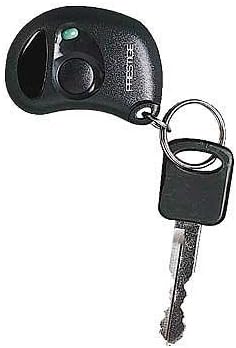
Image: The Audiovox APS95BT2 2-Button Code Learning Transmitter, a compact black remote with two buttons and a small LED indicator, attached to a keyring with a car key.
Configuració i Programació
The APS95BT2 transmitter requires programming to synchronize with your vehicle's alarm system. Programming instructions are included with the product. For optimal results, it is recommended to consult your specific vehicle alarm system's manual for detailed programming steps, as procedures can vary.
General Programming Steps (Consult your system's manual for specifics):
- Locate the programming button or switch on your vehicle's alarm control module. This is often found under the dashboard or near the fuse box.
- Turn the vehicle's ignition key to the ON position.
- Press and release the programming button/switch a specific number of times as indicated by your alarm system's manual (e.g., 3 times). The system may respond with a chirp or LED flash.
- Within a few seconds, press any button on the new APS95BT2 transmitter. The system should respond with a chirp, confirming successful programming.
- If programming multiple transmitters, repeat step 4 for each additional transmitter.
- Turn the ignition key to the OFF position to exit programming mode.
Nota: If you are programming multiple transmitters, ensure all existing and new transmitters are programmed during the same session. Programming a new transmitter without re-programming existing ones may cause the older transmitters to lose their programming.
Instruccions de funcionament
The APS95BT2 transmitter features two primary buttons for controlling your vehicle's alarm system.
- Button 1 (Lock/Arm): Typically used to arm the alarm system and lock the vehicle's doors. Pressing this button will usually result in a single chirp from the alarm system and a flash of the vehicle's parking lights.
- Button 2 (Unlock/Disarm): Typically used to disarm the alarm system and unlock the vehicle's doors. Pressing this button will usually result in two chirps from the alarm system and a flash of the vehicle's parking lights.
Specific functions may vary slightly depending on the configuration of your Prestige/Audiovox alarm system. Refer to your alarm system's manual for a complete list of functions and their corresponding button presses.
Manteniment
Substitució de la bateria:
The APS95BT2 transmitter includes a remote battery. When the transmitter's range decreases significantly or the LED indicator (if present) fails to light up, it may be time to replace the battery. The battery type is typically a standard coin cell battery (e.g., CR2032), but it is advisable to check the existing battery upon opening the casing.
- Obriu amb cura l'emissor casing, usually by prying it apart at a seam with a small flat-head screwdriver or a specialized tool.
- Note the orientation of the existing battery before removing it.
- Inseriu la bateria nova amb la polaritat correcta.
- Snap the transmitter casintorneu a unir-se de manera segura.
Eliminar les piles velles de manera responsable d'acord amb la normativa local.
Resolució de problemes
| Problema | Causa possible | Solució |
|---|---|---|
| Transmitter does not work after programming. | Incorrect programming steps followed; battery low or dead; transmitter not compatible with system. |
|
| Existing transmitters stopped working after programming a new one. | Not all transmitters were programmed during the same session. | Reprogram all transmitters (new and old) in a single programming session. |
| Rang de funcionament reduït. | Low battery; environmental interference. |
|
Especificacions
- Model: APS95BT2
- Marca: Audiovox
- Tipus de transmissor: 2-Button Code Learning Transmitter
- Identificador FCC: ELVAT5C
- Canals RF: Maximum 3 RF Channel Capable
- Dimensions: Aproximadament 1.25 x 3.88 x 3.88 polzades
- Pes: Aproximadament 0.8 unces
- Font d'alimentació: Remote battery (included)
- Dispositius compatibles: Prestige/Audiovox car alarm systems
Informació de la garantia
The Audiovox APS95BT2 transmitter comes with a Garantia limitada de 60 mesos. This warranty typically covers defects in materials and workmanship under normal use. For specific terms, conditions, and claim procedures, please refer to the warranty documentation provided with your purchase or contact Audiovox customer support.
Suport i Contacte
For further assistance, technical support, or inquiries regarding your Audiovox APS95BT2 transmitter, please contact Audiovox customer service or visit their official website. Ensure you have your product model number (APS95BT2) and any relevant purchase information ready when seeking support.
Official Audiovox Weblloc: www.audiovox.com


