1. Producte acabatview
The Scosche I335 Hookup 3.5mm Auxiliary Audio Cable is designed to transmit audio signals between devices equipped with standard 3.5mm audio jacks. This 3-foot (approximately 0.91 meters) cable provides a reliable connection for various audio applications, including connecting portable media players to car stereos, home audio systems, or headphones.
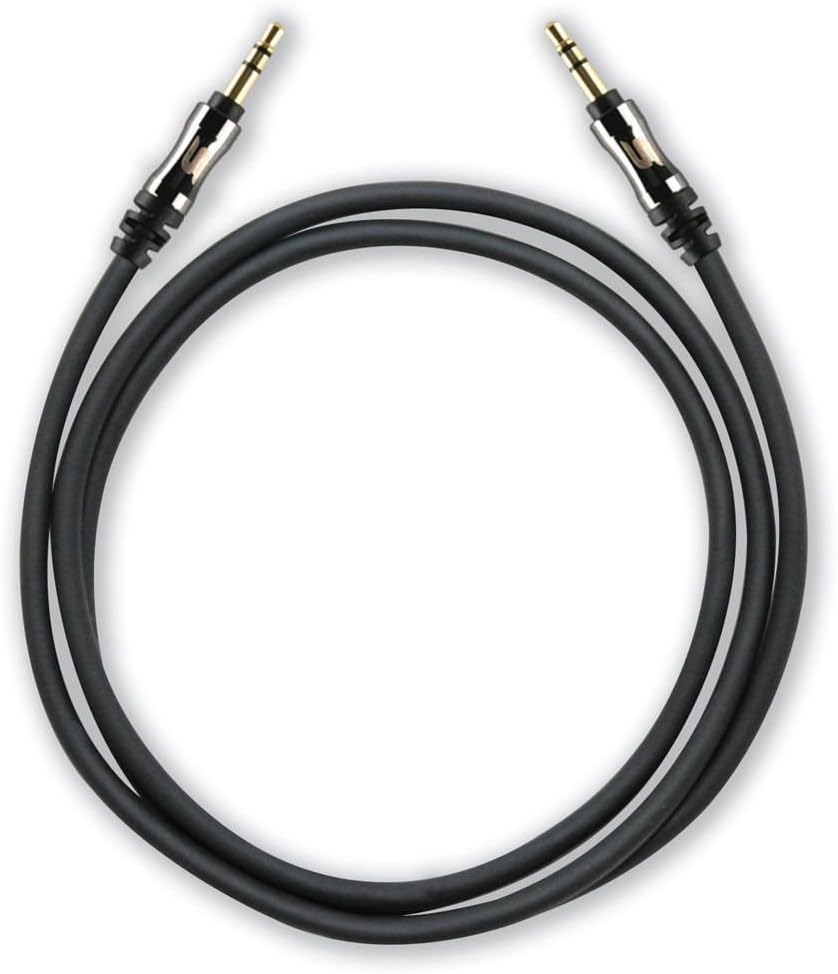
A coiled black 3-foot Scosche I335 auxiliary audio cable with gold-plated 3.5mm male connectors on both ends.
1.1 Contingut del paquet
- 1 x Scosche I335 Hookup 3.5mm Auxiliary Audio Cable (3-foot, Black)
- 1 x Cable Extension Adapter
2. Configuració i connexió
2.1 Connecting the Auxiliary Cable
- Identifica els ports d'àudio: Locate the 3.5mm audio output port on your source device (e.g., smartphone, MP3 player) and the 3.5mm audio input port on your destination device (e.g., car stereo, speaker system). These ports are typically labeled as 'AUX OUT', 'HEADPHONE', or 'AUX IN'.
- Connect Cable Ends: Insert one end of the Scosche I335 auxiliary cable into the 3.5mm audio output port of your source device.
- Connexió segura: Insert the other end of the auxiliary cable into the 3.5mm audio input port of your destination device. Ensure both connectors are fully inserted for a secure connection.

This image displays a close-up of the 3.5mm audio jack, highlighting its design with integrated strain relief for enhanced durability and a secure connection.
2.2 Using the Extension Adapter
The included extension adapter allows for increased cable length or conversion of one male end to a female port, enabling connection to another 3.5mm male cable.
- Connecteu el cable a l'adaptador: Insert one male end of the Scosche I335 auxiliary cable into one end of the extension adapter.
- Connect Second Cable (Optional): If extending the cable, connect another 3.5mm male-to-male cable into the other end of the extension adapter.
- Connecta't al dispositiu: Connect the remaining free end of the cable setup to your audio device.

The image shows the Scosche 3.5mm auxiliary cable connected to the included extension adapter, demonstrating how to extend the cable's reach or convert one end to a female port.
3. Instruccions de funcionament
Once the auxiliary cable is securely connected between your audio source and destination devices:
- Seleccioneu l'entrada: On your destination device (e.g., car stereo, home receiver), select the 'AUX' or 'Line-In' input source. Refer to your device's manual for specific instructions on input selection.
- Reproduir àudio: Begin playing audio from your source device.
- Ajustar el volum: Adjust the volume on both your source device and destination device to achieve the desired audio level. It is often recommended to set the source device's volume to about 75-80% of its maximum and then control the main volume from the destination device.
4. Manteniment i cura
Proper care of your auxiliary cable will ensure its longevity and optimal performance:
- Eviteu corbes pronunciades: Do not bend the cable sharply, especially near the connectors, as this can damage the internal wiring.
- Emmagatzema correctament: When not in use, coil the cable loosely and store it in a clean, dry place away from extreme temperatures.
- Connectors nets: Si els connectors semblen bruts, netegeu-los suaument amb un drap sec i sense borrissol. Eviteu utilitzar líquids o productes de neteja abrasius.
- Manejar amb cura: Agafeu sempre la carcassa del connector quan connecteu o desconnecteu el cable, en comptes de tirar del cable en si.
5. Solució De Problemes
If you encounter issues with your Scosche I335 auxiliary cable, try the following solutions:
- Sense so:
- Ensure both ends of the cable are fully inserted into their respective ports.
- Verify that the correct input source (AUX/Line-In) is selected on your destination device.
- Check the volume levels on both the source and destination devices.
- Test the cable with different devices to rule out an issue with the cable itself or the connected devices.
- Mala qualitat del so (estàtica, distorsió, baix volum):
- Assegureu-vos que totes les connexions estiguin segures i lliures de residus.
- Adjust the volume levels on both devices; sometimes setting the source volume too high or too low can cause distortion.
- Check if the cable is damaged (e.g., visible fraying, kinks).
- Assegureu-vos que el cable no estigui a prop de fonts d'interferència electromagnètica fortes.
- El cable no encaixa:
- Confirm that both devices have standard 3.5mm audio jacks. This cable is not compatible with other jack sizes (e.g., 2.5mm, 6.35mm).
- If using a phone case, ensure it does not obstruct the 3.5mm port, preventing full insertion of the connector.
6. Especificacions
| Característica | Detall |
|---|---|
| Marca | Scosche |
| Número de model | I335 |
| Tipus de connector | Auxiliar (3.5 mm) |
| Tipus de cable | AUX |
| Longitud del cable | 3 peus (aprox. 0.91 metres) |
| Color | Negre |
| Connector Gènere | Mascle a Mascle |
| Forma | Ronda |
| Dispositius compatibles | Any device with a 3.5mm female port |
| Característica especial | Extension adapter included |
| Pes de l'article | 2.4 unces (aproximadament 68 grams) |
| Dimensions del producte | 2.75 x 1.12 x 7 polzades (embalatge) |
7. Garantia i atenció al client
7.1 Informació de la garantia
Scosche products are designed for quality and durability. For specific warranty terms and conditions applicable to your I335 Hookup 3.5mm Auxiliary Audio Cable, please refer to the official Scosche website or contact their customer support directly. Warranty periods may vary by product and region.
7.2 Atenció al client
If you require further assistance, have questions about your product, or need to report an issue, please visit the official Scosche website for contact information, FAQs, and support resources. You can typically find support details under the 'Support' or 'Contact Us' sections of their weblloc.


