1. Introducció
The Extech 445702 is a versatile instrument designed to simultaneously display time, relative humidity, and ambient temperature. This device is suitable for various environments where monitoring these parameters is essential. It features a clear digital display, maximum/minimum value tracking, and a 12/24-hour clock function. This manual provides detailed instructions for the proper setup, operation, and maintenance of your Extech 445702.
2. Informació de seguretat
Please read this manual thoroughly before operating the device. Keep this manual for future reference.
- No exposeu el dispositiu a temperatures extremes, llum solar directa ni humitat elevada.
- Eviteu deixar caure el dispositiu o sotmetre-lo a forts impactes.
- No intenteu desmuntar ni modificar el dispositiu. Encarregueu tot el manteniment a personal qualificat.
- Eliminar les bateries usades d'acord amb la normativa local.
3. Contingut del paquet
Verifiqueu que tots els elements siguin presents i en bon estat:
- Extech 445702 Relative Humidity/Temperature Indicator with Clock
- Built-in tilt stand
- Suport de muntatge a la paret
- 1 bateria AAA
- Manual d'usuari (aquest document)
4. Producte acabatview
The Extech 445702 features a clear LCD with three distinct display areas for time, temperature, and relative humidity. Four control buttons are located on the front panel for easy operation.

Figura 1: Davant view of the Extech 445702 displaying time, temperature in Fahrenheit, and relative humidity. The four control buttons are visible at the bottom.
Característiques principals:
- Simultaneous display of Time, Temperature, and Relative Humidity.
- 12/24 hour clock display.
- Maximum/Minimum temperature and humidity memory with reset function.
- Temperature range: 14°F to 140°F (-10°C to 60°C).
- Humidity range: 10% to 85% RH.
- Integrated tilt stand and wall mounting bracket for flexible placement.
5. Configuració
5.1 Instal·lació de la bateria
The device operates on one AAA battery, which is included. To install or replace the battery:
- Localitzeu la tapa del compartiment de la bateria a la part posterior de la unitat.
- Feu lliscar la coberta en la direcció indicada per la fletxa.
- Insert one AAA battery, observing the correct polarity (+ and -) as marked inside the compartment.
- Substituïu la tapa del compartiment de la bateria.
The display should now activate. If not, check battery polarity or replace with a fresh battery.
5.2 Muntatge del dispositiu
The Extech 445702 can be placed on a flat surface using its built-in tilt stand or mounted on a wall.
- Using the Tilt Stand: Pull out the stand located on the back of the unit until it locks into position. Place the unit on a stable, flat surface.
- Muntatge a la paret: Use the integrated wall mounting bracket. Secure a screw (not included) into the desired wall location, ensuring it is appropriate for the device's weight. Hang the unit onto the screw using the keyhole slot on the back.
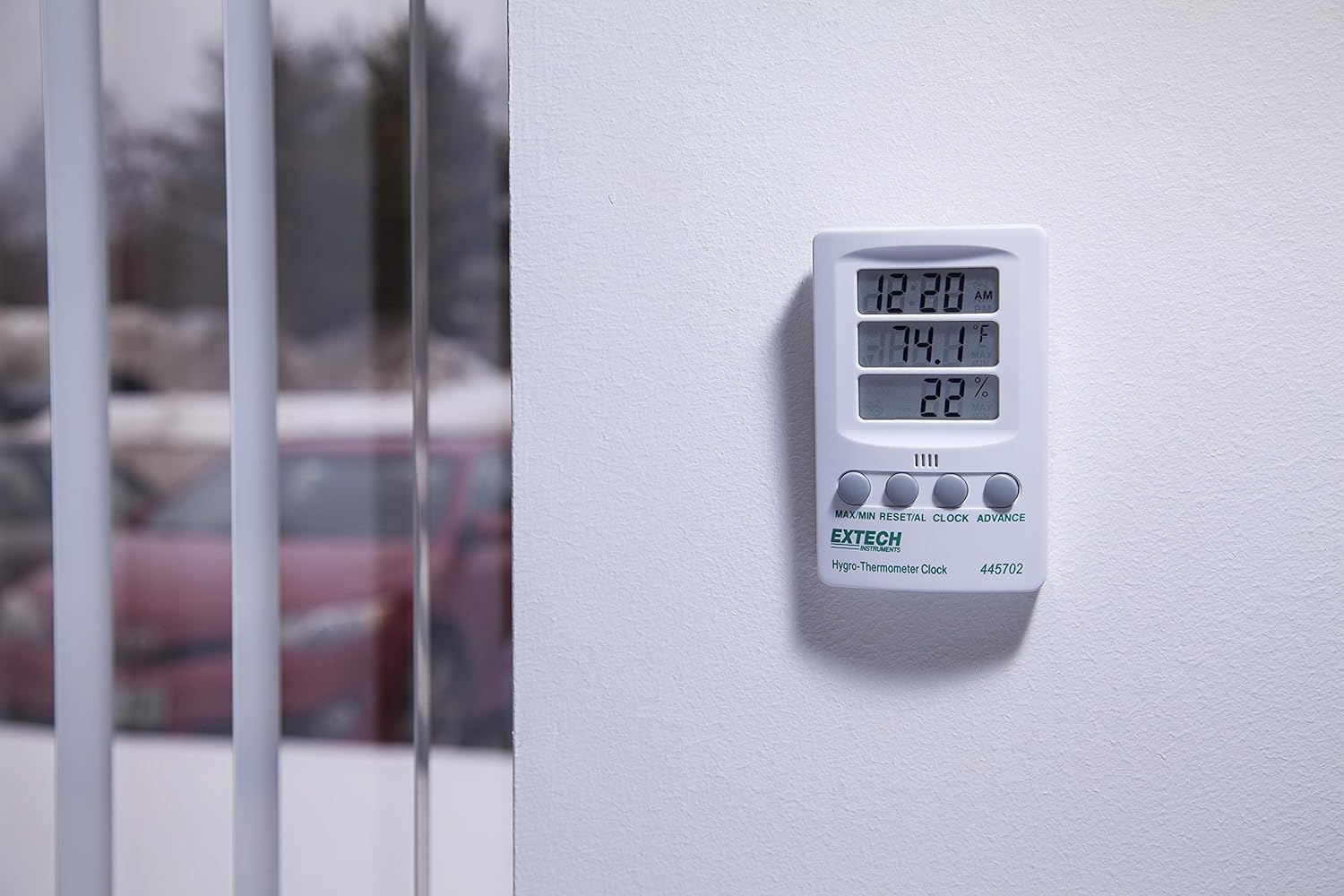
Figura 2: The Extech 445702 shown mounted on a wall, providing a clear view of its display in a room setting.
6. Funcionament
The device features four control buttons on the front panel:
- MÀXIM / MÍN: Displays maximum or minimum recorded values for temperature and humidity.
- RESET/AL: Resets MAX/MIN values or sets the alarm.
- RELOJ: Entra al mode de configuració del rellotge.
- AVANT: Adjusts values during setting or switches temperature units.
6.1 Configuració del rellotge
- Manteniu premut el botó RELOJ durant aproximadament 3 segons fins que els dígits de les hores comencin a parpellejar.
- Premeu el botó ADVANCE per ajustar l’hora.
- Premeu el botó RELOJ Premeu el botó de nou per anar a la configuració dels minuts. Els dígits dels minuts parpellejaran.
- Premeu el botó ADVANCE per ajustar els minuts.
- Premeu el botó RELOJ button a third time to confirm the time and exit setting mode.
- To switch between 12-hour (AM/PM) and 24-hour format, briefly press the ADVANCE button while in normal time display mode (not in setting mode).
6.2 Selecció de la unitat de temperatura
To switch between Fahrenheit (°F) and Celsius (°C) temperature units:
- In normal display mode, briefly press the ADVANCE button. The temperature unit will toggle between °F and °C.
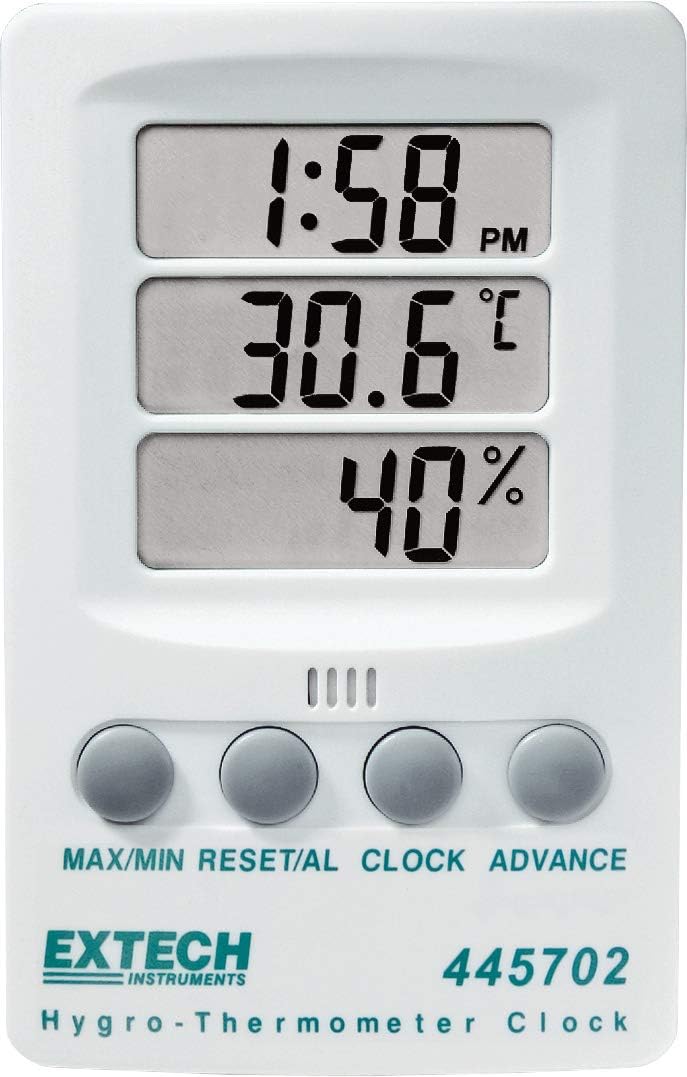
Figura 3: Display showing temperature in Fahrenheit.
Figura 4: Display showing temperature in Celsius.
6.3 Viewing and Resetting MAX/MIN Values
The device records the maximum and minimum temperature and humidity values since the last reset.
- Premeu el botó MAX/MIN button once to display the maximum recorded temperature and humidity. The "MAX" indicator will appear on the display.
- Premeu el botó MAX/MIN button again to display the minimum recorded temperature and humidity. The "MIN" indicator will appear.
- Per reiniciar els valors MÀX/MÍN, premeu i manteniu premut el botó RESET/AL button while MAX or MIN values are displayed. The display will return to current readings, and new MAX/MIN values will begin recording.
- Premeu el botó MAX/MIN button a third time to return to the current temperature and humidity display.
6.4 Setting the Alarm (if applicable)
El RESET/AL button suggests an alarm function. If your model supports an alarm, follow these general steps:
- Des de la visualització normal de l'hora, premeu la tecla RESET/AL button once to display the alarm time. The "AL" indicator may appear.
- Manteniu premut el botó RESET/AL button until the hour digits of the alarm time flash.
- Utilitza el ADVANCE per configurar l'hora d'alarma desitjada.
- Premeu RESET/AL again to set the alarm minutes.
- Utilitza el ADVANCE per configurar els minuts d'alarma desitjats.
- Premeu RESET/AL per confirmar i sortir del mode de configuració de l'alarma.
- Per activar/desactivar l'alarma, premeu breument el botó ADVANCE button while the alarm time is displayed. An alarm icon (e.g., bell) will indicate activation.
7. Manteniment
7.1 Neteja
Per garantir lectures precises i allargar la vida útil del dispositiu:
- Wipe the unit regularly with a soft, damp tela.
- Do not use abrasive cleaners, solvents, or harsh chemicals, as these may damage the plastic casing o pantalla.
- Keep the humidity and temperature sensors free from dust and debris.
7.2 Substitució de la bateria
When the display becomes dim or the unit stops functioning, it is time to replace the AAA battery. Refer to Section 5.1 for battery installation instructions. Always use a fresh AAA alkaline battery for optimal performance.
8. Solució De Problemes
| Problema | Causa possible | Solució |
|---|---|---|
| Sense pantalla o pantalla tènue | Dead or low battery; incorrect battery polarity. | Substituïu la pila AAA, assegurant-vos de la polaritat correcta. |
| Visualització de l'hora incorrecta | Hora no configurada correctament. | Refer to Section 6.1 to reset the clock. |
| Lectures de temperatura/humitat inexactes | Sensor obstructed; device placed in extreme conditions; device malfunction. | Ensure sensors are clear. Move the device to a stable environment. If problem persists, contact customer support. |
| MAX/MIN values not resetting | El botó no es manté prou temps. | Manteniu premut el botó RESET/AL button for several seconds while MAX or MIN values are displayed. |
9. Especificacions
| Paràmetre | Valor |
|---|---|
| Model | 445702 |
| Interval de temperatura | De 14 °F a 140 °F (-10 °C a 60 °C) |
| Precisió de la temperatura | ± 1.8 ° F (± 1 ° C) |
| Gamma d’humitat | 10% a 85% HR |
| Precisió de la humitat | ±6% HR |
| Visualització del rellotge | 12/24 hores seleccionables |
| Font d'alimentació | 1 x AAA Alkaline battery (1.5 Volts) |
| Pes de l'article | 0.11 quilograms (3.87 unces) |
| Dimensions del producte | 2.8 x 0.8 x 4.3 polzades |
| Tipus de muntatge | Wall Mount or Tilt Stand |
| Material | Plàstic |
10. Garantia i Suport
The Extech 445702 comes with a 1 any de garantia des de la data de compra. Aquesta garantia cobreix els defectes de materials i de mà d'obra en ús normal.
For technical support, warranty claims, or service inquiries, please visit the official Extech weblloc web o poseu-vos en contacte amb el seu departament d'atenció al client. Podeu trobar més informació i dades de contacte a Botiga Extech a Amazon.


