1. Introducció
This manual provides comprehensive instructions for the operation, maintenance, and troubleshooting of your Fossil JR9456 Digital Watch. Please read this manual thoroughly to ensure proper use and to maximize the lifespan of your timepiece.
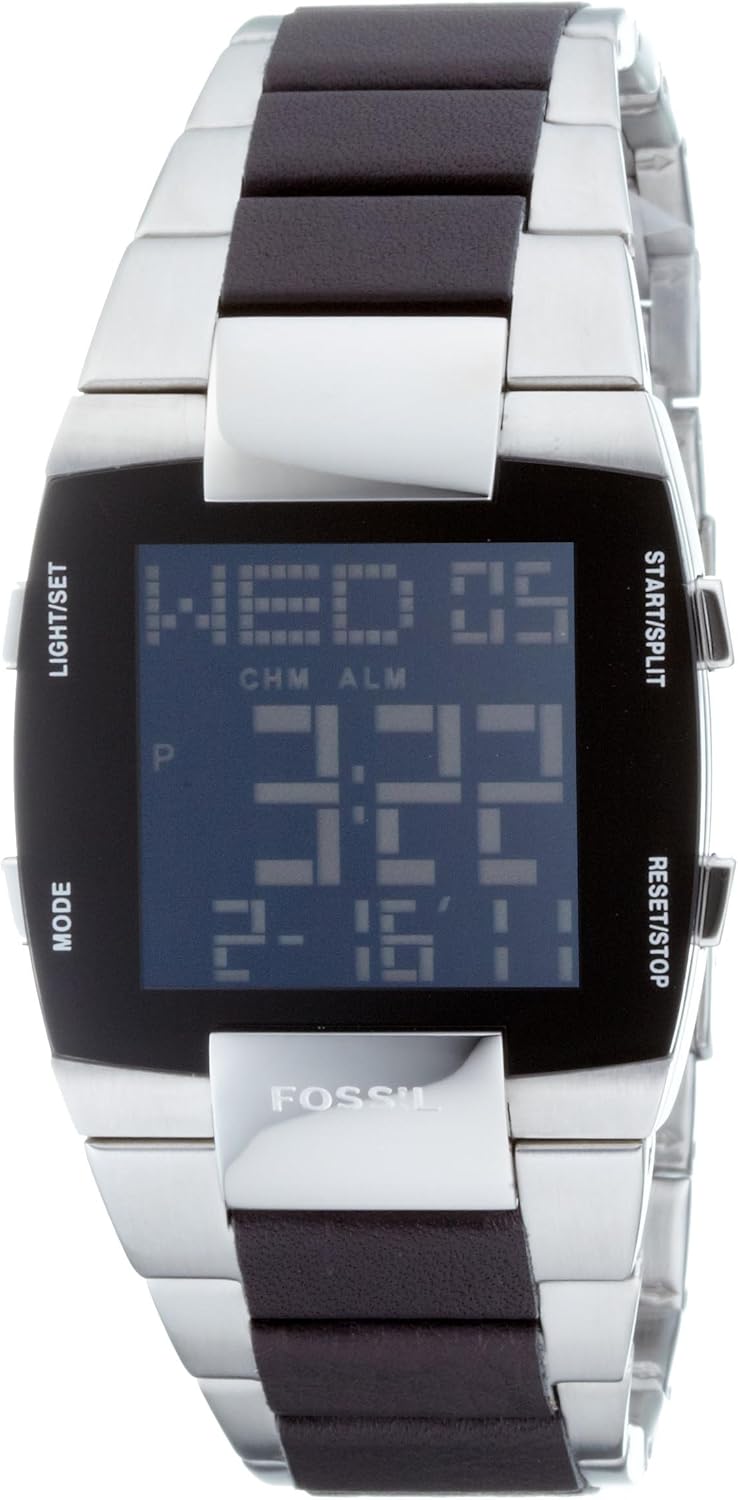
Figura 1.1: Davant view of the Fossil JR9456 Digital Watch, displaying the digital time, date, and day of the week. The watch features a rectangular black digital display with a silver stainless steel case and bracelet, accented with dark brown inserts.
2. Producte acabatview
The Fossil JR9456 is a stylish digital wristwatch designed for men, featuring a durable stainless steel construction and a quartz movement for accurate timekeeping. It is water-resistant up to 3 ATM, suitable for everyday use but not for swimming or diving.
2.1. Components
- Pantalla digital: Mostra l'hora, la data, el dia i diversos indicadors de funció.
- Cas: Stainless steel, rectangular shape.
- Polsera: Stainless steel with dark brown accents.
- Botons: Four control buttons for various functions (Light/Set, Mode, Start/Split, Reset/Stop).
- Vidre mineral: Protects the display.
- Fons de la caixa: Stainless steel, engraved with "ALL STAINLESS STEEL 5ATM".
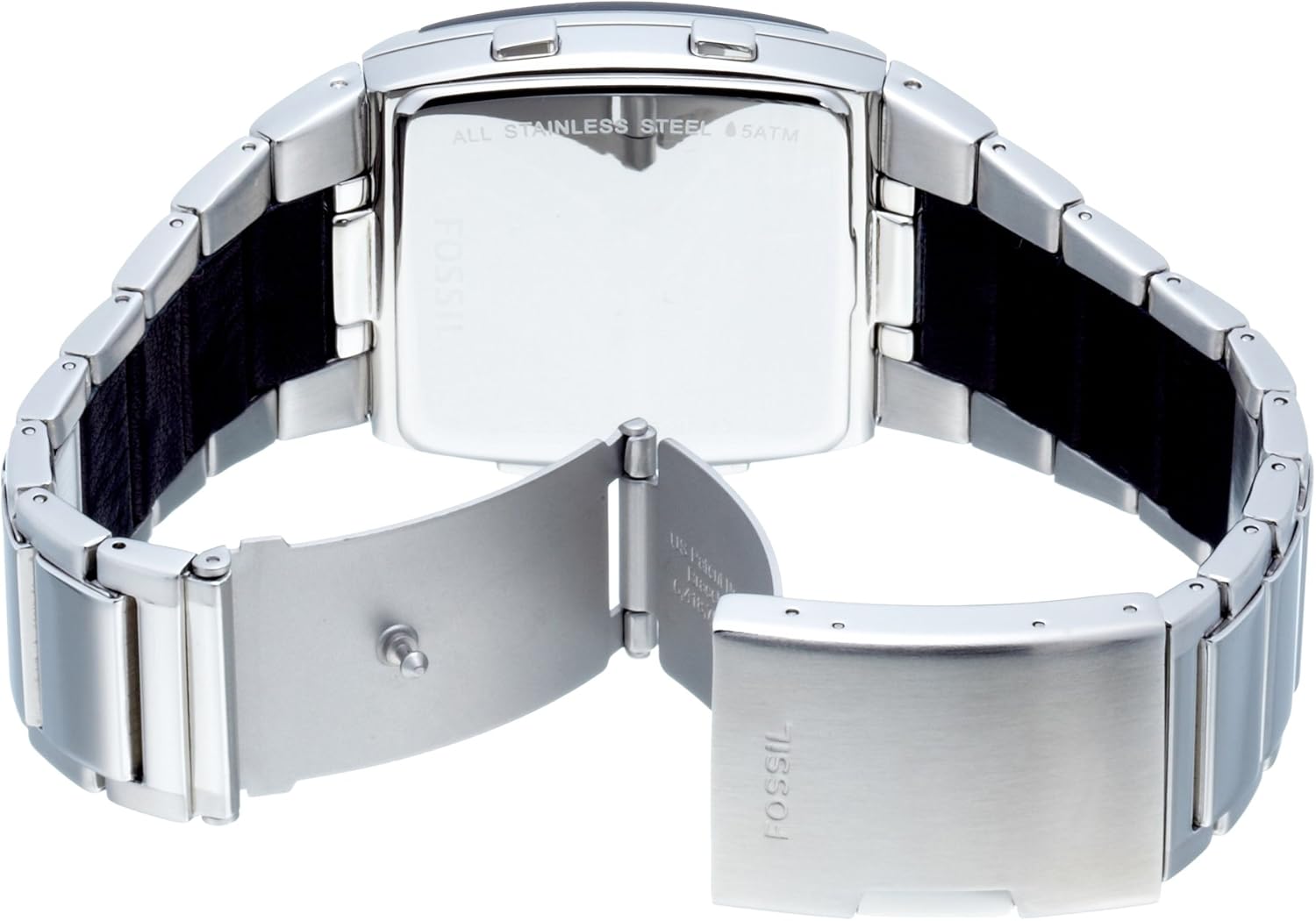
Figura 2.1: posterior view of the Fossil JR9456 Digital Watch, showing the stainless steel case back with "ALL STAINLESS STEEL 5ATM" engraving and the clasp mechanism of the bracelet.

Figura 2.2: lateral view of the Fossil JR9456 Digital Watch, highlighting the two control buttons on the right side of the watch case.
3. Configuració i configuració inicial
3.1. Configuració de l'hora i la data
- Premeu el botó MODE repetidament fins que es mostri el mode de configuració de l'hora (normalment indicat per dígits intermitents).
- Utilitza el LLUM/SET per seleccionar el dígit o la configuració que voleu ajustar (per exemple, hores, minuts, any, mes, dia).
- Utilitza el INICI/DIVISIÓ or RESET/STOP buttons to increase or decrease the selected value.
- Un cop tots els paràmetres siguin correctes, premeu el botó MODE de nou per sortir del mode de configuració i tornar a la visualització de l'hora normal.
3.2. Ajustar el braçalet
The stainless steel bracelet can be adjusted to fit your wrist. This typically involves removing or adding links. It is recommended to have this procedure performed by a professional jeweler to avoid damage to the watch or bracelet.
4. Instruccions de funcionament
4.1. Funcions del botó
- LIGHT/SET: Activates the backlight for the display. In setting modes, it selects the item to be adjusted.
- Mode: Cycles through different display modes (Time, Date, Alarm, Stopwatch, World Time). Also used to enter and exit setting modes.
- INICI/DIVISIÓ: Starts the stopwatch, or increments values in setting modes.
- RESET/STOP: Stops the stopwatch, resets values, or decrements values in setting modes.
4.2. Ús del cronòmetre
- Premeu MODE fins que aparegui la pantalla del cronòmetre (normalment "00:00:00").
- Premeu INICI/DIVISIÓ per començar a cronometrar.
- Premeu INICI/DIVISIÓ again to record a split time without stopping the timer.
- Premeu RESET/STOP per aturar el cronòmetre.
- Premeu RESET/STOP again to reset the stopwatch to zero.
4.3. Configuració de l'alarma
- Premeu MODE fins que es mostri el mode de configuració de l'alarma.
- Ús LLUM/SET per seleccionar hores o minuts.
- Ús INICI/DIVISIÓ or RESET/STOP per ajustar l'hora de l'alarma.
- Premeu MODE per confirmar i sortir.
- To activate/deactivate the alarm, typically a short press of INICI/DIVISIÓ or RESET/STOP in alarm mode will toggle it.
4.4. World Time Function
The watch features a world time function allowing you to view the current time in major cities around the globe. Navigate to the World Time mode using the MODE botó. Ús INICI/DIVISIÓ or RESET/STOP to cycle through different city time zones.
5. Manteniment i cura
5.1. Resistència a l'aigua
Your Fossil JR9456 watch is water-resistant up to 3 ATM (30 meters). This means it is suitable for everyday use and can withstand splashes or brief immersion in water. It is no suitable for showering, swimming, diving, or any water sports where it might be subjected to high water pressure.
5.2. Neteja
Per netejar el rellotge, netegeu-lo suaument amb un drap suauamp cloth. Avoid using harsh chemicals, solvents, or abrasive cleaners, as these can damage the finish or the internal components. For the stainless steel bracelet, a soft brush can be used to remove dirt from crevices.
5.3. Substitució de la bateria
The watch is powered by a quartz movement, which requires a battery. The battery life is approximately 1 year, as noted by some users. When the display becomes dim or the watch stops functioning, it is likely time for a battery replacement. It is highly recommended to have the battery replaced by a qualified watch technician to ensure the water resistance seal is properly maintained.
5.4. Emmagatzematge
When not in use, store your watch in a cool, dry place away from direct sunlight, extreme temperatures, and strong magnetic fields. The original packaging or a watch box is ideal for storage.
6. Solució De Problemes
| Problema | Causa possible | Solució |
|---|---|---|
| La pantalla està en blanc o tènue. | Bateria baixa o esgotada. | Canvieu la pila. Consulteu un tècnic de rellotges professional. |
| Time is inaccurate or stops. | Low battery; exposure to strong magnetic fields; internal malfunction. | Replace battery. Keep watch away from strong magnets. If problem persists, seek professional repair. |
| Els botons no responen. | Dirt or debris lodged in buttons; internal issue. | Gently clean around buttons. Do not force. If unresponsive, seek professional repair. |
| Condensation under mineral glass. | Water ingress due to compromised water resistance seal. | Porta immediatament el rellotge a un servei professional de reparació per evitar més danys. |
7. Especificacions
| Característica | Detall |
|---|---|
| Número de model | JR9456 (also referred to as JR9455 in some specifications) |
| Tipus de moviment | Quars |
| Material de la caixa | Acer inoxidable |
| Material de la polsera | Acer inoxidable |
| Tipus de vidre | Mineral |
| Resistència a l'aigua | 3 caixers automàtics (30 metres) |
| Tipus de visualització | Digital |
| Dimensions (aprox.) | 9.2 x 9 x 7.4 cm (Dimensions del paquet) |
| Pes (aprox.) | 181.44 g |

Figura 7.1: Davant view of the Fossil JR9456 Digital Watch overlaid with a measurement scale in millimeters, indicating its approximate dimensions.
8. Garantia i Suport
Specific warranty information for your Fossil JR9456 watch is typically provided with the product packaging or can be found on the official Fossil weblloc. Consulteu aquests recursos per obtenir més informació sobre la cobertura i els termes de la garantia.
For technical support, repairs, or further assistance, please contact Fossil customer service or visit an authorized Fossil service center. Contact information can usually be found on the Fossil weblloc web o a la documentació original del producte.
Nota: Les reparacions o modificacions no autoritzades poden anul·lar la garantia.


