Introducció
This manual provides comprehensive instructions for setting up, operating, and maintaining your GE Universal Remote Control (Model 24991). This remote is designed to simplify your home entertainment experience by controlling up to three different audio/video devices, including TVs, Blu-ray/DVD players, cable/satellite receivers, Roku boxes, and other streaming media players.
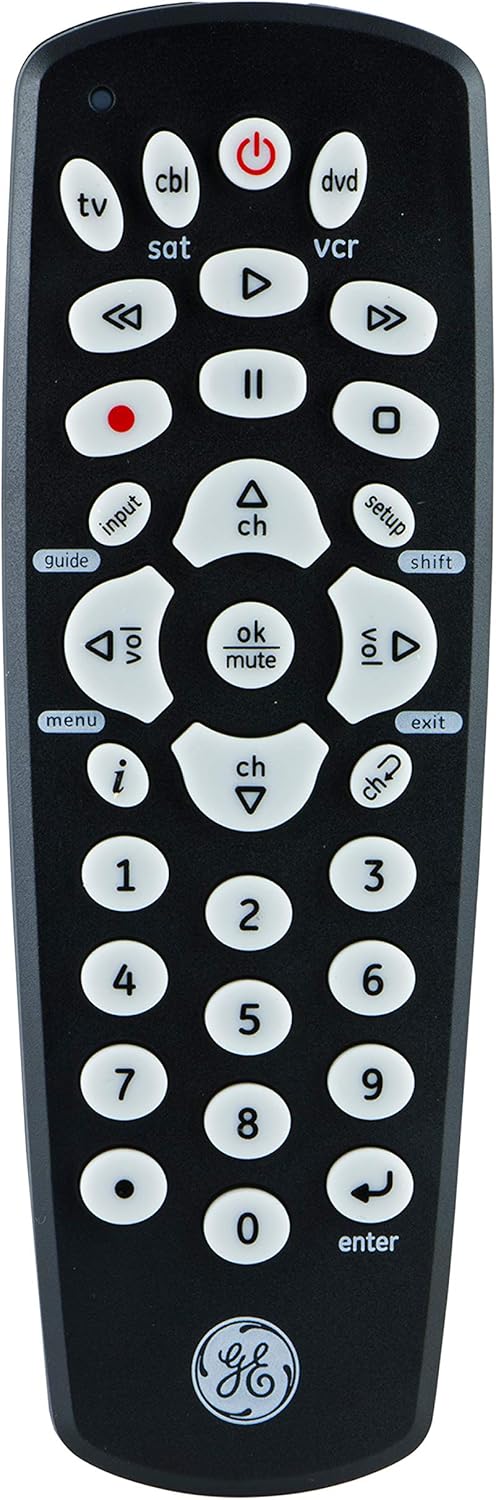
Davant view of the GE Universal Remote Control, showing all buttons and the GE logo at the bottom.
Configuració
1. Instal·lació de la bateria
The GE Universal Remote Control requires two (2) AA batteries (not included). To install:
- Traieu la tapa del compartiment de la bateria a la part posterior del comandament a distància.
- Introduïu dues piles AA, assegurant-vos de la polaritat correcta (+ i -) tal com s'indica a l'interior del compartiment.
- Substituïu la tapa del compartiment de la bateria.
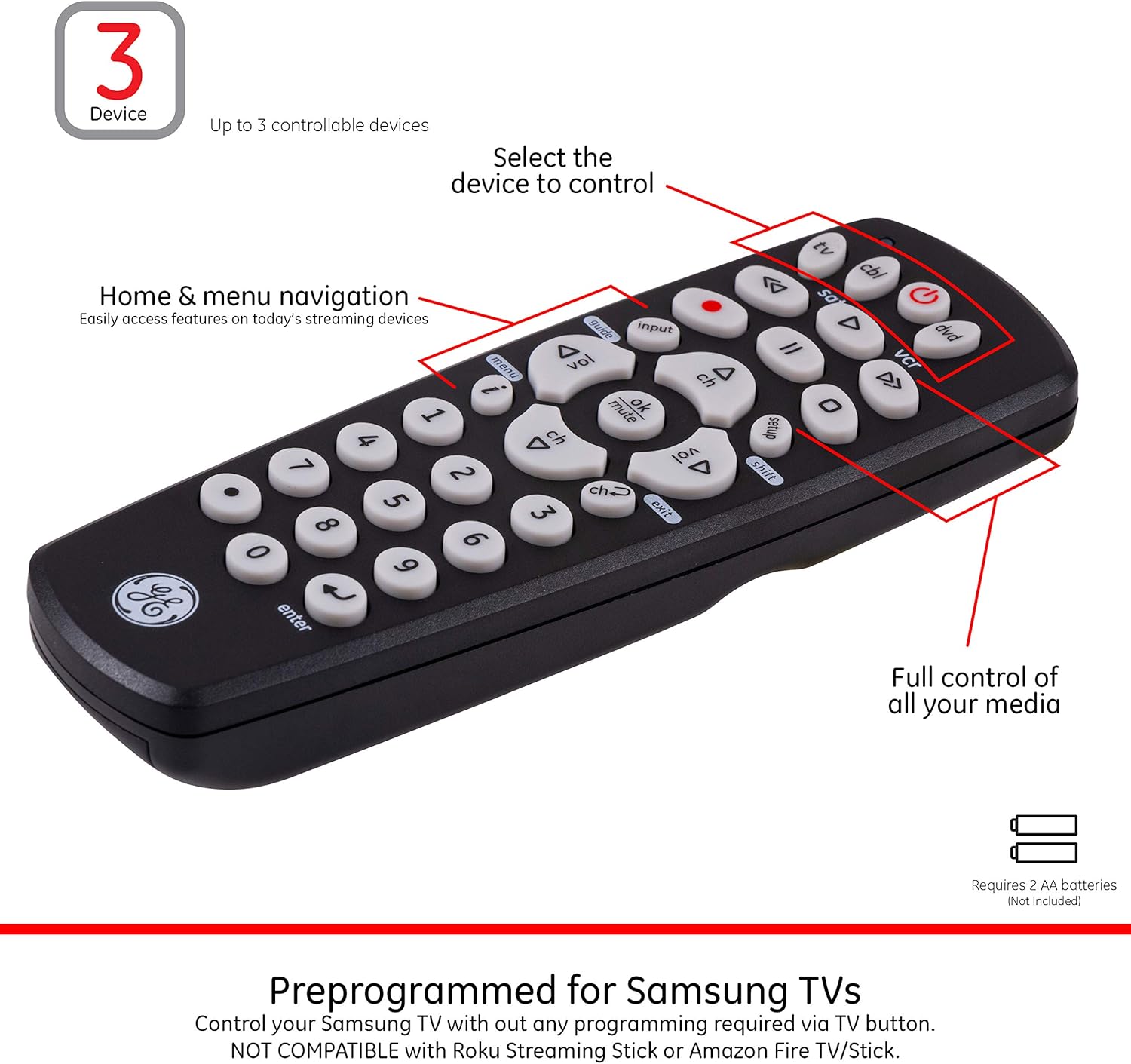
The remote control, highlighting the device selection buttons and indicating battery requirements.
2. Programació del comandament a distància
This remote is pre-programmed for Roku and Samsung TVs, allowing immediate control without additional setup for these devices. For other brands and devices, follow the manual programming steps below:
- Find the remote codes: Refer to the code library list provided with your remote or visit the manufacturer's website for a comprehensive list of codes for your specific device brand.
- Entra al mode de configuració: Manteniu premut el botó CONFIGURACIÓ button on the remote until the red indicator light turns on, then release the button.
- Seleccioneu el tipus de dispositiu: Press and release the device button on the remote that corresponds to the device you want to control (e.g., TV, DVD, CBL, Ds, VCR). The red indicator light will blink once and remain on.
- Enter Code: Using the number buttons, enter the 4-digit code for your device. After entering the code, the red indicator light will turn off.
- Prova el comandament a distància: Point the remote at your device and test different functions (e.g., Power, Volume, Channel). If the device responds, the programming was successful.
- Repetiu per a dispositius addicionals: If you have more devices to program, repeat steps 2-5 for each one.

Visual guide for programming the remote control to a device.
For an easy-to-follow online setup video, please refer to the official product video below:
Official product video demonstrating the setup and features of the GE Universal Remote Control.
Instruccions de funcionament
1. Device Selection
To control a specific device, press the corresponding device button at the top of the remote (e.g., TV, DVD, CBL, Ds, VCR). The remote will then send commands to that device.

The remote control alongside icons representing various devices it can control, such as sound bars, home theater systems, TVs, DVD/Blu-ray players, cable/satellite boxes, and streaming media players.
2. Funcions bàsiques
- Potència: Premeu el botó PODER botó per encendre o apagar el dispositiu seleccionat.
- Control de volum: Utilitza el VOL + i VOLUM - buttons to adjust the volume. The master volume control feature allows you to control the volume of your TV regardless of which device is selected.
- Control del canal: Utilitza el CH + i CH - botons per canviar de canal.
- Silenciar: Premeu el botó MUT botó per silenciar l'àudio.
- Bloc numèric: Use the number buttons (0-9) to directly enter channel numbers or other numerical inputs.
3. Funcions avançades
- Navegació: The central navigation buttons (Up, Down, Left, Right, OK) allow you to navigate menu and guide screens on compatible devices.
- Entrada: El ENTRADA button cycles through available video inputs on your TV.
- Digital Dot Button: Provides easy access to sub-channels (e.g., 4.2).
- Reproducció multimèdia: Dedicated buttons for Play, Pause, Stop, Fast Forward, Rewind, and Record control media playback on DVD/Blu-ray players, VCRs, and DVRs.
The remote supports advanced functions for DVRs and streaming devices, enabling comprehensive control over your media experience.

The GE Universal Remote Control positioned on a black armrest, demonstrating its compact size and ergonomic design in a typical home setting.
Manteniment
Canvi de bateria
When the remote's performance degrades or the indicator light does not illuminate, it is time to replace the batteries. Always replace both batteries simultaneously with new AA alkaline batteries. Do not mix old and new batteries or different types of batteries.
Neteja
To clean the remote, wipe it with a soft, dry cloth. Do not use abrasive cleaners or solvents, as they may damage the remote's surface or internal components.
Resolució de problemes
| Problema | Solució |
|---|---|
| El control remot no fa funcionar el dispositiu. |
|
| Alguns botons funcionen, però d'altres no. |
|
| The red indicator light does not turn on. |
|
Especificacions
- Model: 24991
- Marca: General Electric
- Dispositius compatibles: Up to 3 (TVs, Blu-ray/DVD players, cable/satellite receivers, Roku boxes, streaming media players, sound bars)
- Font d'alimentació: 2 piles AA (no incloses)
- Tecnologia de connectivitat: Radio Frequency (IR)
- Dimensions del producte: 7.7 x 6.6 x 6.3 polzades
- Pes de l'article: 3.36 unces
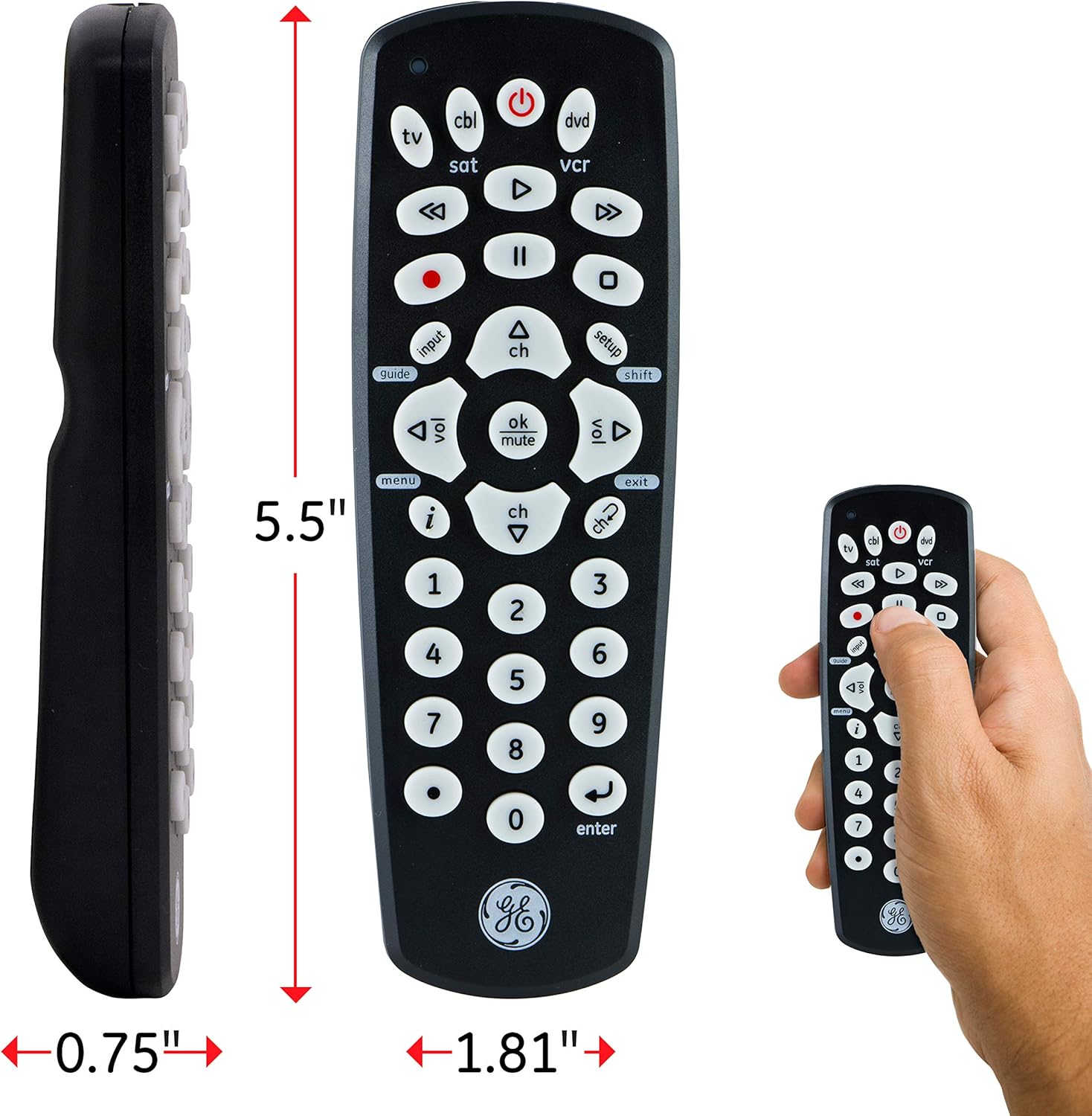
The remote control shown with its approximate dimensions: 5.5 inches in length, 1.81 inches in width, and 0.75 inches in thickness.
Garantia i Suport
For warranty information and technical support, please refer to the documentation included with your product or visit the official GE Universal Remote website. You can also find additional support and FAQs online.
Manual d'usuari oficial (PDF): Descarregar PDF


