1. Introducció
Thank you for choosing the NEC LCD4215 42-inch MultiSync LCD Monitor. This manual provides essential information for the safe and efficient use of your new display. Please read these instructions thoroughly before installation and operation, and retain them for future reference.
2. Informació de seguretat
Observeu les següents precaucions de seguretat per evitar danys al monitor i garantir la seguretat de l'usuari:
- Font d'alimentació: Connect the monitor only to a grounded power outlet with the correct voltage tal com s'indica a l'etiqueta del producte.
- Ventilació: Assegureu-vos que hi hagi una ventilació adequada al voltant del monitor. No bloquegeu les obertures de ventilació.
- Exposició líquida: Avoid exposing the monitor to rain, moisture, or excessive humidity. Do not place liquid-filled objects on or near the monitor.
- Neteja: Desconnecteu el cable d'alimentació abans de netejar-lo. Feu servir un drap suau i sec. Eviteu els netejadors líquids o en aerosol.
- Manteniment: No intenteu atendre aquest producte vosaltres mateixos. Consulteu tots els serveis a personal de servei qualificat.
- Col·locació: Col·loqueu el monitor sobre una superfície estable i plana per evitar que caigui.
3. Contingut del paquet
Verify that all items are present in the package. If any items are missing or damaged, contact your dealer immediately.
- NEC LCD4215 42-inch MultiSync LCD Monitor
- Cable d'alimentació
- Cable VGA
- Comandament a distància amb piles
- Manual d'usuari (aquest document)
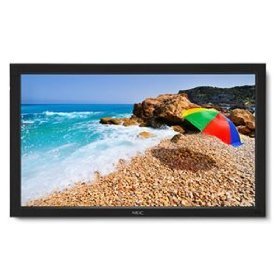
Image: The NEC LCD4215 42-inch MultiSync LCD Monitor, shown from the front with its stand. This image represents the primary display unit.
4. Configuració
4.1 Desembalatge
- Carefully open the packaging and remove the monitor and accessories.
- Place the monitor face down on a soft, clean surface to avoid scratching the screen.
4.2 Stand/Mounting Installation
The monitor can be used with its included desktop stand or mounted using a VESA-compatible wall mount (sold separately).
4.2.1 Instal·lació del suport d'escriptori
- Fixeu la base del suport al coll del suport amb els cargols proporcionats.
- Secure the assembled stand to the back of the monitor using the designated mounting points and screws.
- Carefully lift the monitor and place it on a stable, level surface.
4.2.2 Muntatge a la paret (opcional)
If using a VESA-compatible wall mount, follow the instructions provided with your wall mount kit. Ensure the mount supports the weight and VESA pattern of the NEC LCD4215 monitor.
4.3 Cables de connexió
Before connecting any cables, ensure the monitor and all connected devices are powered off.
- Cable de vídeo: Connect one end of the appropriate video cable (VGA, DVI, HDMI, etc.) to the video output port of your computer or media device and the other end to the corresponding input port on the monitor.
- Audio Cable (Optional): If using the monitor's internal speakers or audio output, connect an audio cable from your source device to the monitor's audio input.
- Cable de corrent: Connect the power cord to the monitor's AC input and then plug the other end into a grounded electrical outlet.
5. Instruccions de funcionament
5.1 Engegada/apagada
- Press the power button on the front panel of the monitor or on the remote control to turn the monitor on. The power indicator light will illuminate.
- Per apagar el monitor, torneu a prémer el botó d'engegada.
5.2 Selecció d'entrada
The monitor can display content from multiple sources. To switch between inputs:
- Press the 'Input' or 'Source' button on the remote control or the monitor's control panel.
- Use the navigation buttons to select the desired input source (e.g., VGA, DVI, HDMI).
- Press 'Enter' or 'OK' to confirm your selection.
5.3 Basic Display Settings
Access the On-Screen Display (OSD) menu to adjust various settings:
- Press the 'Menu' button on the remote control or the monitor's control panel.
- Use the navigation buttons (Up/Down/Left/Right) to browse through menu options such as 'Brightness', 'Contrast', 'Color Temperature', and 'Aspect Ratio'.
- Press 'Enter' or 'OK' to select an option and adjust its value.
- Press 'Menu' again to exit the OSD menu.
6. Manteniment
6.1 Neteja de la pantalla
To maintain optimal display quality, clean the screen and casing regularly:
- Apagueu i desendolleu sempre el monitor abans de netejar-lo.
- Utilitzeu un drap suau i sense pelusa lleugerament dampened with water or a non-abrasive, ammonia-free, and alcohol-free screen cleaner.
- Netegeu suaument la pantalla iasing. Do not apply excessive pressure.
- Eviteu ruixar líquid directament sobre la pantalla o en qualsevol obertura.
6.2 Emmagatzematge
If storing the monitor for an extended period, ensure it is powered off, unplugged, and stored in a cool, dry place away from direct sunlight and extreme temperatures. Use the original packaging if available for protection.
7. Solució De Problemes
Abans de contactar amb l'atenció al client, consulteu la taula següent per veure els problemes habituals i les seves solucions:
| Problema | Causa possible | Solució |
|---|---|---|
| No hi ha imatge a la pantalla | El monitor no està encès; el cable de vídeo està fluix o desconnectat; la font d'entrada seleccionada és incorrecta. | Press the power button; Check video cable connections; Select the correct input source. |
| Imatge massa fosca/brillant | Configuració de brillantor/contrast incorrecta. | Adjust 'Brightness' and 'Contrast' in the OSD menu. |
| Sense àudio | Audio cable disconnected; Volume too low; Muted. | Check audio cable connection; Increase volume; Unmute audio. |
| Imatge parpellejant | Video cable faulty; Resolution/Refresh rate mismatch. | Replace video cable; Adjust display settings on your computer. |
8. Especificacions
Detailed technical specifications for the NEC LCD4215 MultiSync LCD Monitor:
| Característica | Especificació |
|---|---|
| Número de model | LCD4215 |
| Mida de la pantalla | 42 polzades |
| Resolució de pantalla màxima | 1366 x 768 |
| Relació d'aspecte | 1.78:1 |
| Pes de l'article | 47 lliures |
| Dimensions del producte (LxWxH) | 44 x 27.5 x 9.25 polzades |
| Color | Negre |
| Fabricant | Nec Computers |
| Data de primera disponibilitat | 31 de juliol de 2008 |
9. Garantia i Suport
9.1 Informació de la garantia
This NEC LCD4215 monitor comes with a standard manufacturer's warranty. Please refer to the separate warranty card included in your product packaging for specific terms, conditions, and duration of coverage. Keep your proof of purchase for warranty claims.
9.2 Atenció al client
For technical assistance, troubleshooting beyond this manual, or warranty service, please contact NEC customer support. Visit the official NEC weblloc web per obtenir la informació de contacte més actualitzada, inclosos els números de telèfon i els recursos d'assistència en línia.
Weblloc: www.nec.com