Introducció
The Denon DP-200USB is a fully automatic turntable designed for playing vinyl records and converting them into digital MP3 files. This manual provides essential information for the safe and efficient use of your turntable, covering setup, operation, maintenance, and troubleshooting.
Si us plau, llegiu aquest manual detingudament abans d'utilitzar el producte i conserveu-lo per a futures consultes.
Instruccions de seguretat
- Font d'alimentació: Connect the turntable only to the specified power supply voltage.
- Humitat: No exposeu la unitat a la pluja ni a la humitat per evitar incendis o descàrregues elèctriques.
- Ventilació: Assegureu-vos que hi hagi una ventilació adequada. No bloquegeu les obertures de ventilació.
- Col·locació: Place the unit on a stable, level surface away from direct sunlight, heat sources, and strong magnetic fields.
- Neteja: Desconnecteu el cable d'alimentació abans de netejar-lo. Feu servir un drap suau i sec. No utilitzeu netejadors líquids ni en aerosol.
- Manteniment: No intenteu fer el manteniment de la unitat vosaltres mateixos. Envieu totes les tasques de manteniment a personal de servei qualificat.
Contingut del paquet
Verifiqueu que tots els elements siguin presents al paquet:
- Denon DP-200USB Turntable Unit
- Funda antipols
- Plat
- Cinturó de seguretat
- Mat de goma
- Adaptador de 45 RPM
- Adaptador d'alimentació
- Cable d'àudio RCA
- Cable USB
- Software CD (Trans Music Manager)
- Manual d'usuari (aquest document)
Configuració
1. Desembalatge i col·locació
Carefully remove the turntable from its packaging. Place the unit on a flat, stable surface, ensuring there is enough space around it for ventilation and operation.
2. Installing the Platter and Drive Belt
- Col·loqueu el plat sobre l'eix central.
- Locate the drive belt under the platter. Gently stretch the belt and hook it around the motor pulley. Ensure the belt is not twisted.
- Col·loqueu la catifa de goma a sobre del plat.

Imatge: De dalt a baix view of the Denon DP-200USB turntable, showing the platter and rubber mat in place, ready for operation.
3. Installing the Dust Cover
Insert the hinges of the dust cover into the hinge holders at the rear of the turntable unit.
4. Connecting to an Audio System
Connect the RCA audio cables from the turntable's output to an available input on your amplifier or receiver. The DP-200USB features a built-in RIAA equalizer. Use the EQ switch on the rear panel to select the appropriate setting:
- EQ ON: Use this setting if your amplifier does not have a dedicated "PHONO" input or if you are connecting to an AUX/LINE input.
- EQ OFF: Use this setting if your amplifier has a "PHONO" input.
5. Connexió d'alimentació
Connect the power adapter to the DC input on the turntable and then plug it into a wall outlet.
Instruccions de funcionament
1. Reproducció d'un disc
- Place a record on the platter. For 45 RPM singles, use the included adapter.
- Select the appropriate speed (33 1/3 or 45 RPM) using the speed selector switch.
- Traieu el protector del llapis òptic del cartutx.
- Premeu el botó COMENÇA button. The tonearm will automatically move to the beginning of the record and begin playback.
- Per aturar la reproducció, premeu el botó STOP button. The tonearm will return to its rest, and the platter will stop rotating.
2. Converting Records to MP3 (USB Recording)
The DP-200USB allows you to convert your vinyl records directly to MP3 files en una unitat flash USB.
- Insert a USB flash drive into the USB port on the front panel of the turntable. Ensure the drive has sufficient free space.
- Place the record you wish to convert on the platter.
- Premeu el botó REC ON/OFF button to start recording. The REC indicator light will illuminate.
- Premeu el botó COMENÇA button to begin playing the record. The turntable will automatically start recording the audio to the USB drive.
- When the record finishes, or you wish to stop recording, press the REC ON/OFF button again. The REC indicator light will turn off.
- Traieu la unitat flash USB.
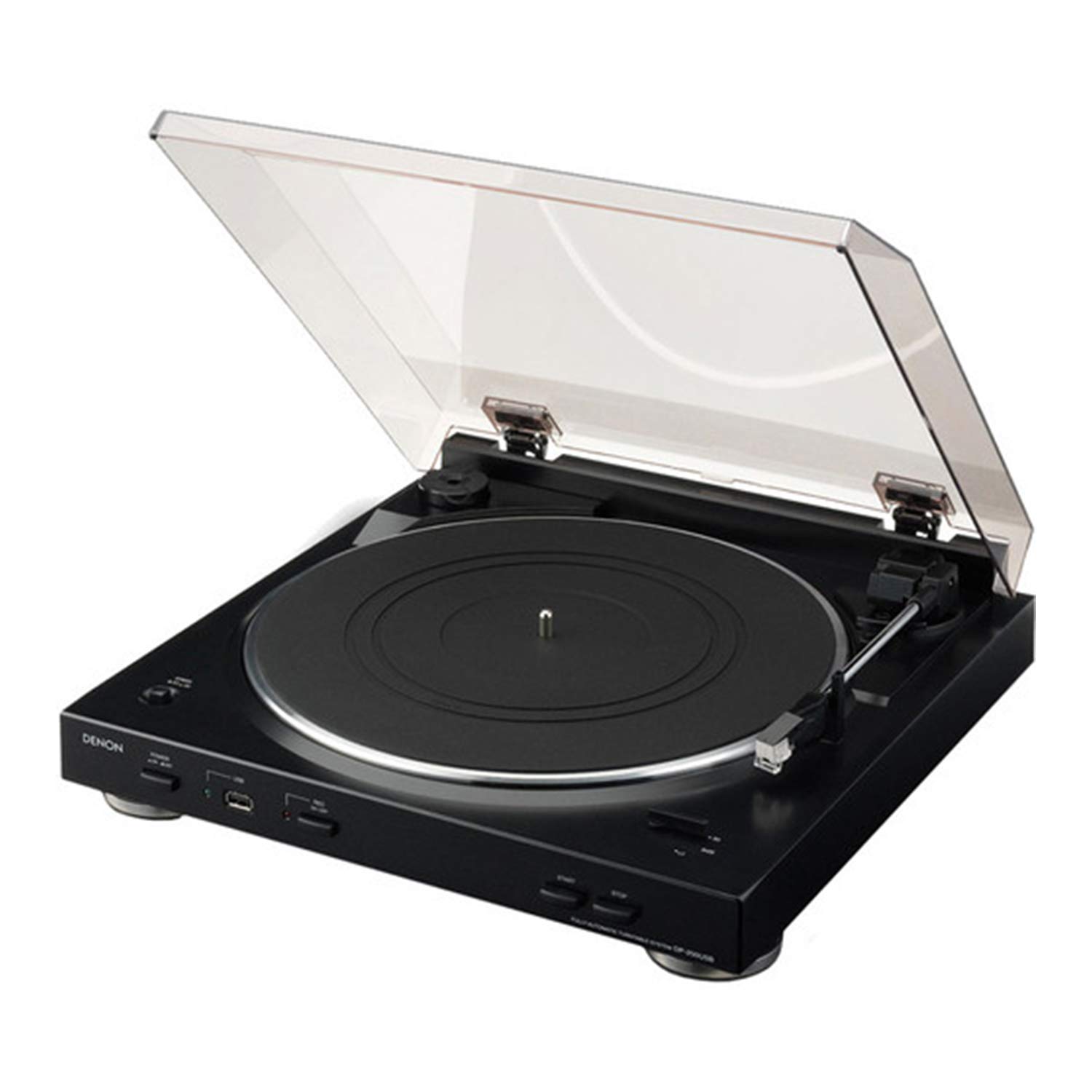
Image: The Denon DP-200USB turntable showing a USB flash drive inserted into the front USB port, ready for MP3 recording.
3. Using the Trans Music Manager Software
The included Trans Music Manager software (for PC) helps organize and enhance your recorded MP3 files:
- Audio Waveform Recognition: The software can analyze the first 15 seconds of each track to search the Gracenote internet music database for track details (artist, title, etc.).
- Auto Track Divider: It can automatically detect silent breaks between songs and insert new track tags, splitting your recording into individual tracks. Manual track division is also an option.
- Install the software from the provided CD or download the latest version from the Denon support weblloc.
Manteniment
- Neteja de la unitat: Wipe the turntable cabinet and dust cover with a soft, dry cloth. Do not use abrasive cleaners or solvents.
- Cura del stylus: Gently clean the stylus periodically using a soft brush designed for stylus cleaning, brushing from back to front. Avoid touching the stylus with your fingers.
- Cura de registres: Keep your records clean and free of dust to ensure optimal sound quality and prolong stylus life.
- Funda antipols: Keep the dust cover closed when not in use to protect the turntable from dust.
Resolució de problemes
| Problema | Causa possible | Solució |
|---|---|---|
| Sense poder | Cable d'alimentació no connectat; presa de corrent no activa. | Comproveu la connexió del cable d'alimentació; proveu una presa de corrent diferent. |
| Sense so ni so baix | Audio cables not connected; incorrect EQ setting; amplifier input not selected. | Ensure RCA cables are securely connected; verify EQ switch setting (ON for AUX/LINE, OFF for PHONO); select correct input on ampmés viu. |
| El plat giratori no gira | Drive belt dislodged; motor issue. | Check and re-seat the drive belt around the motor pulley. If problem persists, contact support. |
| MP3 recording not working | USB drive full or incompatible format; REC button not pressed. | Ensure USB drive has free space and is formatted to FAT32; confirm REC indicator light is on during recording. |
| So saltat o distorsionat | Dirty record; worn or damaged stylus; turntable not level. | Clean record; inspect stylus and replace if necessary; ensure turntable is on a level surface. |
Especificacions
| Nom del model | DP-200USB |
| Marca | Denon |
| Dimensions del producte | 14.25 x 14.5 x 4 polzades (36.2 x 36.8 x 10.2 cm) |
| Pes de l'article | 7.05 lliures (3.2 kg) |
| Color | Negre |
| Material | Metal, Ceramic, Plastic, Rubber |
| Tipus de motor | Motor de corrent continu |
| Característica especial | Built-in Equalizer, USB MP3 Encoder |
| Dispositius compatibles | Personal Computer (for software) |
| Tecnologia de connectivitat | Wired (RCA, USB) |
Garantia i Suport
Per obtenir informació sobre la garantia i assistència tècnica, consulteu la targeta de garantia inclosa amb el producte o visiteu el lloc web oficial de Denon. website. You can also contact Denon customer service directly for assistance with product operation, troubleshooting, or service inquiries.
Denon Oficial Weblloc: www.denon.com


