Informació important de seguretat
Please read this instruction manual thoroughly before installation and use. Improper installation or use may cause damage to the product, TV, or personal injury. Keep this manual for future reference.
- Assegureu-vos que la superfície de muntatge pugui suportar amb seguretat el pes combinat del suport i del televisor.
- No supereu la capacitat màxima de pes de 70 kg (154 lliures).
- Use appropriate tools and follow all steps carefully. If unsure, consult a qualified installer.
- Mantingueu els nens i les mascotes allunyats durant la instal·lació.
Contingut del paquet
Verify all components are present before beginning installation. If any parts are missing or damaged, do not proceed with installation and contact customer support.
- Muntatge de suport de muntatge a la paret
- TV Mounting Arms (2x)
- Mounting Hardware Kit (screws, washers, spacers for various TV types and wall fixings)
- Manual d'instruccions
Note: Specific screw sizes and quantities may vary. Refer to the hardware kit for exact contents.
Eines necessàries (no incloses)
- Trepant
- Drill Bits (appropriate for wall type and screw size)
- Stud Finder (for stud wall installation)
- Nivell
- Llapis
- Cinta mètrica
- Tornavís Phillips
- Socket Wrench or Spanner
Instruccions d'instal·lació
This mount is designed for flat screens up to 65 inches (165cm) and 70kg (154lbs). It supports VESA and non-VESA mounting patterns. The installation process involves mounting the wall plate and then attaching the TV with its arms.
Pas 1: Prepareu el televisor
- Carefully place the TV face down on a soft, clean surface.
- Attach the TV mounting arms to the back of your TV using the appropriate screws, washers, and spacers from the hardware kit. Ensure the arms are securely fastened and evenly spaced.
- Verify the VESA pattern compatibility. This mount fits various VESA patterns.
Pas 2: Marqueu i perforeu els forats de la paret
- Determineu l'alçada desitjada per al vostre televisor.
- Position the wall mount bracket against the wall at the desired location. Use a level to ensure it is perfectly horizontal.
- Mark the drilling points through the holes on the wall mount bracket with a pencil.
- For concrete/brick walls: Drill pilot holes using an appropriate drill bit. Insert wall anchors (if provided and necessary for your wall type).
- For stud walls (up to 32 inches apart): Locate the center of the studs using a stud finder. Drill pilot holes into the center of the studs.
Step 3: Mount the Wall Bracket
- Align the wall mount bracket with the drilled holes.
- Secure the bracket to the wall using the provided wall screws and washers. Tighten all screws firmly, but do not overtighten.
- Double-check that the wall bracket is securely fastened and level.
Pas 4: penja el televisor
- With assistance, carefully lift the TV with the attached mounting arms.
- Hook the TV mounting arms onto the wall mount bracket. This is a simple 'hook-on' installation.
- Ensure both TV arms are securely seated on the wall bracket.
- Engage any safety locking mechanisms on the TV arms to prevent accidental dislodgement.
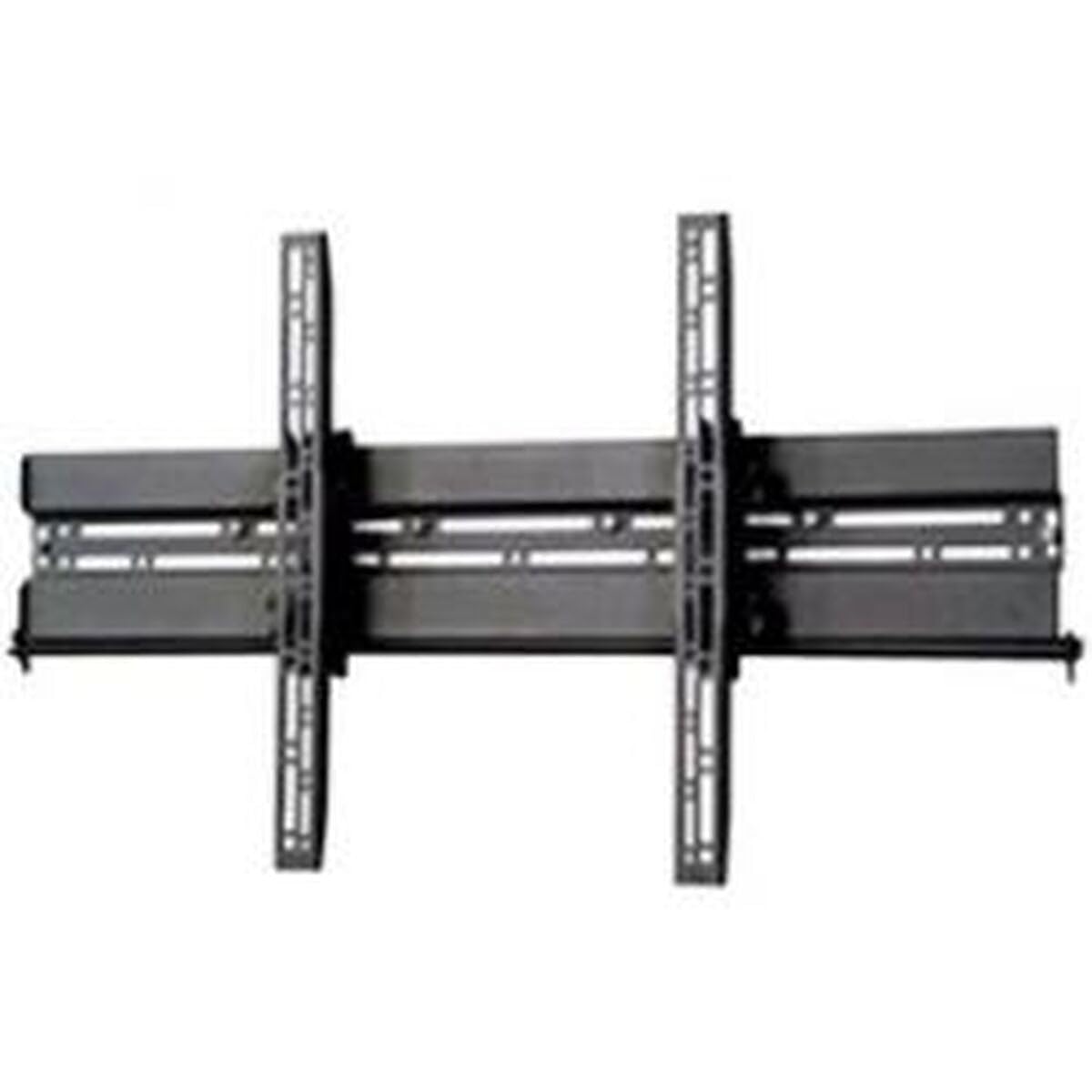
Imatge: Example of a TV mounted using a similar flat screen wall mount. The BT8432 mounts the screen approximately 80mm (3.1 inches) from the wall.
Instruccions de funcionament
Ajust d'inclinació
The BT8432 mount features a simple tilt adjustment of +/-15 degrees. This allows you to optimize your viewangle d'inclinació i reduir l'enlluernament.
- Locate the tilt adjustment knobs or bolts on the side of the TV mounting arms.
- Loosen the knobs/bolts slightly.
- Inclineu el televisor amb cura a l'angle desitjat.
- Tighten the knobs/bolts firmly to secure the TV in the new position. Do not overtighten.
Manteniment
- Neteja: Use a soft, dry cloth to clean the mount. Avoid abrasive cleaners or solvents.
- Comprovacions periòdiques: Periodically check all screws and bolts to ensure they remain tight and secure. Re-tighten if necessary.
- Capacitat de pes: No pengeu objectes addicionals ni supereu la capacitat màxima de pes del suport.
Resolució de problemes
El televisor no està anivellat després de la instal·lació:
- Ensure the wall mount bracket was installed perfectly level. If not, you may need to adjust its position.
- Check if the TV mounting arms are attached evenly to the back of the TV.
El suport sembla fluix a la paret:
- Immediately remove the TV from the mount.
- Check all wall screws for tightness.
- Verify that the wall anchors (if used) are properly seated and suitable for your wall type.
- Ensure the wall material is strong enough to support the mount and TV.
Difficulty tilting the TV:
- Ensure the tilt adjustment knobs/bolts are sufficiently loosened before attempting to adjust the angle.
- Do not force the tilt mechanism.
Especificacions
| Número de model | BT8432 |
| Mida màxima de la pantalla | 65 polzades (165 cm) |
| Capacitat màxima de pes | 70 kg (154 lliures) |
| Tipus de muntatge | Muntatge de paret |
| Tipus de moviment | Inclinació |
| Ajust d'inclinació | +/-15 graus |
| Distància des de la paret | 80 mm (3.1 polzades) |
| Tipus de paret compatibles | Concrete / Brick, Stud Walls (up to 32 inches) |
| Material | Acrilonitril butadiè estirè (ABS) |
| Dimensions del producte | 5.83 x 27.56 x 16.54 polzades |
| Pes de l'article | 11.22 lliures |
| Fabricant | B-Tech |
| ASIN | B002C1OZYC |
| GTIN | 05019318084294 |
Garantia i Suport
Specific warranty information for the B-Tech BT8432 wall mount may vary by region and retailer. Please refer to your purchase documentation or contact the retailer where you purchased the product for details regarding warranty coverage.
For technical support or inquiries, please visit the official B-Tech website or contact their customer service department. Keep your proof of purchase handy when seeking support.


