1. Introducció
The APC Back-UPS Pro 700VA (Model BR700G) is an Uninterruptible Power Supply (UPS) designed to provide reliable battery backup and surge protection for your electronic devices. This unit ensures continuous power during outages and protects against damaging power fluctuations, making it ideal for home and office computer systems, networking equipment, and other sensitive electronics.
It features Automatic Voltage Regulation (AVR) to maintain stable voltage levels, user-replaceable batteries for extended product life, and multiple outlets for comprehensive protection.

Figura 1: Part frontal view of the APC Back-UPS Pro 700VA (BR700G).
2. Informació de seguretat
Please read and understand all safety instructions before installing or operating the UPS. Failure to follow these instructions may result in electric shock, fire, or serious injury.
- Do not open the UPS enclosure. There are no user-serviceable parts inside except for the battery.
- Connecteu el SAI només a una presa de terra.
- Do not use the UPS in direct sunlight, near heat sources, or in excessively humid environments.
- Assegureu-vos que hi hagi una ventilació adequada al voltant del SAI. No bloquegeu les obertures de ventilació.
- Disconnect the UPS from the power outlet before performing any maintenance or battery replacement.
- The battery contains hazardous materials. Dispose of batteries properly according to local regulations.
3. Contingut del paquet
Verifiqueu que tots els elements siguin presents al paquet:
- APC Back-UPS Pro 700VA (BR700G) Unit
- Cable USB
- Manual d'usuari (aquest document)
4. Configuració
Follow these steps to set up your APC Back-UPS Pro 700VA:
- Desembaleu el SAI: Carefully remove the UPS and all accessories from the packaging.
- Connecteu la bateria: The battery may be disconnected for shipping. Refer to the battery installation instructions (usually located on the unit or a separate quick-start guide) to connect it properly.
- Posicioneu el SAI: Place the UPS on a flat, stable surface away from direct sunlight, excessive heat, or moisture. Ensure adequate airflow around the unit.
- Connecteu-vos a la presa de corrent: Plug the UPS power cord directly into a grounded two-pole, three-wire wall receptacle. Avoid using extension cords or surge strips.
- Connexió de dispositius:
- Plug critical equipment (computer, monitor, external hard drives, wireless router) into the Bateria de reserva i protecció contra sobretensions endolls. Aquests endolls proporcionen energia duranttages.
- Plug non-critical equipment (printer, scanner) into the Només sobretensió endolls. Aquests endolls proporcionen protecció contra sobretensions però no tenen bateria de reserva.

Figura 2: posterior view of the UPS showing communication ports and outlets.
- Connecteu les línies de dades (opcional): For network and coaxial line protection, connect your network cable (RJ45) and coaxial cable through the designated "IN" and "OUT" ports on the UPS.
- Connecteu l'USB (opcional): Connect the provided USB cable from the UPS "Data Port" to your computer's USB port for power management software communication.
5. Instruccions de funcionament
Activació/desactivació: Press the power button on the front of the UPS to turn it on or off.
Indicadors: The front panel features an LCD display that provides real-time information about the UPS status, including load level, battery charge, estimated runtime, and Automatic Voltage Regulation (AVR) status.

Figura 3: Frontal view of the UPS with LCD display.
Volum automàtictage Regulació (AVR): El SAI corregeix automàticament els volums menorstage fluctuations (brownouts and overvoltages) without switching to battery power, preserving battery life for actual power outages.
Alarmes sonores: The UPS emits audible alarms to indicate various conditions such as on-battery operation, low battery, or overload. Refer to the troubleshooting section for alarm interpretations.
6. Característiques
- 700VA / 420W Battery Backup: Provides sufficient power to keep essential electronics running during power interruptions.
- 6 punts de venda en total: Includes 3 outlets for battery backup and surge protection, and 3 outlets for surge protection only. This allows for flexible connection of critical and non-critical devices.
- Volum automàtictage Regulació (AVR): Maintains safe voltage conditions by automatically adjusting high and low voltages to stable levels, protecting connected equipment and extending battery life.
- User Replaceable Battery: The battery is designed to be user-replaceable, allowing for easy maintenance and extending the overall lifespan of the UPS unit.
- Network Dataline Protection: Safeguards your network connection from surges and spikes traveling through Ethernet cables.
- Coaxial Protection: Offers protection for coaxial cable connections, such as those used for cable modems or set-top boxes.
- Port de comunicació USB: Enables connection to a computer for advanced power management, monitoring, and automatic shutdown features via software like PowerChute.
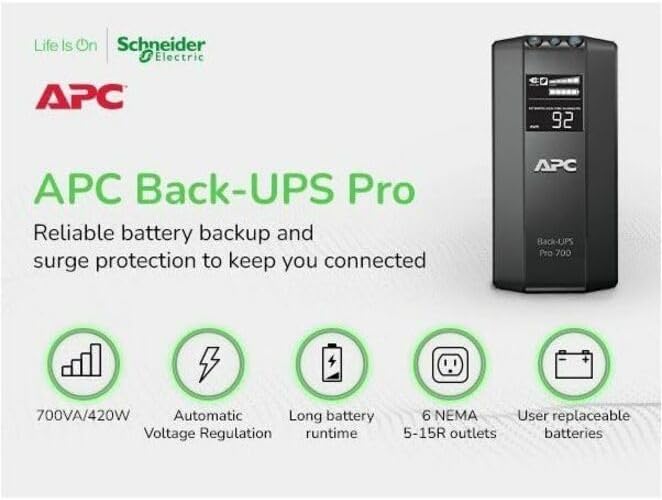
Figure 4: Key features of the APC Back-UPS Pro 700VA.
7. Manteniment
- Substitució de la bateria: The battery typically lasts 3-5 years. When the battery needs replacement, the UPS will indicate this via an alarm or display message. Always use genuine APC replacement batteries. Disconnect the UPS from the wall outlet before replacing the battery.
- Neteja: Periodically clean the exterior of the UPS with a dry cloth. Do not use liquid cleaners or solvents. Ensure ventilation openings are free from dust and debris.
- Battery Self-Test: The UPS performs automatic self-tests. You can also initiate a manual self-test by pressing and holding the power button for a few seconds (refer to the full user guide for specific instructions).
8. Solució De Problemes
If you encounter issues with your UPS, refer to the table below for common problems and solutions. For more detailed troubleshooting, consult the full User Manual PDF linked in the Support section.
| Problema | Causa possible | Solució |
|---|---|---|
| El SAI no s'encén. | Battery not connected; UPS not plugged in; Overload. | Ensure battery is connected. Plug UPS into a live wall outlet. Reduce load by unplugging non-essential devices. |
| El SAI emet un so continu. | On battery; Low battery; Overload. | Save work and shut down computer. Allow battery to recharge. Reduce connected load. |
| "Building Wiring Fault" indicator is lit. | Wiring problem in wall outlet (e.g., missing ground). | Consulteu un electricista qualificat per inspeccionar el cablejat de l'edifici. |
9. Especificacions
| Atribut | Valor |
|---|---|
| Número de model | BR700G |
| Capacitat | 700 VA / 420 W |
| Entrada Voltage | 120 Volts |
| Dimensions del producte | 17.32 x 10.08 x 5.67 polzades |
| Pes de l'article | 15.76 lliures |
| Tipus de bateria | Plom-àcid (1 x 12V inclosa) |
| Temps de recàrrega típic | 12 hores |
| Punts de venda | 6 total (3 Battery Backup, 3 Surge Only) |
10. Garantia i Suport
For detailed warranty information and technical support, please refer to the official APC website or the comprehensive user guides provided below.
APC offers protection plans for extended coverage. Please check with your retailer for available options.


