1. Introducció
The Lifespan DS1000i Digital Scale is designed to provide accurate weight measurements and body composition analysis. Featuring a backlit display for easy readability and USB connectivity, this scale allows for seamless data transfer to compatible fitness tracking platforms, helping you monitor your progress effectively. Please read this manual thoroughly before using your scale to ensure proper operation and to maximize its features.
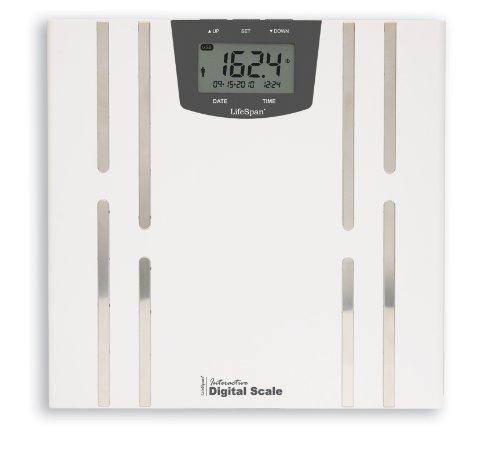
Image 1.1: Lifespan DS1000i Digital Scale. This image shows the full view of the digital scale, highlighting its sleek design and the integrated display panel.
2. Configuració
2.1 Unpacking and Battery Installation
- Traieu amb cura la bàscula del seu embalatge.
- Localitzeu el compartiment de la bateria a la part inferior de la bàscula.
- Insert the required batteries (typically AAA or AA, refer to the battery compartment label) ensuring correct polarity (+/-).
- Tanqueu el compartiment de la bateria de manera segura.
2.2 Initial Placement and Calibration
- Place the scale on a hard, flat surface. Uneven or soft surfaces (like carpet) can affect accuracy.
- To calibrate, gently tap the scale with your foot to turn it on, then wait for the display to show "0.0" or "0.00" before stepping on it. This ensures an accurate initial reading.
2.3 Usuari Profile Setup (Optional for Body Composition)
For body composition analysis (body fat, etc.), you may need to set up a user profile. Refer to the on-screen prompts or the dedicated section in this manual for detailed instructions on entering personal data such as age, height, and gender. The scale may support multiple user profiles.
3. Instruccions de funcionament
3.1 Prendre una mesura de pes
- Assegureu-vos que la bàscula estigui en una superfície plana i estable.
- Gently step onto the scale with bare feet, standing still and centered.
- The display will show your weight. Wait for the reading to stabilize and flash, indicating it has been locked.
- Step off the scale. The reading will remain for a few seconds before the scale automatically turns off.
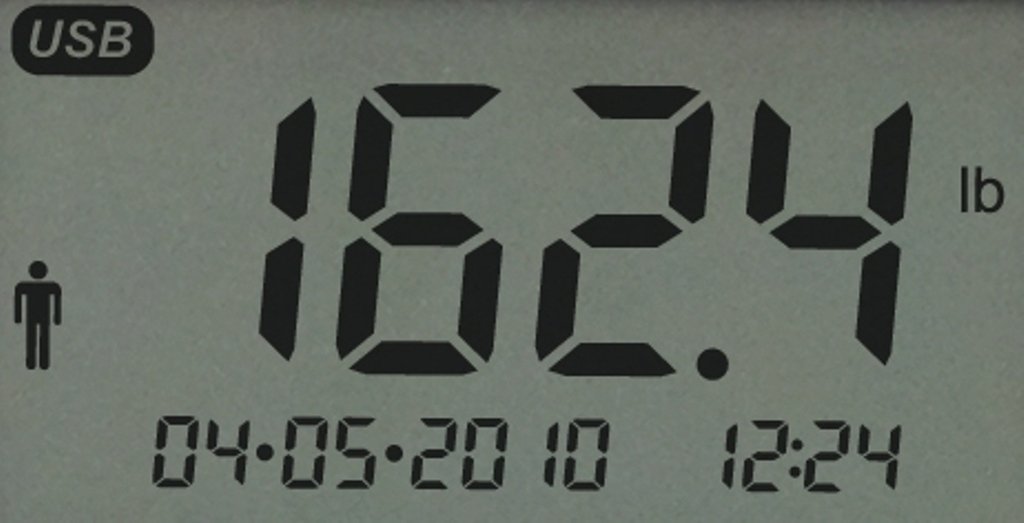
Image 3.1: Close-up of the scale's backlit display. This image illustrates the clear digital readout of weight, along with the date and time, and a USB indicator.
3.2 Anàlisi de la composició corporal
To measure body fat and other metrics, ensure your user profile is selected. Step onto the scale with bare feet, making sure your feet are in contact with the metal electrodes on the scale surface. Remain still until all measurements are displayed. The scale uses Bioelectrical Impedance Analysis (BIA) to estimate body composition.
3.3 Data Transfer via USB
The DS1000i scale features a USB port for transferring your measurement data to a computer or compatible device. This allows for tracking your progress over time using the Lifespan Fitness Club software or other applications.
- After taking your measurements, insert a compatible USB drive into the scale's USB port.
- The scale will automatically transfer the data to the USB drive. Look for an on-screen indicator confirming the transfer.
- Safely remove the USB drive and insert it into your computer to upload data to your Lifespan Fitness Club account.
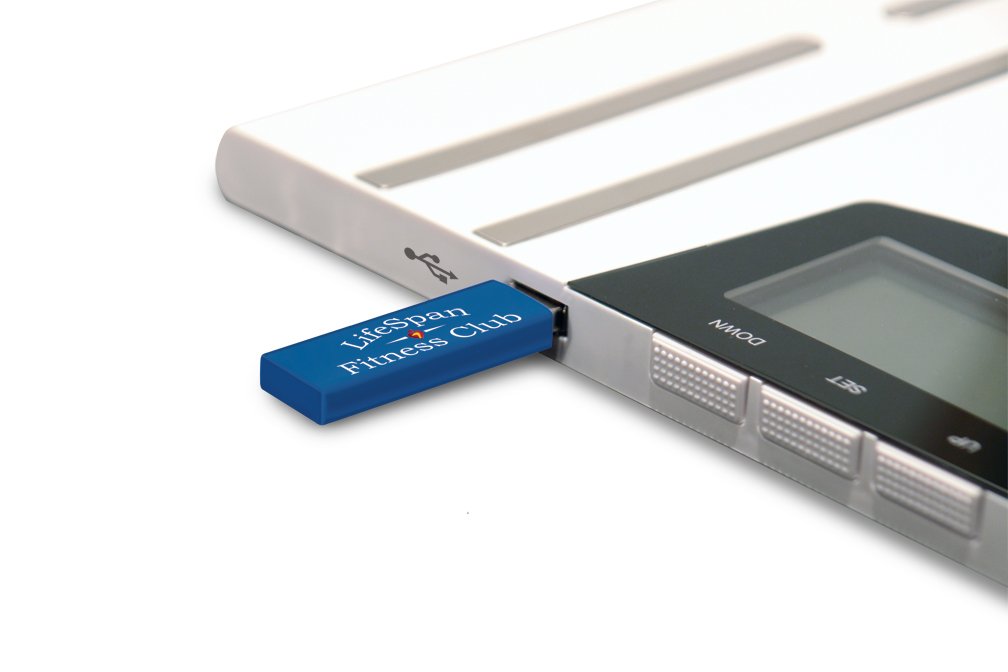
Image 3.2: USB stick inserted into the scale. This image demonstrates how to connect the USB drive to the scale for data transfer.
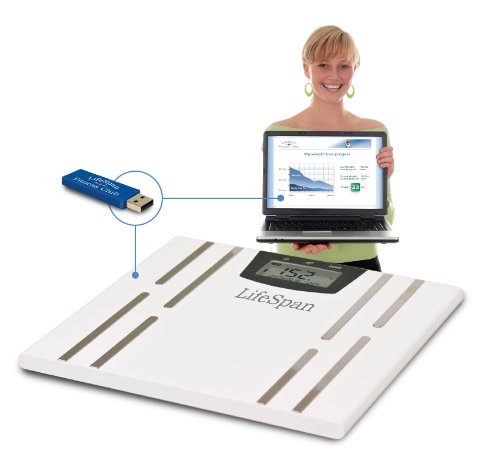
Image 3.3: Scale with USB stick and laptop. This image shows the complete ecosystem, with the scale transferring data to a laptop for fitness tracking.
4. Manteniment
4.1 Cleaning the Scale
- Netegeu la superfície de la bàscula amb un drap suau iamp tela.
- No utilitzeu productes de neteja abrasius ni submergiu la bàscula en aigua.
- Ensure the scale is dry before storage or next use.
4.2 Substitució de la bateria
When the battery indicator appears on the display, or if the display becomes dim, replace the batteries. Follow the instructions in Section 2.1 for battery installation.
4.3 Emmagatzematge
Guardeu la bàscula en un lloc fresc i sec, allunyat de la llum solar directa i de temperatures extremes. Eviteu col·locar objectes pesats a sobre de la bàscula quan no l'utilitzeu.
5. Solució De Problemes
-
Sense pantalla / Pantalla apagada:
- Comproveu la instal·lació de la bateria.
- Substituïu les piles si estan baixes o esgotades.
-
Lectures inexactes:
- Ensure the scale is on a hard, flat, and level surface.
- Perform initial calibration by tapping the scale and waiting for "0.0" before stepping on.
- Ensure you are standing still and centered on the scale.
-
"Err" Message:
- This usually indicates an overload (weight exceeds maximum capacity) or an unstable reading. Step off, wait for the scale to reset, and try again.
- If it persists, try replacing batteries or moving the scale to a different location.
-
USB Data Transfer Issues:
- Ensure the USB drive is properly inserted and compatible.
- Verify that the Lifespan Fitness Club software or other tracking application is correctly installed and configured on your computer.
- Refer to the Lifespan Fitness Club support documentation for specific software troubleshooting.
6. Especificacions
| Característica | Detall |
|---|---|
| Marca | Vida útil |
| Número de model | DS1000i |
| Característica especial | Pantalla retroil·luminada |
| Tipus de visualització | LCD |
| Factor de forma | Mini |
| Tipus de bàscula | Escala de comptador |
| Pes de l'article | 2 kg 180 g |
| Dimensions del producte (LxWxH) | 2.24 x 25.4 x 26.04 cm (0.88 x 10 x 10.25 polzades) |
| GTIN / UPC | 855959000690 |
7. Garantia i Suport
For warranty information, please refer to the documentation included with your purchase or visit the official Lifespan website. If you require technical support or have questions not covered in this manual, please contact Lifespan customer service through their official channels.
- Assistència en línia: Visit the Lifespan official weblloc web amb preguntes freqüents, articles de suport i formularis de contacte.
- Registre de productes: Register your product online to receive updates and streamline warranty claims.