Introducció
Welcome to your new Coby TFTV3227 LCD HDTV. This manual provides essential information for setting up, operating, and maintaining your television. Please read this manual thoroughly before using the product and retain it for future reference.
The Coby TFTV3227 offers a 32-inch class display with 720p resolution and a 60Hz refresh rate, designed for home entertainment. Its integrated features make it a central component for various media sources.
Característiques principals:
- 31.5 inch diagonal TFT LCD widescreen HDTV (720p)
- Built-in digital TV tuner (ATSC/QAM/NTSC)
- Connect up to three HDMI devices simultaneously
- Supports computer monitor connection
- Premium sound powered by SRS Labs
Instruccions importants de seguretat
Per garantir un funcionament segur i evitar danys, observeu les següents precaucions de seguretat:
- Read all instructions before operating the television. Keep these instructions for future reference.
- No exposar aquest aparell a la pluja o la humitat.
- Do not block any ventilation openings. Install in accordance with the manufacturer's instructions, ensuring adequate space around the unit.
- No instal·leu a prop de cap font de calor com ara radiadors, registres de calor, estufes o altres aparells (inclosos amplificadors) que produeixen calor.
- Eviteu que el cable d'alimentació sigui trepitjat o pessigat, especialment als endolls, els endolls i el punt on surten de l'aparell.
- Utilitzeu només accessoris/accessoris especificats pel fabricant.
- Desendolleu aquest aparell durant les tempestes amb llamps o quan no l'utilitzeu durant llargs períodes de temps.
- Demaneu tot el servei a personal de servei qualificat. El manteniment és necessari quan l'aparell s'ha fet malbé d'alguna manera, com ara el cable d'alimentació o l'endoll està danyat, s'ha vessat líquid o han caigut objectes a l'aparell, l'aparell ha estat exposat a la pluja o la humitat, no funciona amb normalitat. , o s'ha deixat caure.
Contingut del paquet
Si us plau, verifiqueu que tots els elements estiguin presents a l'embalatge:
- Coby TFTV3227 32-Inch LCD HDTV
- Suport de TV
- Comandament a distància (piles no incloses)
- Manual d'usuari (Aquest document)
Guia de configuració
Muntatge d’estands
Carefully place the TV screen-down on a soft, flat surface (e.g., a blanket or cloth) to prevent damage to the screen. Attach the TV stand to the bottom of the television using the provided screws. Ensure the stand is securely fastened before placing the TV upright.
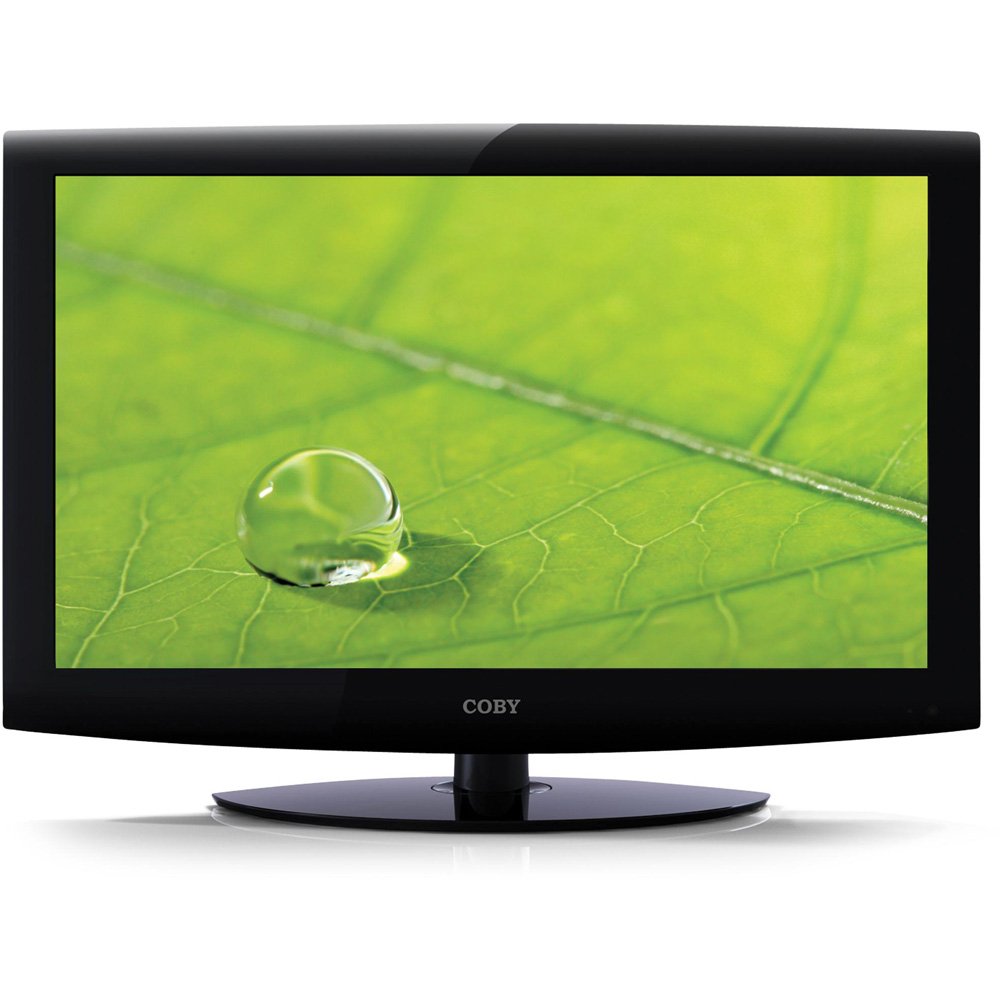
This image displays the front of the Coby TFTV3227 television, featuring its black bezel and integrated stand. The screen is dark, indicating it is powered off or in standby mode. The 'COBY' logo is visible at the bottom center of the bezel.
Dispositius de connexió
Ensure the television and all external devices are powered off and unplugged from the wall outlet before making any connections.
Connexió antena/cable
Connect an antenna or cable TV coaxial cable to the "ANT/CABLE IN" port on the back of the TV. This connection is used for receiving over-the-air broadcasts or standard cable signals.
Dispositius HDMI
Connect up to three HDMI-enabled devices (e.g., Blu-ray player, game console, set-top box) to the HDMI 1, HDMI 2, or HDMI 3 ports on the TV. HDMI provides both high-definition video and audio signals through a single cable.
Connexió a PC
To use the TV as a computer monitor, connect a VGA cable from your computer's video output to the "PC IN" port on the TV. Additionally, connect an audio cable from your computer's audio output to the "PC AUDIO IN" port for sound.
Connexió d'alimentació
After all other connections are made, plug the TV's power cord into a standard wall outlet. The TV is now ready for initial power-on.
Instruccions de funcionament
Encès/Apagat
Premeu el botó PODER button on the remote control or on the TV's control panel to turn the TV on or off. The power indicator light will change status.
Selecció de la font d'entrada
Premeu el botó ENTRADA or FONT button on the remote control to cycle through available input sources (TV, HDMI 1, HDMI 2, HDMI 3, PC, etc.). Select the input corresponding to your connected device.
Sintonització de canals
If using an antenna or cable connection, you will need to perform an auto-scan for channels. Navigate to the "Channel" menu, select "Auto Scan," and follow the on-screen prompts. The built-in ATSC/NTSC tuner supports both digital and analog broadcasts.
Navegació pel menú
Utilitza el MENÚ button to access the on-screen display (OSD) menu. Use the arrow buttons (A dalt/a baix/esquerre/dreta) to navigate through menu options and the ENTRAR or OK per confirmar les seleccions. Premeu el botó MENÚ de nou per sortir.
Característiques especials
- V-Chip Parental Controls: Access this feature through the TV menu to restrict viewing of certain programs based on their ratings.
- Subtítols tancats: Enable or disable closed captions for compatible broadcasts via the menu settings.
- Guia electrònica de programes (EPG): View program schedules and information for digital channels.
- Temporitzador de son: Set the TV to automatically turn off after a specified period, which can be configured in the system settings.
Cura i Manteniment
Neteja de la pantalla
Gently wipe the screen with a soft, lint-free cloth. For stubborn marks or fingerprints, dampen the cloth with a small amount of water or a specialized screen cleaner. No ruixeu el netejador directament sobre la pantalla.
Neteja de l'armari
Wipe the TV cabinet with a soft, dry cloth. Avoid using abrasive cleaners, waxes, or solvents as they may damage the finish.
Ventilació
Ensure the ventilation openings on the back of the TV are not blocked by curtains, furniture, or other objects. Proper airflow is essential to prevent overheating and ensure long-term performance.
Guia de resolució de problemes
Abans de contactar amb l'atenció al client, consulteu els següents problemes comuns i les seves solucions:
| Problema | Solució |
|---|---|
| Sense poder | Check if the power cord is securely plugged into both the TV and a working wall outlet. Try plugging another device into the same outlet to confirm it has power. |
| No hi ha imatge, però hi ha so | Ensure the correct input source is selected (e.g., HDMI 1, TV). Check all video cable connections (HDMI, VGA, Antenna) to ensure they are securely attached. |
| No hi ha so, però hi ha imatge | Check the volume level and ensure the TV is not muted. Verify audio cable connections for external devices (e.g., PC audio in). |
| El control remot no funciona | Replace the batteries in the remote control with new ones. Ensure there are no obstructions between the remote and the TV's infrared (IR) sensor. |
| Mala qualitat d'imatge | Check the antenna/cable connection for signal strength. Adjust picture settings (brightness, contrast, sharpness) in the TV menu. For external devices, check their output resolution settings. |
Especificacions del producte
| Característica | Detall |
|---|---|
| Model | TFTV3227 |
| Mida de la pantalla | 32 Inches (31.5 inch diagonal) |
| Tecnologia de visualització | LCD |
| Resolució | 720p |
| Freqüència d'actualització | 60 Hz |
| Sintonitzador | Built-in ATSC/QAM/NTSC |
| Connectivitat | 3x HDMI, VGA (PC In), Component, Composite, RF |
| Sortida d'àudio | 20 watts (Stereo) |
| Pes de l'article | 25 lliures |
| Dimensions del paquet | 34.5 x 24.5 x 8 polzades |
| Color | Negre |
| Data de primera disponibilitat | 12 de gener de 2011 |
Garantia i assistència al client
For detailed warranty information regarding your Coby TFTV3227 LCD HDTV, please refer to the warranty card included with your product at the time of purchase. It is recommended to keep your original purchase receipt as proof of purchase for any warranty claims.
For technical assistance, troubleshooting beyond this guide, or to inquire about service, please visit the official Coby support website or contact Coby customer service. Contact details are typically provided in the warranty documentation or on the manufacturer's weblloc.


