1. Introducció
This manual provides detailed instructions for the safe and correct installation, operation, and maintenance of your RICOO R02 Tilting TV Wall Mount. Please read all instructions carefully before beginning installation to ensure proper setup and to prevent damage or injury. Keep this manual for future reference.
2. Informació de seguretat
- Capacitat de pes: No supereu la capacitat de càrrega màxima de 30 kg (66 lliures).
- Mida de la pantalla: Aquest suport està dissenyat per a televisors d'entre 22 i 37 polzades.
- Tipus de paret: The included dowels are suitable for concrete walls only. For other wall types (e.g., wood stud, brick, drywall), consult a professional or purchase appropriate mounting hardware.
- Instal·lació professional: If you are unsure about the installation process, seek assistance from a qualified professional.
- Eines: Ensure you have all necessary tools before starting installation.
- Nens: Mantingueu els nens allunyats de la zona d'instal·lació durant el muntatge.
- Danys: Do not install if any parts are damaged. Contact customer support for replacement parts.
3. Contingut del paquet
Verifiqueu que tots els components siguin presents i no estiguin danyats abans de continuar amb la instal·lació.
- Pre-assembled TV bracket
- Dowels (for concrete walls only)
- Screws for screen attachment (various sizes)
- Wall screws and other mounting accessories

Figura 3.1: Technical drawing showing the dimensions and movement capabilities of the R02 wall mount. All measurements are in millimeters.
4. Especificacions
| Marca | RICOO |
| Número de model | R02 |
| Mides de pantalla compatibles | 22 - 37 polzades (56 - 94 cm) |
| Capacitat de càrrega màxima | 30 kg (66 lliures) |
| Compatibilitat VESA | 75x75 mm, 100x100 mm, 200x100 mm, 200x200 mm |
| Angle d'inclinació | +/- 15 graus |
| Angle de gir | Up to 180 degrees (depending on screen width) |
| Distància a la paret | 68 mm - 450 mm |
| Material | Acer d'aliatge |
| Color | Negre |
| Dimensions del producte | 29 x 23 x 8 cm |
| Pes del producte | 2.88 kg |

Figura 4.1: The RICOO R02 wall mount is designed to safely support televisions weighing up to 30 kg.
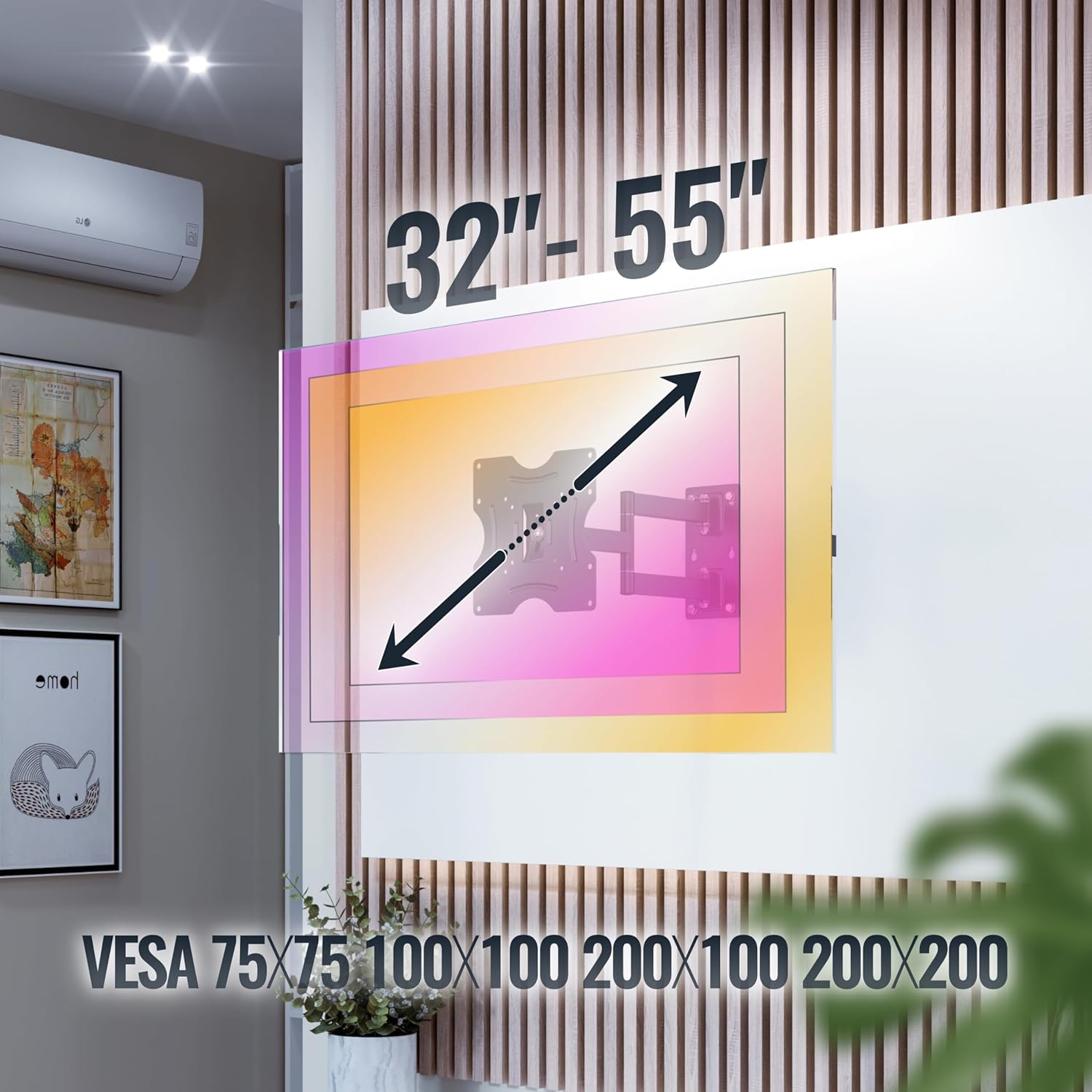
Figura 4.2: This image illustrates the VESA compatibility (75x75, 100x100, 200x100, 200x200 mm) and the recommended screen size range for the mount. Please note that while the image shows 32"-55", the product is specified for 22"-37" TVs.
5. Configuració i instal·lació
Follow these steps carefully for a secure installation. It is recommended to have two people for installation.
- Prepara el mur:
- Identify the desired mounting location on your wall. Ensure the wall can support the weight of the mount and your TV.
- Use a stud finder to locate wall studs if mounting on a wood stud wall. For concrete walls, ensure there are no hidden pipes or electrical wires.
- Mark the drilling points for the wall plate using the mount as a template.
- Forats:
- Drill pilot holes at the marked locations. The drill bit size will depend on your wall type and the provided screws/dowels.
- Insert the appropriate wall anchors (dowels for concrete walls) into the drilled holes.
- Fixeu la placa de paret:
- Secure the wall plate of the mount to the wall using the provided wall screws. Ensure it is level and tightly fastened.
- Fixeu els suports de TV al televisor:
- Col·loqueu amb cura el televisor cara avall sobre una superfície suau i neta.
- Identifiqueu els forats de muntatge VESA a la part posterior del vostre televisor.
- Select the correct size screws from the provided hardware that fit your TV's VESA holes.
- Attach the TV brackets to the back of your TV using these screws. Do not overtighten.
- Muntar el televisor a la placa de paret:
- Amb ajuda, aixequeu amb cura el televisor amb els suports adjunts.
- Enganxeu els suports del televisor a la placa de paret. Assegureu-vos que el televisor estigui ben col·locat al suport.
- Activeu els mecanismes de bloqueig de seguretat de la muntura per evitar que es desprengui accidentalment.
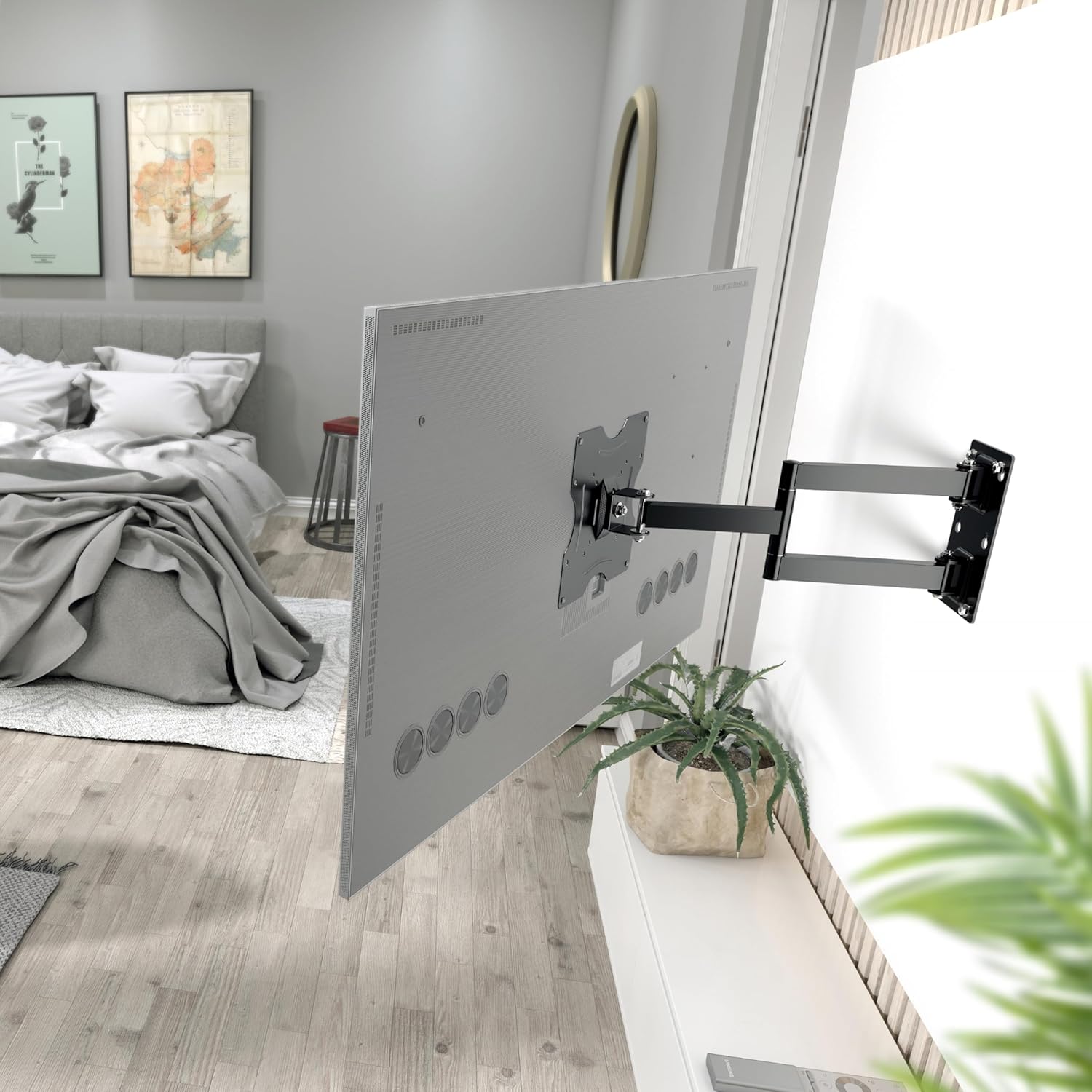
Figura 5.1: The RICOO R02 wall mount securely installed, holding a television at an extended position from the wall.
6. Instruccions de funcionament
The RICOO R02 mount offers flexible viewopcions d'ing:
- Inclinació: Gently push or pull the top or bottom of the TV to adjust the tilt angle up to +/- 15 degrees. This helps reduce glare and optimize viewing.
- Giració: The mount allows for swiveling the TV up to 180 degrees horizontally. Carefully push the TV left or right to achieve the desired viewing angle. The maximum swivel range depends on the width of your TV and its distance from the wall.
- Extending/Retracting: The mount can extend the TV from the wall between 68 mm and 450 mm. Gently pull the TV forward or push it back towards the wall.

Figura 6.1: Illustration of the mount's tilt range (+/- 15 degrees) and swivel range (up to 180 degrees), allowing for optimal viewdes de diferents posicions.
7. Manteniment
Un manteniment regular garanteix la longevitat i el funcionament segur del suport de paret per a televisors.
- Neteja: Wipe the mount with a soft, dry cloth. Avoid abrasive cleaners or solvents.
- Comprovació d'estanquitat: Periodically check all screws and bolts to ensure they remain tight. Retighten if necessary, but do not overtighten.
- Comprovació de moviment: Occasionally move the TV through its full range of motion (tilt, swivel, extend) to ensure smooth operation.
- Inspecció de danys: Inspect the mount for any signs of wear, damage, or corrosion. If any issues are found, discontinue use and contact customer support.
8. Solució De Problemes
| Problema | Causa possible | Solució |
|---|---|---|
| El televisor no està anivellat. | Wall plate not installed level. | Remove TV, adjust wall plate, and re-mount. Use a spirit level during installation. |
| La muntura sembla fluixa o inestable. | Screws are loose; incorrect wall anchors; wall material not strong enough. | Check and tighten all screws. Ensure correct wall anchors were used for your wall type. If the wall is insufficient, consult a professional. |
| Difficulty tilting or swiveling the TV. | Joints are too tight; TV is too close to the wall or other obstructions. | Check for adjustment screws on the mount's joints and loosen slightly if needed. Ensure sufficient clearance around the TV. |
| El televisor no encaixa amb el suport. | Patró VESA o mida/pes del televisor incorrectes. | Verify your TV's VESA pattern and weight against the mount's specifications (Section 4). Ensure your TV is within the 22-37 inch range and under 30 kg. |
9. Garantia i Suport
Per obtenir informació sobre la garantia o assistència tècnica, poseu-vos en contacte amb el servei d'atenció al client de RICOO. Conserveu el rebut de compra com a comprovant de compra.
Fabricant: ENZ Engineering GmbH
GTIN: 04260201860186
For further assistance, please visit the official RICOO weblloc web o contacteu amb els seus canals d'assistència.


