1. Introducció
The Stack-On PC-95C Portable Security Case is designed to provide secure storage for valuables such as wallets, credit cards, cell phones, or other small items during transit. Its slim-line design allows it to fit conveniently into a briefcase, under a car seat, or within luggage. The case meets TSA airline guidelines for firearm transport and features a foam-padded interior to protect contents from scratches. It includes a 1,500-pound test steel cable for securing the case to a fixed object, and a 3-tumbler combination locking system for keyless security.
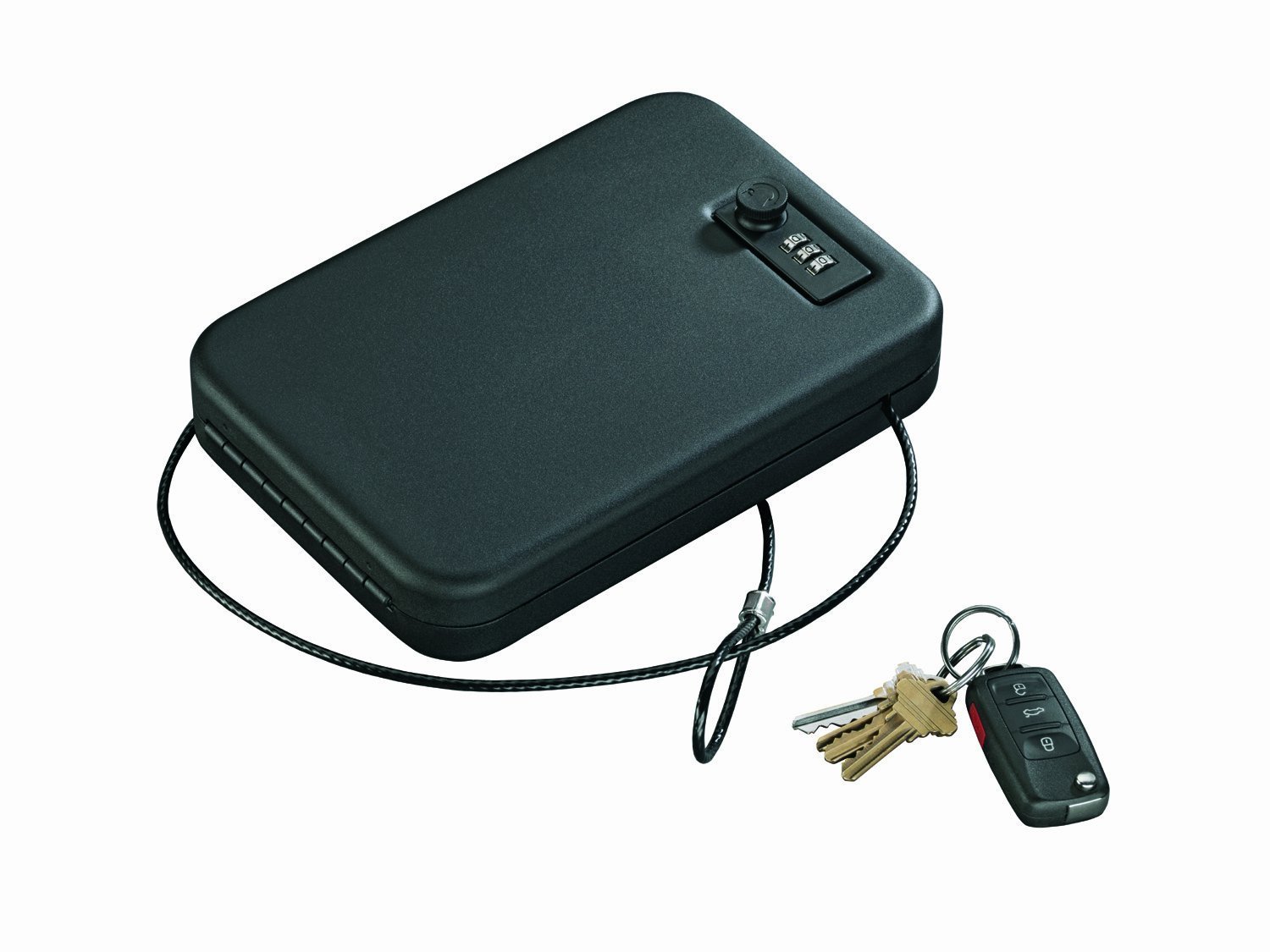
Image 1.1: The Stack-On PC-95C Portable Security Case, partially open, revealing the combination lock and protective foam interior.
2. Configuració
2.1 Configuració de la combinació personal
Your Stack-On PC-95C case comes with a factory-set combination, typically 0-0-0. To set your personal combination:
- Open the case using the current combination (factory default or previously set).
- Locate the reset lever or button on the inside of the lock mechanism. This is usually a small lever that needs to be moved from position A to B, or a button that needs to be pressed and held.
- While the reset mechanism is engaged, dial your desired 3-digit combination. Choose a memorable but secure combination.
- Return the reset lever/button to its original position.
- Scramble the dials to test your new combination. Ensure it opens the case correctly before closing and locking it.
Important: Do not forget your combination. There is no master key or override for the combination lock.
2.2 Attaching the Steel Security Cable
The included 1,500-pound test steel cable provides an additional layer of security by allowing you to tether the case to a fixed object.
- Locate the cable slot on the body of the case.
- Loop the steel cable around a secure, fixed object (e.g., a car seat frame, a desk leg, or luggage handle).
- Pass one end of the cable through the cable slot on the case.
- Close the case and engage the combination lock. Locking the case will secure the cable in place, preventing its removal.

Image 2.1: The Stack-On PC-95C Portable Security Case in its closed position, displaying the combination lock.
3. Funcionament
3.1 Obertura del cas
- Align the three combination dials to your personal 3-digit code.
- Turn the knob adjacent to the combination dials clockwise until the lid releases.
- Lift the lid to open the case.
3.2 Closing and Locking the Case
- Ensure all contents are properly placed within the foam-padded interior.
- Lower the lid until it is fully closed.
- Turn the knob adjacent to the combination dials counter-clockwise until it clicks into the locked position.
- Barregeu els dials de combinació per bloquejar el pany.

Imatge 3.1: Costat A view of the closed Stack-On PC-95C Portable Security Case, highlighting its compact design and combination lock.
4. Manteniment
4.1 Neteja general
To maintain the appearance and functionality of your security case:
- Netegeu l'exterior amb un suau, damp drap. Eviteu productes de neteja abrasius o dissolvents que puguin danyar l'acabat.
- For the combination dials, use a dry cloth to remove dust or debris. Do not apply lubricants to the lock mechanism unless specifically recommended by the manufacturer.
4.2 Foam Interior Care
The foam interior protects your valuables. If it becomes dirty or worn:
- The foam can typically be removed for cleaning. Hand wash with mild soap and water, then allow to air dry completely before placing it back in the case.
- If the foam is significantly damaged, replacement foam can be sourced from the manufacturer or a suitable alternative can be cut to fit.
4.3 Lock Mechanism Inspection
Periodically inspect the internal components of the lock mechanism, particularly the tab that engages with the case body. Ensure all screws are snug. If you notice any looseness or difficulty in locking/unlocking, gently tighten any accessible screws. Avoid over-tightening, which can cause jamming.
5. Solució De Problemes
5.1 Case Will Not Open with Correct Combination
- Verifica la combinació: Double-check that you are entering the correct 3-digit combination. Ensure each dial is precisely aligned with the indicator mark.
- Knob Movement: Ensure the knob is turned fully clockwise after entering the combination.
- Mecanisme intern: If the lock feels stiff or jammed, gently jiggle the lid while turning the knob. Avoid forcing the mechanism.
5.2 Difficulty in Setting New Combination
- Reset Lever Position: Ensure the reset lever or button is fully engaged in the 'set' position while dialing the new combination, and then fully returned to its original position.
- Clear Dials: Make sure the dials are clear of any debris that might prevent smooth movement.
5.3 Lost Combination
If you forget your combination, there is no factory reset code or master key for this type of lock. You may need to attempt to cycle through combinations or contact Stack-On customer support for potential solutions, though recovery without the combination is generally not possible for security reasons.
6. Especificacions
| Marca | Stack-On |
| Número de model | PC-95C |
| Dimensions del producte | 1.75"D x 6.5"W x 1.75"H (Exterior) |
| Interior Dimensions (approx.) | 1.35"H X 9.25"W X 6.25"D (between foam) |
| Tipus de bloqueig | 3-number Combination |
| Color | Negre |
| Material | Acer d'aliatge |
| Característica especial | Resistent a l'impacte |
| Tipus de muntatge | Autònom, sobretaula |
| Pes de l'article | 3.2 lliures |
| Nivell de resistència a l'aigua | No resistent a l'aigua |
7. Garantia i assistència
7.1 Informació de la garantia
The Stack-On PC-95C Portable Security Case is covered by a Garantia limitada d'un any. This warranty typically covers defects in materials and workmanship under normal use. Please refer to the warranty documentation included with your product packaging for full terms and conditions, or visit the official Stack-On weblloc per obtenir informació detallada.
7.2 Atenció al client
For further assistance, technical support, or inquiries regarding your Stack-On PC-95C case, please contact Stack-On customer service. Keep your product model number (PC-95C) and any purchase information readily available when contacting support.
Normalment podeu trobar la informació de contacte a la pàgina oficial del fabricant weblloc web o dins de l'embalatge del producte.


