BlackBerry BB 9900

BlackBerry BB 9900 Bold Touch Smartphone User Manual

Model: BB 9900

1. Introducció

This manual provides essential instructions for setting up, operating, and maintaining your BlackBerry BB 9900 Bold Touch smartphone. Please read this guide thoroughly to ensure proper use and to maximize the device's capabilities. The BlackBerry BB 9900 Bold Touch combines a capacitive touchscreen with a full QWERTY keyboard, running on BlackBerry OS 7.

2. Contingut del paquet

Comproveu que el vostre paquet contingui els elements següents:

3. Dispositiu acabatview

Familiarize yourself with the physical features of your BlackBerry BB 9900 Bold Touch.

3.1 Davant View

BlackBerry BB 9900 Bold Touch front view, showing the screen, QWERTY keyboard, and navigation buttons.

Imatge: Frontal view of the BlackBerry BB 9900 Bold Touch, highlighting the 2.8-inch touchscreen and the physical QWERTY keyboard below it. The device also features a trackpad and call/end buttons.

  • Pantalla tàctil: 2.8-inch capacitive display for interactive navigation.
  • Teclat QWERTY: Full physical keyboard for efficient typing.
  • Optical Trackpad: For precise navigation and selection.
  • Botons de trucada/finalització: Standard telephony controls.

3.2 Darrera View

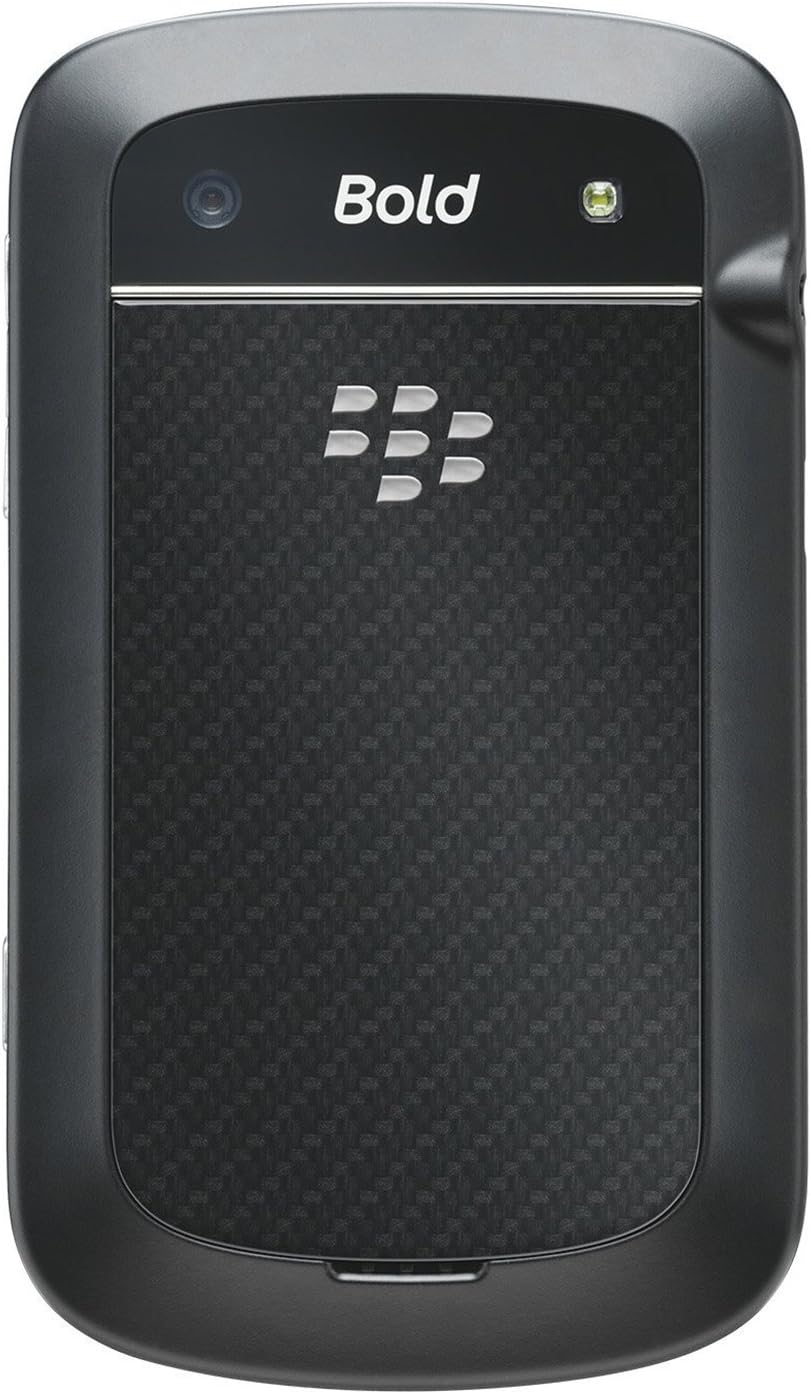
BlackBerry BB 9900 Bold Touch rear view, showing the 5MP camera lens and LED flash.

Imatge: Part posterior view of the BlackBerry BB 9900 Bold Touch, featuring the 5-megapixel camera lens, LED flash, and the BlackBerry logo.

  • Càmera de 5 MP: Primary camera with autofocus and LED flash.
  • Tapa de la bateria: Removable cover for battery and SIM card access.

3.3 lateral View

BlackBerry BB 9900 Bold Touch side view, showing volume buttons and convenience key.

Imatge: Lateral view of the BlackBerry BB 9900 Bold Touch, illustrating the placement of the volume control buttons and a customizable convenience key.

  • Botons de volum: Ajusta els nivells d'àudio.
  • Convenience Key: Customizable shortcut button.

4. Configuració

4.1 Inserció de la targeta SIM

  1. Remove the battery cover from the back of the device.
  2. Localitzeu la ranura de la targeta SIM.
  3. Introduïu la targeta SIM amb els contactes daurats cap avall i la cantonada tallada alineada amb la ranura.
  4. Assegureu-vos que la targeta SIM estigui ben col·locada.

4.2 Inserció de la bateria

  1. After inserting the SIM card, align the battery's gold contacts with the contacts in the battery compartment.
  2. Premeu suaument la bateria al seu lloc fins que faci clic.
  3. Substituïu la tapa de la bateria.

4.3 Càrrega del dispositiu

  1. Connect the USB cable to the charging port on your device.
  2. Plug the other end of the USB cable into the wall charger, then into a power outlet.
  3. Deixeu que el dispositiu es carregui completament abans del primer ús. L'indicador de bateria a la pantalla mostrarà l'estat de càrrega.

4.4 Engegada/apagada

  • Per encendre: Press and hold the Power/Lock button (usually located on the top edge) until the BlackBerry logo appears.
  • Per apagar: Press and hold the Power/Lock button until the 'Power Off' option appears on the screen. Tap 'Power Off' to confirm.

5. Instruccions de funcionament

Navegació amb pantalla tàctil 5.1

  • Toca: Touch the screen briefly to open applications, select items, or activate buttons.
  • Llisca: Drag your finger across the screen to scroll through lists or switch between home screen panels.
  • Pessiga per fer zoom: Use two fingers to zoom in or out on photos, web pàgines o mapes.

5.2 Using the QWERTY Keyboard

The physical QWERTY keyboard allows for fast and accurate text entry. Each key corresponds to a letter, number, or symbol. Use the 'Alt' key for alternate characters and the 'Shift' key for capitalization.

5.3 Fer trucades

  1. From the home screen, tap the Phone icon or press the green Call button.
  2. Enter the phone number using the keyboard.
  3. Press the green Call button to initiate the call.
  4. To end a call, press the red End Call button.

5.4 Enviament de missatges

  1. Tap the Messages icon from the home screen.
  2. Select 'Compose New' or similar option.
  3. Introduïu el número del destinatari o seleccioneu-lo dels contactes.
  4. Escriu el teu missatge amb el teclat QWERTY.
  5. Tap 'Send'.

5.5 Ús de la càmera

  1. Toqueu la icona de la càmera per obrir l'aplicació de la càmera.
  2. Enquadra la teva foto utilitzant la pantalla com a viewcercador.
  3. Tap the screen or press the convenience key (if configured) to take a photo.
  4. The 5MP camera features autofocus and an LED flash for improved image quality.

5.6 Connexió a Wi-Fi

  1. Go to 'Options' > 'Networks and Connections' > 'Wi-Fi'.
  2. Turn Wi-Fi on. The device will scan for available networks.
  3. Seleccioneu la xarxa desitjada i introduïu la contrasenya si se us demana.
  4. Once connected, the Wi-Fi indicator will appear in the status bar.

5.7 Using NFC (Near Field Communication)

The BlackBerry BB 9900 Bold Touch supports NFC for short-range wireless communication. This allows for quick pairing with compatible accessories or sharing data with other NFC-enabled devices by tapping them together.

  1. Assegureu-vos que NFC estigui habilitat a la configuració del vostre dispositiu.
  2. Hold your device close to another NFC-enabled device or tag.
  3. Follow on-screen prompts to complete the desired action (e.g., pairing, data transfer).

6. Manteniment

6.1 Neteja del vostre dispositiu

  • Use a soft, lint-free cloth to wipe the screen and body of the device.
  • Eviteu utilitzar productes químics agressius, netejadors abrasius o aerosols.
  • No exposeu el dispositiu a una humitat excessiva.

6.2 Cura de la bateria

  • Eviteu temperatures extremes, que poden degradar el rendiment de la bateria.
  • Use only the original or approved charger.
  • No perforeu ni danyeu la bateria.

6.3 Actualitzacions de programari

Periodically check for software updates to ensure your device has the latest features and security enhancements. Updates can typically be found in the device's 'Options' or 'Settings' menu under 'Software Updates'.

7. Solució De Problemes

7.1 El dispositiu no s'encén

  • Assegureu-vos que la bateria estigui ben inserida i carregada.
  • Connect the device to the charger and wait a few minutes before attempting to power on again.
  • If the issue persists, try removing and reinserting the battery.

7.2 Problemes de connectivitat de xarxa

  • Check if your SIM card is correctly inserted and activated with your carrier.
  • Verify that cellular data or Wi-Fi is enabled in your device settings.
  • Reinicieu el dispositiu.
  • If using Wi-Fi, ensure your router is working and you have entered the correct password.

7.3 Touch Screen Unresponsive

  • Reinicieu el dispositiu.
  • Assegureu-vos que la pantalla estigui neta i lliure de brutícia o humitat.
  • If the issue is intermittent, check for any recent software installations that might be causing conflicts.

8. Especificacions

Característica Detall
Nom del model BB 9900
Sistema operatiu BlackBerry OS 7
Mostra 2.8-inch Capacitive Touchscreen, 640 x 480 Resolution
Processador Not specified (typically 1.2 GHz for this model)
RAM 768 MB
Emmagatzematge intern 8 GB
Càmera posterior 5 MP, Autofocus, LED Flash
Connectivitat Wi-Fi 802.11 b/g/n, NFC, Bluetooth, GPS
Suport a la xarxa Quad-band GSM/GPRS/EDGE, Tri-band HSPA+
Dimensions 4.53 x 2.6 x 0.41 polzades (115 x 66 x 10.5 mm)
Pes 4.6 unces (130 grams)
Jack d'àudio 3.5 mm

9. Assistència i garantia

9.1 Atenció al client

For technical assistance, troubleshooting beyond this manual, or service inquiries, please visit the official BlackBerry support website or contact your local service provider. Refer to the packaging or official weblloc web per obtenir dades de contacte específiques.

9.2 Informació de la garantia

Your BlackBerry BB 9900 Bold Touch is covered by a limited warranty. Please refer to the warranty card included in your product packaging or visit the official BlackBerry weblloc web per obtenir els termes i condicions detallats, inclòs el període de garantia i els detalls de la cobertura. Conserveu el comprovant de compra per a les reclamacions de garantia.

Documents relacionats - BB 9900

Preview Guia de l'usuari del telèfon intel·ligent BlackBerry Q10
Guia completa del telèfon intel·ligent BlackBerry Q10, que cobreix funcions com el BlackBerry Hub, el teclat, el vídeo BBM, la càmera, la compartició de contingut multimèdia i la configuració del dispositiu. Apreneu a maximitzar la productivitat i personalitzar la vostra experiència.
Preview Entorn de desenvolupament de Java per a BlackBerry: Guia de desenvolupament de GPS i mapes per a BlackBerry
Aquesta guia detalla la integració de les funcionalitats GPS i BlackBerry Maps dins del BlackBerry Java Development Environment, i serveix com a recurs tècnic per als desenvolupadors que creen aplicacions amb funció de localització.
Preview Guia de l'usuari de BlackBerry Tasks per a Android | Gestió segura de tasques
La Guia de l'usuari oficial de BlackBerry Tasks per a Android (v3.17) proporciona instruccions completes sobre la instal·lació, l'activació, la gestió de tasques, la configuració i la resolució de problemes de l'aplicació de gestió de tasques empresarials segura de BlackBerry.
Preview BlackBerry Q5 Smartphone User Guide: Setup, Features, and Operations
This comprehensive user guide provides detailed information and instructions for operating the BlackBerry Q5 Smartphone. It covers the features and functionalities of the BlackBerry 10 OS, version 10.2.1, designed to enhance productivity and connectivity.
Preview BlackBerry Z30 Smartphone User Guide: Features, Setup, and Operation
Discover the comprehensive user guide for the BlackBerry Z30 Smartphone (Version 10.3.2). This guide provides detailed instructions on device setup, navigating features, managing communications, utilizing media capabilities, customizing settings, and enhancing security for an optimal user experience.
Preview Configuració d'entorns d'Office 365 i híbrids d'Office 365: Autenticació moderna per a aplicacions de BlackBerry Dynamics
Una guia completa sobre la configuració de l'autenticació moderna per a les aplicacions de BlackBerry Dynamics amb Office 365 i entorns híbrids d'Office 365. Apreneu a configurar BlackBerry Work, Notes i Tasks per a una seguretat millorada i una integració perfecta.