1. Introducció
The Jabra JOURNEY is a Bluetooth in-car speakerphone designed to provide clear, hands-free communication and audio streaming while driving. It features HD Voice technology, enhanced noise cancellation, and intuitive voice controls for a safer and more convenient driving experience.
2. Contingut del paquet
- Jabra JOURNEY Bluetooth In-Car Speakerphone
- Carregador de cotxe
- Cable USB
- Manual d’inici ràpid

Image: The retail packaging of the Jabra JOURNEY, displaying the speakerphone and its accessories.
3. Producte acabatview i Característiques
The Jabra JOURNEY is designed for ease of use and superior audio quality in your vehicle. Key features include:
- HD Voice Microphone: Provides crystal-clear conversations with enhanced noise cancellation.
- Encès/Apagat automàtic: A built-in motion sensor automatically turns the device on when you enter the car and off when you leave.
- Control de veu: Use voice commands to answer, ignore, or make calls.
- Guia de veu: Receive spoken updates on connection status, battery level, and caller ID.
- A2DP Streaming: Stream music, podcasts, or GPS directions from your mobile phone.
- Multiuse: Connect and manage calls from two Bluetooth devices simultaneously.
- Durada de la bateria ampliada: Up to 20 hours of talk time and 45 days of standby time.
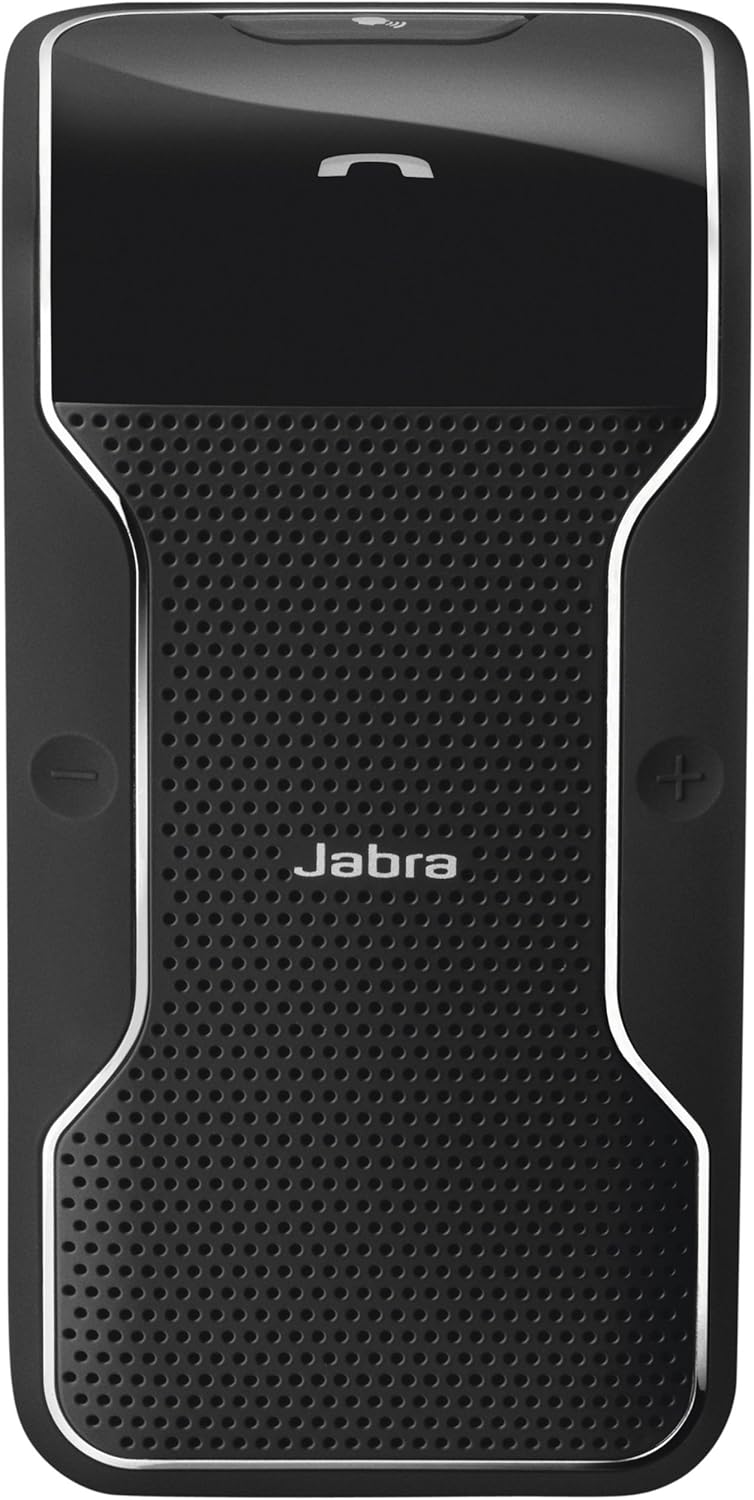
Image: A close-up of the Jabra JOURNEY speakerphone, highlighting its sleek design and button layout.
4. Configuració
4.1. Càrrega del dispositiu
Before initial use, fully charge your Jabra JOURNEY. Connect the provided USB cable to the speakerphone and either the car charger or a compatible USB power source. A full charge takes approximately 2.5 hours.
4.2. Emparellament amb un telèfon mòbil
- Turn on the Jabra JOURNEY. Voice Guidance will announce "Welcome! You are now ready for pairing..."
- Activa el Bluetooth al teu telèfon mòbil.
- Cerca Bluetooth devices and select "Jabra JOURNEY" from the list.
- Si se us demana un codi d'accés, introduïu "0000" (quatre zeros).
- Once paired, Voice Guidance will confirm "Connected."
Video: Official product video demonstrating the features and simple setup of the Jabra JOURNEY Bluetooth In-Car Speakerphone.
5. Instruccions de funcionament
5.1. Automatic On/Off
The Jabra JOURNEY features a motion sensor that automatically turns the device on when you open your car door or enter the vehicle. It will automatically turn off after 10 minutes of inactivity or when your phone disconnects from it.
5.2. Fer i rebre trucades
- Respondre una trucada: Press the Answer/End button or say "Answer" when Voice Control is active.
- Finalització d'una trucada: Press the Answer/End button.
- Rebutjar una trucada: Say "Ignore" when Voice Control is active, or press and hold the Answer/End button.
- Fer una trucada: Use your phone's voice dial feature (e.g., Siri, Google Assistant) by pressing the Voice button on the speakerphone, or dial directly from your phone.
5.3. Voice Control and Voice Guidance
Voice Control allows you to manage calls using simple spoken commands. Voice Guidance provides audible feedback on device status and announces incoming callers (device dependent).
Video: Demonstration of Siri integration with Jabra devices, relevant for using voice commands with the Jabra JOURNEY.
5.4. Streaming Audio (A2DP)
The Jabra JOURNEY supports A2DP, allowing you to stream audio from your phone. This includes music, podcasts, and turn-by-turn directions from GPS applications.
5.5. Multiuse Functionality
You can connect your Jabra JOURNEY to two Bluetooth-enabled devices simultaneously. This allows you to manage calls from both a personal and a work phone without needing to switch devices.
6. Manteniment
To ensure optimal performance and longevity of your Jabra JOURNEY, follow these maintenance guidelines:
- Netegeu el dispositiu regularment amb un drap suau i sec.
- Avoid exposing the device to extreme temperatures, moisture, or corrosive substances.
- No intenteu desmuntar ni modificar el dispositiu, ja que això anul·larà la garantia.
7. Solució De Problemes
If you encounter issues with your Jabra JOURNEY, try the following:
- Sense energia: Ensure the device is charged. Connect it to the car charger or USB cable.
- Problemes d'aparellament: Make sure Bluetooth is enabled on your phone and the speakerphone is in pairing mode. Try restarting both devices.
- Mala qualitat d'àudio: Check the volume levels on both the speakerphone and your mobile phone. Ensure there are no obstructions between the devices.
- El control per veu no respon: Verify that Voice Control is enabled and speak clearly.
For further assistance, please refer to the official Jabra support resources.
8. Especificacions
| Nom del model | 100 |
| Número de model de l'article | 100-47300000-02 |
| Material | Plàstic |
| Color | Negre |
| Dimensions del producte | 7.24 x 3.5 x 1.69 polzades |
| Pes de l'article | 3.2 unces |
| Tecnologia de comunicació sense fils | Bluetooth |
| Font d'alimentació | Funciona amb bateria |
| Temps de conversa | Fins a 20 hores |
| Temps d'espera | Fins a 45 dies |
| Temps de càrrega | Aproximadament 2.5 hores |
| Característiques especials | Microphone Included, Noise Cancellation, Voice Control, Voice Guidance, A2DP, Multiuse |
9. Garantia i Suport
The Jabra JOURNEY comes with a limited warranty. For detailed warranty information, product registration, and technical support, please visit the official Jabra support weblloc.
Enllaç de suport: http://jabr.as/wkqaq


